
Skip to content

Blog

AI Political Poster Maker: Create Campaign Materials Quickly with AI

free ai political poster maker

Generated using mew.design

Have you ever felt overwhelmed trying to design a political flyer or campaign poster from scratch? You’re not alone. Whether you’re running for office, managing a local campaign, or organizing a student election, creating professional visuals is crucial—but it can also be time-consuming and expensive. Luckily, AI design tools are changing that. With a powerful AI political poster generator, you can now use AI to create a political campaign flyer for free—quickly, easily, and effectively.

And when it comes to finding the best platform for the job, Mew Design is the one you shouldn’t miss.

Mew Design: The Smarter Way to Create Political Posters/Flyers with AI

Choosing the right tool is the first step toward victory. While many options exist, Mew Design stands out due to its advanced, multi-faceted approach specifically engineered for high-impact communication. It’s not just a template editor; it’s an AI design partner built for people like you—candidates, campaign managers, and advocacy groups who need professional visuals fast. online free ai political campaign poster generator

Here’s why Mew Design is the best free AI political poster maker online:

  • Intelligent Text-to-Design: Simply describe your campaign concept: “Create a political poster with the female candidate I uploaded, patriotic background, the quote: ‘Progress You Can Count On, and call-to-action: Vote for Change.” Mew Design handles the rest—layout, typography, colors, even emotional tone. You don’t just edit a template. The platform acts as a true AI political poster generator, interpreting your prompt to build a custom design from the ground up.
  • Powerful Text Integration: Even with longer paragraphs or policy-heavy text, it handles layout cleanly—no broken formatting or AI ‘hallucinations’ like random words or jumbled typography. What you write is exactly what shows up
  • Deep Editing Control: Want to tweak a headline or reposition a photo? Mew Design allows precision edits using follow-up prompts—finally, an AI political poster maker that actually listens.
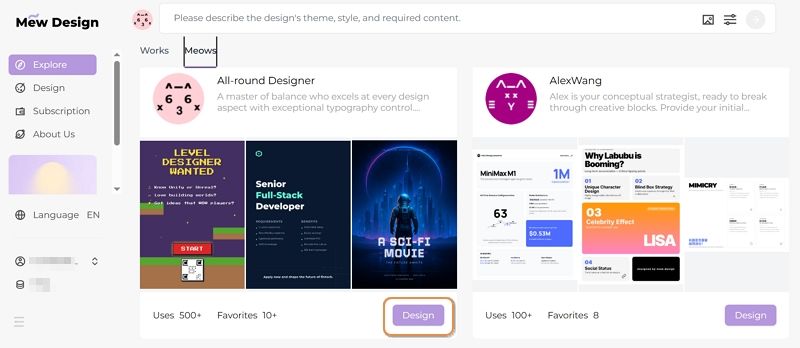
  • Human-Like AI Designers (“Meows”): Each AI agent—called a “Meow”—is infused with real design expertise, offering unique styles and deep understanding of design language. Whether you want something bold, emotional, or minimal, there’s a Meow for that.
  • Upload Candidate Photos & Branding: Want to include your own logo, QR code, or slogan? Just upload them and the AI will seamlessly integrate them into your design.

Campaign Materials You Can Create with Mew Design:

  • Generate campaign posters with candidate photos and messaging
  • Create political flyers for events and rallies
  • Design election materials including yard signs and banners
  • Produce social media graphics for digital campaigns
  • Generate propaganda-style artwork for advocacy campaigns
  • Create voter registration materials and informational graphics
  • Design fundraising visuals for campaign donations
🚀

Win Elections with AI-Powered Campaign Design

Create compelling political posters that resonate with voters, drive engagement, and win campaigns. Our AI understands political messaging and creates visuals that convert supporters into voters.

Start Your Campaign →

How To Create a Political Poster with AI

Ready to use AI to create a political campaign flyer for free? Follow this step-by-step guide to get started with the online AI political poster generator - Mew Design.

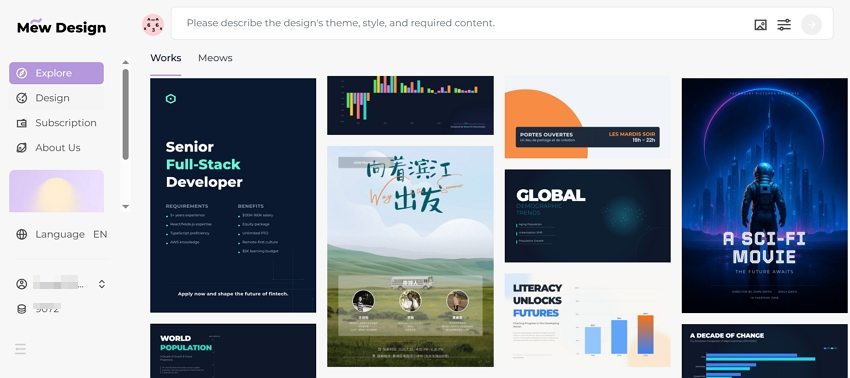
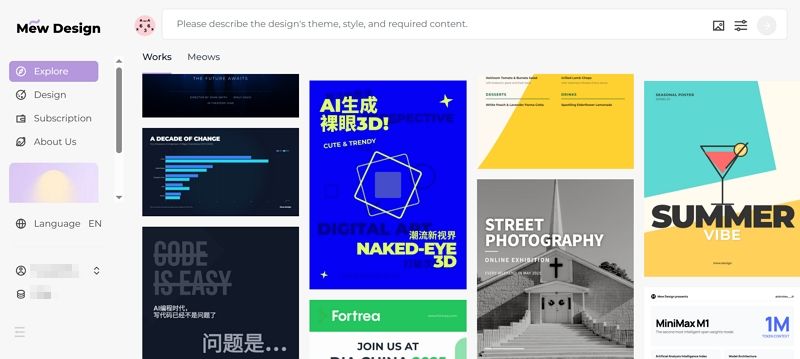
Step 1. Sign In Mew Design

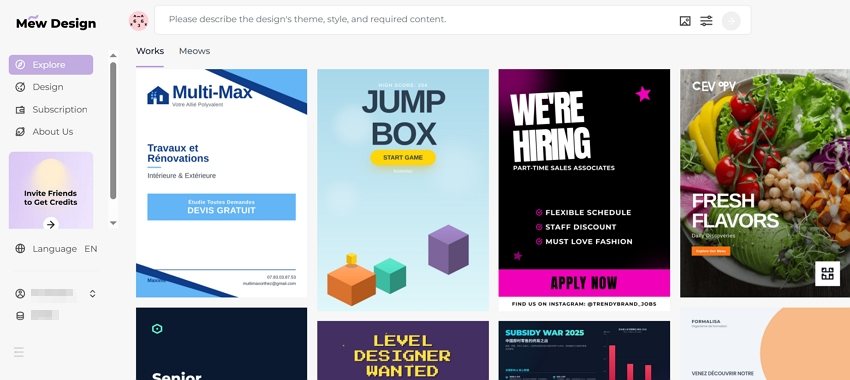
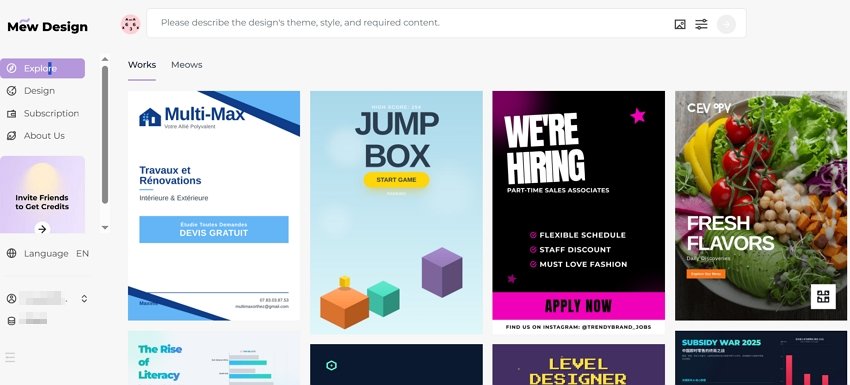
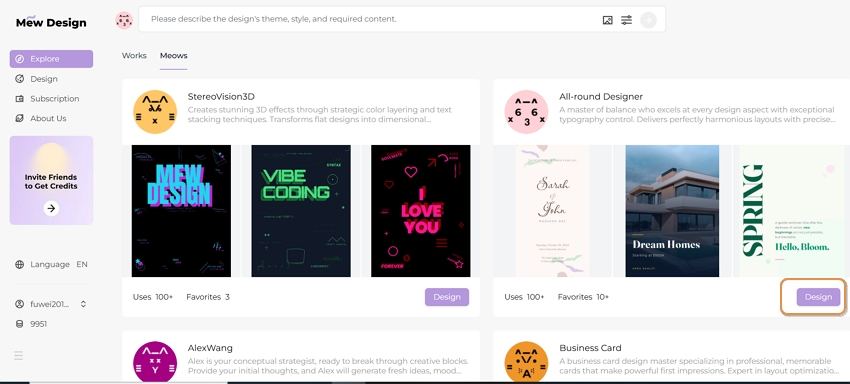
Go to Mew Design and log in to your account. You’ll receive free AI credits upon signing up, which you can use to create posters. Then, pick a “Meow Designer” (AI design agent) that best suits your needs.

pick ai poster design agent

Step 2. Type Your Text Prompt

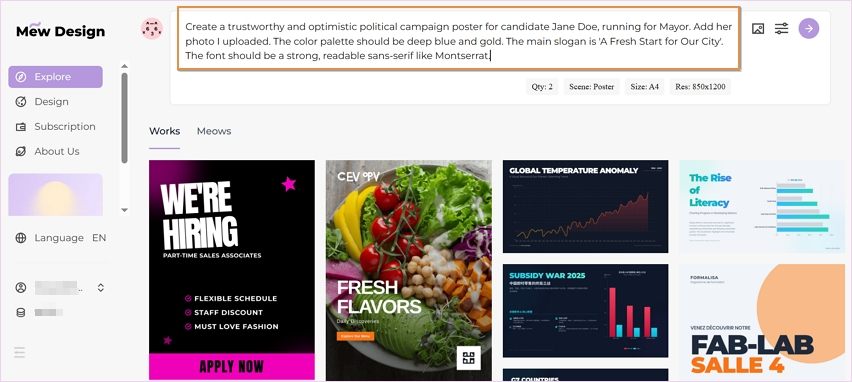
This is the most crucial step. Provide the AI with specific, detailed instructions. Example prompt:

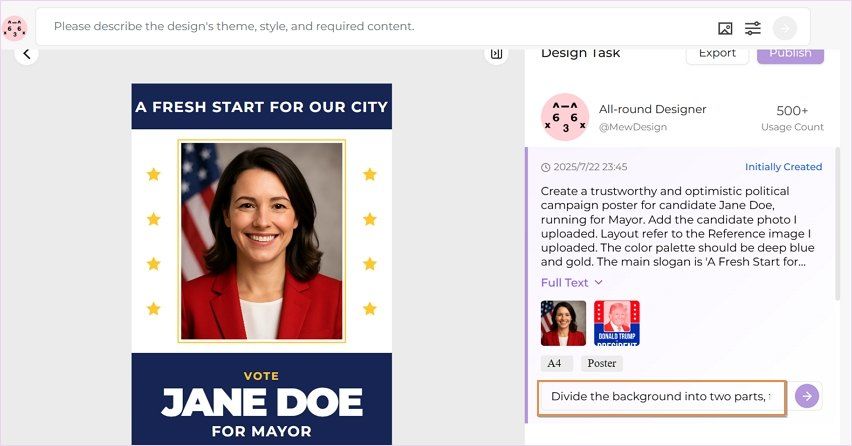
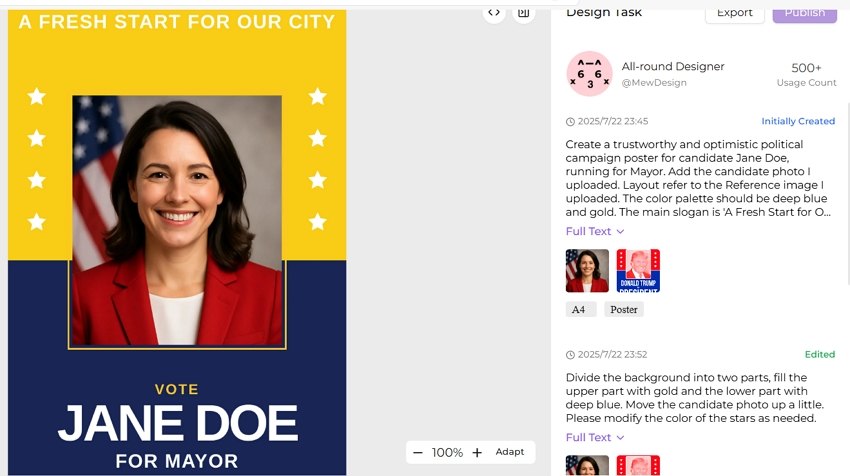
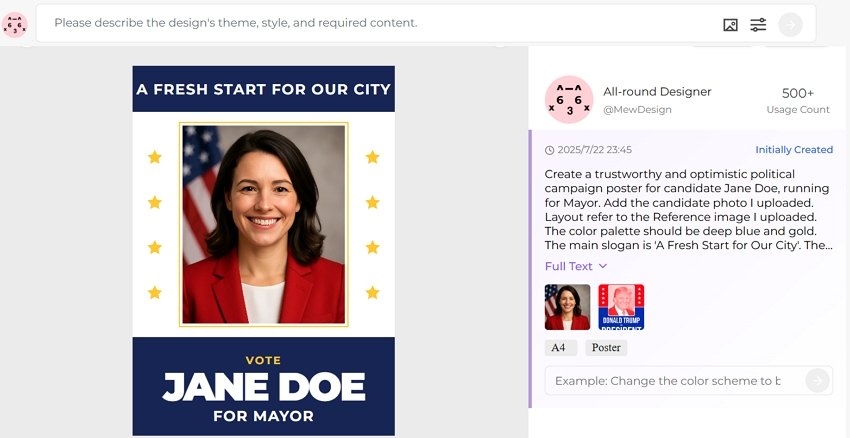
Create a trustworthy and optimistic political campaign poster for candidate Jane Doe, running for Mayor. Add her photo I uploaded. The color palette should be deep blue and gold. The main slogan is ‘A Fresh Start for Our City’. The font should be a strong, readable sans-serif like Montserrat.

input political poster text prompt

Step 3. Upload Reference Photos (Optional)

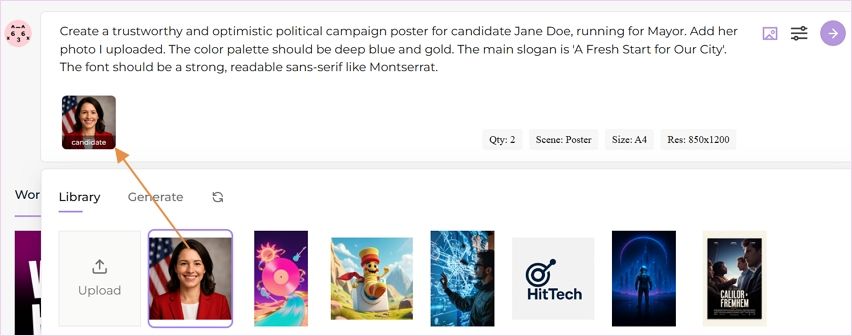
Click the Upload Reference Image icon to add your candidate photo, party logo, campaign slogan in visual form, or even a QR code linking to your voting or donation page. Mew Design will intelligently incorporate these into the final design.

upload candidate photos for reference

Step 4. Generate the Political Poster

When all settings are done, click the Go button to start creating your campaign poster with AI for free.

ai generate political poster

Step 5. Refine the AI Generated Poster

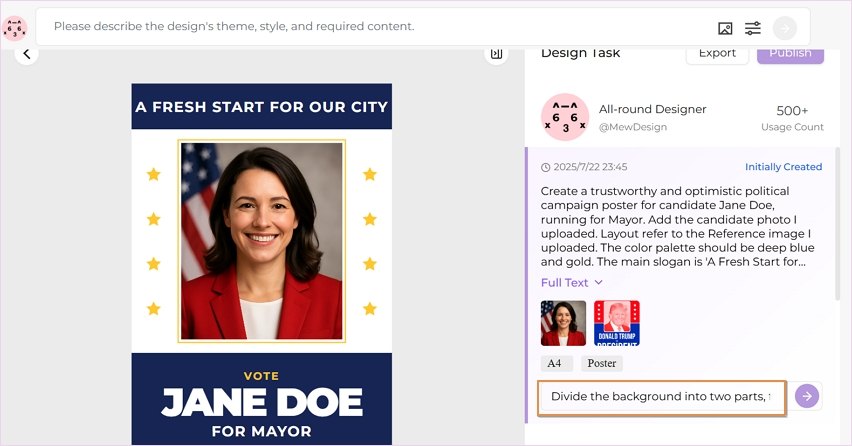
Once the initial design is generated, you can use follow-up text prompts to make adjustments. Tweak the color scheme, edit text, and reposition elements until the poster is perfect.

prompt for refining ai generated political poster

Step 6. Download for Print and Digital Use

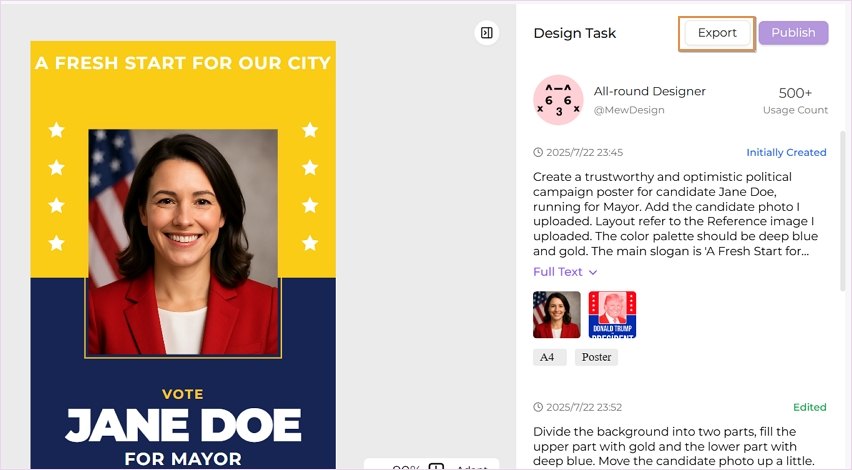
Export your final design in high-resolution formats (PNG) suitable for professional printing or social media sharing.

download the political poster

Political Poster Design Best Practices

Visual Hierarchy and Layout

Essential Elements Priority:

  1. Candidate Name (largest, most prominent)
  2. Office Sought (clear and visible)
  3. Key Message/Slogan (memorable and impactful)
  4. Visual Elements (photos, symbols, backgrounds)
  5. Call-to-Action (vote date, website, contact)
  6. Legal Disclaimers (required by law)

Color Psychology in Political Design

Democratic/Liberal Campaigns:

  • Primary: Blue (#0066CC, #003366)
  • Accent: White, light blue, gold
  • Emotional association: Trust, stability, progress

Republican/Conservative Campaigns:

  • Primary: Red (#CC0000, #990000)
  • Accent: White, navy blue, gold
  • Emotional association: Strength, tradition, patriotism

Non-Partisan/Independent:

  • Primary: Purple, green, or neutral tones
  • Accent: White, gray, complementary colors
  • Emotional association: Balance, fresh perspective

Typography for Political Impact

Headline Fonts:

  • Bold Sans-Serif: Modern, clean, authoritative
  • Serif with Impact: Traditional, trustworthy, established
  • Custom Political Fonts: Unique, memorable, branded

Body Text Requirements:

  • Minimum 12pt for print materials
  • High contrast for accessibility
  • Clear hierarchy for information
  • Consistent brand voice

Campaign-Specific AI Poster Strategies

Presidential Campaign Materials

Visual Elements:

  • Large, high-quality candidate photo
  • Candidate’s name is the biggest element
  • American flag integration
  • Presidential seal references
  • Clean, simple layout

Messaging Focus:

  • National unity themes
  • Economic prosperity
  • Security and leadership
  • Change or continuity

AI Prompt Examples:

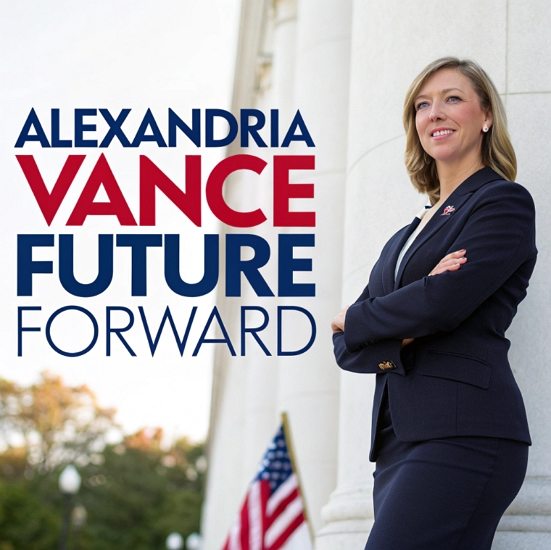
"A modern, inspiring presidential campaign poster for Alexandria Vance, featuring a confident female candidate and the slogan 'Future Forward'. The design utilizes a patriotic red, white, and blue color scheme with a subtle American flag background and clean, strong typography. Aspect ratio 1:1."

ai presidential campaign poster example

Local Election Campaigns

Visual Elements:

  • Community-focused backgrounds
  • Local landmark references
  • Diverse voter representation
  • Approachable candidate photos

Messaging Focus:

  • Local issues and solutions
  • Community involvement
  • Accessibility and representation
  • Practical improvements

AI Prompt Examples:

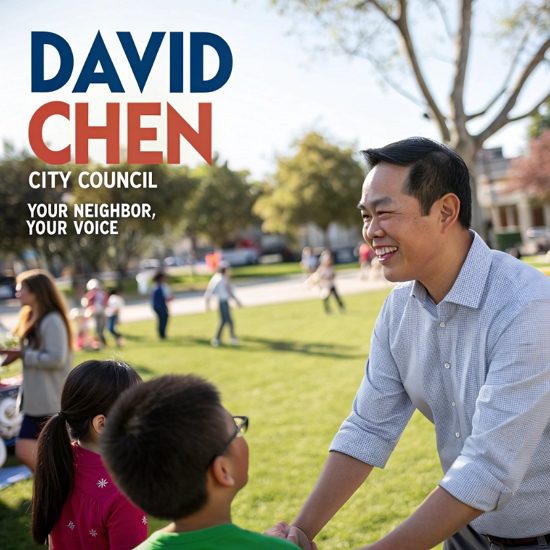
"Flyer for David Chen's City Council campaign, emphasizing community connection. Features the candidate interacting with diverse residents in a park, conveying warmth and trustworthiness."

ai election campaign flyer example

Advocacy and Issue Campaigns

Visual Elements:

  • Issue-specific imagery
  • Emotional visual appeals
  • Statistical infographics
  • Action-oriented designs

Messaging Focus:

  • Urgent calls to action
  • Clear problem identification
  • Solution presentation
  • Voter mobilization

AI Prompt Examples:

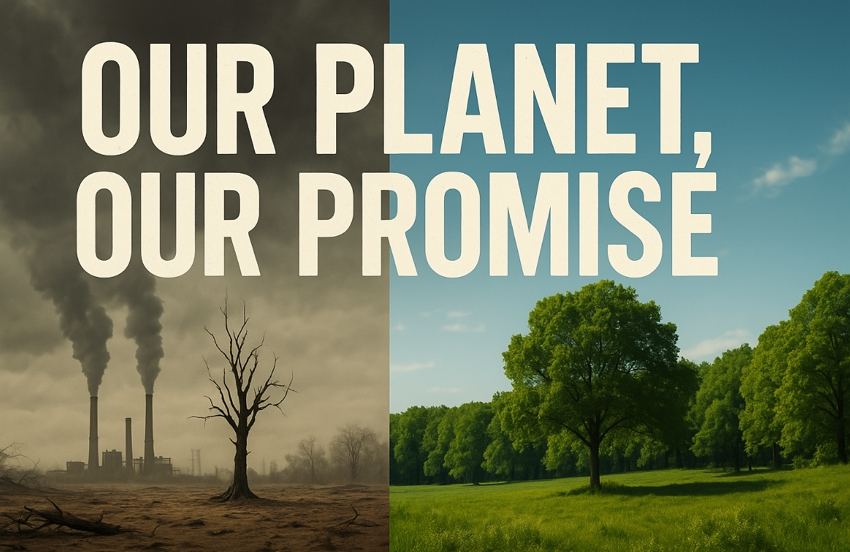
"A powerful advocacy poster for climate change featuring a split image contrasting a polluted wasteland with a vibrant forest, emphasizing the slogan 'Our Planet, Our Promise' with bold, urgent typography. Aspect ratio 16:9"

ai advocacy campaign poster example

Student Government Campaigns

Visual Elements:

  • Campus-specific backgrounds
  • Young, energetic candidate photos
  • School colors and branding
  • Student life imagery

Messaging Focus:

  • Student-relevant issues
  • Accessibility and inclusion
  • Campus improvement
  • Peer connection

AI Prompt Examples:

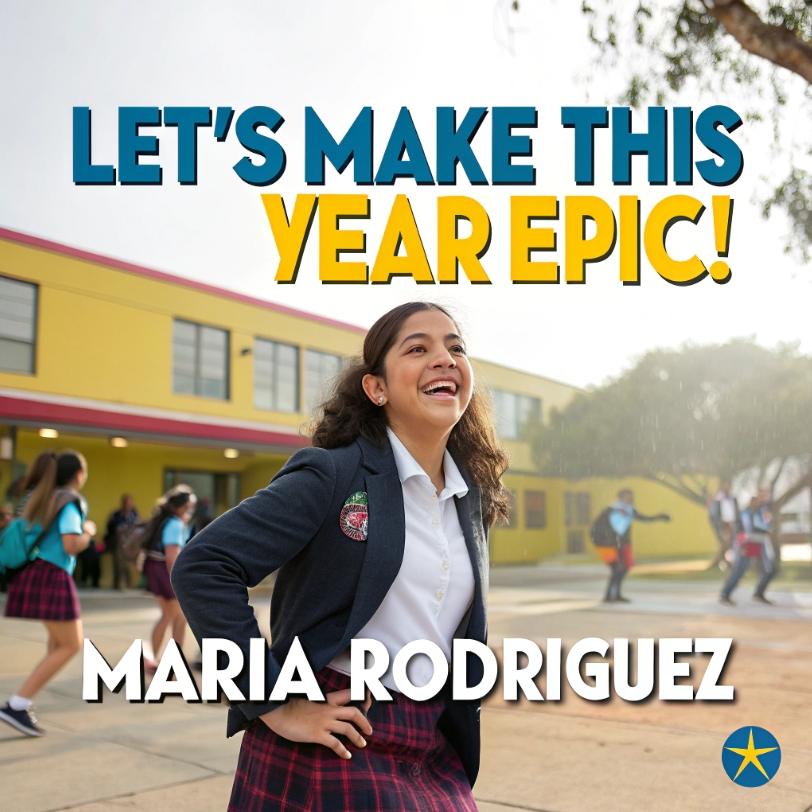
"A vibrant and dynamic illustrated campaign poster for Maria Rodriguez for President. Featuring a smiling student and the slogan 'Let's Make This Year Epic!', it uses a bright color palette and playful layout to appeal to students."

ai student council campaign poster example

Advanced AI Political Design Techniques

AI-Generated Political Symbolism

Patriotic Elements:

  • Flag variations and stylizations
  • Eagle and liberty symbols
  • Constitutional references
  • Historical imagery

Implementation with AI:

Symbolic AI Prompts:
- "Incorporate subtle American flag elements into background design"
- "Add liberty bell silhouette as watermark element"
- "Include stylized eagle wings framing candidate photo"

Demographic-Targeted Design Variations

Age-Based Targeting:

  • Young Voters: Modern, digital-native aesthetics
  • Middle-Aged Voters: Professional, family-focused imagery
  • Senior Voters: Traditional, respectful, clear typography

Cultural Sensitivity:

  • Inclusive representation in imagery
  • Culturally appropriate color choices
  • Multi-language versions when needed
  • Accessible design principles

Political Advertising Compliance

Required Disclaimers:

  • “Paid for by [Committee Name]”
  • Contact information for responsible party
  • Candidate authorization statements
  • Proper font size and placement

FEC Compliance for Federal Elections:

  • Proper committee registration
  • Accurate financial reporting
  • Disclaimer requirements
  • Content approval processes

Ethical AI Use in Politics

Best Practices:

  • Truthful representation of candidates
  • Avoid deepfakes or misleading imagery
  • Respect opponent dignity
  • Maintain factual accuracy

Potential Concerns:

  • AI-generated misinformation
  • Deepfake candidate imagery
  • Automated propaganda creation
  • Voter manipulation techniques

Platform-Specific Political Content

Social Media Campaign Graphics

Facebook Political Ads:

  • 1200x628 pixels optimal
  • Minimal text overlay (20% rule)
  • Clear call-to-action buttons
  • Mobile-optimized viewing

Instagram Campaign Content:

  • Square format (1080x1080)
  • Story format (1080x1920)
  • Hashtag optimization
  • Visual-first messaging

Twitter Political Graphics:

  • Header images (1500x500)
  • Tweet images (1024x512)
  • Thread-friendly formats
  • Real-time engagement focus

Yard Sign Specifications:

  • 18”x24” or 24”x18” standard sizes
  • High contrast for visibility
  • Weather-resistant materials
  • Simple, bold messaging

Rally Poster Requirements:

  • Large format visibility
  • Bold, readable fonts
  • Crowd-engaging messaging
  • Event-specific information

Frequently Asked Questions

Is it legal to use AI for political campaign materials? Yes, using AI for political campaign materials is legal, but you must comply with existing political advertising laws including proper disclaimers, truthful representation, and campaign finance regulations. Always ensure AI-generated content meets FEC requirements for federal campaigns.

What’s the best free AI tool for creating political posters? Mew Design offers the most comprehensive free tier specifically optimized for political content, providing 200 free AI credits (20 free graphic design generation). For basic templates, Canva and Adobe Express also offer free political design options, though with more limitations.

How do I ensure my AI-generated political posters are compliant? Always include required disclaimers (“Paid for by…”), use truthful representations, avoid misleading imagery, and check local/federal campaign regulations. Consider consulting with campaign lawyers for major elections and ensure all content is factually accurate.

Can AI create effective political messaging? AI can generate compelling political messaging by analyzing successful campaigns, but human oversight is crucial for strategic messaging, cultural sensitivity, and authenticity. Use AI as a starting point, then refine with political expertise and target audience insights.

What formats should I create for a complete political campaign? Create multiple formats including print posters (18”x24”), digital social media graphics (various platform sizes), yard signs, flyers, web banners, and email headers. Mew Design can automatically generate all these formats from a single design concept.

How much can AI save on political campaign design costs? AI can reduce design costs by 70-90% compared to traditional agencies. Professional political design firms charge $500-2000 per poster, while AI tools like Mew Design create 250 designs for $19.99/month, potentially saving campaigns tens of thousands of dollars.

Are there ethical concerns with AI-generated political content? Yes, concerns include potential misinformation, deepfake imagery, and voter manipulation. Use AI responsibly by ensuring truthful representation, avoiding misleading content, respecting opponents, and maintaining transparency about AI-generated materials when required.

Conclusion

AI political poster makers are revolutionizing campaign communications, making professional-quality political design accessible to candidates at every level. From grassroots movements to presidential campaigns, artificial intelligence is democratizing political messaging and empowering campaigns to create compelling visual content that resonates with voters.

The transformation is remarkable: what once required expensive design agencies and weeks of production can now be accomplished in minutes with AI-powered tools. Whether you’re running for student council or the presidency, AI political poster generators provide the tools needed to create impactful campaign materials that drive voter engagement and win elections.

Key Benefits of AI Political Poster Creation:

  • Cost Reduction: Save 70-90% on design expenses
  • Speed: Create campaign materials in minutes, not days
  • Professional Quality: Rival expensive political consultants
  • Scalability: Generate unlimited variations and formats

Ready to launch your winning campaign? Start with Mew Design’s political poster maker today and experience the power of AI-driven political communication. Create compelling posters that capture attention, communicate your message effectively, and convert supporters into voters.

🚀

Win Elections with AI-Powered Campaign Design

Create compelling political posters that resonate with voters, drive engagement, and win campaigns. Our AI understands political messaging and creates visuals that convert supporters into voters.

Start Your Campaign →


AI Concert Poster Generator: Create Music Event Posters Quickly With AI

ai concert poster generator

Generated using mew.design

For decades, creating a compelling concert poster was a hurdle for indie musicians, promoters, and event organizers. The process involved either hiring expensive graphic designers, wrestling with complex software like Photoshop, or settling for generic templates that failed to capture the unique vibe of an event. This meant a trade-off between time, money, and creative vision.

But that era is over. The rise of artificial intelligence has revolutionized the design landscape, giving birth to AI concert poster generators. These powerful AI tools empower anyone to create professional, eye-catching band or concert posters in minutes, simply by describing what they want.

1. Mew Design: Your Reliable AI Concert Poster Maker

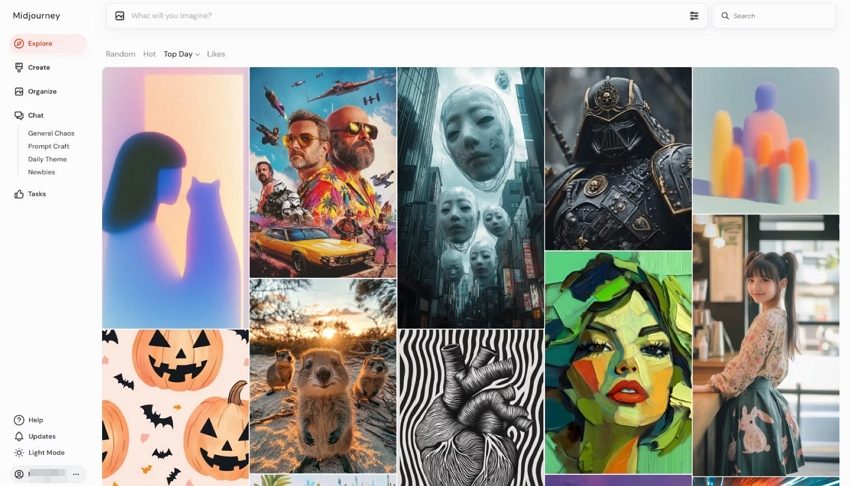
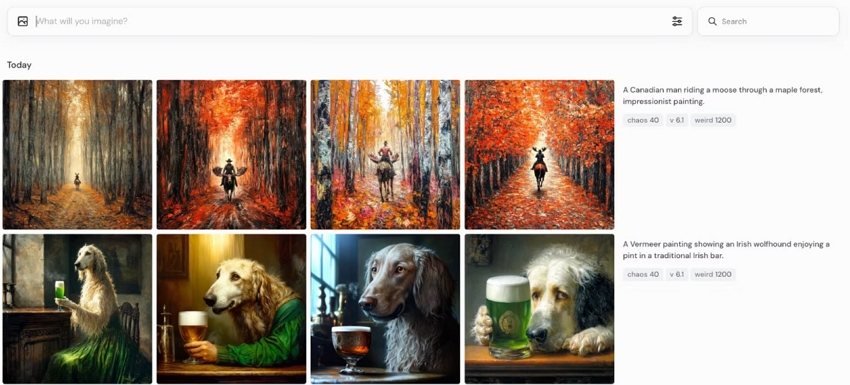
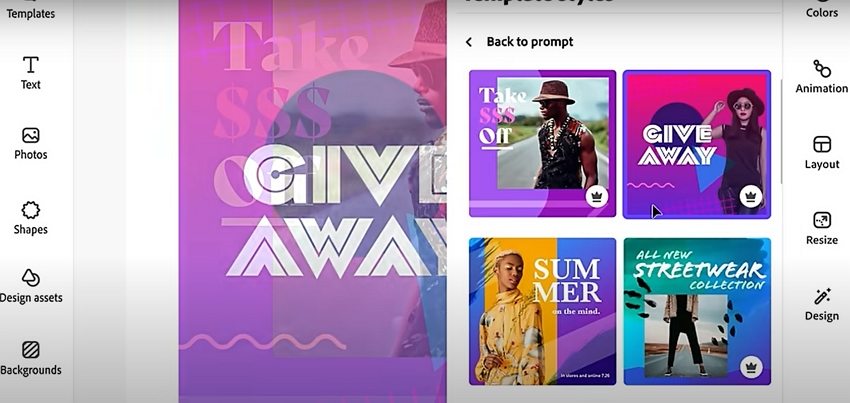
While many AI poster generator tools have entered the market, a common frustration has emerged. Template-based tools like Canva offer structure but lack creative freedom. Pure text-to-image generators like Midjourney offer creativity but lack the fine-grained control needed for practical designs with text and specific layouts.

This is where Mew Design comes in. Mew Design uses a multi-agent AI system that works like a real design team. Each “Meow”—its design agent—has its own visual style and area of expertise, from punk rock aesthetics to electronic rave vibes. When you enter your event description, Mew Design’s central AI automatically assigns the task to the most suitable Meow, ensuring your poster fits the genre, mood, and target audience perfectly.

ai concert poster maker

What makes Mew Design especially useful for concert posters is its code-based output, which gives you detailed control over layout, fonts, colors, and visual elements. Whether you’re promoting a jazz night at a cozy café or a stadium EDM show, Mew Design can adapt to your venue and musical style. You can also refine the design with follow-up prompts, upload reference images, logos, or QR codes, and even create your own Meows tailored to your brand or artistic identity.

Key Features

  • Text to Concert Poster Generation: Transform natural language descriptions into beautiful band and concert posters without design expertise.
  • Genre-Aware Design Agents: Specialized Meows understand the visual language of different music genres and create designs that truly fit the sound and audience.
  • Truly Editable and Controllable: Forget struggling with layers or being unable to change the text on an AI-generated image. With Mew Design, if you want to “move the band name to the top” or “make the date 20% bigger,” you just type it, and the AI executes it precisely.
  • Upload Custom Elements: Add your own band logo, sponsor QR codes, or photo references to personalize the poster.

What makes Mew Design unique is its conversational approach to concert poster creation. Instead of struggling with complex design interfaces, you simply describe your event requirements in plain English, and the AI design agent creates a complete, professional poster tailored to your specifications. This approach removes the learning curve associated with traditional design software while delivering results that capture the energy and excitement of live music.

How To Create a Concert Poster With AI

Creating a high-quality concert poster with Mew Design is fast, flexible, and fun. Follow these simple steps to generate a band or concert poster that captures the sound, style, and spirit of your event.

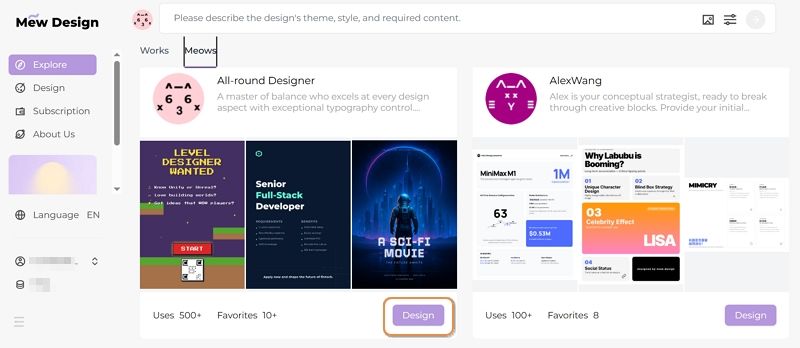
Step 1: Visit Mew Design and Choose a Meow Designer (AI Agent)

Go to Mew Design and log in or sign up for a free account. Then, select a specific AI design agent that best matches your event’s aesthetic

sign in the ai band poster generator

Step 2. Describe Your Concert

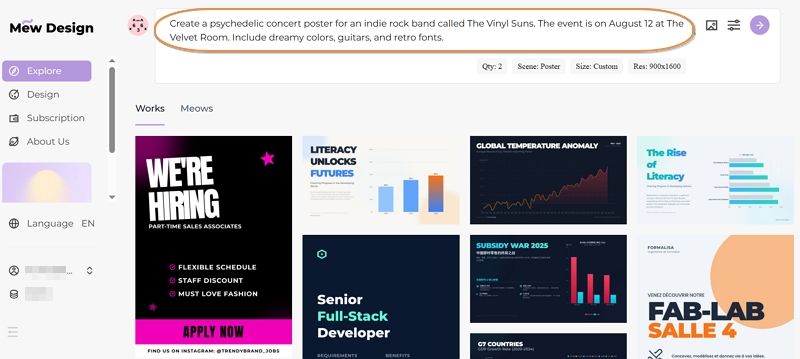
In the prompt input box, type a short description of your event. Include important details like:

  • Band name(s)
  • Music genre (e.g., rock, jazz, EDM)
  • Date, time, and venue
  • Desired mood or visual style (e.g., dark and grungy, colorful and energetic)

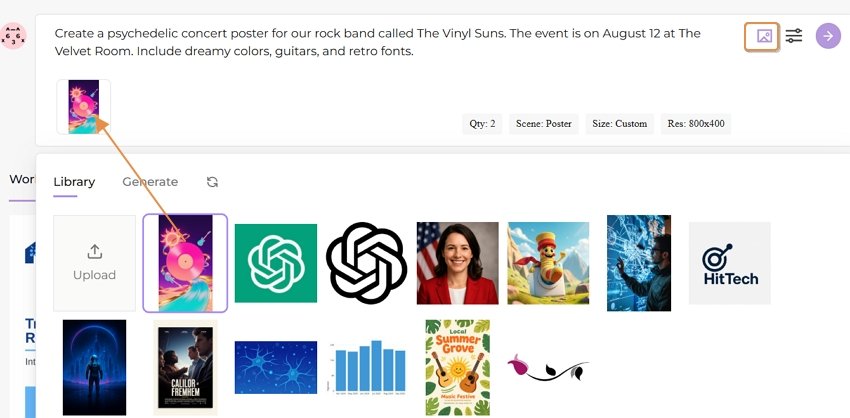
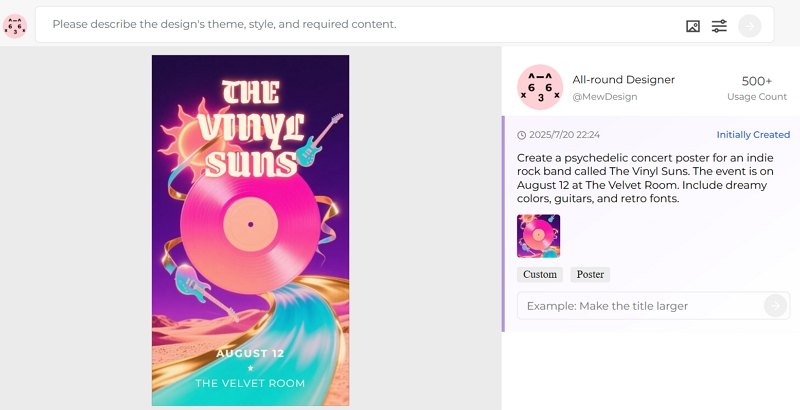
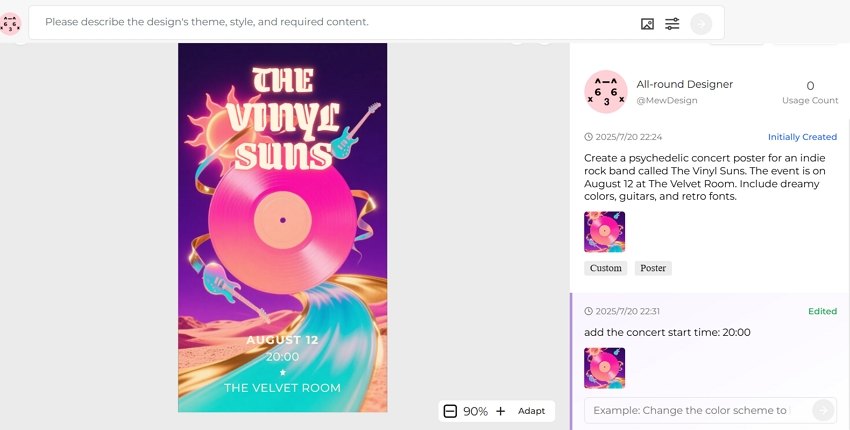
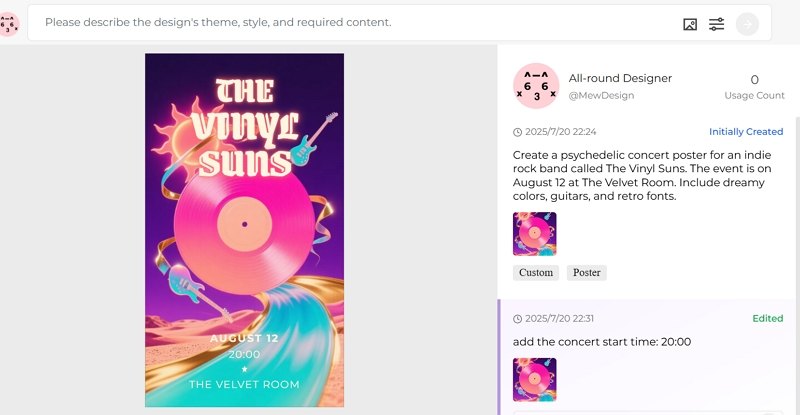
Example Prompt: Create a psychedelic concert poster for an indie rock band called The Vinyl Suns. The event is on August 12 at The Velvet Room. Include dreamy colors, guitars, and retro fonts.

input concert poster prompt

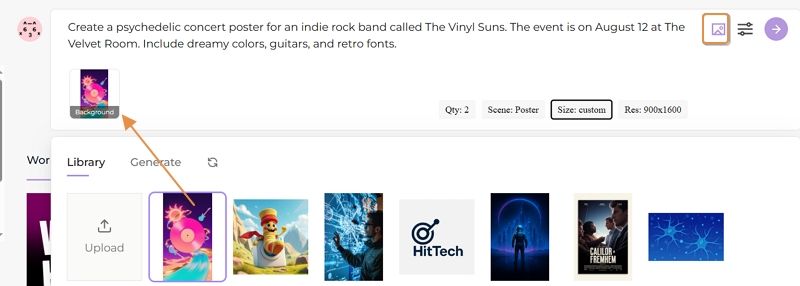
Step 3. Upload Visual References (Optional)

You can upload and add:

  • Your band’s logo
  • QR codes for ticketing or social media
  • Mood board images or style references These help the AI better match your branding and visual preferences.

upload concert detail images

Step 4. Let the AI Work

Click the Go button, and wait about 30 seconds while Mew Design generates your music event poster. The AI analyzes your prompt, incorporates your uploaded images, and creates a complete concert poster draft that fits your genre and event.

start creating concert poster with ai

Step 5. Refine with Follow-up Prompts

Not quite right? Use the follow-up prompt box to make changes. You can ask for:

  • A new color scheme
  • A different layout
  • Specific text edits
  • Adding or removing design elements

Example:

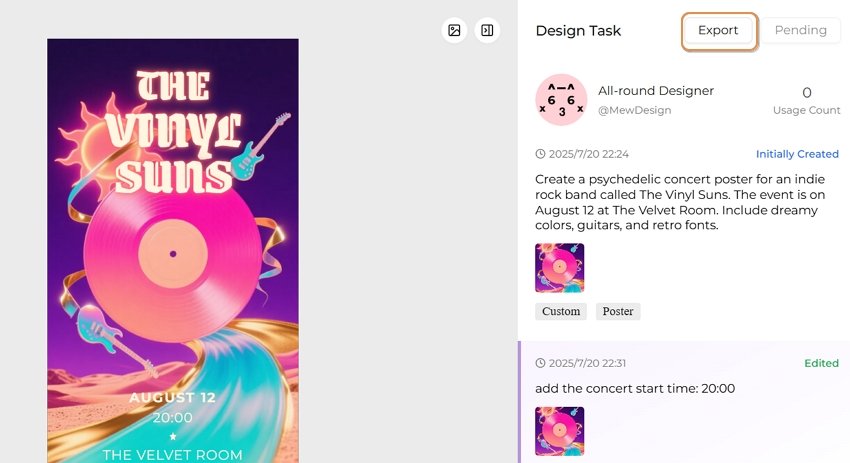
Add the concert start time: 20:00

refine ai generatd concert poster

🚀

Ready to Rock Your Next Concert Promotion?

Join thousands of musicians and venues who are already using Mew Design to create stunning concert posters that capture the energy of live music and drive ticket sales.

Start Creating for Free
2. Music Genre-Specific Band/Concert Poster Design Strategies

Rock and Metal Concert Posters

Visual Elements:

  • Bold, aggressive typography with distressed effects
  • Dark color palettes with neon accents
  • Electric guitar silhouettes and amplifier imagery
  • Lightning bolts, flames, and energy effects
  • Grunge textures and weathered backgrounds

AI Prompt Example:

"Create a heavy metal concert poster with bold gothic typography, electric guitar silhouettes, lightning effects, dark background with red and orange flame accents, distressed texture overlay, and dramatic stage lighting"

Jazz and Blues Event Posters

Visual Elements:

  • Elegant, vintage-inspired typography
  • Warm color schemes (gold, burgundy, deep blues)
  • Musical instrument silhouettes (saxophone, piano, trumpet)
  • Art deco design influences
  • Smoky, atmospheric backgrounds

AI Prompt Example:

"Design a sophisticated jazz club poster with art deco typography, saxophone silhouette, warm golden lighting, deep blue background, vintage 1920s aesthetic, and elegant script fonts"

Electronic and EDM Festival Posters

Visual Elements:

  • Futuristic, neon-lit designs
  • Geometric patterns and digital effects
  • Vibrant color gradients
  • DJ equipment and synthesizer imagery
  • Pulsing energy waves and light trails

AI Prompt Example:

"Generate an EDM festival poster with neon geometric patterns, vibrant cyan and magenta gradients, DJ turntable silhouettes, energy wave effects, futuristic typography, and laser light show background"

Indie and Alternative Music Posters

Visual Elements:

  • Hand-drawn, artistic aesthetics
  • Earthy, muted color palettes
  • Vintage photography effects
  • Minimalist layouts with creative typography
  • Nature elements and organic shapes

AI Prompt Example:

"Create an indie music festival poster with hand-drawn typography, vintage film grain effect, earth tone colors, acoustic guitar illustration, forest silhouettes, and minimalist layout design"

Classical and Orchestra Event Posters

Visual Elements:

  • Elegant, refined typography
  • Rich, sophisticated color schemes
  • Musical notation and instrument imagery
  • Formal, balanced compositions
  • Luxurious textures and golden accents

AI Prompt Example:

"Design a classical concert poster with elegant serif typography, violin silhouette, musical note patterns, deep navy and gold color scheme, formal layout, and concert hall architecture background"

You may also be interesed in AI hiring poster maker or AI academic poster generator

3. Music Marketing Best Practices for AI-Generated Concert Posters

Visual Hierarchy for Concert Posters

Priority Order:

  1. Headlining artist/band name (largest, most prominent)
  2. Event type (concert, festival, tour)
  3. Date and time (clear and readable)
  4. Venue information (location and address)
  5. Supporting acts (secondary prominence)
  6. Ticket information (price, where to buy)
  7. Sponsor logos (bottom or corners)

Color Psychology in Music Promotion

Genre-Appropriate Color Schemes:

  • Rock/Metal: Red, black, orange (energy, power, rebellion)
  • Pop: Bright, saturated colors (fun, accessible, mainstream appeal)
  • Jazz: Gold, burgundy, deep blue (sophistication, warmth, timelessness)
  • Electronic: Neon colors, electric blue, magenta (futuristic, high-energy)
  • Indie: Earth tones, muted colors (authentic, artistic, alternative)
  • Classical: Deep navy, gold, burgundy (elegance, tradition, refinement)

Typography Guidelines for Music Events

Font Selection by Genre:

  • Rock/Metal: Bold, distressed, gothic fonts
  • Pop: Clean, modern, highly readable sans-serif
  • Jazz: Art deco, elegant serif, vintage script
  • Electronic: Futuristic, geometric, tech-inspired
  • Indie: Hand-drawn, artistic, unique character fonts
  • Classical: Traditional serif, elegant, formal

Size and Format Optimization

Standard Concert Poster Dimensions:

  • Print posters: 11x17”, 18x24”, 24x36”
  • Digital/Social media: 1080x1350 (Instagram), 1200x630 (Facebook)
  • Web banners: 728x90, 300x250
  • Mobile optimization: 9:16 aspect ratio for stories

4. Advanced AI Concert Poster Techniques for Musicians

Dynamic Lighting Effects

Use AI to simulate concert lighting:

"Add dynamic stage lighting effects including:
- Spotlight beams cutting through smoke
- Colorful LED wash lighting
- Laser light shows and patterns
- Audience silhouettes in dramatic lighting
- Backlit performer silhouettes"

Instrument Integration

Incorporate musical instruments naturally:

"Seamlessly integrate musical instruments:
- Guitar necks forming border elements
- Piano keys as design foundations
- Drum kit silhouettes in backgrounds
- Microphone stands as compositional elements
- Vinyl records and turntables for DJ events"

Crowd Energy Visualization

Capture live music atmosphere:

"Visualize concert energy through:
- Silhouetted crowd with raised hands
- Sound waves and audio visualizations
- Motion blur effects suggesting movement
- Confetti and celebration elements
- Stadium or venue architecture"

Brand Consistency for Touring Artists

Maintain visual identity across tour posters:

  • Consistent color palette and typography
  • Recognizable logo placement
  • Signature visual elements
  • Adaptable template systems
  • Social media format variations

5. Venue-Specific AI Concert Poster Strategies

Small Venue/Club Posters

Characteristics:

  • Intimate, personal atmosphere
  • Focus on artist-audience connection
  • Cozy, welcoming design elements
  • Local community feel

AI Prompt Elements:

"Create an intimate club poster with:
- Warm, inviting lighting
- Close-up performance imagery
- Cozy venue atmosphere
- Personal, handwritten-style typography
- Local landmark references"

Arena and Stadium Concerts

Characteristics:

  • Grand scale and spectacle
  • High production values
  • Mass appeal design
  • Professional, polished appearance

AI Prompt Elements:

"Design a stadium concert poster featuring:
- Massive scale venue architecture
- Dramatic lighting and pyrotechnics
- Large crowd imagery
- Bold, impactful typography
- Professional, high-budget aesthetic"

Festival Posters

Characteristics:

  • Multiple artist lineup display
  • Festival branding prominence
  • Diverse musical genres
  • Community and celebration themes

AI Prompt Elements:

"Generate a music festival poster with:
- Hierarchical artist lineup display
- Festival logo integration
- Diverse musical genre representation
- Celebration and community imagery
- Outdoor venue atmosphere"

FAQs About AI Band and Concert Posters

What makes a concert poster effective for music marketing? An effective concert poster combines clear visual hierarchy (artist name most prominent), genre-appropriate design elements, essential event information (date, venue, time), strong visual impact that captures attention, and brand consistency that reflects the artist’s identity. The design should work across both print and digital formats.

How do I choose the right AI poster generator for my band? Consider your budget, technical skill level, design customization needs, and genre specialization. Mew Design offers the most comprehensive music-focused features, while tools like OpenArt provide free options for independent artists. Evaluate based on output quality, ease of use, and integration with your existing marketing workflow.

Can AI-generated concert posters compete with professional designers? AI-generated posters can achieve professional quality for many use cases, especially for standard concert promotions. However, complex branding projects, unique artistic visions, or high-budget campaigns may still benefit from human designers. AI tools are excellent for rapid iteration, cost-effective solutions, and consistent brand applications.

What information should I include in my concert poster prompt? Include the musical genre, venue type (club, arena, festival), desired mood/atmosphere, color preferences, specific visual elements (instruments, lighting effects), typography style, and any brand elements. Be specific about the energy level and target audience to get better results.

How do I ensure my concert poster stands out on social media? Use high contrast colors, bold typography that’s readable on mobile devices, eye-catching visual elements specific to your genre, optimal sizing for each platform, and consistent branding across all promotional materials. Consider animated versions for increased engagement.

What are the best practices for multi-date tour poster design? Create a master template with consistent branding, use variable text fields for dates and venues, maintain the same color scheme and typography across all dates, consider creating city-specific variations, and ensure the design works at different sizes for various promotional needs.

How do I handle copyright when using AI-generated concert posters? Verify the AI tool’s licensing terms for commercial use, ensure you have rights to any band logos or images included, check venue requirements for promotional materials, avoid using copyrighted imagery in your prompts, and maintain records of your design process for legal protection.

Conclusion: Amplifying Your Music with AI Poster Design

AI band poster generators and concert poster makers are transforming music marketing by making professional-quality design accessible to artists at every level. From intimate acoustic performances to massive festival productions, these tools enable musicians, venues, and promoters to create compelling visual narratives that capture the energy and excitement of live music. For filmmakers and other creative applications, explore our guide to AI movie poster generator.

The key to success lies in understanding your musical genre, target audience, and venue context while leveraging AI’s capabilities to iterate quickly and maintain consistency across your promotional materials. Whether you’re an independent artist promoting your first gig or a major venue marketing multiple events, AI concert poster generators provide the creative flexibility and professional results needed to stand out in today’s competitive music landscape.

As AI technology continues to evolve, we can expect even more sophisticated features like real-time personalization, AR integration, and seamless workflow automation. The future of music promotion is here, and it’s powered by artificial intelligence that understands the soul of live music.

🚀

Ready to Rock Your Next Concert Promotion?

Join thousands of musicians and venues who are already using Mew Design to create stunning concert posters that capture the energy of live music and drive ticket sales.

Start Creating for Free
AI Movie Poster Memes: The Viral World of Funny AI-Generated Posters

ai movie poster memes

Generated using mew.design

Have you ever seen a Disney Pixar-style poster for a movie called The Holocaust or Crack Addiction and wondered what’s going on? Welcome to the strange and viral world of AI movie poster memes. These images mix familiar animation styles with shockingly absurd or inappropriate topics, creating a new kind of digital humor. What began as playful AI experiments has now become a full-blown internet trend. Creators use AI tools to generate fake movie posters that look real—often competing to make the most bizarre, funny, or shareable images online.

1. The Birth of AI Movie Poster Memes

How It All Started

The AI movie poster meme trend took off in late 2023, as AI image generators like DALL·E 3, Midjourney, and Bing Image Creator became advanced enough to generate realistic movie poster designs. At first, people used them to create posters for real or believable film ideas. But soon, the internet’s humor took over.

The real turning point came when users realized they could prompt these AI tools to make Disney Pixar-style posters for completely absurd or inappropriate topics. The mix of Pixar’s cheerful, family-friendly style with dark or ridiculous themes created a perfect recipe for viral comedy—and the memes quickly spread across social media.

The Viral Explosion

Funny AI-generated movie posters quickly went viral on platforms like Twitter, Reddit, TikTok, and Instagram. These memes are effective because they play on our instant recognition of the Disney Pixar style—bright colors, 3D animation, playful fonts, and wholesome vibes—while flipping it with shockingly inappropriate or absurd themes.

Their viral success comes from a mix of key factors:

  • Instant Recognition: The Pixar look is familiar to almost everyone
  • Cognitive Dissonance: The clash between style and subject creates humor
  • High Shareability: They’re perfect for social media sharing and reactions
  • Easy to Make: Anyone with access to AI tools can create them

2. Anatomy of Viral AI Movie Poster Memes

The Disney Pixar Parody Formula

The most successful AI movie poster memes follow a specific formula that maximizes comedic impact and viral potential. Understanding this formula helps explain why these memes are so effective at capturing attention and generating shares.

Visual Elements:

  • Authentic Pixar Aesthetic: Bright, saturated colors with the signature 3D animation look
  • Classic Typography: The iconic Disney Pixar font treatment and logo placement
  • Character Design: Cute, anthropomorphic characters with exaggerated features
  • Professional Layout: Proper movie poster composition with title, tagline, and credits

Content Subversion:

  • Dark Themes: Taking serious, adult topics and presenting them in children’s movie style
  • Absurd Concepts: Creating posters for completely ridiculous fictional films
  • Social Commentary: Using humor to comment on current events or social issues
  • Pop Culture References: Combining Pixar aesthetics with trending topics

Inappropriate Adult Themes: Some of the most viral examples involve taking serious adult topics and presenting them in Pixar’s innocent style. These create humor through extreme contrast but often push boundaries of taste.

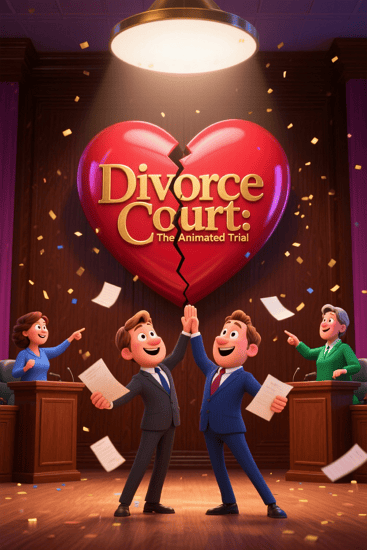
Prompt 1: A Pixar-style movie poster titled “Divorce Court: The Animated Trial,” featuring smiling cartoon lawyers, a broken heart logo, and two parents cheerfully arguing in a courtroom with confetti in the background.

ai divorce court pixar movie poster meme

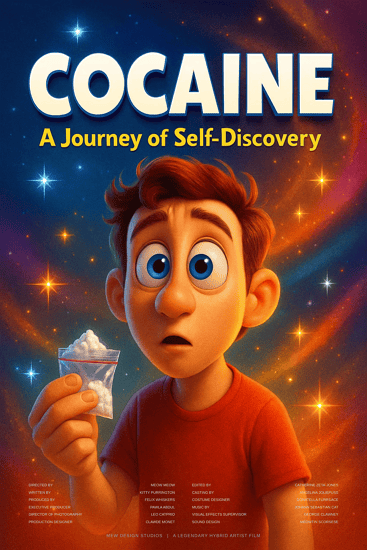
Prompt 2: A Pixar-inspired poster called “Cocaine: A Journey of Self-Discovery,” with a wide-eyed animated character holding a suspicious white powder, surrounded by sparkles and colorful typography.

ai cocaine pixar movie poster meme

Absurd Daily Life: Memes that turn mundane activities into epic Pixar adventures, like “The Great Grocery Run” or “WiFi Password: The Quest for Connection.”

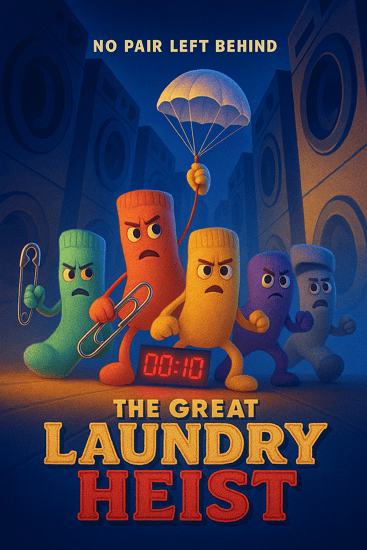
Prompt 1: “The Great Laundry Heist” – A Pixar-style animated poster showing a group of socks escaping a washing machine like a prison break, with bold adventure-style fonts and dramatic lighting.

ai laundry heist pixar movie poster meme

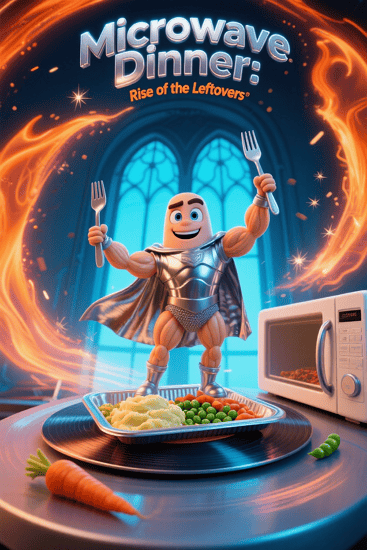
Prompt 2: “Microwave Dinner: Rise of the Leftovers” – A heroic Pixar-style poster featuring a frozen meal gaining sentience, standing atop a spinning microwave with epic glow effects.

ai microwave dinner pixar movie poster meme

Social Media Commentary: Posters that satirize modern digital life, social media addiction, or internet culture using Pixar’s wholesome aesthetic.

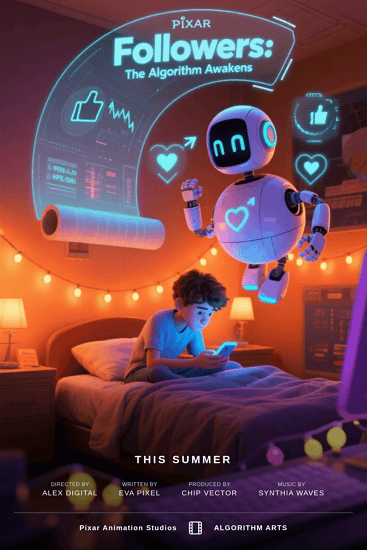
Prompt 1: “Followers: The Algorithm Awakens” – A Pixar-style poster of a teen glued to their phone while friendly AI bots float around with likes, hearts, and retweets.

ai followers pixar movie poster meme

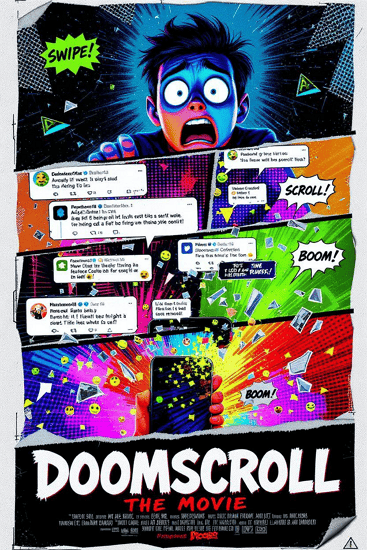
Prompt 2: “Doomscroll: The Movie” – A dramatic yet cheerful animated poster showing a character falling into an endless scroll of exaggerated tweets, emojis, and news alerts.

ai doomscroll pixar movie poster meme

Historical Events: Reimagining historical moments as animated family films, though these often venture into controversial territory.

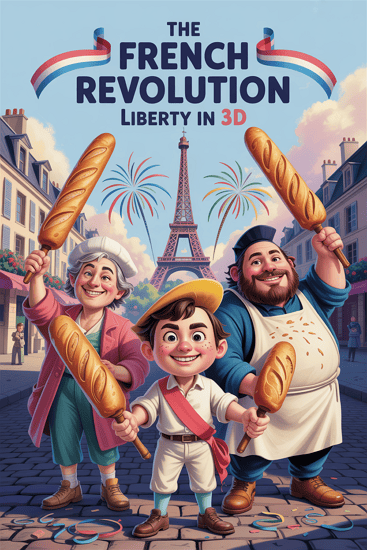
Prompt 1: “The French Revolution: Liberty in 3D” – A Pixar-style poster featuring animated revolutionaries waving baguettes and smiling as fireworks burst behind the Bastille.

ai french revolution pixar movie poster meme

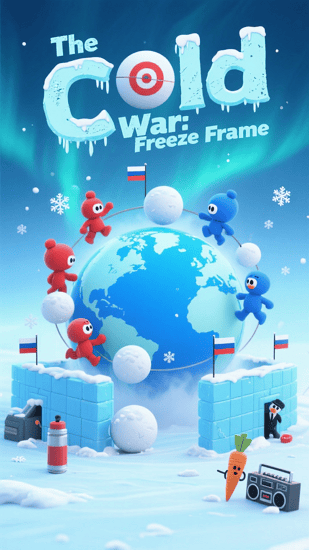
Prompt 2: “The Cold War: Freeze Frame” – A family-friendly animated poster showing two cartoon countries building snow forts on opposite sides of a frozen globe, with playful tension and bold fonts.

ai cold war pixar movie poster meme

3. How To Create Your Own AI Movie Poster Memes

Generate a Movie Poster Meme With Mew Design

While many AI movie poster meme creators use various tools, Mew Design offers unique advantages for creating shareable meme content. Its conversational AI approach makes it easy to iterate quickly and experiment with different concepts.

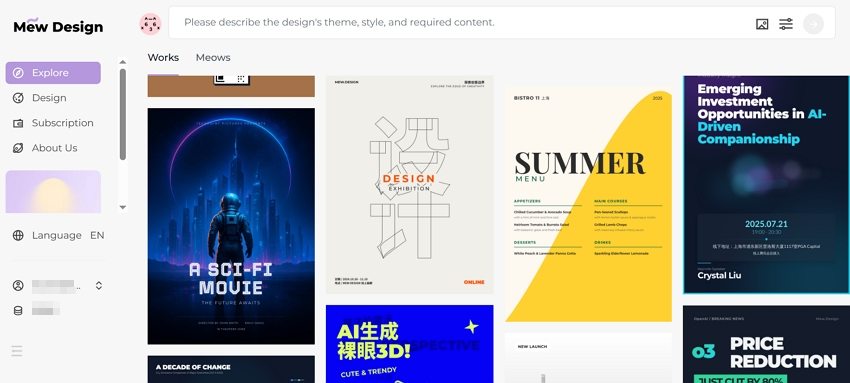
create ai movie poster memes

How To Create a Movie Poster Meme With AI

Step 1: Choose Your Concept Start with a concept that creates humor through contrast. The best memes combine familiar elements in unexpected ways. Consider current events, daily frustrations, or absurd “what if” scenarios.

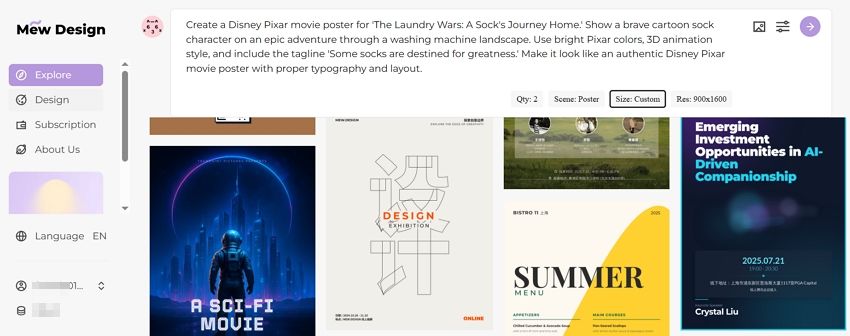
Step 2: Input Your Prompt Create a detailed prompt that captures the Pixar aesthetic while describing your humorous concept:

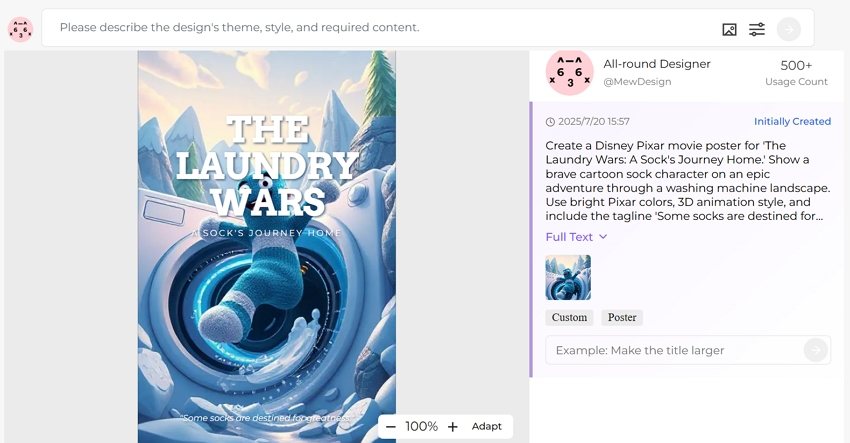
“Create a Disney Pixar movie poster for ‘The Laundry Wars: A Sock’s Journey Home.’ Show a brave cartoon sock character on an epic adventure through a washing machine landscape. Use bright Pixar colors, 3D animation style, and include the tagline ‘Some socks are destined for greatness.’ Make it look like an authentic Disney Pixar movie poster with proper typography and layout.”

input ai movie poster meme prompt

Step 3: Iterate and Refine Use Mew Design’s conversational editing to refine your meme:

  • “Make the sock character more heroic looking”
  • “Add more dramatic lighting for epic effect”
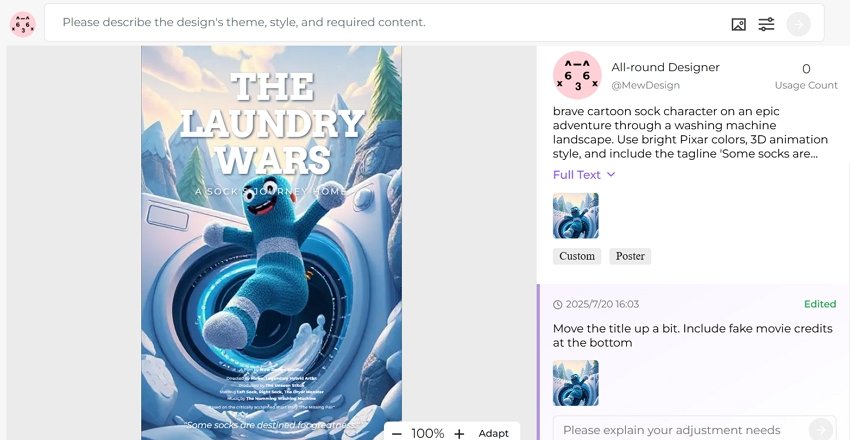
  • “Include fake movie credits at the bottom”

generate movie poster meme with ai

Step 4: Add Meme Elements Enhance the humor with specific details that make it more meme-worthy:

  • Fake release dates
  • Ridiculous taglines
  • Absurd character names
  • Over-the-top dramatic elements

refine ai generated movie poster meme

PixarAI.com: Specialized platform dedicated to creating Disney Pixar-style content, including meme posters. Offers templates and easy customization options specifically designed for viral content creation.

DALL-E 3 via Bing: Free access to OpenAI’s powerful image generator through Microsoft Bing. Excellent at understanding complex prompts and creating convincing Pixar-style aesthetics. For serious movie poster creation, explore our guide to free AI movie poster generators.
Midjourney: Subscription-based service known for high-quality, artistic outputs. Particularly good at creating detailed, professional-looking movie posters that could fool casual viewers.

Easy-Peasy.AI: User-friendly platform with specific Disney/Pixar style presets. Good for beginners who want to create memes without complex prompt engineering.

4. The Psychology Behind AI Movie Poster Memes

Why We Find Them Hilarious

The success of funny AI movie posters isn’t accidental – they tap into fundamental psychological principles that make content inherently shareable and memorable.

Incongruity Theory: The primary source of humor comes from the unexpected combination of innocent, child-friendly aesthetics with inappropriate or absurd content. Our brains find this mismatch inherently funny.

Superiority Theory: Sharing these memes allows people to demonstrate their cultural literacy and humor sophistication. Understanding the joke requires familiarity with both Disney Pixar and internet culture.

Relief Theory: These memes provide a safe way to engage with serious or taboo topics through humor, offering psychological relief from real-world stresses.

The Social Media Amplification Effect

AI-generated movie poster memes are perfectly designed for social media algorithms and user behavior:

Visual Appeal: Movie posters are inherently eye-catching and scroll-stopping on social feeds Quick Comprehension: The joke is immediately apparent, perfect for fast social media consumption Reaction Generation: They provoke strong emotional responses, driving comments and shares Remix Culture: Easy to iterate and create variations, encouraging user participation

Cultural Commentary Through Memes

Many successful AI movie poster memes function as social commentary, using humor to critique modern life, technology, politics, or cultural trends. The innocent Pixar aesthetic provides a disarming wrapper for potentially controversial messages.

Technology Critique: Memes about social media addiction, smartphone dependency, or AI fears Social Issues: Using humor to address serious topics like mental health, economic struggles, or generational differences Pop Culture Satire: Parodying current trends, celebrities, or entertainment industry practices

5. The Dark Side of AI Movie Poster Memes

Offensive and Controversial Content

While many AI movie poster memes are harmlessly funny, the format has also been used to create offensive content that pushes boundaries of taste and decency. Some creators have generated posters for historical tragedies, sensitive social issues, or explicitly inappropriate themes.

The “Offensive AI Pixar” Phenomenon: A subset of these memes deliberately creates the most shocking and inappropriate content possible, often featuring historical atrocities, adult themes, or offensive stereotypes presented in Disney’s innocent style.

Platform Moderation Challenges: Social media platforms struggle to moderate these memes because they often don’t contain explicit imagery – the offense comes from the concept and text rather than visual content.

Ethical Considerations

The AI movie poster meme trend raises several ethical questions:

Copyright and Trademark: Using Disney Pixar’s distinctive style and branding could potentially infringe on intellectual property rights Brand Dilution: Associating beloved family brands with inappropriate content may damage their reputation Normalization of Sensitive Topics: Using humor to address serious issues might trivialize important social problems

Impact on AI Tool Development

The popularity of offensive memes has influenced how AI companies develop and restrict their tools:

Content Filters: Platforms have implemented stricter content policies to prevent generation of inappropriate material Prompt Restrictions: Many tools now block specific keywords or concepts that commonly appear in offensive memes Brand Protection: Some AI platforms specifically prevent generation of content that mimics major entertainment brands

6. The Creative Potential of AI Movie Poster Memes

Beyond Humor: Legitimate Creative Applications

While funny AI-generated movie posters started as pure entertainment, the format has evolved to include legitimate creative and commercial applications.

Concept Visualization: Filmmakers use AI tools to quickly visualize movie concepts and pitch ideas Parody Projects: Content creators develop entire fictional universes around their meme posters Social Commentary: Artists use the format for serious cultural and political commentary Educational Content: Teachers and educators create engaging visual content for lessons

The Evolution of Meme Formats

AI movie poster memes have spawned numerous variations and sub-genres:

Genre Mashups: Combining different movie genres in unexpected ways Sequel Memes: Creating fake sequels to real movies with absurd premises Crossover Concepts: Merging different fictional universes or properties Meta-Memes: Memes about the meme format itself

Building Meme Communities

Successful meme creators often build communities around their content:

Consistent Themes: Developing recurring characters or concepts across multiple posters Interactive Elements: Encouraging audience participation in concept development Cross-Platform Presence: Sharing content across multiple social media platforms Collaboration: Working with other creators to develop shared fictional universes

7. Creating Responsible AI Movie Poster Memes

Best Practices for Meme Creators

If you want to participate in AI movie poster meme culture responsibly, consider these guidelines:

Avoid Harmful Content: Don’t create memes that mock tragedies, promote hate, or target vulnerable groups Respect Intellectual Property: Be mindful of trademark and copyright issues when parodying brands Consider Context: Think about how your memes might be interpreted by different audiences Credit AI Tools: Be transparent about using AI in your creative process

Positive Meme Concepts

Focus on concepts that create humor without causing harm:

Everyday Absurdities: Turn mundane life experiences into epic adventures Wholesome Parodies: Create content that maintains the spirit of family-friendly entertainment Social Commentary: Address important issues through thoughtful humor rather than shock value Creative Fiction: Develop original concepts that don’t rely on existing intellectual property

Building a Positive Community

AI movie poster meme creators can foster positive communities by:

Encouraging Creativity: Supporting original concepts over derivative content Promoting Inclusivity: Creating content that welcomes diverse audiences Educational Sharing: Teaching others about AI tools and responsible creation Constructive Feedback: Helping other creators improve their skills and concepts

🚀

Join the Meme Revolution

Create your own viral AI movie poster memes with Mew Design’s powerful AI tools. Transform your creative ideas into shareable content that entertains and engages your audience.

Start Creating Memes

8. Frequently Asked Questions

Are AI movie poster memes legal to create and share? Generally yes, as parody content is often protected under fair use laws. However, creating content that closely mimics trademarked styles or includes copyrighted elements could potentially raise legal issues. Most platforms allow parody content as long as it doesn’t violate community guidelines.

Which AI tools are best for creating movie poster memes? Popular options include DALL-E 3 (via Bing), Midjourney, PixarAI.com, and Mew Design. Each has different strengths – DALL-E 3 is free and good at following complex prompts, Midjourney produces high-quality artistic results, and Mew Design offers conversational editing for easy iteration.

How can I make my AI movie poster memes go viral? Focus on concepts that create humor through unexpected combinations, use current trends or relatable experiences, ensure high visual quality, post on multiple platforms, engage with meme communities, and time your posts for maximum visibility during peak social media hours.

Why do Disney Pixar parodies work so well for memes? The Disney Pixar aesthetic is instantly recognizable and associated with wholesome, family-friendly content. This creates a strong contrast when combined with inappropriate or absurd themes, generating humor through cognitive dissonance. The professional, polished look also makes the fake posters more convincing.

Can I monetize AI-generated movie poster memes? This depends on platform policies and the specific content. Some creators earn money through social media partnerships, merchandise, or content creation services. However, using trademarked styles or elements could complicate monetization efforts. Always check platform terms of service and consider intellectual property implications.

How do I avoid creating offensive content? Focus on humor that doesn’t mock tragedies, target vulnerable groups, or promote harmful stereotypes. Consider your audience and potential impact before sharing. When in doubt, ask trusted friends for feedback or stick to obviously fictional, absurd concepts that don’t reference real-world sensitive topics.

What makes some AI movie poster memes more successful than others? Successful memes typically combine recognizable visual elements with unexpected concepts, are immediately understandable, evoke strong emotional reactions, and tap into current cultural conversations. High visual quality and authentic-looking design also increase shareability and engagement.

The world of AI movie poster memes represents a fascinating evolution in digital humor and creative expression. As AI tools become more accessible and sophisticated, we can expect this meme format to continue evolving, potentially spawning new forms of AI-generated entertainment and social commentary. Whether you’re creating content for laughs or building a creative community, the key is balancing humor with responsibility while exploring the endless creative possibilities that AI technology offers.

AI Hiring Poster Maker: Create a Job Recruitment Poster Fast with AI

ai hiring poster maker

Generated using mew.design

Struggling to design job postings that actually work? In today’s job market, a simple “We’re Hiring” sign just isn’t enough. To catch the attention of top talent, recruiters and HR teams need job posters that are not only clear, but also visually appealing and on-brand.

That’s where AI hiring poster makers come in. These smart tools help you create professional recruitment posters in just minutes. With the power of AI, you can design eye-catching visuals that reflect your company’s values and make your job openings stand out—without needing a design team.

1. Understanding AI Hiring Poster Makers

What Makes AI Job Poster Generators Revolutionary?

An AI job poster generator is a smart online tool that uses artificial intelligence to help HR teams and recruiters make attractive job posters. Unlike traditional design software, which can be time-consuming and hard to use, this tool automatically creates professional-looking posters based on your job details.

These AI poster makers use machine learning and follow best practices in recruitment marketing. Just enter your job title, company name, and job description, and the AI will turn that information into a clean, well-designed poster that can help you attract the right candidates.

Key Features That Set AI Hiring Tools Apart

Industry-Specific Design Intelligence: AI hiring poster generators excel at understanding different industries and their recruitment conventions. They automatically apply appropriate visual styles, color schemes, and messaging approaches whether you’re hiring for tech startups, healthcare organizations, retail businesses, or corporate environments.

Role-Based Template Library: These tools offer extensive collections of templates designed specifically for different job types and seniority levels. From entry-level positions to executive roles, you’ll find templates that match your hiring needs and company brand.

Automated Content Optimization: Many platforms can create job poster AI designs that automatically optimize text hierarchy, ensuring key information like job titles, salary ranges, and application instructions receive proper visual emphasis.

2. Mew Design: The Ultimate Free AI Hiring Poster Creator
Mew Design stands out as the most innovative free online AI hiring poster maker available today, offering a revolutionary approach to recruitment marketing. Instead of relying on fixed templates, users interact with AI design agents—called Meow Designers—each trained with unique visual styles and design sensibilities. You can generate a professional recruitment poster through natural language job descriptions and refine it through follow-up commands like “change the headline to bold blue text” or “move the company logo to the top right corner”.
online free ai job poster maker
What makes Mew Design unique is its conversational approach to recruitment poster creation. Instead of struggling with complex design interfaces or limiting templates, you simply describe your hiring needs in plain English or any other languages, and the AI design agent creates a complete, professional layout tailored to your specific job opening and company brand.
Key Features:

  • Natural language job poster generation from text descriptions
  • AI-powered editing through conversational instructions
  • Seamless integration of company logos and branding elements
  • Industry-specific design understanding for all sectors
  • Instant revisions based on HR feedback

Why Mew Design Excels for Recruitment Marketing:

Mew Design’s AI agents understand the unique requirements of effective recruitment communication. They automatically organize content according to hiring best practices, ensure proper visual hierarchy for essential job information, and maintain the professional appearance that attracts quality candidates.

The platform’s ability to incorporate uploaded images—such as company logos, team photos, office environments, and brand assets—makes it particularly valuable for organizations that need to showcase their company culture and work environment in their recruitment materials.

How to Create a Job Poster with Mew Design

Let’s walk through creating an effective recruitment poster step by step using a practical example.

Step 1: Access Mew Design and Choose Your AI Designer

Visit Mew Design and sign up for a free account. Select the AI design agent that best matches your company’s aesthetic and industry.

select ai design agent for hiring

Step 2: Input Your Job Poster Design Prompt

In the prompt area, describe your hiring poster requirements comprehensively. Let’s say you’re a growing tech startup looking to hire a Senior Software Engineer. You would enter a detailed prompt like this:

Create a professional hiring poster for a Senior Software Engineer position at our innovative tech startup. Use a modern, tech-focused design with blue and white color scheme. Include our company logo, the job title prominently displayed, key requirements like “5+ years experience, React/Node.js skills, remote-friendly position,” and highlight our competitive benefits including “$120K-150K salary, equity package, flexible hours, and unlimited PTO.” Add a clear call-to-action to apply via email. The design should appeal to experienced developers and reflect our innovative, collaborative culture.

input hiring poster prompt

Step 3: Upload and Add Company Assets

Upload your company branding materials and any relevant images you’d like to include in the poster, and add them as references for the design. Mew Design supports tagging uploaded images for better AI understanding. For this tech startup, you might upload:

  • Company logo and brand assets (tagged as “logo”)
  • Team photos showing collaborative work environment (tagged as “culture”)
  • Office space or remote work setup images (tagged as “workplace”)
  • Product screenshots or technology stack visuals (tagged as “technology”)

upload company branding

Step 4: Set Generation Parameters (Optional)

Configure settings to customize your job poster generation:

  • Aspect ratio: Choose poster dimensions (A4 portrait, social media formats, or custom sizes)
  • Use case: Poster
  • Number of versions: Generate 1-4 variations to compare different approaches

set job poster parameters

Step 5: Generate Your Hiring Poster

Click the right arrow (Generate) button and wait 30-60 seconds while Mew Design creates your recruitment poster. The AI analyzes your prompt, incorporates your uploaded assets, and creates a professionally formatted poster that follows recruitment marketing best practices.

create hiring poster ai

Step 6: Refine with Natural Language Editing

Review the generated poster and request adjustments using simple instructions:

  • “Make the salary range more prominent”
  • “Add our company values as bullet points”
  • “Change the background to match our brand colors”
  • “Include social media handles for company research”

refine ai generated job poster

The AI implements these changes while maintaining the overall professional design and recruitment effectiveness.

🚀

Transform Your Recruitment Strategy Today

Experience the power of AI-driven recruitment marketing. Create professional hiring posters that attract top talent and showcase your company culture effectively.

Start Hiring Smarter

3. Ready-to-Use AI Job Poster Prompts by Industry

To help you get started quickly, here are proven prompt examples for different industries. Simply copy these prompts into Mew Design and customize them with your specific job details and company information. Alternatively, you can just type something like, “Create a hiring poster for our company XX with job requirements and benefits,” and let the AI choose the style and layout for you.

Tech / SaaS Company – Full Stack Developer

Prompt Example:

Design a sleek, tech-themed hiring poster for a software company hiring Full Stack Developers. Use a cool-toned palette (blues, blacks), minimalist layout, and tech vector icons (code, cloud, database). Job Requirements: Proficient in React, Node.js, and MongoDB 3+ years of experience in web development Strong problem-solving skills Include a bold headline like ‘Code the Future With Us’, company logo placeholder, and QR code to apply.

ai generated tech hiring poster

Hospital / Clinic – Registered Nurse

Prompt Example:

Create a compassionate, calming recruitment poster for a healthcare clinic hiring Registered Nurses. Use soft blues and whites, with a background photo of nurses interacting with patients. Include two clear sections: You’ll Need: Valid RN license 2+ years of bedside care experience BLS or ACLS certification We Offer: Signing bonus up to $3,000 Paid time off and health insurance Free on-site parking Include a simple CTA at the bottom: ‘Email your CV to [email protected]’ and keep the design approachable and trust-building.

ai generated healthcare hiring poster

Fashion Retail – Part-Time Sales Associate

Prompt Example:

Generate a vibrant, streetwear-style hiring poster for a trendy fashion brand hiring Part-Time Sales Associates. Use bold, high-contrast colors (black + magenta), graffiti-style text overlays, and urban background textures. Key qualifications: Flexible schedule Staff discount Must love fashion At the bottom, insert a bright ‘APPLY NOW’ button and link area, styled like a mobile app interface. Include Instagram @handle to drive traffic.

ai generated fashion part time job poster

Logistics / Delivery – Courier Driver

Prompt Example:

Design a dynamic and energetic hiring poster for a logistics company hiring Courier Drivers. Use a city map as the background, icons of scooters or vans, and bold red and white typography. List Qualifications: Valid driver’s license Basic smartphone operation Good physical condition Include a simple CTA: ‘Apply via QR Code’ on the lower right. Use infographic-style badges to show ‘Fast Hiring’, ‘Weekly Pay’, and ‘Vehicle Provided’.

ai generated logistics hiring poster

Creative Agency – Motion Designer

Prompt Example:

Create a modern, artsy poster for a creative agency hiring a Motion Designer. Use animated design references (motion arrows, video frames, color gradients), and experimental typography. Sections to include: Key Qualifications: Proficiency in After Effects & Premiere Pro Strong storytelling through animation Portfolio required At the footer, add: ‘Send your reel and resume to [email protected]’ in small caps. Make the layout edgy and visually experimental.

ai generated creative agency hiring poster

Education – STEM Instructor (Part-Time)

Prompt Example:

Design a bright and modern hiring poster for an after-school program hiring a Part-Time STEM Instructor. Use fun science illustrations (test tubes, robots, math symbols) and an academic font style. Add the Benefits: $35/hour Flexible weekday schedule Great for grad students and educators Include a colorful CTA bubble: ‘Click to Apply’ (simulate button style), with space below for a short URL or Bit.ly link.

ai generated education job poster

Restaurant – Line Cook

Prompt Example:

Create a bold, appetizing poster for a fast-paced restaurant hiring a Line Cook. Use warm tones (red, orange, black), food photography, and a rustic chalkboard font. Include large text phrases like: 🔥 Hiring Full-Time Cooks 🔥 Must be Fast & Reliable 🔥 Free Staff Meals + Tips Bottom section: ‘Walk In & Apply: 41 Main Street, 2–5 PM Daily’. Add a visual arrow pointing to the location info, styled like a diner sign.

ai generated restaurant cook hiring poster

Finance / Accounting – Junior Analyst

Prompt Example:

Design a sharp, minimalistic poster for a corporate environment recruiting a Junior Financial Analyst. Use navy blue, silver accents, and clean graphs as background. Create two columns: Requirements: Degree in Finance or Economics Excel & financial modeling skills Perks: Mentorship program Health & dental Annual bonus opportunity Bottom line: ‘Apply via our career portal — www.veritasfinance.com/careers’. Keep the layout tidy and text-aligned.

ai generated accounting hiring poster

Gaming Studio – Level Designer

Prompt Example:

Create a high-energy, pixel-art-inspired poster for an indie game studio hiring a Level Designer. Use an 8-bit aesthetic with layered game environments and retro fonts. Include playful text like: 🕹️ Know Unity or Unreal? 🎮 Love building worlds? 💡 Got ideas that WOW players? Add a flashing ‘START’ button and a QR code right underneath. Make it feel like a classic game intro screen.

ai generated game designer hiring poster

Pet Services – Dog Groomer

Prompt Example:

Design a cheerful, pet-loving recruitment poster for a dog grooming salon hiring a Professional Dog Groomer. Use pastel colors (light green, baby blue), cartoon pets, and paw print borders. Include: Job Requirements: Grooming experience required Love of animals a must Perks: Tips + Commission Flexible scheduling CTA: ‘Text “GROOM” to 52100 to Apply!’ Add phone icon for clarity and keep the vibe cute and friendly.

ai generated pet service hiring poster

Each of these examples demonstrates how to structure effective prompts that provide the AI with clear direction while allowing creative flexibility. Remember to customize these templates with your specific company information, job requirements, and brand elements for the best results.

4. Essential Design Principles for Effective Hiring Posters

Creating Visual Hierarchy That Attracts Candidates

Effective hiring posters guide potential applicants through your job information using clear visual hierarchy. AI hiring poster maker tools excel at implementing these principles automatically, but understanding them helps you make better recruitment decisions.

Job Title Prominence: Your job title should be the most prominent element, typically using the largest font size and positioned at the top center. AI tools automatically suggest appropriate title sizing—usually between 48-72 points—ensuring visibility and immediate understanding of the opportunity.

Company Branding: Your company logo and brand elements should be prominently displayed to build trust and recognition. Position branding elements strategically to reinforce company identity without overwhelming the job information.

Information Organization: Structure your content into clear sections: job title, key requirements, benefits/compensation, company culture, and application instructions. AI job poster generators understand this hierarchy and automatically create layouts that guide candidates through your opportunity.

Optimizing Content for Candidate Engagement

Recruitment posters require careful balance between comprehensive information and visual appeal. AI text to hiring poster generators help achieve this balance through intelligent content organization and layout optimization.

Key Requirements Highlighting: Use bullet points and visual emphasis to highlight essential qualifications, making it easy for qualified candidates to quickly assess their fit for the role.

Benefits and Compensation: Clearly display salary ranges, benefits, and unique perks. Transparency in compensation attracts serious candidates and reduces time spent on unqualified applications.

Company Culture Communication: Include elements that communicate your work environment, values, and team culture. This helps candidates determine cultural fit before applying.

Color Psychology in Recruitment Marketing

Colors play a crucial role in conveying company culture and attracting the right candidates. Understanding color psychology helps you communicate more effectively with your target talent pool.

Professional Blues and Grays: Convey trust, stability, and professionalism. Perfect for corporate roles, financial services, and established companies.

Energetic Oranges and Reds: Create excitement and urgency. Ideal for startups, creative agencies, and fast-paced environments.

Growth-Oriented Greens: Suggest growth, sustainability, and innovation. Excellent for environmental companies, healthcare, and growth-stage businesses.

Creative Purples and Magentas: Communicate creativity and innovation. Perfect for design agencies, tech startups, and creative roles.

5. Best Practices for AI-Generated Hiring Posters

Content Strategy for Maximum Candidate Attraction

Creating effective hiring posters with AI hiring poster generator tools requires strategic thinking about your recruitment goals and target candidate personas. The most successful recruitment campaigns tell a clear, compelling story about the opportunity while appealing to qualified professionals.

Target Audience Consideration: Tailor your poster’s visual style and messaging to appeal to your ideal candidates. Technical roles might prefer clean, data-focused designs, while creative positions may benefit from more artistic, colorful approaches.

Competitive Differentiation: Ensure your poster highlights what makes your opportunity unique. Whether it’s exceptional benefits, company culture, growth opportunities, or innovative projects, make these differentiators visually prominent.

Call-to-Action Optimization: Include clear, compelling calls-to-action that guide candidates to the next step. Whether applying via email, ATS system, or company website, make the process obvious and frictionless.

Technical Optimization for Multi-Channel Distribution

AI job poster maker tools offer numerous technical features that enhance the effectiveness of your recruitment campaigns across different channels.

Multi-Format Export: Ensure your posters work across different platforms by generating multiple sizes. Create versions for social media posts, email newsletters, website banners, and print displays.

Mobile Optimization: With many job seekers browsing on mobile devices, ensure your posters remain readable and attractive on smaller screens. AI tools can automatically optimize layouts for mobile viewing.

ATS Integration: Consider how your poster design will work with your Applicant Tracking System. Include QR codes or specific application links that connect directly to your recruitment workflow.

SEO Considerations: When posting digitally, ensure your poster includes relevant keywords and proper alt text for search engine optimization and accessibility.

6. Measuring Hiring Poster Effectiveness

Key Performance Indicators for Recruitment Marketing

When using AI text to job poster tools, it’s essential to measure the effectiveness of your recruitment materials to optimize future campaigns.

Application Quality Metrics: Track not just application volume but the quality of candidates responding to specific poster designs. Higher-quality applications indicate more effective targeting and messaging.

Source Attribution: Monitor which platforms and channels generate the best candidates when using your AI-generated posters. This helps optimize your distribution strategy.

Time-to-Fill Reduction: Measure whether visually appealing, well-designed posters reduce the time needed to fill positions by attracting qualified candidates faster.

Brand Recognition: Survey candidates about their perception of your company brand after seeing your recruitment materials.

A/B Testing Recruitment Materials

AI hiring poster maker tools make it easy to create multiple variations for testing different approaches.

Design Variations: Test different color schemes, layouts, and visual styles to determine what resonates best with your target candidates.

Messaging Tests: Compare posters with different value propositions, benefit emphasis, or cultural messaging to optimize candidate attraction.

Format Optimization: Test different poster formats and sizes across various platforms to maximize engagement and application rates.

ROI Analysis for AI Recruitment Tools

Calculate the return on investment for using create hiring poster AI tools versus traditional recruitment marketing methods.

Cost Comparison: Compare the cost of AI poster creation versus hiring designers or using expensive recruitment marketing agencies.

Time Savings: Quantify the time saved by HR teams when using AI tools versus manual design processes.

Quality Improvement: Measure improvements in candidate quality and retention rates when using professionally designed recruitment materials.

Emerging Technologies and Capabilities

The field of AI job poster generator technology continues evolving rapidly, with new capabilities emerging that promise to further revolutionize recruitment marketing.

Personalized Candidate Targeting: Future AI tools will generate different poster variations optimized for specific candidate personas, demographics, or career stages automatically.

Real-Time Optimization: Advanced platforms will adjust poster designs in real-time based on performance data, automatically optimizing for better candidate attraction.

Video Integration: Emerging AI hiring poster makers will incorporate video elements, creating dynamic recruitment materials that showcase company culture and team environments.

Integration with Recruitment Ecosystems

As create job poster AI tools become more sophisticated, they’re increasingly integrating with broader recruitment and HR technology stacks.

ATS Integration: Seamless integration with Applicant Tracking Systems will enable automatic poster generation when new positions are posted.

CRM Connectivity: Integration with candidate relationship management systems will enable personalized recruitment marketing based on candidate interaction history.

Analytics Integration: Advanced analytics will provide deeper insights into recruitment marketing effectiveness and candidate journey optimization.

Predictive Recruitment Marketing

Future AI text to hiring poster tools will incorporate predictive analytics to optimize recruitment campaigns before they launch.

Candidate Behavior Prediction: AI will analyze historical data to predict which design elements and messaging will be most effective for specific roles and markets.

Market Timing Optimization: Tools will recommend optimal timing for posting recruitment materials based on industry trends and candidate availability patterns.

Competitive Analysis: AI will automatically analyze competitor recruitment materials and suggest improvements to maintain competitive advantage.

8. Frequently Asked Questions

What makes AI hiring poster makers more effective than traditional design tools? AI hiring poster makers understand recruitment best practices and automatically apply proven design principles for candidate attraction. They optimize content hierarchy, ensure key information is prominent, and create designs that resonate with job seekers, all without requiring design expertise from HR teams.

Can I customize AI-generated hiring posters to match my company brand? Yes, most AI hiring poster makers allow extensive customization including company logos, brand colors, fonts, and visual styles. Tools like Mew Design can incorporate your uploaded brand assets and maintain consistent visual identity across all recruitment materials.

How do I ensure my AI-generated job posters attract quality candidates? Focus on clear job requirements, competitive compensation transparency, and authentic company culture representation. Use specific skill requirements, highlight unique benefits, and ensure your poster accurately represents the role and work environment to attract genuinely interested, qualified candidates.

What file formats should I use for different recruitment channels? For social media, use platform-specific dimensions (Instagram posts, LinkedIn banners, etc.). For email campaigns, use web-optimized JPG or PNG formats. For print materials, ensure high-resolution PDF files at 300 DPI. Most AI tools can export multiple formats simultaneously.

How can I measure the effectiveness of my AI-generated hiring posters? Track metrics like application volume, candidate quality, time-to-fill, and source attribution. Use A/B testing to compare different poster designs and monitor which versions generate the best candidates. Survey applicants about what attracted them to your opportunity.

Are there legal considerations when using AI for recruitment marketing? Yes, ensure your posters comply with equal opportunity employment laws, use inclusive language, meet accessibility standards, and include required legal disclaimers. Avoid discriminatory imagery or language, and ensure your recruitment materials welcome diverse candidates.

Can AI hiring poster makers help with different types of job roles? Absolutely. AI tools can create appropriate designs for all role types - from entry-level positions to executive roles, technical positions to creative jobs. They understand industry conventions and can adapt visual styles to match role requirements and candidate expectations.

How do AI hiring poster makers handle multiple job openings simultaneously? Most platforms allow bulk creation and template reuse for multiple positions. You can create branded templates for different role types and quickly generate new posters by updating job-specific information while maintaining consistent company branding across all recruitment materials.

The future of recruitment marketing lies in the seamless integration of AI design tools with comprehensive hiring strategies, enabling organizations to create compelling recruitment campaigns that attract top talent while efficiently managing their hiring processes. Whether you’re a startup looking to build your first team or an established company scaling your workforce, AI hiring poster makers provide the tools to elevate your recruitment marketing and connect with the candidates who will drive your organization’s success.

Free AI Movie Poster Generator: Create a Film Poster Quickly With AI

ai movie poster generator free

Generated using mew.design

Are you an indie filmmaker struggling to create eye-catching movie posters that capture your film’s essence? Or perhaps you’re a creative enthusiast looking to bring your cinematic ideas to life without breaking the bank? The challenge of creating professional-quality movie posters has traditionally required expensive design software or hiring professional designers.

Fortunately, AI movie poster generator free tools have revolutionized film marketing, enabling filmmakers and creatives to create stunning movie posters with AI assistance that produces Hollywood-quality results in minutes rather than hours. These innovative platforms democratize movie poster design, making professional visual marketing accessible to everyone.

1. Mew Design: The Ultimate Free AI Movie Poster Creator

Mew Design stands out as the most innovative free AI movie poster generator available today, offering a revolutionary approach to film poster creation. Unlike template-based tools, Mew Design functions as an intelligent AI design agent that transforms natural language descriptions into professional movie posters.

ai movie poster generator

What makes Mew Design unique is its conversational approach to poster creation. Instead of struggling with complex design interfaces or limiting templates, you simply describe your movie poster vision in plain English or other languages, and the AI design agent creates a complete, professional layout tailored to your film’s concept.

Key Features:

  • Text to Movie Poster Generation: Transform natural language descriptions into professional movie posters without design expertise
  • Genre-Specific Design Intelligence: AI automatically applies appropriate color schemes, typography, and composition styles for horror, comedy, sci-fi, drama, and other film genres
  • Conversational AI Editing: Make revisions through simple instructions like “make the title larger” or “add more dramatic lighting”
  • Movie Still Integration: Seamlessly incorporate uploaded movie stills, actor headshots, and promotional images into poster designs
  • Instant Style Variations: Generate multiple poster variations in different cinematic styles for comprehensive marketing campaigns

Genre Showcase: Movie Posters Created with Mew Design

Explore the versatility of Mew Design across different movie genres. Each poster demonstrates how AI can capture the unique aesthetic and emotional tone of various film styles:

AI Horror Movie Poster

Horror Genre

Prompt: A dark horror movie poster with a haunted house, dense fog, and a mysterious figure. Use red accents, shadowy lighting, and eerie textures. Include cinematic typography: Director, Actors, Produced by, Premiere Date

Create Similar
AI Action Movie Poster

Action Genre

Prompt: Epic action movie poster with explosive fiery background, muscular hero in dynamic running pose carrying assault rifles and weapons, military helicopters flying in dramatic sky, intense cinematic lighting with orange and red tones, movie poster style typography with main title “MAXIMUM IMPACT”, tagline “When All Hope Is Lost, One Man Stands”, credits at bottom including director and cast names, professional movie poster layout, high contrast dramatic lighting, smoke and debris effects

Create Similar
AI Romance Movie Poster

Romance Genre

Prompt: A romantic movie poster showing a couple under a sunset sky, surrounded by flowers or city lights. Use soft pastel tones and dreamy lighting. Add the couple image I uploaded as background.

Create Similar
AI Sci-Fi Movie Poster

Sci-Fi Genre

Prompt: Design a futuristic sci-fi poster with cool color palettes, technological elements, and sleek typography

Create Similar
Comedy Movie Poster

Comedy Genre

Prompt: A bright and colorful comedy movie poster featuring two funny main characters stuck in an elevator. Use warm, cheerful colors like yellow, orange, and sky blue. Add playful typography, exaggerated facial expressions, and cartoon-style props.

Create Similar
AI Thriller Movie Poster

Thriller Genre

Prompt: create a A thriller movie poster featuring a dark alley, a lone detective, and glitch effects. Create a tense, mysterious atmosphere with cold tones. Include cinematic typography like director, actor, tageline, producer, etc.

Create Similar
AI Animated Movie Poster

Drama Genre

Prompt: A colorful animated movie poster with cute animal characters, a bright landscape, and playful typography. Use cheerful colors and a lighthearted mood.

Create Similar
AI Fantasy Movie Poster

Fantasy Genre

Prompt: A fantasy movie poster with a magical forest, a warrior with a glowing sword, and mythical creatures in the background. Use vivid colors and epic composition.

Create Similar

Why Mew Design Excels for Movie Posters:

Mew Design’s AI agents understand the unique requirements of film marketing. They automatically organize visual elements according to movie poster conventions, ensure proper hierarchy for titles and credits, and maintain the cinematic appeal expected by movie audiences.

The platform’s ability to incorporate uploaded images—such as movie stills, actor headshots, logos, and promotional photos—makes it particularly valuable for filmmakers who need to include specific visual elements in their posters. You can tag uploaded images appropriately, and the AI positions them within compelling poster compositions.

How to Create a Movie Poster with Mew Design

Let’s walk through creating a compelling movie poster step by step using a practical example.

Step 1: Access Mew Design and Choose Your AI Designer

Visit Mew Design and sign up for a free account. Select the AI design agent that best matches your film’s aesthetic. For movie posters, choose an agent specializing in cinematic, dramatic designs.

select ai design agent for movie poster

Step 2: Input Your Movie Poster Design Prompt

In the prompt area, describe your movie poster vision comprehensively. Let’s say you’re an indie filmmaker creating a Sci-Fi movie. You would enter a detailed prompt like this:

A futuristic sci-fi movie poster with a lone astronaut standing in front of a glowing neon city skyline. The atmosphere is high-tech and cinematic, with bold electric blue, purple, and pink lighting. Please use the image I uploaded as background.

Include cinematic typography with the following layout: – At the top: “TECHPOINT PICTURES PRESENTS” – Main title at the bottom center: “A SCI-FI MOVIE” – Tagline below the title: “THE FUTURE AWAITS” – Credits below the tagline:
“DIRECTOR BY JOHN SMITH EMILY DAVIS"
"IN THEATERS JUNE”

Use a classic sci-fi movie poster composition, clean but dramatic text alignment, and professional film poster design elements.

input movie poster prompt

Step 3: Upload Reference Images

Upload any movie stills, actor photos, or style references that should be incorporated into your poster. Mew Design supports tagging uploaded images for better AI understanding. For this thriller, you might upload:

  • Movie stills showing the main character (tagged as “protagonist”)
  • City skyline photos from your film (tagged as “background”)
  • Production company logo (tagged as “logo”)

upload movie stills

Step 4: Set Generation Parameters

Configure settings to customize your poster generation, such as aspect ratio, applications, number of versions, etc. according to your needs.

set movie poster parameters

Step 5: Generate Your Movie Poster

Click generate and wait about 30 seconds while Mew Design creates your movie poster. The AI analyzes your prompt, incorporates your uploaded images, and creates a professionally formatted poster that follows cinematic marketing standards.

create movie poster with ai

Step 6: Refine with Natural Language Editing

Review the generated poster and request adjustments using simple instructions:

  • “Make the movie title larger and more prominent”
  • “Add more dramatic lighting to the eye”
  • “Move the tagline to the top of the poster”
  • “Increase the contrast for a more noir feeling”

The AI implements these changes while maintaining the overall cinematic design and marketing effectiveness.

🚀

Bring Your Film Vision to Life

Experience the power of conversational AI design. Transform your movie concept into a professional poster that captures your film’s essence and attracts your target audience.

Start Creating Now

2. Top Template-based AI Movie Poster Generator Platforms

For filmmakers who prefer structured approaches or need specific template features, several established platforms offer AI-enhanced movie poster creation based on traditional template systems. These tools use AI to match appropriate genre templates, replace text and materials, but have limitations in creative generation and modification optimization. For more creative freedom and control, we recommend using Mew Design.

1) OpenArt AI Movie Poster Generator

OpenArt provides a comprehensive free AI movie poster generator with genre-specific models and extensive customization options. The platform works by using AI to analyze your input and match it to pre-existing genre templates, then applying style variations based on different AI models.

openart ai movie poster generator

Key Features:

  • Multiple AI models for different poster styles
  • Genre-specific templates (Action, Horror, Romance, Sci-Fi)
  • Free tier with generous generation limits
  • High-resolution output suitable for printing

Working Principle: Uses template matching with AI style transfer to create variations of existing poster layouts.

Best For: Filmmakers who want to experiment with different AI models and need multiple poster variations for their marketing campaign.

Limitations: Limited creative control over composition and layout structure due to template-based approach.

2) Melies AI Movie Poster Generator

Melies offers a specialized movie poster generator with mood and style controls. The platform works by combining predefined genre templates with AI-enhanced styling, providing 5 free high-quality generations daily.

melies ai movie poster generator

Key Features:

  • Genre selection (Drama, Mystery, Crime, Romance, etc.)
  • Add tagline
  • High-resolution output
  • Keyword guidance for precise results

Working Principle: Combines genre-based templates with AI style enhancement for atmospheric poster creation.

Best For: Independent filmmakers who need professional-quality posters with specific mood and atmospheric requirements.

Limitations: Fixed mood categories limit creative expression; template-based structure restricts layout flexibility.

3) LightX AI Movie Poster Maker

LightX combines AI generation with built-in typography capabilities, allowing you to add movie titles, taglines, and credits directly within the platform. The system uses template-based layouts with AI-assisted text placement and styling.

lightx ai movie poster maker

Key Features:

  • AI-generated typography for titles and credits
  • Multiple poster size options
  • Style presets for different genres
  • Cost-effective alternative to hiring designers

Working Principle: Template-based poster creation with AI-enhanced typography and text placement optimization.

Best For: Filmmakers who need complete poster creation including professional typography and text layout.

Limitations: Template constraints limit unique design possibilities; AI assistance focuses mainly on text rather than creative composition.

4) Easy-Peasy.AI Movie Poster Generator

Easy-Peasy.AI offers a user-friendly interface with quick generation capabilities. The platform uses simplified template matching with basic AI enhancement, providing free credits for new users and focusing on ease of use for creators without design experience.

easy peasy movie poster generator

Key Features:

  • Intuitive interface for beginners
  • Fast generation times
  • Free credits for new users
  • Commercial usage rights

Working Principle: Simplified template system with basic AI style application for quick poster generation.

Best For: First-time users and filmmakers who prioritize simplicity and quick results over advanced customization options.

Limitations: Very basic customization options; limited creative control due to simplified template approach.

3. Essential Design Principles for Movie Posters

Understanding Genre Conventions

Effective movie posters follow established genre conventions that help audiences immediately understand what type of film they’re viewing. Free AI movie poster generators excel at implementing these principles automatically, but understanding them helps you make better creative decisions.

Horror Movie Posters: Typically use dark color palettes with reds and blacks, dramatic lighting, and unsettling imagery. Typography often features distressed or gothic fonts that convey fear and suspense.

Action Movie Posters: Emphasize dynamic compositions with explosive backgrounds, bold typography, and prominent character placement. Colors tend to be high-contrast with oranges, blues, and dramatic lighting effects.

Romantic Comedy Posters: Feature warm, inviting color schemes with pinks, yellows, and soft lighting. Typography is usually clean and approachable, with emphasis on the main characters’ chemistry.

Sci-Fi Movie Posters: Incorporate futuristic elements, cool color palettes with blues and purples, and often feature technological or space-themed imagery with sleek, modern typography.

Creating Visual Hierarchy for Film Marketing

Movie posters must communicate essential information quickly and effectively. AI movie poster generator free tools automatically create proper visual hierarchy, but understanding these principles helps you provide better creative direction.

Title Prominence: The movie title should be the most prominent text element, typically positioned at the top or bottom of the poster with high contrast against the background.

Character Focus: Main characters should be positioned prominently, with the lead actor/actress receiving the most visual attention through size, lighting, or positioning.

Tagline Integration: Compelling taglines should be positioned where they complement the overall design without competing with the title for attention.

Credit Placement: Industry credits and logos should be included at the bottom in a readable but non-intrusive manner.

Color Psychology in Movie Marketing

Colors play a crucial role in conveying genre and mood in movie posters. Understanding color psychology helps you communicate more effectively with your target audience.

Warm Colors (Reds, Oranges, Yellows): Create excitement, energy, and emotional intensity. Perfect for action films, comedies, and romantic movies.

Cool Colors (Blues, Purples, Greens): Convey mystery, technology, and sophistication. Ideal for thrillers, sci-fi films, and dramas.

Monochromatic Schemes: Create unity and focus attention on specific elements. Often used in art house films and dramatic pieces.

High Contrast: Draws attention and creates visual impact. Essential for action movies and horror films that need to grab attention quickly.

4. Best Practices for AI-Generated Movie Posters

Content Strategy for Maximum Impact

Creating effective movie posters with AI tools requires strategic thinking about your film’s marketing goals and target audience. The most successful AI movie poster generator free designs tell a clear, compelling story about your film while appealing to your intended viewers.

Target Audience Consideration: Tailor your poster’s visual style to appeal to your film’s target demographic. Young adult audiences might prefer modern, dynamic designs, while art house film audiences may appreciate more sophisticated, minimalist approaches.

Genre Expectations: Ensure your poster meets genre expectations while finding ways to stand out. Horror posters should feel scary, but unique visual elements can help differentiate your film from others in the genre.

Marketing Campaign Integration: Consider how your poster will work across different marketing channels, from theater displays to social media thumbnails and streaming platform tiles.

Technical Optimization for Professional Results

Free AI movie poster generator tools offer numerous technical features that can significantly enhance the professional quality of your film marketing when used effectively.

Resolution and Print Quality: Ensure your AI-generated poster meets professional printing standards by selecting appropriate resolution settings. Movie theaters typically require posters that can be printed at 300 DPI for standard sizes.

File Format Selection: Different marketing uses require different file formats. AI generators usually offer multiple export options including PDF for printing, PNG for digital marketing, and high-resolution formats for large displays.

Size and Dimension Optimization: Movie poster sizes vary by use case, with standard dimensions including 27” × 40” for theaters, 11” × 17” for lobbies, and various digital formats for online marketing.

Color Profile Management: Ensure your posters use appropriate color profiles for their intended use—RGB for digital displays and CMYK for print materials.

5. The Viral World of AI Movie Poster Memes

Understanding the AI Movie Poster Meme Phenomenon

The rise of AI movie poster generator free tools has sparked a viral internet phenomenon: AI-generated movie poster memes. These humorous creations often parody existing films, create fictional movies with absurd premises, or reimagine beloved characters in unexpected genres.

Disney Pixar AI Parodies: One of the most popular trends involves creating fake Disney Pixar movie posters with dark, adult, or absurd themes. These memes play on the contrast between Pixar’s family-friendly aesthetic and inappropriate content, creating humorous juxtapositions that go viral on social media. Learn more about this phenomenon in our detailed guide to AI movie poster memes.

Genre Mashup Memes: Creators use AI tools to imagine what classic films would look like in different genres—turning romantic comedies into horror films or transforming action movies into children’s animations.

Absurd Concept Posters: Many viral AI movie posters feature intentionally ridiculous premises, like “The Toaster That Could” or “Revenge of the Houseplants,” showcasing the creative possibilities of AI generation.

Creating Shareable Movie Poster Content

While these memes are created for entertainment, they demonstrate important principles for creating engaging movie poster content:

Unexpected Combinations: Mixing familiar elements in unexpected ways creates memorable and shareable content.

Cultural References: Incorporating popular culture references helps content resonate with specific audiences and communities.

Visual Humor: Effective meme posters often rely on visual jokes that can be understood quickly, making them perfect for social media sharing.

Trend Awareness: Understanding current internet trends and memes can help filmmakers create marketing content that feels relevant and engaging.

6. Frequently Asked Questions

Are free AI movie poster generators really free to use? Most platforms offer free tiers with limited generations per day or month. For example, Neural Frames provides 5 free high-quality poster generations daily, while OpenArt offers free access to basic models. Mew Design offers 200 free AI credits upon registration, allowing you to generate up to 20 posters. Users can invite friends to earn more free credits. Premium features and unlimited generations typically require paid subscriptions.

Can I use AI-generated movie posters for commercial purposes? Most free AI movie poster generators allow commercial use of generated images, but always check the specific platform’s terms of service. Platforms like OpenArt and LightX explicitly allow commercial usage, while others may have restrictions on commercial applications.

How do I ensure my AI-generated poster looks professional? Focus on clear, detailed prompts that specify genre, mood, color scheme, and composition. Upload high-quality reference images and use platforms that offer high-resolution output. Consider using tools like Mew Design that understand cinematic design principles and can create industry-standard layouts.

What file formats and resolutions should I use for different purposes? For theater displays, use 300 DPI resolution in standard poster dimensions (27” × 40”). For digital marketing, PNG or JPEG formats work well. For print materials, ensure you have high-resolution files (at least 300 DPI) and consider CMYK color profiles for professional printing.

How can I make my movie poster stand out from others in the same genre? While respecting genre conventions, incorporate unique visual elements specific to your film’s story or characters. Use distinctive color palettes, unexpected compositions, or creative typography. Consider what makes your film unique and ensure those elements are reflected in the poster design.

Can AI movie poster generators handle different languages and international markets? Many AI tools can incorporate text in different languages, but you may need to manually adjust typography and layout for optimal readability. Consider cultural preferences for color, imagery, and composition when creating posters for international markets.

What’s the difference between template-based and AI-generated movie posters? Template-based tools have fixed layouts that limit user creativity and freedom of expression. AI-generated posters can be created based on your creative ideas and adjusted to achieve satisfying results. AI tools like Mew Design offer unlimited creative possibilities and unique results, while templates provide faster but more predictable outcomes.

The future of movie poster creation lies in the seamless integration of AI design tools with film production workflows, enabling filmmakers to create professional marketing materials that effectively communicate their artistic vision while appealing to their target audiences. Whether you’re an indie filmmaker on a budget or a creative enthusiast exploring cinematic storytelling, free AI movie poster generators provide the tools to bring your film marketing vision to life. For other creative poster applications, explore our guides on AI concert poster generator and discover more options in our comprehensive best free AI poster generators resource.