

Skip to content

Blog

The 7 Best Free AI Poster Generators in 2025
best free ai poster generator

Generated using mew.design

In recent years, artificial intelligence has evolved from a futuristic concept into a practical tool reshaping the creative world. Design—once dominated by professionals using complex software—is now more accessible than ever. Leading this shift are AI poster generators, which transform simple text prompts into visually stunning posters.

Whether you’re a marketer in need of campaign graphics, a student preparing for a presentation, or a small business owner promoting an event, finding the right AI tool can be a game-changer. This guide explores the best free AI poster generators available in 2025 to help you bring your ideas to life quickly and beautifully.

Top 7 Free AI Poster Generators In-Depth Reviews

1. Mew Design – The Unrivaled Champion

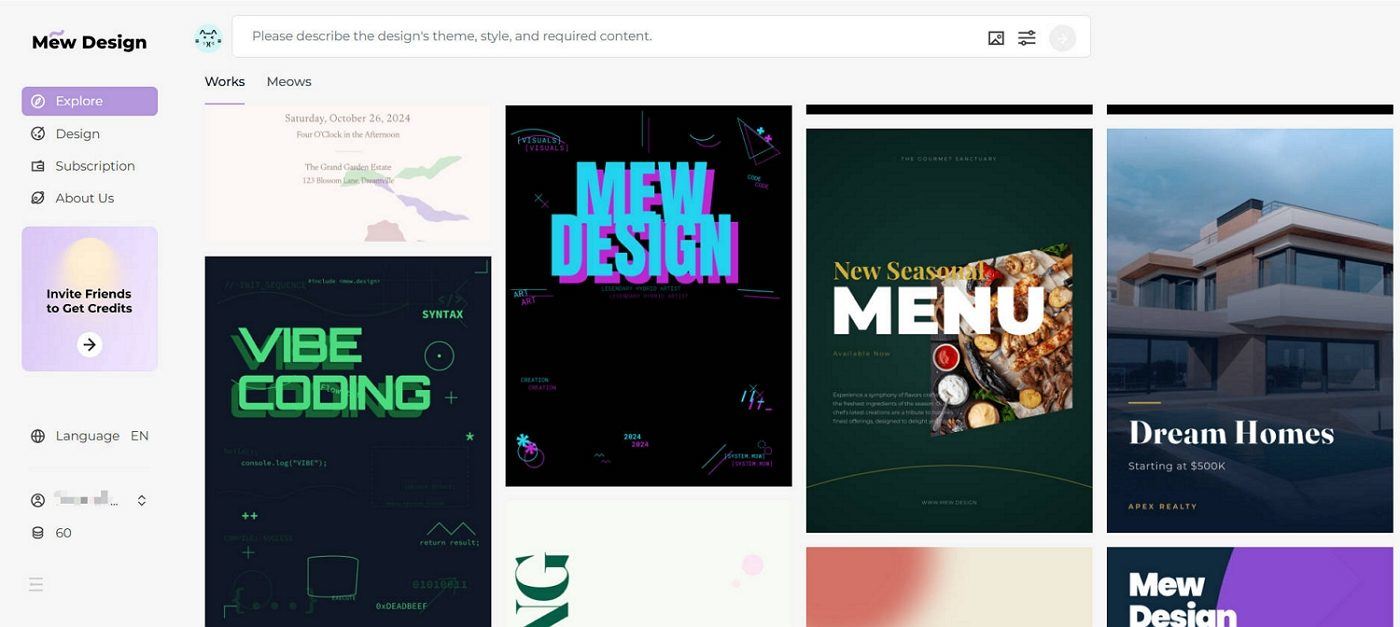
Mew Design isn’t just another AI design tool—it redefines what AI-generated visual content can be. While many platforms rely on basic text-to-image models, Mew Design operates as a free AI-powered graphic design agent. Instead of generating a single image from a prompt, it simulates how a real design team would work. Each poster design is the result of collaboration between specialized AI agents, each handling a different aspect—typography, layout, visual style, brand identity, etc.—and then coordinated by a central supervisory agent.
mew design free ai poster generator

This agent-based structure allows Mew Design to generate smart, cohesive, and brand-aware poster designs. Because the system generates posters as code (not just pixels), it offers much more precise control over typography, layout, image positioning, and color use—something generic image generators cannot achieve.

✅ Overview

Mew Design is built on a powerful, layered design model. When you describe your poster, it breaks your request into distinct tasks, each handled by an AI agent with a specific design focus (e.g., color theory, branding, layout, illustration). These agents collaborate under the supervision of a coordination agent that ensures the final result is unified and matches your intent.

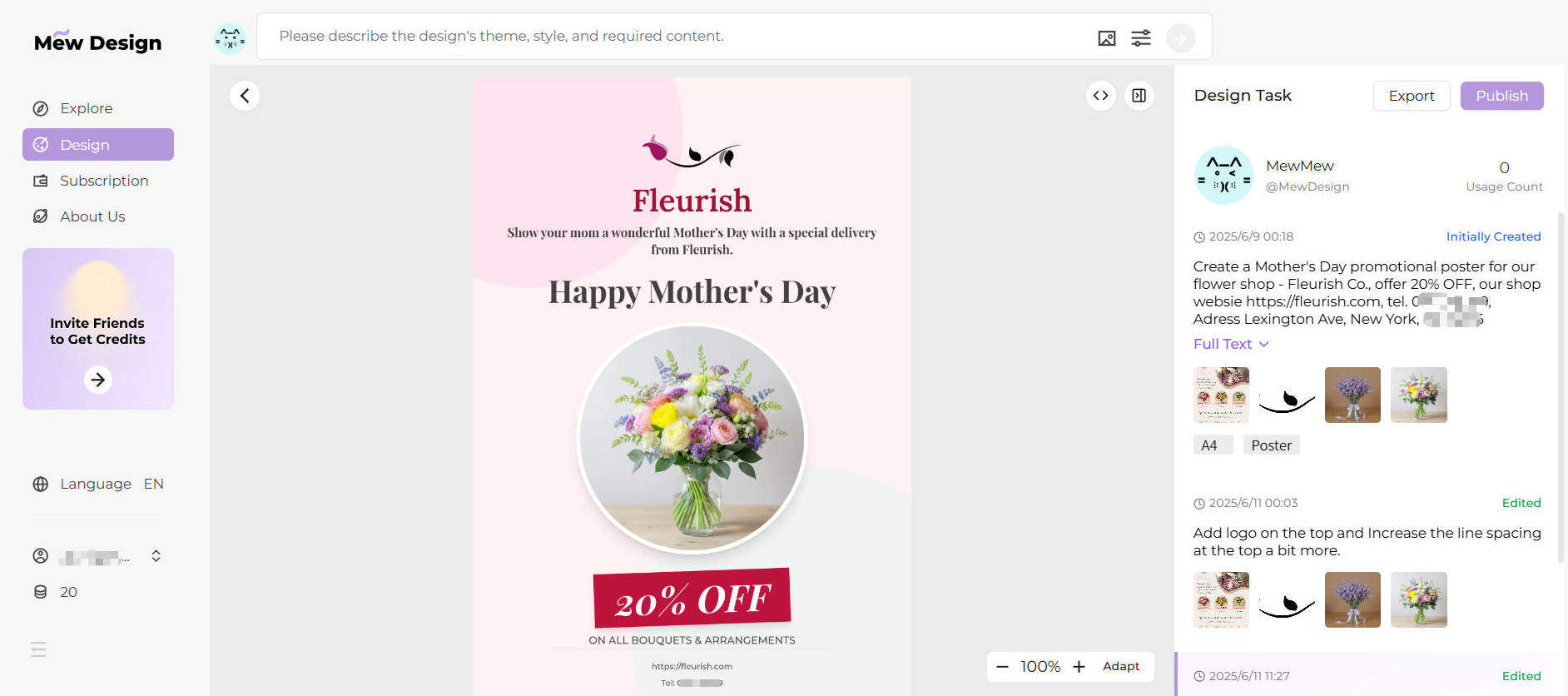
Instead of editing templates, users simply describe what they want: “A movie poster with a dark cinematic background, large title at the top, product image in the center, and our logo in the bottom-right corner.” Mew Design then produces multiple complete versions you can tweak via follow-up prompts. For detailed movie poster creation guidance, check out our comprehensive guide to free AI movie poster generators.
create poster with ai mew design

🔍 Key Features

  • Conversational AI Workflow: You don’t need to touch a design tool—just describe your vision, and the system handles the rest.
  • Meow Designers (Specialist AI Agents): Choose agents trained in specific aesthetics (e.g. ‘Tech Meow’, ‘Vintage Meow’) or train a custom agent to match your brand’s identity.
  • Intelligent Text Integration: Mew Design doesn’t just add text—it composes it. Fonts, positioning, hierarchy, and legibility are all optimized like a professional designer would.
  • Deep Natural Language and Visual Understanding: Backed by large language models, Mew Design can understand complex user intent through text, and also analyze uploaded reference images to detect logos, color schemes, object focus, and layout. It can replicate the style of an uploaded image or seamlessly integrate your product photo, logo, or QR code into the design.
  • Precision Code-Based Output: Posters are not just generated visually—they’re structured as code, enabling pixel-perfect alignment, dynamic spacing, and modular editing.

👍 Pros

  • Design output is dynamic, modular, and scalable—not just static images.
  • Agent-based architecture delivers more robust and consistent results.
  • Smart use of user-uploaded assets (backgrounds, logos, product shots, etc.)
  • True natural language design workflow.
  • 200 free credits on signup (≈ 20 designs) + bonus credits via referrals.

👎 Cons

  • Every revision or variation consumes credits.
  • Currently limited to PNG export (PDF, SVG in development).

2. Canva – The Template Titan with Growing AI Power

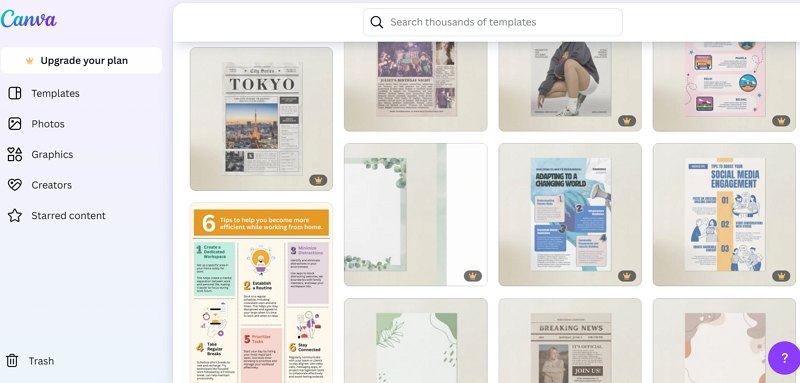
Canva has long been a favorite free online poster design platform among non-designers and professionals alike, known for its clean interface and vast template library. With the integration of AI tools like Magic Media and Magic Switch, Canva has significantly upgraded its automation capabilities. While it’s still largely template-driven, the experience is now more flexible and adaptive than ever—making it a strong contender among the best free AI poster generator tools.
canva free ai poster maker

🔍 How Canva Works

Canva is built around an intuitive drag-and-drop editor. Users can start from a blank canvas or choose from thousands of templates tailored to formats like posters, social media posts, flyers, and presentations. Its AI tools now allow for basic text-to-image generation and auto-formatting of visual assets. Canva is ideal for creating free AI poster designs that are quick, clean, and collaborative.

Where Canva shines is in collaborative, template-based design, making it ideal for users who want fast results without learning complex tools. AI suggestions enhance speed but don’t generate complete original designs from scratch like Mew Design does.

⚙️ Key Features

  • Magic Media: Canva’s text-to-image generator that supports various illustration styles.
  • Template Library: Thousands of professionally designed layouts you can customize.
  • Magic Switch: Resize any design for different platforms with one click (Pro feature).
  • Brand Kits: Save and apply brand colors, logos, and fonts across projects.
  • Collaborative Editing: Real-time team collaboration on shared designs.

✅ Pros

  • Extremely beginner-friendly interface.
  • Huge variety of templates and assets.
  • Great for teams and collaborative workflows.
  • Rapid design speed for standard formats.

⚠️ Cons

  • AI tools are still supplementary, not central.
  • Output quality depends heavily on template choice.
  • Limited free-tier AI credits; many features require Pro.
  • Not suitable for users seeking fully original, template-free designs.

3. Adobe Express – Speed and Power from a Creative Giant

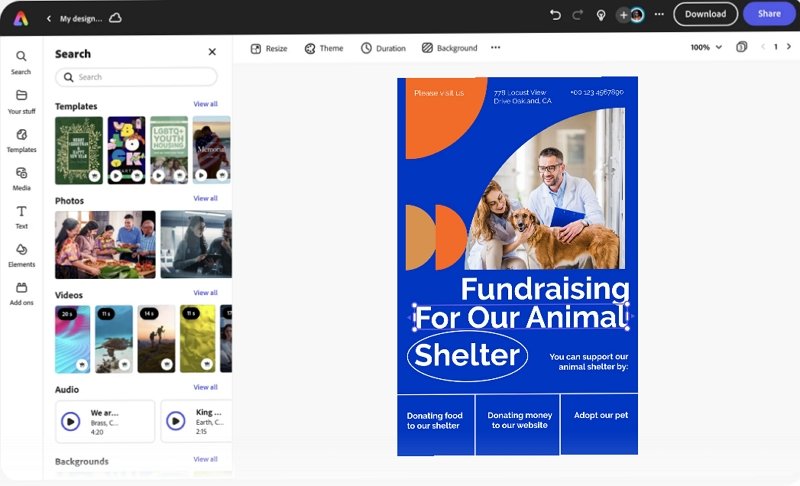
Adobe Express, formerly Adobe Spark, integrates Adobe’s generative Firefly AI with user-friendly design workflows. As one of the most trusted platforms for online AI poster generator solutions, it brings powerful features from the Adobe ecosystem to non-designers, making it easier than ever to create a poster with AI while maintaining high quality.
adobe express free online ai poster generator

🔍 How Adobe Express Works

Users can start from templates or build from scratch. Firefly AI powers image generation, text effects, and content editing. Quick Actions enable users to remove backgrounds, resize assets, or convert video formats instantly—all from the browser.

It’s best suited for professionals who want to create fast, high-quality content for social media, events, or marketing campaigns, especially if they already use other Adobe tools.

⚙️ Key Features

  • Firefly Text-to-Image Generator
  • Generative Fill for smart background editing
  • Quick Actions for image, video, and layout tasks
  • Creative Cloud Integration
  • Brand Templates and Libraries

✅ Pros

  • High design quality and feature depth
  • Fast content creation with smart AI tools
  • Ideal for users in the Adobe ecosystem
  • Free plan includes strong core features

⚠️ Cons

  • Monthly credit limit for generative AI features
  • Slightly steeper learning curve than Canva
  • Mobile UI can feel less responsive

4. Venngage – The Business Poster and Infographic Specialist

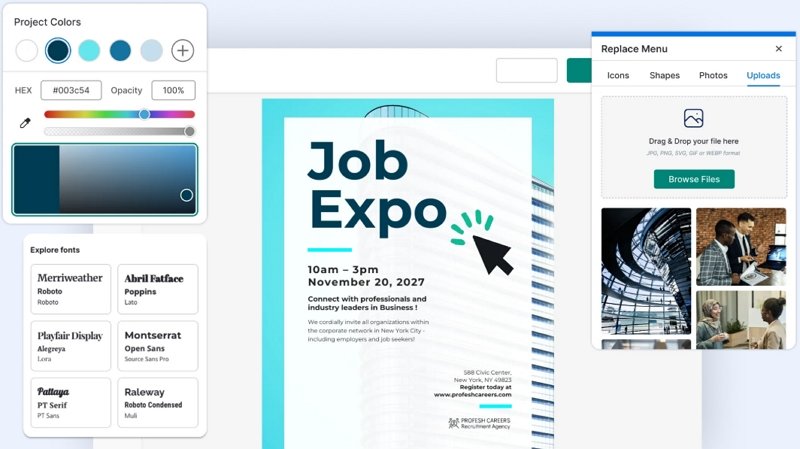
Venngage stands out as a top free AI poster maker for creating professional, data-driven visuals like reports, infographics, and event posters. While it doesn’t offer full image generation like Mew Design or Canva, its AI and design automation tools are tailored for structured, brand-consistent outputs.
venngage free ai poster maker

🔍 How Venngage Works

Venngage is designed for business users who need visual storytelling. Its AI design generator can build layouts from prompts or reuse brand assets consistently across materials. Charts, icons, and data-driven visuals are its key strengths.

⚙️ Key Features

  • AI Design Generator for layouts
  • My Brand Kit for style consistency
  • Extensive icon and illustration library
  • Data Visualization Tools for clear infographics

✅ Pros

  • Professional, polished results ideal for business
  • Great support for charts and visual data
  • Brand kits make content production fast and cohesive

⚠️ Cons

  • Free plan is limited and mostly a preview
  • Not built for creative or artistic posters
  • No AI image generation capabilities

5. Visme – Interactive, Animated, and Customizable

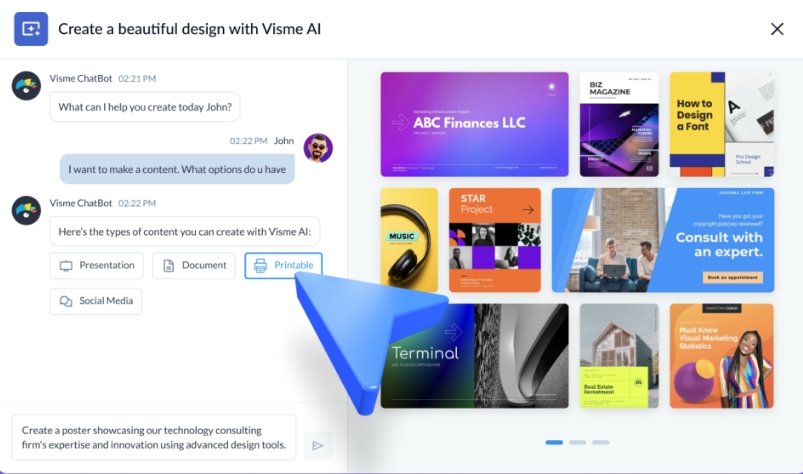
Visme focuses on interactive content, offering animated posters, presentations, and infographics. While not a full online AI poster generator, it does offer free AI poster design assistance for layouts and design balance.
visme free ai poster design assistance

🔍 How Visme Works

Visme offers more control and flexibility than Canva but requires more manual input. You can create rich visual content by assembling charts, icons, animations, and imported assets. AI helps speed up formatting and design balance.

⚙️ Key Features

  • AI Designer suggests layouts and visual balance
  • Animations and interactive graphics
  • Brand Kit tools
  • Deep customization for advanced users

✅ Pros

  • Ideal for animated and presentation-style posters
  • Flexible tools for data-rich visuals
  • Greater customization than most tools

⚠️ Cons

  • Free users cannot export designs
  • AI tools are more assistive than generative
  • Learning curve is higher for casual users

6. Piktochart – Clean, Data-First Poster Creation

Piktochart excels in turning structured data into clean, informative posters and infographics. It’s especially useful for users seeking a free download of AI-generated poster design files, with a strong focus on clarity and communication.
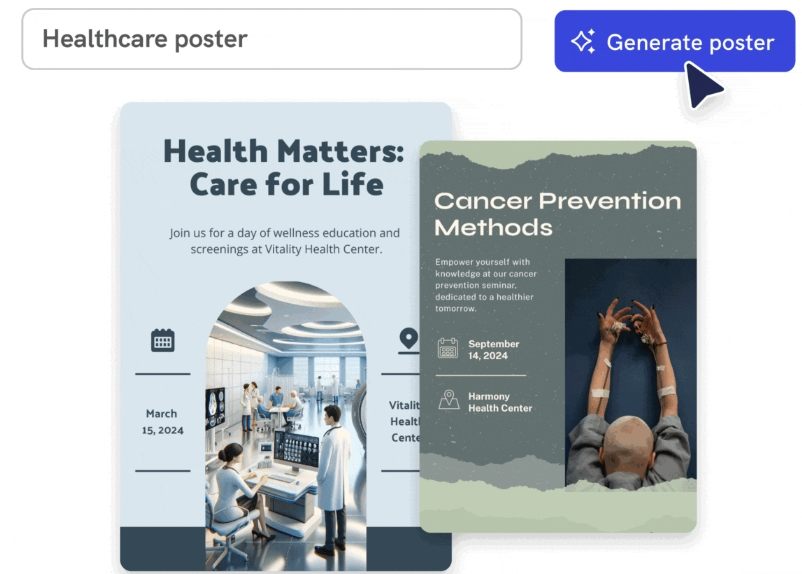
piktochart free online ai poster design tool

🔍 How Piktochart Works

It allows users to import text or spreadsheet data and transforms it into organized visuals. Its AI focuses on information hierarchy, clarity, and visual alignment—making it perfect for non-designers communicating complex topics.

⚙️ Key Features

  • AI-Powered Layout and Design Suggestions
  • Google Sheets Integration for live data sync
  • Icon, chart, and infographic templates

✅ Pros

  • Fast, structured visual design for data-heavy use cases
  • Strong educational and corporate applications
  • Clean, readable output

⚠️ Cons

  • Free tier includes watermarks and download limits
  • Minimal creative or visual variety
  • Not built for marketing or stylized poster use

7. VEED.IO – Fast Video and Simple Posters in One

Though primarily a video editor, VEED.IO now includes a basic online AI poster generator. It’s best for creators who want a fast visual to pair with their video content and need a free AI poster maker without the bells and whistles.
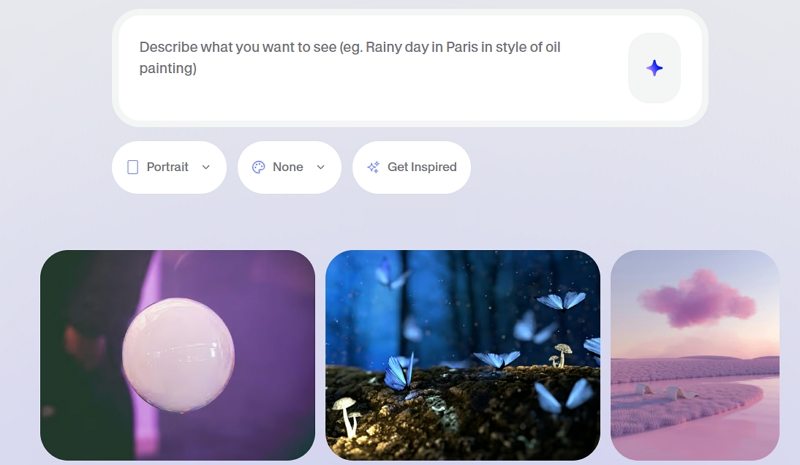
veed io free online ai poster generator

🔍 How VEED.IO Works

Its AI generator takes basic prompts and produces simple poster layouts—often social-friendly thumbnails or digital flyers. Poster design is not its core focus, but it’s useful for quick turnarounds.

⚙️ Key Features

  • Basic AI Poster Generation
  • Video Editor Integration
  • Browser-based and cloud synced

✅ Pros

  • Extremely easy for beginners
  • No installation required
  • Good for creators already using VEED.IO

⚠️ Cons

  • Posters include watermarks on free plan
  • Minimal layout control or creativity
  • Not suitable for professional design tasks

Comparison Table of the 7 Best Free AI Poster Generators

ToolApproachBest ForAI StrengthsFree LimitsRating
Mew DesignConversational Generative AIOriginal, brand-aware postersComplete design generation200 credits (≈20 designs)⭐⭐⭐⭐⭐
CanvaTemplate-based w/ AI assistQuick, collaborative designsLayout suggestions, image generationLimited AI credits⭐⭐⭐⭐☆
Adobe ExpressAI-enhanced templatesAdobe users, professional contentFirefly image generationMonthly credit limits⭐⭐⭐⭐☆
VenngageBusiness-focused designsReports, infographicsLayout automationHeavily restricted free tier⭐⭐⭐☆☆
VismeInteractive/animated contentPresentations, animated postersDesign balance suggestionsNo export on free tier⭐⭐⭐☆☆
PiktochartData visualizationInformative, data-driven postersAutomated data-to-visual conversionWatermarks, download limits⭐⭐⭐☆☆
VEED.IOVideo-centric w/ poster extrasContent creators, video thumbnailsBasic poster layoutsWatermarks, limited features⭐⭐☆☆☆

Conclusion: Which Free AI Poster Generator Should You Choose?

Choosing the right AI poster design tool depends on your needs. If you’re searching for the best free AI poster generator with powerful features and smart automation, Mew Design leads the pack. It enables you to create customized, stunning visuals using both prompts and images—with no prior design skills.

  • Want an online AI poster maker that supports deep creative control? Try Mew Design.
  • Need a free AI poster design tool that’s fast and collaborative? Canva is excellent.
  • Looking to download a poster design AI file free? Most tools offer PNG files; SVG or PDF may require upgrades.
  • For infographic-heavy posters, Venngage or Piktochart offer excellent structure.
  • And if you’re creating content for video or social, VEED.IO delivers fast results.

No matter your project, these tools offer a smarter, faster way to design.

🚀

Ready to Create Posters With AI?

Thanks for choosing Mew Design — Let AI boost your creative journey.

FAQs

What is the best free AI poster generator?

Mew Design is the top choice. It offers 200 free credits upon signup, which covers about 20 custom posters. No watermarks, no templates—just original poster designs generated from your prompt. The best part is that you can adjust the generated poster’s typography, layout, style, and more with follow-up prompts.

Can I use these AI-generated posters commercially?

Yes, but check each platform’s licensing. Mew Design, Canva, and Adobe Express allow commercial use of generated content. However, be aware that you may not hold exclusive copyright to AI-generated images, as similar outputs could be generated for other users. Always review the licensing agreement before using designs in a commercial project.

Do I need any design experience to use an AI poster maker?

Not at all. The primary advantage of the best AI poster maker tools is that they eliminate the need for technical design skills. Platforms like Mew Design are built around natural language input—just describe what you want, upload your logo or image, and the AI handles layout, typography, and composition. Mew Design’s vision is simple yet powerful: Design Freedom for All. Whether you’re a complete beginner or a creative professional, the tool makes high-quality design accessible, fast, and intuitive.

Can I get a poster design AI file free download from these tools?

Yes, most free AI poster generators like Mew Design and Canva let you export PNG files. To access vector files like SVG or PDF, a paid plan may be required.

Which online AI poster generator offers the most flexibility?

Mew Design. Unlike image-only generators, it understands layout, typography, and branding—and works like a real designer agent.

How much does it cost to use these tools?

All the tools listed have a free plan, but the limitations vary greatly.

  • Credit-Based: Mew Design and Piktochart give you a set number of free credits.
  • Feature-Limited: Canva and Adobe Express limit access to premium features and assets.
  • Output-Limited: Visme, VEED.IO, and Piktochart place the most severe restrictions on their free plans, either by adding watermarks or preventing downloads altogether, pushing you toward a paid subscription for any practical use.
Which AI poster maker is best for beginners?

Mew Design and Canva. Both are intuitive and beginner-friendly. Mew Design is especially useful for those who want original posters without using templates.

Can these AI tools create posters with specific text and information?

Yes, but some are better than others. This is where Mew Design truly excels. Its AI is built to intelligently integrate text—like dates, locations, and slogans—into the design in a visually coherent way. While other tools can add text, they often struggle with placement and typography in a fully automated workflow.
The AI Design Revolution: From Traditional Tools to Intelligent Creation

The AI Design Revolution: From Traditional Tools to Intelligent Creation

Over the past two years, the application of artificial intelligence in the design field has undergone revolutionary changes. From initial simple image generation to today’s complex creative collaboration, AI is redefining what “design” means.

The Golden Age of Traditional Design Tools

The Adobe Era (1990-2020)

Looking back at the development of the design industry, Adobe Creative Suite was undoubtedly the dominant force for the past thirty years:

  • Photoshop - The go-to choice for image processing
  • Illustrator - Standard tool for vector design
  • After Effects - Professional platform for motion design
  • Figma/Sketch - Emerging forces in UI design

These tools shaped a generation of designers’ workflows but also brought obvious limitations:

Pain Points of Traditional Design Workflows:
├── High Learning Costs - Takes months or years to master
├── Low Creative Efficiency - Many repetitive operations
├── Heavy Inspiration Dependency - Lack of creative inspiration mechanisms
└── High Collaboration Barriers - Obvious professional knowledge barriers

The Rise of AI Design Tools

Generative AI Breakthrough (2022-2025)

In 2022, with the successive releases of DALL-E 2, Midjourney, and Stable Diffusion, the design industry experienced unprecedented transformation:

Text-to-Image Generation

  • Midjourney - New benchmark for artistic creation
  • DALL-E 3 - OpenAI’s visual creativity engine
  • Adobe Firefly - Most commercialized solution

Professional Design Applications

  • Runway ML - Video content generation and editing
  • Canva Magic Studio - AI design assistant for the masses
  • Mew Design - Next-generation intelligent design platform

Core Advantages of AI Design

1. Creative Inspiration and Concept Exploration

AI’s greatest value isn’t in replacing designers, but in expanding creative boundaries:

Traditional Workflow: Inspiration → Sketch → Design → Optimization
AI-Enhanced Workflow: Idea → AI Generation → Selection → Deep Customization

Practical Example:

A brand designer used Midjourney to find inspiration for new product packaging. Through the prompt “modern minimalism + Japanese aesthetics + sustainable materials,” they obtained 50 different design directions in 10 minutes, with 3 becoming the foundation for the final solution.

2. Intelligent Workflows

AI tools are automating repetitive work in the design process:

  • Auto Background Removal - Remove.bg one-click background removal
  • Color Matching - AI analyzes and generates harmonious color schemes
  • Layout Generation - Intelligent typography layout suggestions
  • Asset Recommendations - Resource matching based on project requirements

3. Scaling Personalized Design

Through AI, designers can achieve “personalization for everyone” at scale:

# Pseudo-code example: AI-driven personalized poster generation
def generate_personalized_poster(user_data):
style = analyze_user_preference(user_data.history)
content = extract_key_message(user_data.brief)
layout = optimize_for_platform(user_data.target_platform)
return ai_generate(
style=style,
content=content,
layout=layout,
brand_guidelines=user_data.brand
)

How Designers Embrace the AI Era

Redefining Designer Value

In the AI era, designers’ core value is shifting from “executor” to “strategist”:

Traditional RoleAI Era Role
Tool Operation ExpertAI Collaboration Expert
Visual ExecutionCreative Strategy Planning
Single Skill MasteryCross-domain Integration
Individual OutputTeam Empowerment

Essential AI Design Skills

  1. Prompt Engineering - Learning to communicate effectively with AI
  2. AI Tool Combination - Building personal AI toolchains
  3. Quality Control - Identifying and optimizing AI-generated content
  4. Human-AI Collaboration - Maintaining creative leadership with AI assistance

Practical Recommendations

Beginner Stage (1-3 months):

  • Experience mainstream AI design tools
  • Learn basic prompt techniques
  • Establish AI creative workflows

Intermediate Stage (3-6 months):

  • Specialize in 1-2 professional AI tools
  • Explore AI applications in specific projects
  • Start building AI design portfolios

Expert Stage (6+ months):

  • Develop customized AI solutions
  • Become team’s AI technology expert
  • Explore AI design business models

Future Outlook: The Next Decade of Design

Multimodal AI: Future AI design tools will integrate text, images, audio, and video for true multimedia creation.

Real-time Collaboration: AI will become virtual team members, participating in creative discussions and iterations in real-time.

Emotional Computing: AI will understand and express emotions, creating more impactful design works.

Industry Transformation Predictions

  1. Restructuring Design Education - Traditional design schools will add AI courses
  2. Birth of New Professions - AI designers, prompt engineers, and other new roles
  3. Reduced Creation Costs - SMEs can afford professional-grade design
  4. Improved Copyright Laws - Defining intellectual property rights for AI creations

Conclusion: The Future of Human-AI Collaboration

AI is not the enemy of designers, but the most powerful creative partner. Just as every technological revolution in history has spawned new creative possibilities, the popularization of AI design tools will usher in a completely new creative era.

The key lies in: Maintaining a learning mindset, having the courage to embrace change, and deep thinking about the essence of creativity.

In this era full of opportunities, every designer has the chance to redefine their professional boundaries and create unprecedented works.


What are your thoughts on AI design? Share your experiences and insights in the comments.

Want to learn more about AI design?

  • Follow our podcast
  • Subscribe to our design newsletter
  • Join our AI designer community

This is the first article in our “Design & AI” series. Next, we’ll dive deep into specific tool techniques and practical case studies.

Make a Picture with Words: AI Text-to-Image & Word Art Generators 2025

Make a Picture with Words: AI Text-to-Image & Word Art Generators 2025

The art of transforming text into visual masterpieces has evolved dramatically with artificial intelligence. Whether you want to make a picture with words, create stunning text-to-image art, or design eye-catching word art, modern AI tools offer unprecedented creative possibilities. This comprehensive guide explores the best methods and tools for creating pictures from text in 2025.

What Does “Make a Picture with Words” Mean?

Making a picture with words encompasses several creative techniques:

  • Text-to-Image Generation: Using AI to create images from written descriptions
  • Word Art Creation: Arranging text to form visual designs and shapes
  • Typography Art: Converting text into artistic visual representations
  • Text Picture Overlay: Adding stylized text to existing images
  • Word Cloud Visualization: Creating visual representations of text data

🚀 Create Pictures with Words Using Mew Design

Mew Design stands out as the premier AI-powered platform for creating stunning text-based visuals. Our advanced algorithms understand natural language and transform your words into breathtaking artwork.

🚀

Transform Your Words into Visual Art with Mew Design

Experience the most advanced AI text-to-image technology. Create professional word art, stunning typography designs, and artistic text pictures in seconds.

Start Creating Word Art →

Why Choose Mew Design for Text Pictures?

  • Advanced AI Models: Cutting-edge algorithms for superior text interpretation
  • Multiple Art Styles: From realistic to abstract, cartoon to professional
  • High Resolution: Create crisp, detailed images perfect for any use
  • Instant Generation: Transform text to pictures in seconds
  • Commercial License: Use your creations for business purposes

Top AI Text-to-Image Generators for 2025

1. Mew Design - Premium AI Text-to-Image Platform

Best for: Professional text-to-image creation, word art, typography design

Key Features:

  • Advanced natural language processing
  • Multiple artistic styles and formats
  • High-resolution output up to 4K
  • Commercial usage rights
  • Intuitive user interface

2. DALL-E 3 - OpenAI’s Advanced Generator

Best for: Creative and artistic text interpretations

Strengths:

  • Exceptional prompt understanding
  • Creative and unique outputs
  • Integration with ChatGPT
  • High-quality results

3. Midjourney - Artistic AI Image Creation

Best for: Artistic and stylized text-to-image generation

Features:

  • Distinctive artistic style
  • Community-driven platform
  • Discord-based interface
  • Premium quality outputs

4. Stable Diffusion - Open-Source Solution

Best for: Customizable and free text-to-image generation

Advantages:

  • Open-source and free
  • Highly customizable
  • Local installation possible
  • Active community support

Step-by-Step Guide: How to Make Pictures with Words

Method 1: Using AI Text-to-Image Generators

Step 1: Choose Your Platform

  • Visit Mew Design for the best results
  • Create a free account to get started
  • Explore the text-to-image interface

Step 2: Craft Your Text Prompt

Example Prompts:
- "A majestic mountain landscape at sunset with golden light"
- "Cute cartoon cat wearing a wizard hat, digital art style"
- "Futuristic cityscape with neon lights, cyberpunk aesthetic"
- "Watercolor painting of a peaceful garden with butterflies"

Step 3: Customize Settings

  • Select image dimensions (square, landscape, portrait)
  • Choose artistic style (realistic, cartoon, abstract)
  • Adjust quality and detail levels
  • Set the number of variations

Step 4: Generate and Refine

  • Click generate to create your image
  • Review the results
  • Refine your prompt if needed
  • Download your favorite versions

Method 2: Creating Word Art and Typography

Step 1: Select Word Art Tools

  • Mew Design: AI-powered word art creation
  • WordArt.com: Classic word cloud generator
  • Canva: Template-based word art
  • Adobe Express: Professional typography tools

Step 2: Design Your Word Art

  • Enter your text or words
  • Choose shapes and layouts
  • Select colors and fonts
  • Arrange text elements

Step 3: Customize Visual Elements

  • Adjust font sizes and weights
  • Apply color gradients and effects
  • Position text elements strategically
  • Add background elements if desired

Method 3: Adding Text to Existing Images

Step 1: Choose Your Base Image

  • Upload your photo or select from stock
  • Ensure good contrast for text overlay
  • Consider composition and focal points

Step 2: Add Text Elements

  • Select appropriate fonts for your message
  • Choose colors that complement the image
  • Position text for maximum impact
  • Apply effects like shadows or outlines

Best Practices for Text-to-Image Creation

Writing Effective Prompts

Be Specific and Descriptive

Poor: "A dog"
Better: "A golden retriever puppy playing in a sunny meadow, photorealistic style"
Best: "A 3-month-old golden retriever puppy with fluffy fur running through a wildflower meadow during golden hour, shot with shallow depth of field, professional photography style"

Include Style References

  • Specify artistic styles: “watercolor painting”, “digital art”, “oil painting”
  • Reference famous artists: “in the style of Van Gogh”, “Pixar animation style”
  • Mention techniques: “macro photography”, “long exposure”, “HDR”

Use Technical Terms

  • Camera settings: “shot with 85mm lens”, “f/1.4 aperture”
  • Lighting: “soft lighting”, “dramatic shadows”, “golden hour”
  • Composition: “rule of thirds”, “symmetrical composition”

Optimizing for Different Use Cases

Social Media Graphics

  • Use square (1:1) or vertical (9:16) formats
  • Include bold, readable text
  • Apply vibrant colors and high contrast
  • Keep designs simple and impactful

Print Materials

  • Generate high-resolution images (300 DPI minimum)
  • Use CMYK color profiles when possible
  • Consider bleed areas for printing
  • Test print compatibility

Web and Digital Use

  • Optimize file sizes for web loading
  • Use standard web formats (JPEG, PNG, WebP)
  • Consider responsive design requirements
  • Ensure accessibility compliance

Advanced Techniques for Word Pictures

Creating Word Clouds

Traditional Word Clouds

  1. Collect your text data
  2. Use tools like WordArt.com or Wordificator
  3. Select shapes and color schemes
  4. Adjust word frequency and sizing
  5. Export in high resolution

AI-Enhanced Word Clouds

  1. Use Mew Design for AI-generated word arrangements
  2. Combine multiple text sources
  3. Apply artistic filters and effects
  4. Create themed visualizations

Typography Art Techniques

Text Shape Formation

  • Arrange text to form recognizable shapes
  • Use varying font sizes for depth
  • Apply color gradients for visual interest
  • Consider negative space utilization

Kinetic Typography

  • Create animated text effects
  • Use motion to enhance message delivery
  • Apply easing and timing principles
  • Export as video or GIF formats

Font and Text Effects

3D Text Effects

  • Apply depth and dimension to text
  • Use lighting and shadow effects
  • Create metallic or glass textures
  • Add environmental reflections

Artistic Text Treatments

  • Watercolor text effects
  • Grunge and distressed styles
  • Neon and glow effects
  • Hand-lettered appearances

Tools Comparison: Free vs Premium Options

Free Text-to-Image Tools

ToolStrengthsLimitationsBest For
Stable DiffusionOpen-source, customizableRequires technical setupDevelopers, tech-savvy users
Bing Image CreatorEasy to use, integratedLimited customizationCasual users, quick generation
Canva FreeTemplates, user-friendlyWatermarks, limited exportsSocial media, basic designs
WordArt.comSimple word cloudsBasic features onlySimple word cloud creation

Premium Text-to-Image Platforms

PlatformPricingKey FeaturesTarget Users
Mew Design$9.99/monthAdvanced AI, commercial license, high-resProfessionals, businesses
Midjourney$10/monthArtistic style, communityArtists, creatives
DALL-E 3$20/monthGPT integration, high qualityContent creators, professionals
Adobe Express$9.99/monthFull creative suite, templatesDesigners, marketers

Creative Applications and Use Cases

Marketing and Advertising

Social Media Campaigns

  • Create eye-catching post graphics
  • Design story templates with text
  • Generate branded visual content
  • Develop consistent visual themes

Print Advertising

  • Design poster and flyer graphics
  • Create brochure illustrations
  • Generate billboard concepts
  • Develop packaging designs

Educational Content

Visual Learning Materials

  • Create infographic elements
  • Design educational posters
  • Generate concept illustrations
  • Develop presentation graphics

Student Projects

  • Book report visualizations
  • Science project illustrations
  • History timeline graphics
  • Creative writing inspiration

Personal Projects

Gift Creation

  • Personalized artwork from meaningful text
  • Custom greeting cards
  • Family photo text overlays
  • Memory book illustrations

Home Decoration

  • Wall art from favorite quotes
  • Family motto displays
  • Inspirational text designs
  • Custom typography prints

Troubleshooting Common Issues

Poor Image Quality

Solutions:

  • Use more specific and detailed prompts
  • Increase resolution settings
  • Try different artistic styles
  • Refine prompt wording

Text Not Matching Vision

Fixes:

  • Add more descriptive adjectives
  • Include style references
  • Specify technical details
  • Use negative prompts to exclude unwanted elements

Limited Creative Output

Improvements:

  • Experiment with different AI models
  • Combine multiple generation attempts
  • Use prompt variations
  • Study successful examples from others

Emerging Technologies

Real-Time Generation

  • Instant image creation as you type
  • Live preview of prompt changes
  • Interactive editing capabilities
  • Streamlined workflow integration

Multi-Modal AI

  • Voice-to-image generation
  • Sketch-to-image enhancement
  • Video-to-image extraction
  • Cross-platform compatibility

Industry Developments

Improved AI Models

  • Better prompt understanding
  • Higher resolution outputs
  • Faster generation speeds
  • More consistent results

Integration Opportunities

  • Social media platform integration
  • Design software plugins
  • Mobile app development
  • Cloud-based solutions

Frequently Asked Questions

How do I make a picture with words for free? You can use free tools like Stable Diffusion, Bing Image Creator, or the free tier of Mew Design. Simply enter your text description and generate images. For word art specifically, try WordArt.com or Canva’s free templates.

What’s the difference between text-to-image and word art? Text-to-image AI creates entirely new images based on written descriptions, while word art arranges actual text characters into visual designs. Both create pictures from words but use different approaches.

Can I use AI-generated text pictures commercially? This depends on the platform’s terms of service. Mew Design offers commercial licenses, while some free tools may have restrictions. Always check the specific platform’s usage rights before commercial use.

How do I write better prompts for text-to-image generation? Be specific and descriptive, include style references, mention technical details like lighting and composition, and use clear, concise language. Study successful examples and iterate on your prompts.

What image formats work best for text pictures? For web use, JPEG or PNG work well. For print, use high-resolution PNG or TIFF. For word art with transparent backgrounds, always use PNG format to maintain transparency.

How can I improve the quality of my generated images? Use detailed prompts, select higher resolution settings, try premium AI models like those in Mew Design, and experiment with different artistic styles until you find what works best for your needs.

Are there mobile apps for creating pictures with words? Yes, many platforms offer mobile apps including Canva, Adobe Express, and various word art creators. Mew Design also works well on mobile browsers for on-the-go creation.

Can I edit the images after generating them? Absolutely! You can use image editing software like Photoshop, GIMP, or online editors like Canva to further customize your generated images, add text overlays, or combine multiple creations.

Conclusion

Making pictures with words has never been more accessible or creative than in 2025. With advanced AI text-to-image generators like Mew Design, traditional word art tools, and sophisticated typography platforms, anyone can transform text into stunning visual art.

Whether you’re creating social media graphics, designing marketing materials, or pursuing personal creative projects, the tools and techniques covered in this guide provide everything needed to bring your textual visions to life.

Ready to start creating? Visit Mew Design today and discover how easy it is to transform your words into breathtaking visual art. With our cutting-edge AI technology and user-friendly interface, your next masterpiece is just a few words away.


Transform your ideas into visual reality. Start creating pictures with words today using the most advanced AI tools available in 2025.