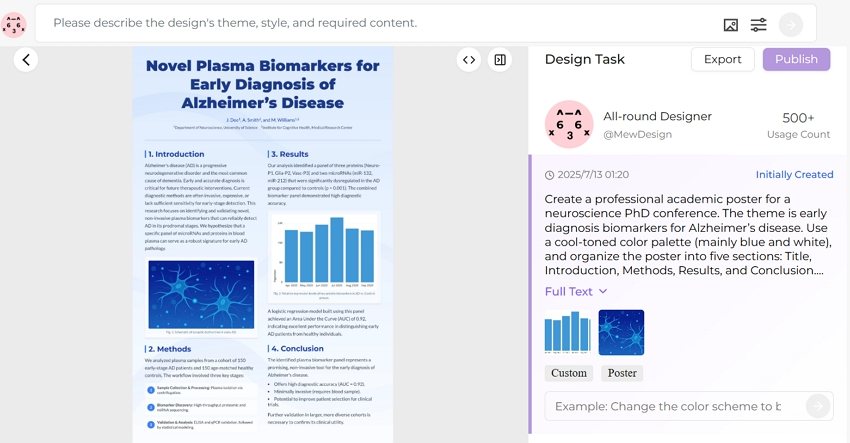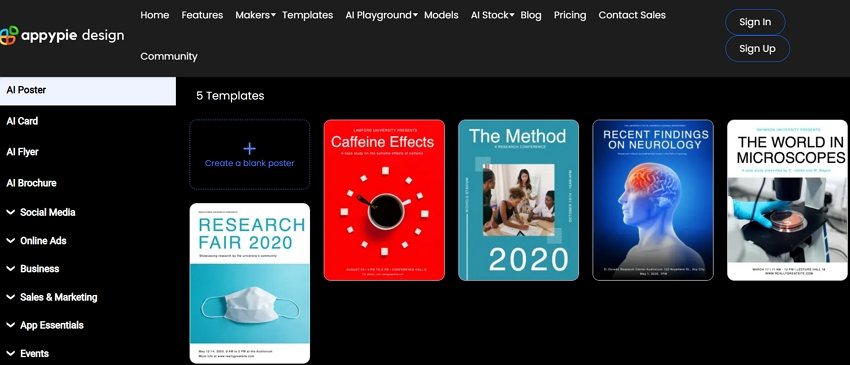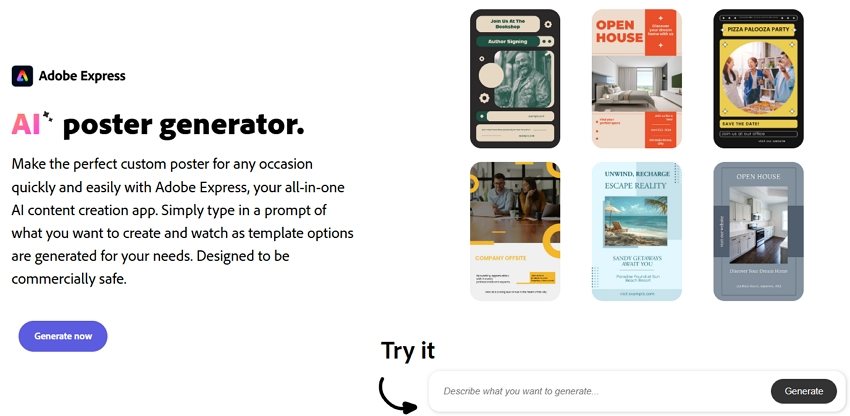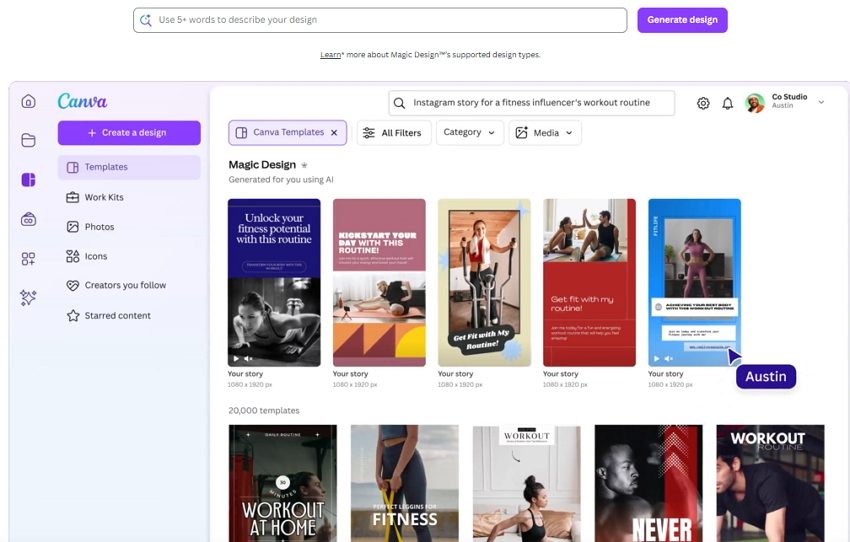

Skip to content

Blog

The Ultimate Guide to Graphic Design Styles (From Baroque to Y2K)
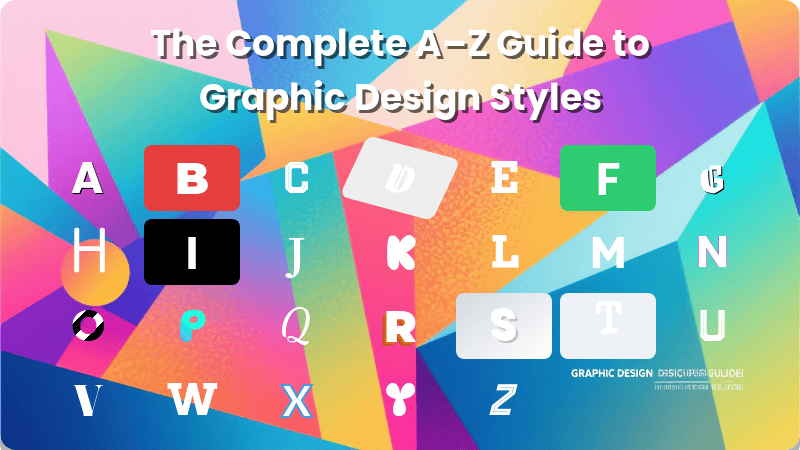
graphic design style guide

Generated using mew.design

Ever wondered what makes a brand feel timelessly elegant versus bold and modern? The secret lies in its graphic design style.

A graphic design style is more than just a collection of pretty visuals; it’s a cohesive visual language that communicates a brand’s personality, values, and core message to the world. With the rise of AI technology, powerful AI Design Agents like Mew Design can now help you generate stunning graphics in various styles through simple natural language prompts.

This comprehensive guide is your go-to resource for exploring the rich history of design, understanding the key characteristics of each style, and making informed decisions for your own brand and creative projects.

What Are Graphic Design Styles & Why Do They Matter?

Simply put, a graphic design style is a consistent set of visual rules—governing colors, shapes, typography, and composition—that work together to create a specific mood and feeling. Understanding them is crucial because they are a powerful tool for:

  • Branding: A consistent style builds recognition and trust. Think of Apple’s clean Minimalism, which immediately communicates sophistication and ease-of-use.
  • Communication: Style sets the tone before a single word is read. The raw, chaotic energy of a punk rock poster communicates a vastly different message than the structured, trustworthy layout of a law firm’s brochure.
  • Connection: It connects with a specific target audience by speaking their visual language. A playful, colorful style might resonate with a younger audience, while a more subdued, elegant style might appeal to a luxury market.
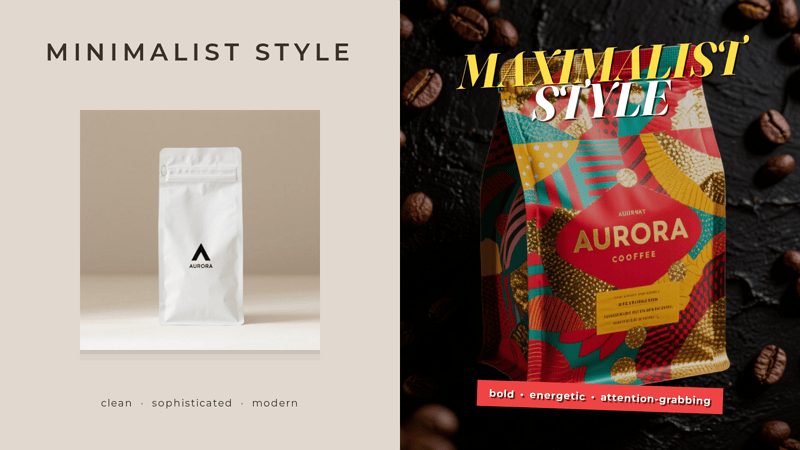
 graphic design style comparison coffee brand infographic

Graphic design style comparison infographic featuring a coffee brand. Generated using Mew.Design.

A Visual Timeline of Graphic Design Styles

Graphic design has constantly evolved, shaped by art movements, technological advancements, and cultural shifts. This timeline offers a glimpse into how visual language has changed, with each era building upon or rebelling against the last.

  • 17th Century & The Dawn of Print: Before graphic design was a profession, the dramatic, ornate principles of the Baroque period influenced early print decoration, setting a precedent for visual richness.
  • Late 19th - Early 20th Century: A rebellion against industrial uniformity begins. The flowing, organic lines of Art Nouveau give way to the radical abstraction of Avant-Garde movements like Futurism and Constructivism, and the sleek geometry of Art Deco and the Bauhaus.
  • Mid-20th Century: The post-war era ushers in two distinct paths. The clean, grid-based order of the Swiss Style dominates corporate design, while the playful optimism of Mid-Century Modern captures the spirit of consumer culture.
  • Late 20th Century: A cultural explosion is mirrored in design. Postmodernism intentionally breaks the rules of modernism, while Grunge reflects the raw, unpolished aesthetic of the underground music scene.
  • The Digital Age (Late 90s - Today): The rise of the computer and internet creates entirely new design paradigms. We see the Y2K aesthetic, the realism of Skeuomorphism, the clarity of Flat Design, and now new dimensions with 3D, Glassmorphism, and AI-powered creation.  graphic design style timeline infographic
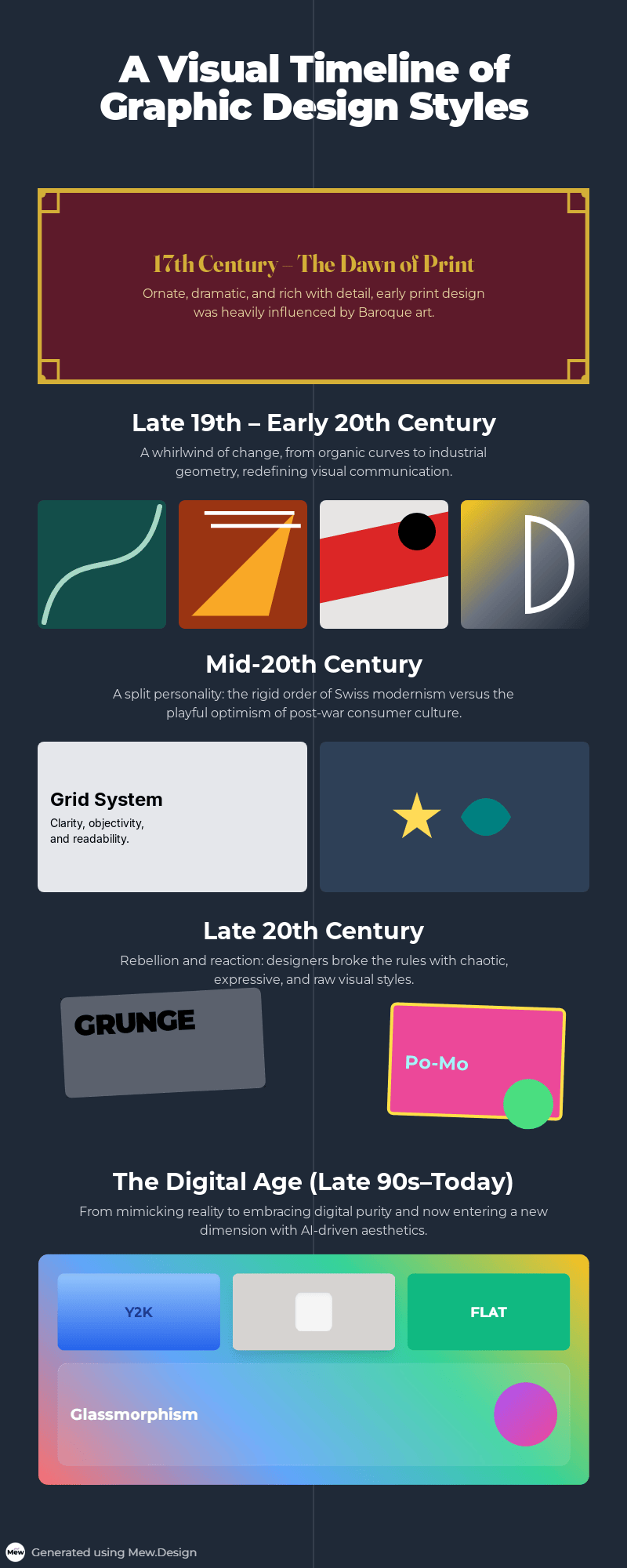
    Timeline infographic of graphic design styles. Generated using Mew.Design.

The Complete A-Z Guide to Graphic Design Styles

Here is your essential reference guide to the most influential graphic design styles.

Historical & Foundational Styles

These are the seminal design movements that broke from the past and created the foundational principles for modern visual communication. Understanding these historical styles is key to appreciating where today’s trends come from and how visual language has evolved.

1. Baroque

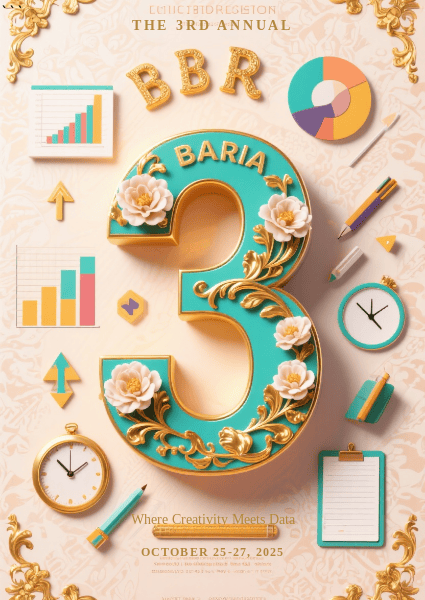
The Baroque style emerged in Europe in the early 17th century, a period of dramatic scientific and religious change. While primarily an art and architectural movement, its core principles of drama, grandeur, and emotional intensity heavily influenced early print and decorative arts. This opulent design style can be seen as a precursor to more decorative aesthetics, establishing a visual language rich with motion, detail, and awe-inspiring complexity.

Key Figures: Caravaggio, Gian Lorenzo Bernini (in art and sculpture).

Key Characteristics:

  • Drama & Emotion: Strong contrasts between light and shadow (chiaroscuro) to create dramatic tension.
  • Ornate Detail: Rich, intricate ornamentation, including flourishes, scrolls, and detailed illustrations.
  • Sense of Motion: Dynamic compositions that feel energetic and full of movement.

Modern Applications: Its principles are echoed in modern maximalist designs. It’s perfect for brands wanting to convey luxury, tradition, and dramatic flair, such as in high-end wine labels, wedding invitations, and classic book covers.
baroque style in modern graphic design example

Bold 3D typography meets ornate Baroque details in a vibrant, modern vertical collage. Generated using Mew.Design.

Famous Work: The elaborate title pages and engravings in books from the 17th century often showcase Baroque design principles.

-> Explore our complete guide to Baroque-inspired Design.

2. Art Nouveau

Flourishing in Europe from roughly 1890 to 1910, Art Nouveau was a revolutionary graphic design style born from a desire to break free from the rigid historical styles of the Victorian era. It aimed to modernize design by integrating art into everyday life, drawing its core inspiration from the flowing, untamed forms of the natural world.

Key Figures: Alphonse Mucha, Henri de Toulouse-Lautrec, Gustav Klimt.

Key Characteristics:

  • Organic Forms: Dominated by flowing, sinuous, and asymmetrical “whiplash” curves inspired by nature (vines, flowers, insects).
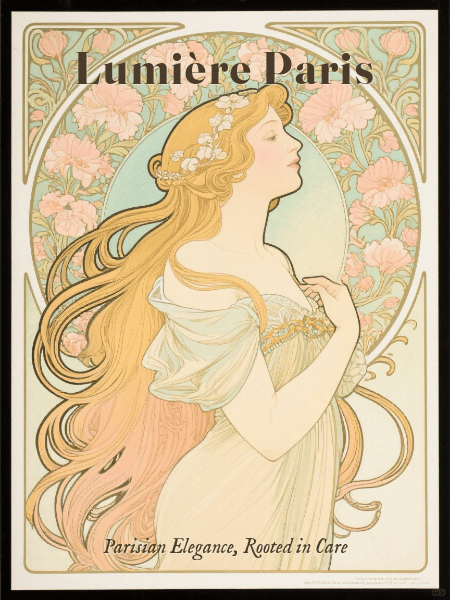
  • Decorative Illustration: Featured elegant, stylized figures (especially women with long, flowing hair) seamlessly integrated with their surroundings.
  • Integrated Typography: Lettering was often hand-drawn and became part of the artwork itself, twisting and turning with the composition.

Modern Applications: Perfect for brands wanting to convey elegance, luxury, and artistry. Often seen in packaging for cosmetics, chocolates, and alcoholic beverages, as well as in boutique hotel branding.
art nouveau graphic design style example

A vintage-style Art Nouveau packaging featuring flowing organic motifs, elegant female figure, and integrated decorative typography, inspired by Alphonse Mucha. Generated using Mew.Design.

Famous Work: Alphonse Mucha’s advertising posters for Job cigarettes and a variety of theatrical productions.

-> Explore our complete guide to Art Nouveau Design Style.

3. Futurism

Emerging in Italy in the early 20th century, just before World War I, Futurism was an avant-garde movement that celebrated dynamism, speed, technology, and the machine. This aggressive and energetic graphic design style completely rejected the past, seeking to create a new visual language that could capture the thrilling, often violent, energy of the modern world.

Key Figures: F.T. Marinetti, Umberto Boccioni.

Key Characteristics:

  • Motion & Speed: Used diagonal lines, blurred forms, and repetition to create a sense of movement.
  • Industrial Influence: Celebrated cars, planes, and industrial machinery in its imagery.
  • Expressive Typography: Broke free from traditional layouts, scattering words and letters across the page to create a dynamic, explosive effect.

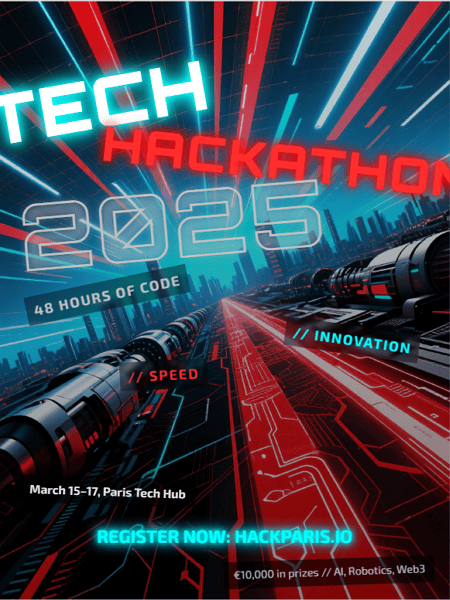
Modern Applications: Its principles influence designs that aim to be energetic, bold, and forward-thinking. Seen in tech branding, sports advertising, and event posters that need to convey high energy.
futurism graphic design style example

Futurist energy meets tech innovation in this bold, kinetic hackathon poster. Generated using Mew.Design.

Famous Work: F.T. Marinetti’s experimental typography in his book Zang Tumb Tumb.

-> Discover the energetic principles of the Futurism Graphic Design.

4. Dada

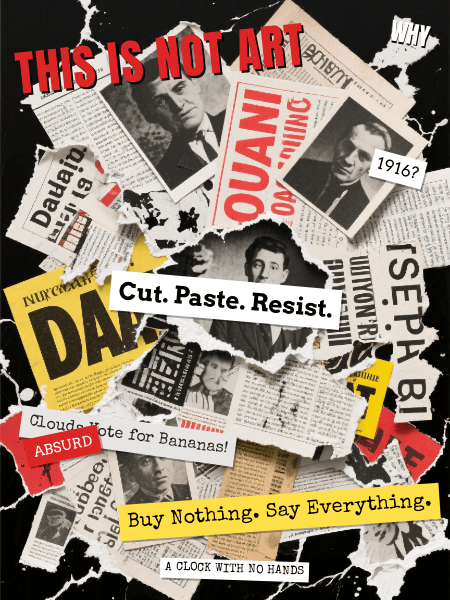
Born in Zurich during World War I (around 1916), Dada was not so much a style as an anti-art, anti-war movement that rejected logic, reason, and the aesthetics of modern society. The resulting graphic design style was intentionally chaotic, irrational, and absurd, using collage and photomontage to critique politics and culture.

Key Figures: Marcel Duchamp, Hannah Höch, Tristan Tzara.

Key Characteristics:

  • Collage & Photomontage: Combined disparate images and text from newspapers and magazines to create jarring, nonsensical compositions.
  • Chance & Absurdity: Embraced randomness in its layouts.
  • Rejection of Rules: Intentionally broke all conventions of typography and composition.

Modern Applications: Its rebellious spirit lives on in punk and grunge aesthetics. Used by brands and artists who want to appear subversive, unconventional, and critical of the mainstream.
dada graphic design style example

A chaotic Dada-style collage bursting with absurd imagery, mismatched typography, and fragmented headlines. Generated using Mew.Design.

Famous Work: The experimental layouts and photomontages in magazines like Dada and the work of Hannah Höch.

-> Explore the chaotic rebellion of Dada Graphic Design.

5. Constructivism

This influential design style emerged from Russia in the early 1920s, following the Bolshevik Revolution. Rather than being purely artistic, Constructivism believed that art should serve a social purpose and be a tool for building a new, communist society. It rejected art for art’s sake in favor of functional, powerful, and socially conscious design.

Key Figures: Alexander Rodchenko, El Lissitzky.

Key Characteristics:

  • Geometric Abstraction: Used simple geometric shapes like circles, squares, and rectangles.
  • Limited Color Palette: Often restricted to red, black, and white for maximum visual impact.
  • Photomontage: Integrated photography in a dynamic way to create powerful messages.
  • Dynamic Composition: Employed strong diagonal lines to create a sense of movement and energy.

Modern Applications: Its principles of bold typography and dynamic, geometric layouts have had a massive influence on virtually all modern graphic design. It’s often referenced in political posters and activist art.
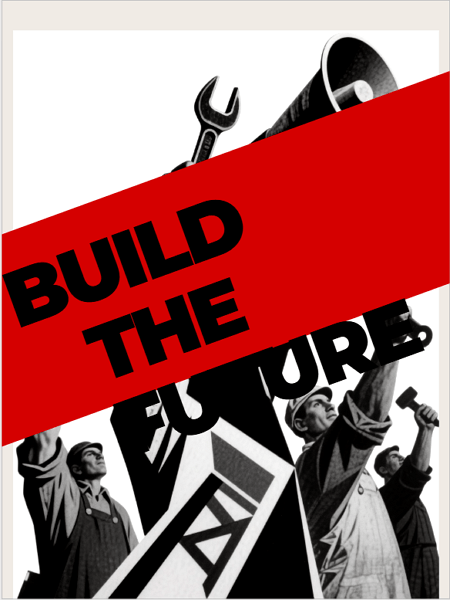
constructivism graphic design style example

A bold Constructivist-style poster featuring dynamic diagonals, geometric shapes, and photomontage—delivering a powerful, purpose-driven message in red, black, and white. Generated using Mew.Design.

Famous Work: Alexander Rodchenko’s iconic advertising posters, such as the one for the Lengiz Publishing House.

-> Learn the powerful principles of Constructivist Design.

6. Surrealism

Emerging in the 1920s in Paris, led by writer André Breton, Surrealism was a cultural movement that sought to unlock the power of the unconscious mind. The resulting graphic design style is not based on logic or reality, but on dreams, memories, and bizarre juxtapositions, creating visuals that are both unsettling and fascinating.

Key Figures: Salvador Dalí, René Magritte, Max Ernst.

Key Characteristics:

  • Dreamlike Imagery: Featured illogical scenes and strange, unexpected combinations of objects.
  • Symbolism: Used objects symbolically to explore subconscious thoughts and desires.
  • Realistic Technique: Often used highly realistic and detailed painting techniques to make the unreal seem believable.

Modern Applications: Heavily influences modern illustration, advertising, and poster design where the goal is to be thought-provoking, strange, and memorable.
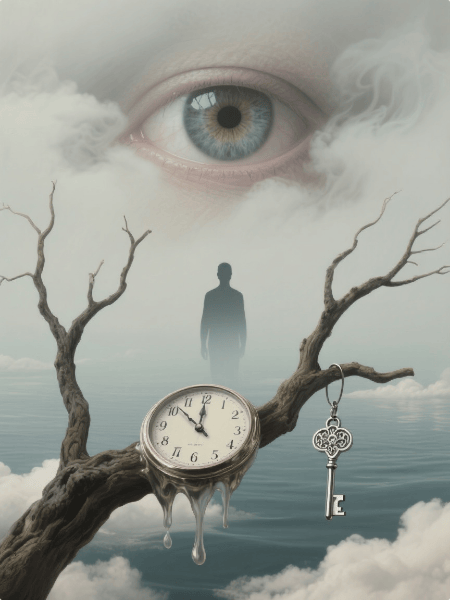
surrealism graphic design style example

A surrealist poster blending hyper-realistic dream imagery and symbolic objects in an uncanny, thought-provoking composition. Generated using Mew.Design.

Famous Work: Salvador Dalí’s painting The Persistence of Memory with its melting clocks.

-> Dive into the dream world of Surrealist Design.

7. Bauhaus

The Bauhaus design style was born from the influential Bauhaus school in Germany (1919-1933). Founded by Walter Gropius, it emerged as a response to the decorative excesses of older styles, aiming to unite art, craft, and technology to create functional and beautiful objects for modern industrial society.

Key Figures: Walter Gropius, László Moholy-Nagy, Herbert Bayer.

Key Characteristics:

  • “Form Follows Function”: The core principle that design should be practical and serve its purpose above all else.
  • Geometric Purity: Strong emphasis on simple geometric forms like the circle, square, and triangle.
  • Sans-Serif Typography: Advocated for clean, functional sans-serif fonts, often in lowercase.
  • Asymmetrical Layouts: Used structured but dynamic asymmetrical grids.

Modern Applications: The Bauhaus philosophy is the foundation for much of modern design, particularly in UI/UX, furniture design, and corporate branding where clarity and functionality are paramount.
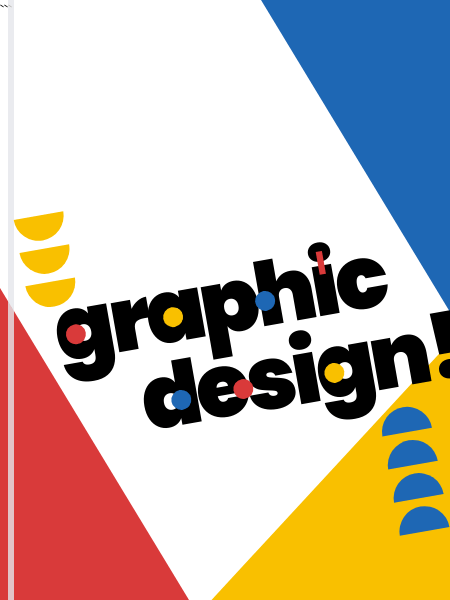
bauhaus graphic design style example

A vibrant Bauhaus-inspired cover featuring bold geometric shapes, primary colors, and playful sans-serif typography in a dynamic, asymmetrical layout. Generated using Mew.Design.

Famous Work: Herbert Bayer’s universal alphabet and the iconic Wassily Chair by Marcel Breuer.

-> Discover the foundational principles of the Bauhaus Graphic Design.

8. Art Deco

Peaking in the 1920s and 1930s, Art Deco was a visual celebration of the glamour, exuberance, and machine-age modernity of the Roaring Twenties. Its name comes from the 1925 Exposition Internationale des Arts Décoratifs et Industriels Modernes in Paris, and it stood for luxury, progress, and a confident belief in the future.

Key Figures: A.M. Cassandre, Erté (Romain de Tirtoff).

Key Characteristics:

  • Geometric Shapes: Strong emphasis on sharp, repeating geometric patterns like zig-zags, chevrons, and sunbursts.
  • Symmetry & Bold Lines: Compositions are often strictly symmetrical with bold, clean lines.
  • Luxurious Feel: Used sleek, streamlined forms and visually rich materials like chrome, gold, and polished lacquer.
  • Typography: Favored tall, condensed, geometric sans-serif fonts.

Modern Applications: Ideal for high-end, luxury brands. Commonly used in logos for fashion and film, hotel branding, and packaging for exclusive products.
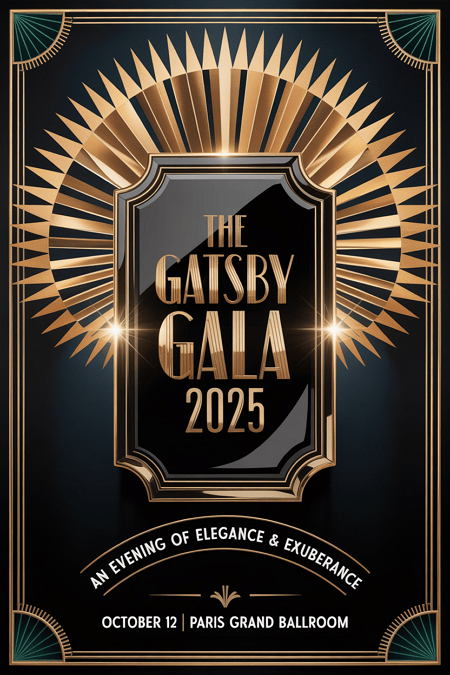
art deco graphic design style example

A glamorous Art Deco poster showcasing symmetrical geometric patterns, bold lines, and luxurious gold and black tones—exuding 1920s elegance and modern sophistication. Generated using Mew.Design.

Famous Work: The poster for the film Metropolis and the iconic cover of The Great Gatsby.

-> See stunning examples in our Art Deco Style guide.

9. Swiss Style (International Typographic Style)

Developed in Switzerland in the 1950s, this highly influential design style was built on the modernist principles of the Bauhaus. It sought a universal, objective, and rational approach to design, believing that clear communication should always be the primary goal.

Key Figures: Armin Hofmann, Josef Müller-Brockmann.

Key Characteristics:

  • Grid System: Unwavering commitment to a mathematical grid for layout, creating order and unity.
  • Sans-Serif Typography: Almost exclusive use of clean sans-serif fonts like Helvetica and Univers, often set flush-left and ragged-right.
  • Objectivity: Rejected decoration and personal expression in favor of objective photography and clear, concise information.
  • Negative Space: Used ample white space as an active and important element of the design.

Modern Applications: Its principles are the foundation of modern web design, UI/UX, and corporate branding. It conveys clarity, professionalism, and trustworthiness.
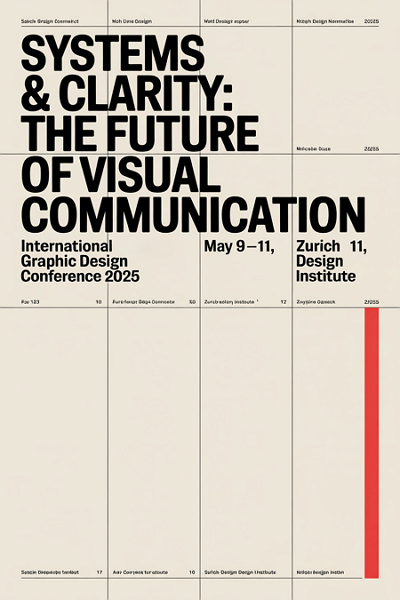
swiss graphic design style example

A poster rooted in Swiss Style principles — clean typography, a strict grid, and precise alignment bring clarity and order to this rational, minimalist vision of visual communication’s future. Generated using Mew.Design.

Famous Work: Josef Müller-Brockmann’s concert posters, which masterfully use typography and geometric forms.

-> Learn the principles in our guide to the Swiss Style.

10. Mid-Century Modern

A broad design movement that became popular in the post-World War II era, roughly from 1945 to 1965, the Mid-Century Modern graphic design style reflected the era’s optimism, consumerism, and fascination with new technologies. It is known for being friendly, accessible, and charmingly retro.

Key Figures: Saul Bass, Paul Rand, Ray and Charles Eames.

Key Characteristics:

  • Playful & Organic: Characterized by clean lines mixed with gentle, organic curves.
  • Asymmetry: Compositions were often asymmetrical yet balanced.
  • Illustrative: Featured friendly, often quirky illustrations and icons.
  • Color Palette: Used a distinct palette of bright, optimistic colors (like mint green, atomic orange, and turquoise) contrasted with earthy tones.

Modern Applications: Evokes a sense of nostalgia and retro charm. Perfect for illustration, branding for startups, and packaging that wants to feel friendly and accessible.
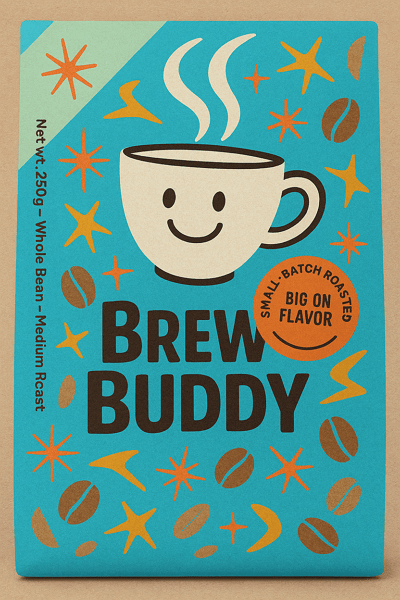
mid century modern graphic design style example

A charming Mid-Century Modern packaging design with playful illustrations, retro colors, and friendly typography—blending vintage warmth with contemporary appeal. Generated using Mew.Design.

Famous Work: Saul Bass’s iconic movie posters and title sequences (e.g., Anatomy of a Murder).

-> Discover the charm of Mid-Century Modern Design.

11. Psychedelic

Emerging from the 1960s counter-culture movement, Psychedelic design was a visual rebellion against the rigid modernism of the time, heavily influenced by psychedelic music and hallucinogenic experiences. It aimed to create a visual representation of an altered state of consciousness.

Key Figures: Wes Wilson, Victor Moscoso, Peter Max.

Key Characteristics:

  • Distorted Visuals: Featured swirling, melting, and abstract shapes that created a mind-bending effect.
  • Illegible Typography: Hand-drawn lettering that was often distorted to the point of being unreadable, becoming part of the overall image.
  • Vibrating Colors: Used intense, high-contrast, and often clashing color combinations to create a sense of vibration.

Modern Applications: Used for music festival posters, album art, and brands that want to convey a creative, free-spirited, or mind-expanding vibe.
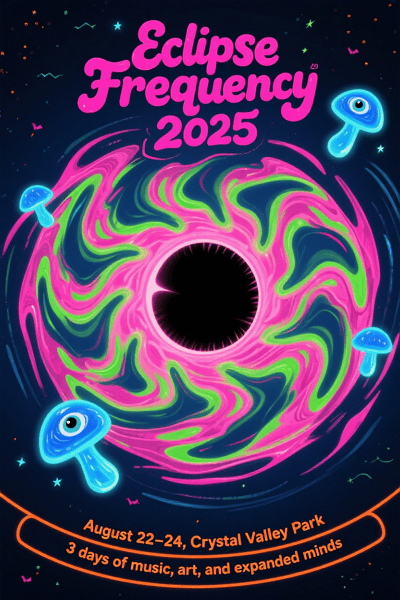
psychedelic graphic design style example

A mind-bending psychedelic poster with swirling forms, vibrating colors, and warped typography—capturing the spirit of a cosmic music experience. Generated using Mew.Design.

Famous Work: The concert posters for venues like The Fillmore in San Francisco.

-> Understand the rebellious spirit of the Psychedelic Style.

12. Pop Art

The Pop Art design style began in the 1950s and exploded in the 1960s, challenging fine art traditions by incorporating imagery from popular culture like advertising and comic books. It blurred the lines between high and low art, celebrating the mundane and the commercial.

Key Figures: Andy Warhol, Roy Lichtenstein.

Key Characteristics:

  • Mass Culture Imagery: Used images from advertising, comic books, and everyday consumer goods.
  • Bold & Vibrant: Employed bright, saturated colors and bold outlines.
  • Repetition: Often repeated images within a single work to reflect mass production.
  • Ben-Day Dots: Roy Lichtenstein famously used dots to mimic the look of commercial comic book printing.

Modern Applications: This style remains powerful in advertising, editorial illustration, and fashion for creating bold, ironic, and eye-catching visuals.
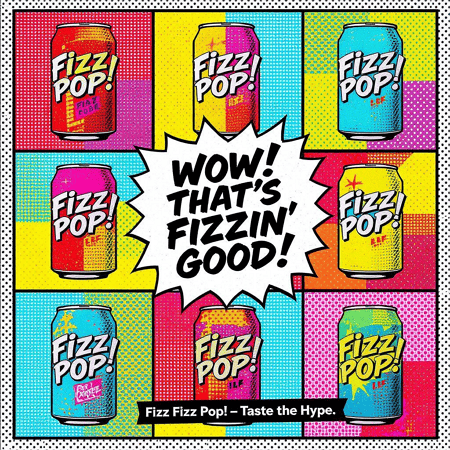
pop art graphic design style example

A bold Pop Art–inspired ad bursting with comic flair, saturated color, and punchy repetition—celebrating the everyday with ironic, high-impact style. Generated using Mew.Design.

Famous Work: Andy Warhol’s Campbell’s Soup Cans series.

-> Learn how Pop Art continues to influence modern design.

Modern & Contemporary Styles

As technology advanced and culture fragmented, the strict rules of modernism gave way to more diverse, personal, and sometimes rebellious types of graphic design. These contemporary styles reflect the complexity of our modern world, from extreme simplicity to layered chaos.

13. Postmodernism

Emerging in the late 1970s and 1980s, the Postmodern design style was a direct, often playful, rebellion against the rigid rules and perceived seriousness of modernism and the Swiss Style. It declared that design could be expressive, decorative, and eclectic, breaking free from the “form follows function” mantra.

Key Figures: Wolfgang Weingart, April Greiman, Paula Scher.

Key Characteristics:

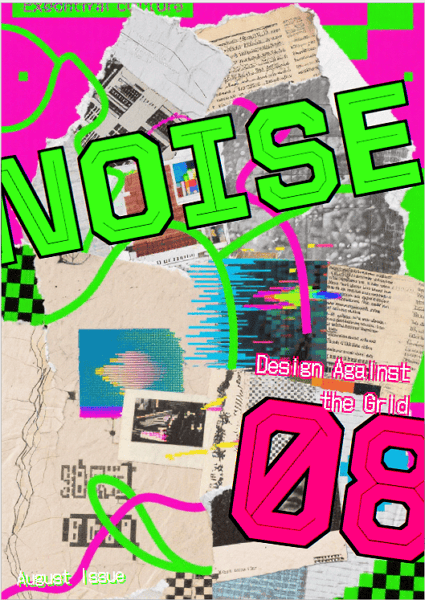
  • Rule-Breaking: Intentionally broke grids, mixed typefaces, and layered elements in a seemingly chaotic way.
  • Eclectic: Freely mixed historical styles and different aesthetics together.
  • Expressive & Playful: Favored collage, bold colors, and expressive, decorative forms.

Modern Applications: Its influence is seen in designs that are expressive, layered, and unconventional. Zine culture, experimental posters, and brands with a rebellious identity often draw from postmodern principles.
postmodernism graphic design style example

A rule-breaking Postmodern zine cover bursting with layered type, clashing styles, and collage chaos—where design defies order in favor of expression. Generated using Mew.Design.

Famous Work: The experimental typography of Wolfgang Weingart and the early digital work of April Greiman.

-> Explore the rule-breaking freedom of Postmodern Design.

14. Minimalism

While its roots are in modernism, Minimalism as a distinct graphic design style became dominant in the late 20th and early 21st centuries. It is a philosophy of “less is more,” believing that a message can be more powerful when all non-essential elements are stripped away, leaving only pure, focused content.

Key Figures: Influenced by pioneers like Ludwig Mies van der Rohe (architecture) and adopted by designers like Dieter Rams (product design).

Key Characteristics:

  • “Less is More”: The core philosophy is to strip away all non-essential elements.
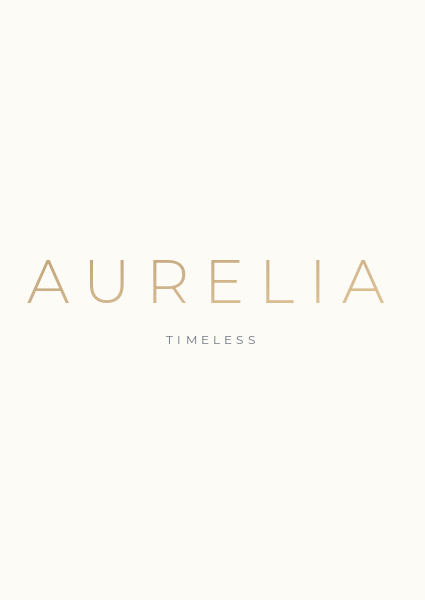
  • Negative Space: Uses generous white or empty space as a primary design element to create focus and elegance.
  • Simple Color Palette: Often monochromatic or uses a very limited and deliberate set of colors.
  • Clean Typography: Relies on a single, well-chosen sans-serif typeface.

Modern Applications: Dominant in tech (Apple), luxury branding (Chanel), architecture, and UI/UX design. It conveys sophistication, confidence, and clarity.
minimalism graphic design style example

A minimalist tech homepage using clarity, whitespace, and restraint to communicate precision and elegance—where every element serves a purpose. Generated using Mew.Design.

Famous Work: The branding and product design of Apple under Steve Jobs and Jony Ive.

-> Master the art of simplicity with our Minimalism guide.

15. Maximalism

A direct reaction against the restraint of minimalism, the Maximalist has emerged in recent years as a celebration of excess, individuality, and bold expression. It operates on a “more is more” philosophy, creating rich, immersive visual experiences.

Key Figures: This is a contemporary trend rather than a formal movement, with figures like designer Camille Walala and artist Hassan Hajjaj embodying its spirit.

Key Characteristics:

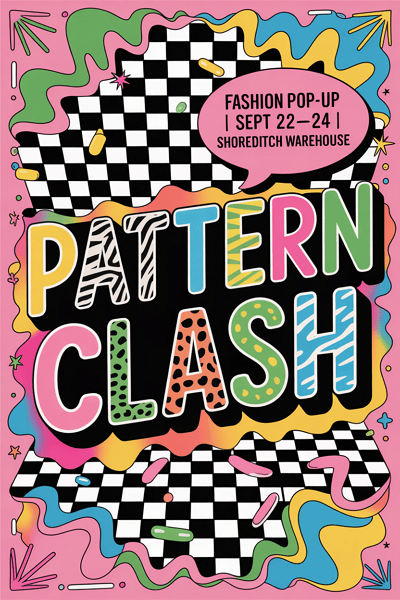
  • “More is More”: Fills the space with rich layers of elements, colors, and textures.
  • Eclectic & Bold: Mixes different styles, patterns, and typefaces in a single composition.
  • Vibrant Colors: Uses a fearless, saturated, and often unconventional color palette.

Modern Applications: Perfect for brands that want to appear bold, energetic, and unconventional. Common in fashion, event promotion, and hospitality design.
maximalism graphic design style example

A riot of color, type, and pattern—this Maximalist poster turns visual chaos into a bold fashion statement that refuses to be ignored. Generated using Mew.Design.

Famous Work: Recent advertising campaigns for brands like Gucci or the vibrant identity work for music festivals.

-> Dive into the vibrant world of Maximalist Design.

16. Grunge

Born from the 1990s alternative rock and grunge music scene, this graphic design style was a visual rejection of the clean, polished corporate aesthetic of the 1980s. It embraced a raw, unrefined, and often chaotic look that felt more authentic and human.

Key Figures: David Carson, Neville Brody.

Key Characteristics:

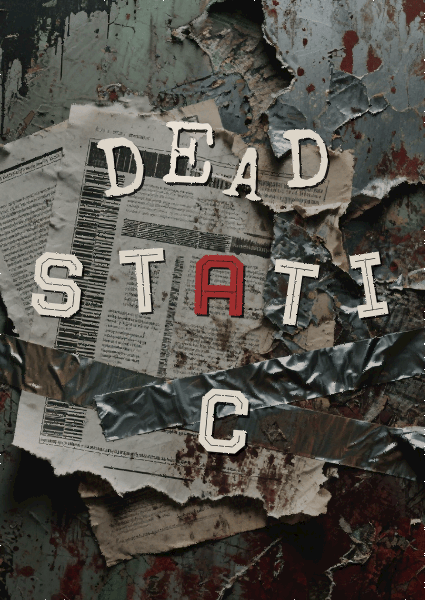
  • Distressed Textures: Incorporates grainy photos, torn paper, stains, and gritty backgrounds.
  • Chaotic Layouts: Rejects grids in favor of layered, messy, and seemingly random compositions.
  • Unconventional Typography: Uses overlapping, distorted, and sometimes illegible typefaces.

Modern Applications: Used to convey a raw, edgy, and anti-establishment attitude. Still seen in music, fashion, and youth-focused branding.
grunge graphic design style example

Grunge isn’t about perfection — it’s about emotion, texture, and rebellion. This design leans into that raw energy to create a cover that feels as gritty and authentic as the music inside. Generated using Mew.Design.

Famous Work: David Carson’s groundbreaking work for Ray Gun magazine.

-> Understand the rebellious spirit of Grunge Style.

17. Brutalism

In digital design, Brutalist emerged in the mid-2010s, inspired by the raw, unadorned concrete forms of Brutalist architecture. It’s a rugged, often uncomfortable style that prioritizes raw function and honesty over traditional aesthetics.

Key Figures: Pascal Deville, creator of the influential archive brutalistwebsites.com, helped define and popularize the digital movement.

Key Characteristics:

  • Raw & Unfinished: Often looks like unstyled HTML with raw text links and system fonts.
  • Stark & Clashing: Uses bold, often clashing colors and stark, high-contrast typography.
  • Rejection of Convention: Deliberately ignores traditional design principles of beauty and user-friendliness to make a bold statement.

Modern Applications: Used by art collectives, portfolios, and fashion brands that want to appear edgy, honest, and anti-corporate.
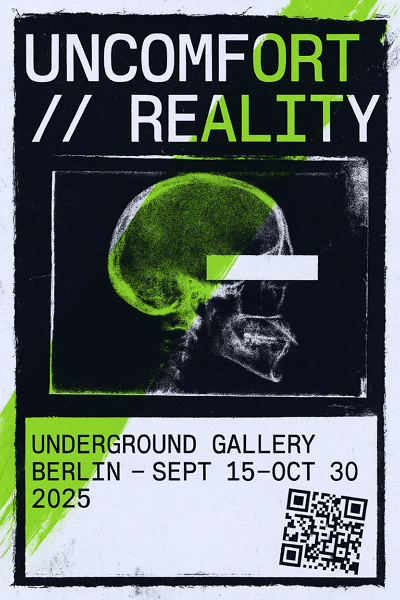
brutalism graphic design style example

A poster that channels Brutalist graphic design’s defiance of conventional beauty — a raw, disruptive visual that aligns with underground art culture and post-digital rebellion. Generated using Mew.Design.

Famous Work: The websites of designers and studios that embrace this raw aesthetic, like the Balenciaga website.

-> Explore the raw power of Brutalist web design.

18. Organic / Hand-drawn

As a direct response to the cold precision of digital tools, the Organic or Hand-drawn graphic design style emphasizes a human touch, imperfection, and authenticity. It’s less a specific historical movement and more a timeless philosophy that values the artist’s hand in creating a warm and personal connection with the audience.

Key Figures: Contemporary lettering artists like Jessica Hische and illustrators whose work defines brands like Mailchimp have championed this aesthetic.

Key Characteristics:

  • Imperfect Lines: Embraces the natural wobble and variation of hand-drawn lines and illustrations.
  • Natural Textures: Often incorporates paper, watercolor, or sketch-like textures.
  • Custom Typography: Features hand-lettering or friendly, accessible script fonts.
  • Earthy & Approachable Colors: Tends to use a softer, more natural color palette.

Modern Applications: Ideal for brands wanting to appear authentic, sustainable, and friendly. It’s perfect for artisanal food packaging, coffee shops, wellness apps, and children’s products.
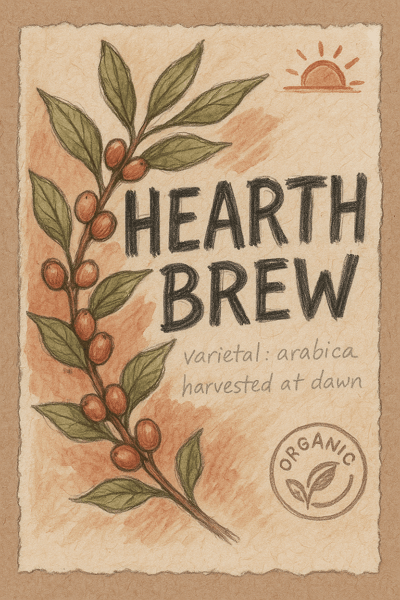
organic graphic design style example

A packaging concept that channels the Organic graphic style — handmade, earthy, and heartfelt — designed to appeal to conscious consumers and coffee lovers who value authenticity. Generated using Mew.Design.

Famous Work: The illustrative and friendly branding of Mailchimp and the approachable illustrations used by Headspace.

-> Inject humanity into your work with the Hand-drawn Style.

19. Abstract

The Abstract graphic design style is rooted in early 20th-century fine art movements and uses form, color, and texture to create a mood rather than a literal representation. It communicates on an emotional and sensory level, freeing the design from the constraints of realism.

Key Figures: Historically influenced by artists like Wassily Kandinsky. In graphic design, Paul Rand is a master who used abstract forms for corporate identity.

Key Characteristics:

  • Non-representational: Does not attempt to depict an object realistically.
  • Focus on Composition: Relies on the interplay of shapes, lines, and colors to create a visual experience.
  • Evokes Emotion: Aims to create a feeling or convey an idea through visual sensation.

Modern Applications: Widely used in branding (especially for tech and consulting firms), packaging, and posters where a unique and thought-provoking image is desired.
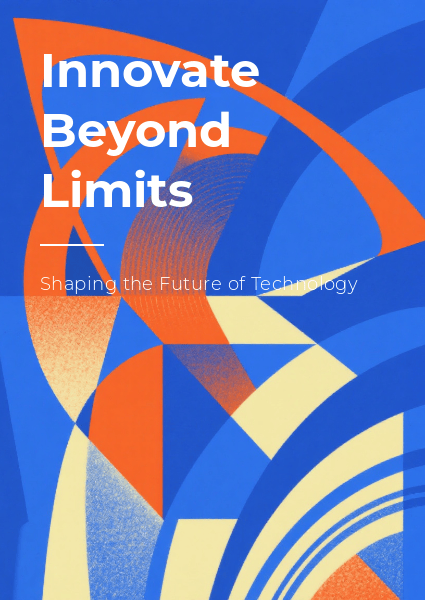
abstract graphic design style example

A vibrant play of abstract shapes and layered colors that captures the spirit of innovation and emotional expression — a design that invites viewers to explore ideas beyond the literal and embrace creative freedom. Generated using Mew.Design.

Famous Work: Paul Rand’s iconic logos for IBM, ABC, and UPS, which use simple abstract shapes to create memorable identities.

-> Learn how to use Abstract forms in your designs.

20. Geometric

A timeless style with roots in many movements, the Geometric graphic design style relies on the visual power of simple shapes like circles, squares, and triangles. It creates a sense of order, stability, and technological precision.

Key Figures: The principles were central to Bauhaus and Swiss Style masters like Josef Müller-Brockmann.

Key Characteristics:

  • Shape-Based: Compositions are built primarily from circles, squares, triangles, and hexagons.
  • Order & Pattern: Often uses repetition and symmetry to create complex and visually pleasing patterns.
  • Clean & Modern: The use of sharp lines and clear shapes gives it a clean, logical, and modern feel.

Modern Applications: Extremely versatile. Used for logo design, packaging patterns, posters, and web design to create a sense of order, technology, and stability.
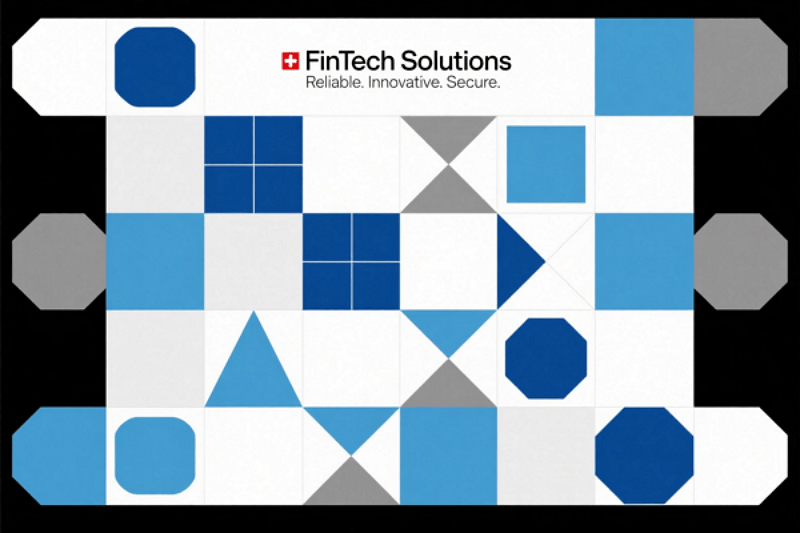
geometric graphic design style example

A precise composition of geometric shapes and sharp lines that embodies clarity, order, and technological sophistication. Generated using Mew.Design.

Famous Work: The pictograms and visual identity system created by Otl Aicher for the 1972 Munich Olympics.

-> See how Geometric design creates structure and beauty.

Digital & UI/UX Styles

The dawn of the personal computer and the internet opened a new frontier for visual communication. The following types of graphic design were born from the screen, created specifically for the interactive, pixel-based world of user interfaces, websites, and digital experiences. These styles prioritize usability, interactivity, and the unique properties of the digital medium.

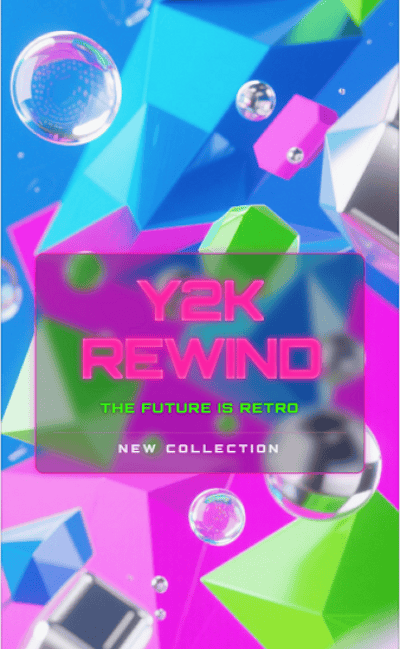
21. Y2K Revival

The Y2K graphic design style is a recent trend fueled by nostalgia for the aesthetics of the late 1990s and early 2000s. It’s a form of retro-futurism, reinterpreting the “techno-utopian” optimism of the early internet age, a time of chunky hardware, dial-up modems, and a fascination with a digital future that seemed just around the corner.

Key Figures: A trend popularized by a new generation of designers on social media platforms like TikTok and Instagram.

Key Characteristics:

  • Early CGI Aesthetics: Features low-poly 3D models, metallic sheens, and bubble-like forms.
  • Translucent & Iridescent Elements: Mimics the look of translucent plastic hardware (like the iMac G3) and holographic textures.
  • Futuristic Typography: Uses chunky, often metallic or chrome-effect fonts.
  • Bright, Acidic Colors: A palette of shiny blues, silver, hot pink, and lime green is common.

Modern Applications: Heavily used in fashion branding, music (album art and tour visuals), and social media marketing targeting Gen Z.
y2k graphic design style example

A vibrant Y2K design with translucent plastics, metallic sheens, and chunky chrome fonts, capturing early internet nostalgia and retro-futuristic optimism. Generated using Mew.Design.

Famous Work: The visual identity and merchandise for musicians like Olivia Rodrigo and Charli XCX often incorporate strong Y2K elements.

-> Explore the retro-futurism of the Y2K Revival.

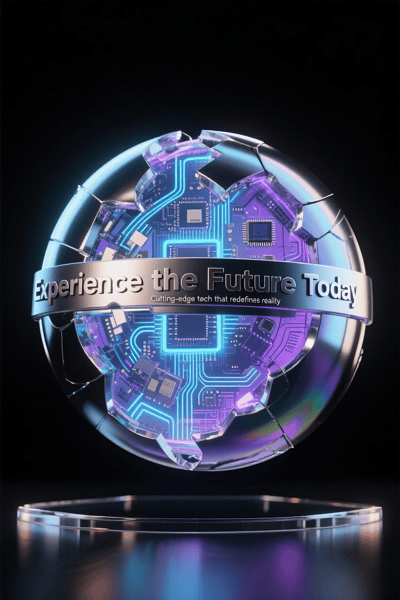
22. 3D Design / CGI

3D design uses modern software to create images and animations with depth, texture, and realism that were once impossible. It has moved from a niche special effect to a mainstream aesthetic that blends the real and the virtual.

Key Figures: This field is driven by studios and individual artists. Beeple (Mike Winkelmann) brought daily CGI art to mainstream attention, while studios like Man vs Machine create cutting-edge 3D motion graphics for global brands.

Key Characteristics:

  • Depth & Realism: Creates a tangible sense of depth and dimension.
  • Lifelike Textures: Can mimic real-world materials (like metal, glass, fabric) with incredible accuracy.
  • Fantastical Imagery: Allows for the creation of imaginative characters, environments, and abstract forms.

Modern Applications: Ubiquitous in branding for tech companies, product mockups, motion graphics, and advertising to create eye-catching, high-production-value visuals.
3d graphic design style example

A striking 3D design that blends lifelike textures and depth with imaginative, futuristic forms — delivering a polished visual that bridges reality and digital creativity. Generated using Mew.Design.

Famous Work: Apple’s fluid and detailed product launch animations are a prime example of high-end commercial 3D design.

-> Discover the immersive world of 3D Design.

23. Skeuomorphism

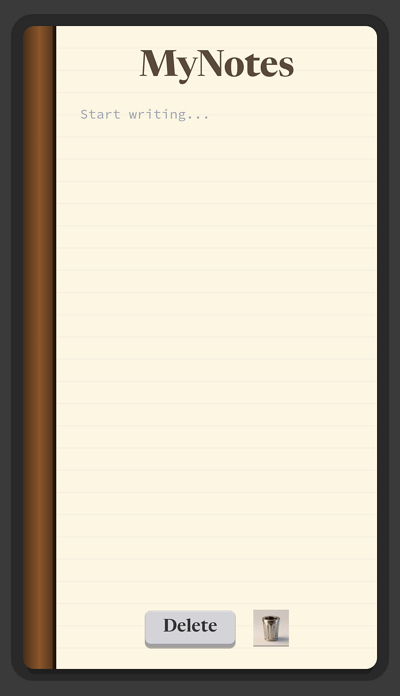
A popular style in early digital design, especially in the 2000s, Skeuomorphism aimed to make new technology feel familiar and intuitive. This type of graphic design achieved this by making digital interface elements mimic their real-world counterparts in look and feel.

Key Figures: Scott Forstall, former Senior VP of iOS at Apple, was a major proponent of this style in early iPhone software.

Key Characteristics:

  • Real-World Imitation: Digital elements are designed to look like physical objects (e.g., a notepad app that looks like a paper pad, a trash can icon that looks like a real bin).
  • Textures & Shadows: Uses realistic textures, gradients, and drop shadows to create a sense of depth and tangibility.

Modern Applications: While largely replaced by Flat Design in UI, its principles are still used in game design and for icons where immediate recognition is crucial.
skeuomorphism graphic design style example

A tactile app interface that brings digital elements to life by mimicking real-world textures and shadows — embodying familiarity and intuitive design through rich skeuomorphic details. Generated using Mew.Design.

Famous Work: The original interface of Apple’s iOS (up to iOS 6), with its realistic-looking Notes, Calendar, and “slide to unlock” button.

-> Revisit the era of Skeuomorphic Design.

24. Flat Design

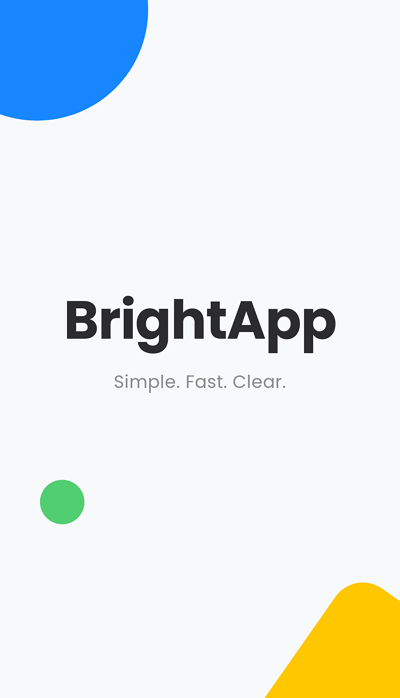
Flat Design rose to prominence in the early 2010s as a direct reaction against skeuomorphism. It embraces the two-dimensional nature of the screen, focusing on simplicity, clarity, and usability above all else.

Key Figures: Pioneered by Microsoft with their Metro Design Language and popularized globally by Apple with the release of iOS 7.

Key Characteristics:

  • Two-Dimensional: Strips away all 3D effects like drop shadows, gradients, and textures.
  • Simplicity & Clarity: Uses simple shapes, bright solid colors, and clean.
  • Focus on Usability: Aims to create clean, easy-to-navigate user interfaces.

Modern Applications: The dominant style for modern websites, mobile apps, and software interfaces.
flat design graphic design style example

A crisp and minimal splash screen that strips away complexity — showcasing Flat Design’s clarity, bright colors, and straightforward usability for a seamless digital experience. Generated using Mew.Design.

Famous Work: The dominant style for modern websites, mobile apps, and software interfaces.

-> Explore our complete guide to Baroque-inspired Design.

25. Liquid / Abstract Flow

This hyper-modern graphic design style is defined by its fluid, amorphous, and dynamic shapes. It often uses gradients and a sense of movement to create visuals that feel organic, energetic, and futuristic.

Key Figures: As a recent trend, it’s defined more by creative agencies and tech companies than single figures.

Key Characteristics:

  • Amorphous Shapes: Uses flowing, liquid-like forms that defy rigid geometry.
  • Gradients & Color: Often employs vibrant gradients to give the shapes life and dimension.
  • Sense of Movement: The compositions feel dynamic and in motion.

Modern Applications: Popular with tech startups, creative agencies, and brands that want to appear innovative, adaptable, and on the cutting edge.
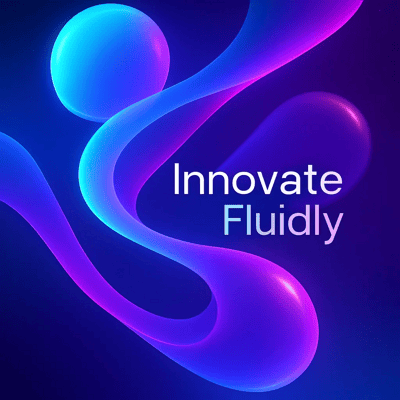
liquid graphic design style example

A dynamic blend of flowing shapes and vibrant gradients — this design pulses with movement and energy, embodying the futuristic and adaptable spirit of modern tech innovation. Generated using Mew.Design.

Famous Work: The web design and branding for companies like Stripe, which often use fluid gradients and abstract background shapes.

-> See how Liquid design creates a sense of flow.

26. Glitch Art

Glitch Art deliberately uses digital errors and artifacts for aesthetic purposes. It emerged from a fascination with technology’s imperfections, turning data corruption, pixelation, and digital noise into a compelling visual language.

Key Figures: Early pioneers like Ant Scott (Beflix) explored this aesthetic, which was later popularized by countless digital artists on platforms like Tumblr and Instagram.

Key Characteristics:

  • Corrupted Aesthetic: Features distorted images, pixelation, and color bleeding.
  • Digital Noise: Incorporates elements that look like static or data errors.
  • Futuristic & Dystopian: Can evoke feelings of a futuristic, tech-saturated, or even dystopian world.

Modern Applications: Perfect for music events, tech conferences, and brands in the gaming or cybersecurity space that want an edgy, digital-native look.
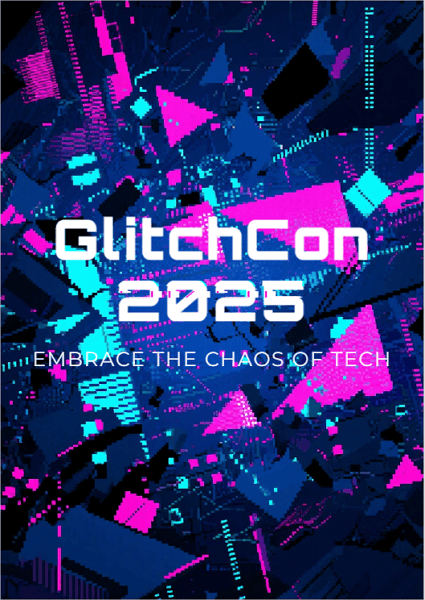
glitch art graphic design style example

A raw collision of pixelation, distortion, and digital noise — this glitch art poster channels tech’s imperfect beauty, evoking a futuristic world where chaos and control collide. Generated using Mew.Design.

Famous Work: The aesthetic is prominent in music videos like A$AP Rocky’s “L$D” and in the title sequences for shows like Mr. Robot.

-> Explore the distorted beauty of Glitch Art.

27. Holographic / Iridescent

This recent graphic design style mimics the effect of light refracting through a prism or hologram. It creates shimmering, multi-colored metallic textures that feel both futuristic and ethereal.

Key Figures: A trend-driven style popularized by fashion houses and design studios on social media.

Key Characteristics:

  • Shimmering Textures: Uses gradients that shift between multiple pastel and neon colors.
  • Metallic Sheen: Often has a metallic or pearlescent finish.
  • Futuristic Feel: Evokes a sense of high technology and fantasy.

Modern Applications: Popular in fashion, beauty packaging, tech branding, and social media graphics to create a trendy, eye-catching, and magical effect.
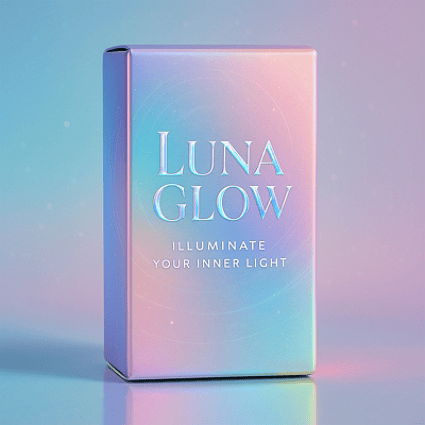
holograpic graphic design style example

A shimmering dance of pastel and neon gradients with metallic sheen — this iridescent design captures a futuristic elegance that feels both magical and modern. Generated using Mew.Design.

Famous Work: Seen widely in Nike’s marketing for futuristic sneakers and on packaging for brands like Fenty Beauty.

-> Discover the futuristic shine of Iridescent Design.

28. Claymorphism

An evolution of 3D design for UI, the Claymorphism design style uses smooth, rounded, clay-like graphics. It creates a soft, light, and tactile feel, as if the UI elements are inflated and touchable.

Key Figures: This style was popularized by a wave of UI/UX designers on creative platforms like Dribbble and Behance.

Key Characteristics:

  • Soft & Puffy 3D: Features smooth, rounded shapes that look like soft clay.
  • Inner & Outer Shadows: Uses subtle inner and outer shadows to create the illusion of being inflated.
  • Light & Minimal: Often set against a simple, light-colored background.

Modern Applications: Used in user interfaces for mobile apps and dashboards to create a friendly, simple, and tactile user experience. claymorphism graphic design style example
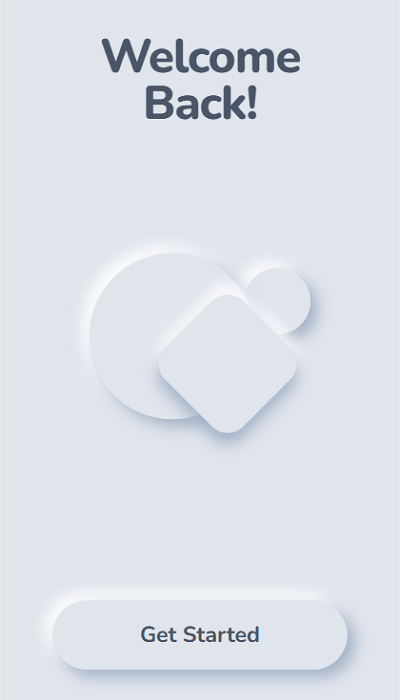
Soft, puffy shapes and subtle shadows come together to create a tactile, friendly interface — this Claymorphism design invites users to engage with a light, approachable digital experience. Generated using Mew.Design.

Famous Work: While still emerging, it’s widely seen in conceptual UI designs on Dribbble and is beginning to appear in fintech and health app interfaces.

-> Learn about the soft and tactile feel of Claymorphism.

29. Glassmorphism

A popular UI trend, Glassmorphism design mimics the look of frosted glass. It adds depth and hierarchy back into interfaces by layering translucent elements over colorful, blurred backgrounds.

Key Figures: The style was heavily popularized by Apple’s design team.

Key Characteristics:

  • Frosted Glass Effect: The signature element is a background blur, creating a translucent, frosted glass look.
  • Layered Depth: Objects float on top of one another, creating a clear visual hierarchy. [
  • Subtle Border: A light, 1px border is often applied to the translucent object to help it stand out from the background.

Modern Applications: Widely used in modern user interfaces for dashboards, mobile app cards, and website elements to create a light, airy, and futuristic feel.

glassmorphism graphic design style example

A translucent frosted glass card layered over vibrant colors — this Glassmorphism UI design creates depth and clarity with a light, futuristic aesthetic perfect for modern dashboards. Generated using Mew.Design.

Famous Work: Apple’s macOS Big Sur interface, the iOS control center, and elements of the Microsoft Fluent Design System.

-> Explore the latest UI trend: Glassmorphism.

Frequently Asked Questions (FAQs)

What is the difference between Art Deco and Art Nouveau? The easiest way to remember is that Art Nouveau is all about flowing, organic, and nature-inspired curves (think vines). Art Deco is about sharp, symmetrical, and machine-inspired geometric shapes (think skyscrapers).

Is minimalism still a popular design style? Yes. Minimalism remains one of the most popular and timeless styles, especially in digital design, corporate branding, and luxury markets. Its focus on usability and clarity makes it incredibly effective.

How many graphic design styles are there? There is no definitive number. Styles are constantly evolving, blending, and re-emerging. This guide covers the most significant and recognizable ones, but designers are always creating new visual languages.

Can a brand use more than one design style? Generally, consistency is key for a strong brand identity. However, a brand can have a core style and use elements from a complementary secondary style for specific campaigns or sub-brands, as long as it feels intentional and not chaotic.

Conclusion

Graphic design styles are the powerful visual tools we use to tell stories, evoke emotions, and build lasting connections. From the historic elegance of Art Nouveau to the clean functionality of Flat Design, each style offers a unique way to communicate. Understanding these options is the first step to building a truly compelling brand.

🚀

Ready to Design a Graphic?

At Mew Design, we specialize in translating brand identity into compelling visual styles. Whether you’re drawn to timeless minimalism or bold maximalism, our AI design agent can help you craft a look that truly connects.

Generate Your Style with Mew Design
Top 12 AI Social Media Post Generators for 2025

ai social media post generator

Generated using mew.design

In today’s fast-paced digital world, consistently creating interesting social media content is a major challenge. Marketers and creators need powerful tools to keep up with changing algorithms and audience tastes. AI has transformed social content creation, offering solutions to generate compelling posts quickly.

With over 70% of businesses (Source: McKinsey & Company report) using AI in their social media content strategy, these tools help create relevant, platform-optimized posts that save significant time and resources. This guide explores the The 12 best AI social media post generators, including free, freemium, and paid tools, to help you maintain a strong social media presence without burnout.

How We Tested and Selected These AI Tools for Social Media Posts

To find the best AI social media post generators, I and my friends tested dozens of tools based on five key criteria:

  • Content Quality and Brand Fit: The key aspect we evaluated was output quality. We looked at whether the content was authentic, compelling, and customizable to suit various brand tones and industry contexts.
  • User Experience: We evaluated how easy each tool was to learn and use. We considered the balance between powerful features and a steep learning curve, noting which platforms were beginner-friendly and which required more time to master.
  • Platform Support: We verified that the generators supported the most important social media platforms for a modern marketing strategy. We noted which tools offered broad coverage and which specialized in certain platforms, like Instagram or YouTube.
  • Customization: The best tools allow for significant customization to match a brand’s identity. We looked for advanced settings for tone and style that ensure the AI-generated content feels authentic.
  • Value for Money: Finally, we assessed the pricing and return on investment. We considered the time saved versus the cost, and whether the available plans offered enough generation capacity for different needs.

AI Social Media Post Generators for Image/Graphic Creation

1. Mew Design

free ai social media post generator for graphic design

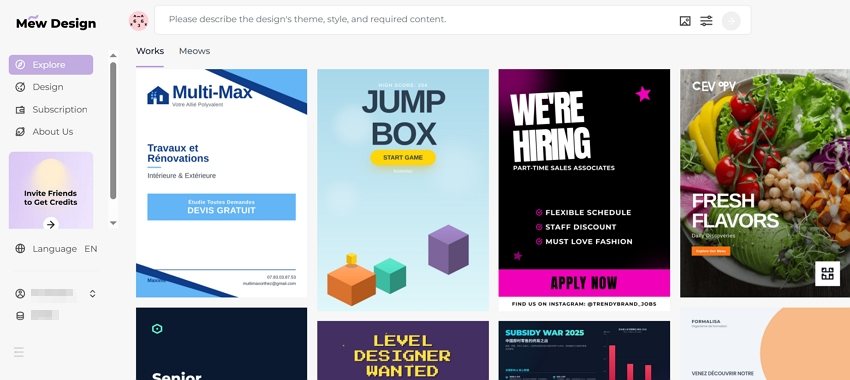
Core Functions & Positioning: Mew Design stands at the forefront of AI graphic design agent for social media, offering high-quality graphic designs like social media posts, posters, flyers, infographics, slides, and more through an intuitive natural language interface. The platform’s innovative “Meow Designers” (AI design agents) transform text descriptions into professional, platform-optimized visuals without requiring any design skills.

Supported Platforms: Instagram, Facebook, TikTok, LinkedIn, Pinterest, and Twitter, with custom sizing options for each platform.

Advantages:

  • Superior visual quality with exceptional typography and layout design.
  • Natural language editing allows precise adjustments through conversation.
  • Platform-specific sizing ensures optimal display across all social networks. You can either ask the AI to generate multiple graphic sizes for different social media platforms at once, or start with one size in the first draft and resize it for other platforms using follow-up prompts. All versions can be exported.
  • Code-based graphic generation enables highly controllable and editable designs.
  • Multi-Agent collaboration system mimics professional design team workflows.

Limitations:

  • Currently focused primarily on static graphic designs.
  • Premium features require subscription.

Performance Review: Mew Design truly feels like the future of AI graphic creation for social media. Instead of relying on templates, we could simply describe our design needs in plain English or other languages and get professional results.

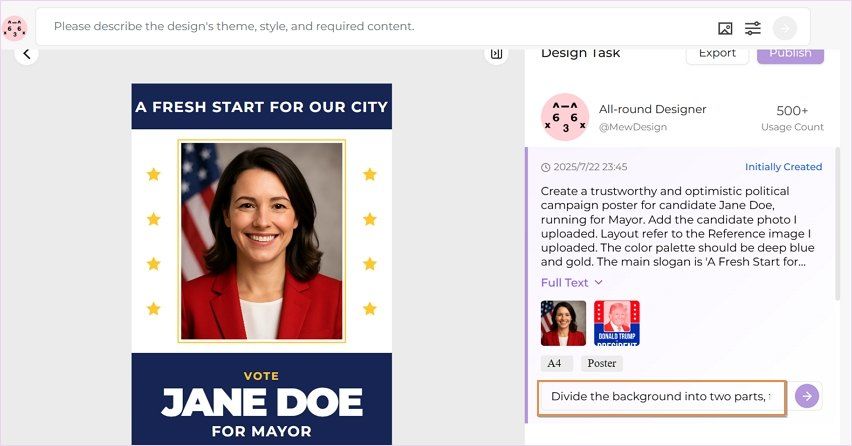
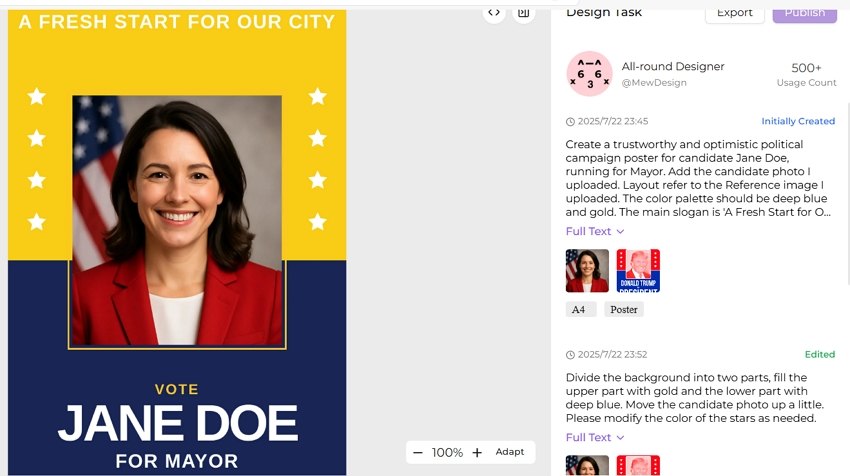
The standout feature for us was the ability to make precise edits through conversation, which completely removes the learning curve of complex design software. For example, we could ask to turn the headline red or move the logo to the top right corner—Mew Design handled these changes with impressive accuracy without altering the rest of the layout. This level of controllability is something we haven’t seen in tools like ChatGPT, Midjourney, or Lovart, where even small edits often result in a completely regenerated image.

edit ai generated graphic with prompts

Another highlight is its excellent text-to-visual layout capabilities—even long text blocks are displayed clearly and correctly on the graphic, without distortion or hallucinated content. It delivers exceptional quality that often blurs the line between AI-generated and human-designed content.

ai generate and refine social media graphic precisely

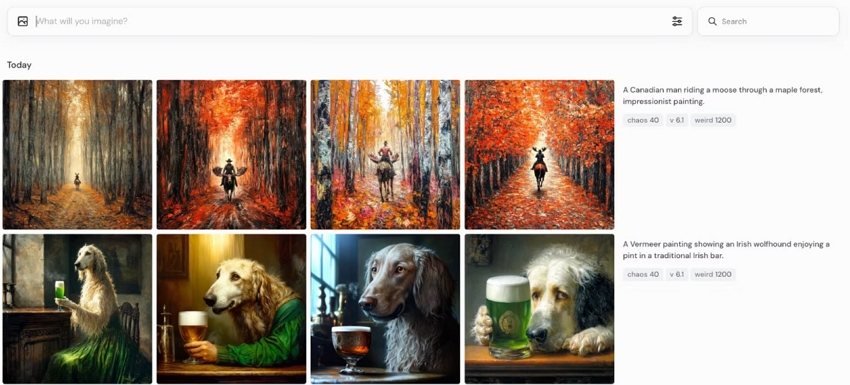
2. Midjourney

ai social media image generator

Core Functions & Positioning: Midjourney has established itself as a leading freemium AI image generator with remarkable artistic capabilities, now optimized for social media content creation.

Supported Platforms: Works with all major social platforms, though requires manual resizing for optimal display.

Advantages:

  • Unmatched creative and artistic quality.
  • Excellent for creating unique, attention-grabbing artistic visuals.
  • Strong community for inspiration and prompt ideas.
  • Continuous model improvements enhance capabilities.

Limitations:

  • Limited direct social media platform integration.
  • Requires Discord usage for full functionality.
  • Learning curve for mastering effective prompts.

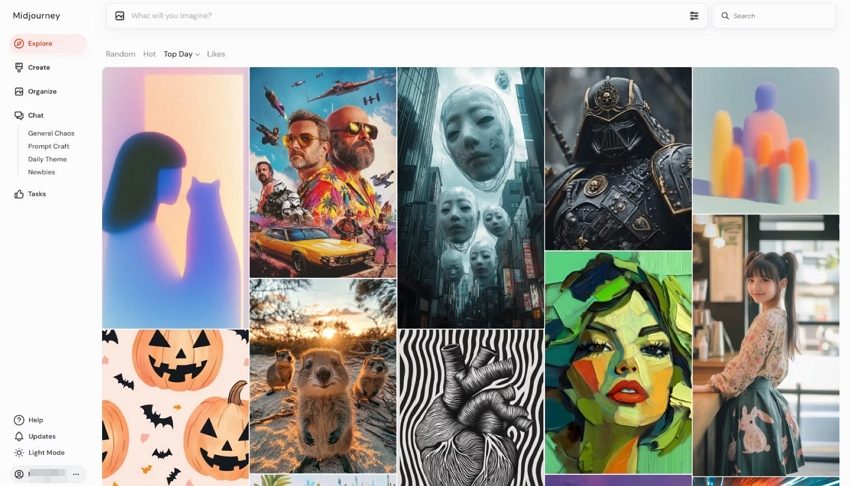
Performance Review: Our tests confirmed that Midjourney is a powerhouse for creating good, artistic images that can help you improve your social media engagement, particularly on platforms like Instagram and Pinterest. While it lacks the direct social media integration of its competitors, its image quality is superior. We believe the ability to generate truly unique, scroll-stopping images gives creators a significant competitive edge in a crowded feed.

ai social media poster generator for graphic design

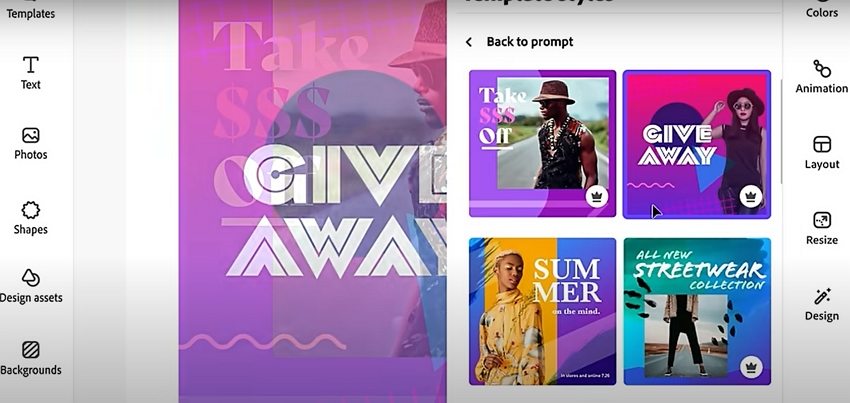
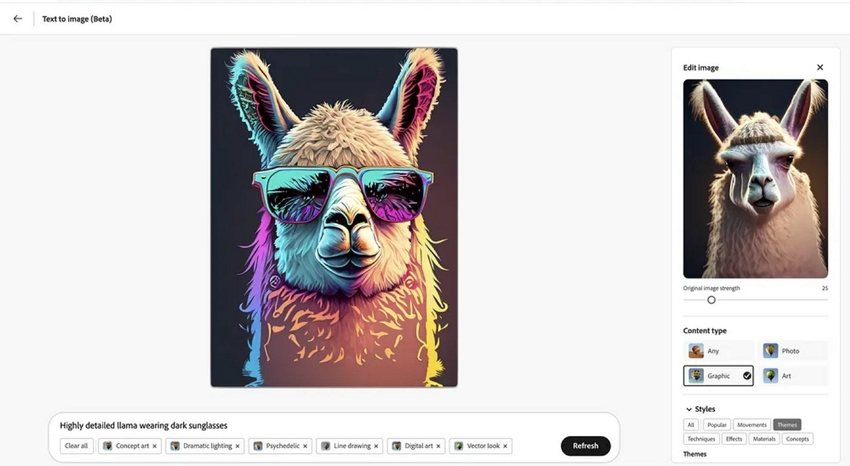
3. Adobe Firefly

ai social media image generator adobe

Core Functions & Positioning: Adobe Firefly combines Adobe’s design expertise with AI generation capabilities, focusing on commercially safe content creation for professional marketing use.

Supported Platforms: Integrates with Creative Cloud and works across all major social media platforms.

Advantages:

  • Commercial usage rights clearly defined.
  • Seamless integration with Adobe Creative Cloud.
  • Text effects and typography tools ideal for branded content.
  • Strong focus on ethical AI image generation.

Limitations:

  • Requires Adobe subscription for full functionality.
  • Less creative flexibility than some competitors.

Performance Review: Adobe Firefly stood out in our review for its focus on commercial safety and its deep integration with professional design workflows. We found it excelled at creating on-brand content that maintained visual consistency with other marketing materials. For any organization concerned about the copyright implications of AI content, Firefly provides peace of mind alongside professional-quality images that are ready for social media.

adobe firefly text to image

Comparison of The Best AI Social Media Post Generators for Image Creation

ToolBest ForPricingKey FeatureLimitations
Mew DesignBrand-consistent visualsFree/$5.99 one time feeNatural language editingPrimarily static designs
MidjourneyArtistic, unique content$10-$60/monthSuperior artistic qualityRequires Discord usage
Adobe FireflyProfessional marketingIncluded with Creative CloudCommercial usage rightsLimited without Adobe subscription

AI Social Media Post Generators for Copywriting

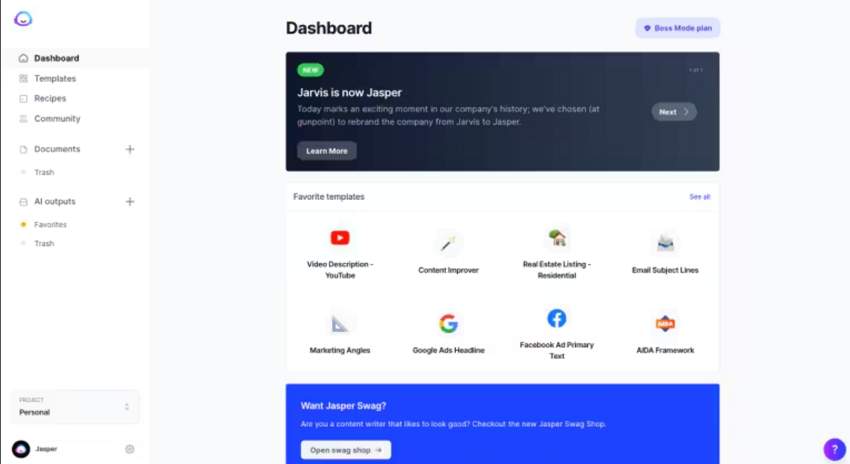
1. Jasper AI

jasper ai social media copy generator

Core Functions & Positioning: Jasper stands out as one of the most powerful free AI social media post generators for copywriting. Purpose-built for marketing content, Jasper can analyze your brand voice and maintain consistency across all your social media platforms.

Supported Platforms: Facebook, Instagram, Twitter, LinkedIn, Pinterest, and TikTok.

Advantages:

  • Over 50 specialized copywriting templates for different social media formats.
  • Advanced tone analysis to maintain brand voice consistency.
  • Integration with major social media management platforms.
  • Multi-language support for global marketing.

Limitations:

  • Higher price point compared to some competitors.
  • Requires initial setup time to properly train on your brand voice.

Performance Review: Our testing found that Jasper excels at creating nuanced, platform-specific content that genuinely drives engagement. What stood out was its ability to understand the subtle differences between a professional LinkedIn post and a casual TikTok video, making it arguably the most versatile AI copywriter we reviewed.

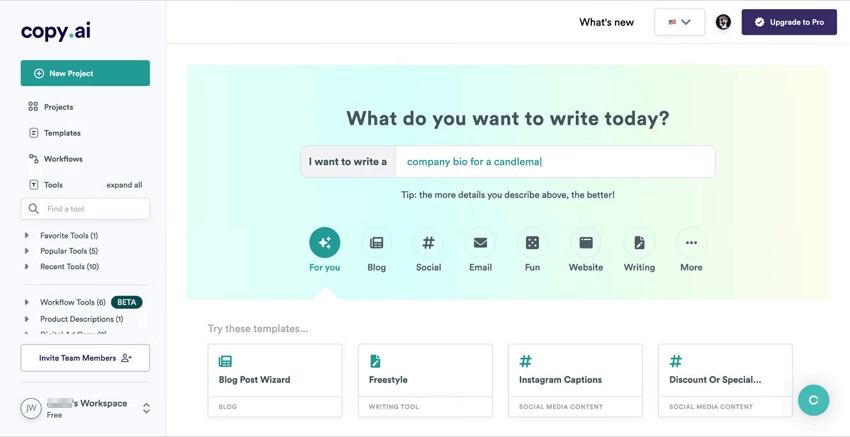
2. Copy.ai

copy ai social media content generator

Core Functions & Positioning: Copy.ai offers a streamlined approach to social media content generation with its intuitive interface and broad template library. It’s designed to infuse AI across your entire content marketing strategy.

Supported Platforms: Instagram, Facebook, Twitter, LinkedIn, and Pinterest.

Advantages:

  • Instantly generates hundreds of on-brand posts with minimal input.
  • User-friendly interface ideal for beginners.
  • Excellent for short-form content like captions and headlines.
  • Free tier available for small businesses or individual creators.

Limitations:

  • Less effective for very technical or specialized industries.
  • Limited customization options compared to premium alternatives.

Performance Review: In our review, Copy.ai delivered consistent quality for short-form social media content. Its real strength is speed; we were able to generate multiple post variations very quickly, which is great for A/B testing headlines and hooks. While it doesn’t quite match Jasper’s sophistication for long-form content, it’s an excellent choice for teams that need to produce a high volume of engaging captions for free.

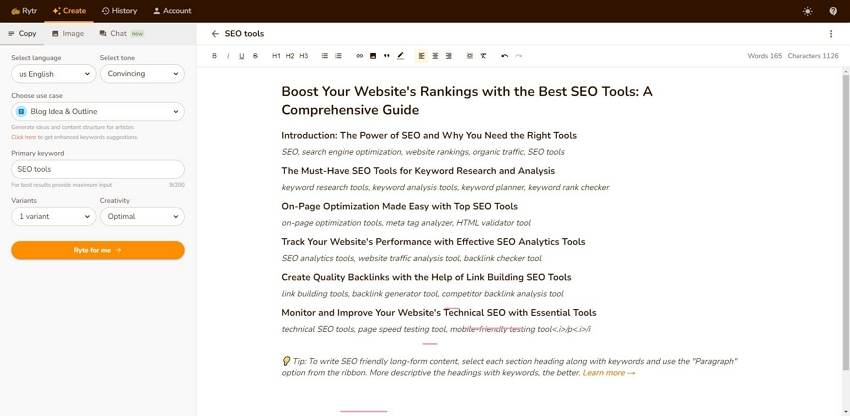
3. Rytr

rytr ai social media post maker

Core Functions & Positioning: Rytr has positioned itself as the budget-friendly yet powerful option in the AI social media post generator space. It combines affordability with surprising versatility for businesses with limited marketing budgets.

Supported Platforms: Instagram, Facebook, Twitter, LinkedIn, and YouTube.

Advantages:

  • Exceptional value with competitive pricing ($29/month for unlimited content).
  • Over 40 content use cases and templates.
  • 30+ tone variations for different brand personalities.
  • Built-in plagiarism checker ensures originality.

Limitations:

  • Output quality can be inconsistent for complex topics.
  • Limited advanced features compared to premium options.

Performance Review: Considering its low price point, Rytr performed impressively in our tests as a copywriting tool. We found it excelled at creating engaging captions, relevant hashtag suggestions, and short promotional copy. For small businesses and solopreneurs who need to stay active on social media without a large budget, Rytr provides impressive results that often compete with more expensive tools.

Comparison of The Best AI Social Media Post Generators for Copywriting

ToolBest ForPricingKey FeatureLimitations
Jasper AIEnterprise marketing teams$49-$125/month50+ specialized templatesHigher price point
Copy.aiHigh-volume content needs$0-$36/monthGenerates hundreds of variationsLess effective for technical content
RytrBudget-conscious businesses$0-$29/month40+ use cases & templatesInconsistent for complex topics

AI Social Media Post Generators for Video Creation

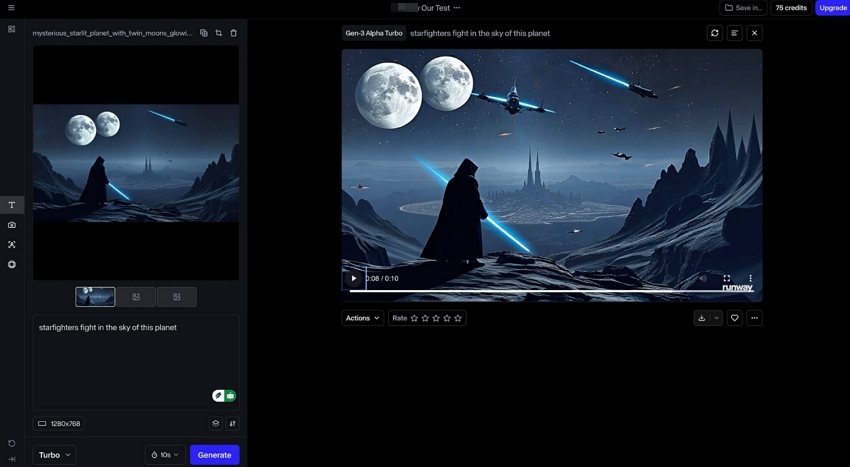
1. Runway ML

runway ml free ai social media video generator

Core Functions & Positioning: Runway ML has emerged as one of the leader in free AI-powered video generation for social media, offering advanced capabilities that transform static assets into dynamic video content.

Supported Platforms: Instagram Reels, TikTok, YouTube Shorts, Facebook Video, and LinkedIn Video.

Advantages:

  • Powerful text-to-video generation (Gen-2 model).
  • Image-to-video transformation for existing assets.
  • Advanced editing capabilities including frame interpolation.
  • Professional motion effects and transitions.

Limitations:

  • Higher learning curve compared to simpler tools.
  • Premium pricing for advanced features and higher resolution.

Performance Review: In our evaluation, Runway ML has genuinely changed what we thought was possible for AI video generation. The ability to turn a static image into a compelling video is a game-changer for repurposing content across platforms. For marketers wanting to get the high engagement rates of video, we found Runway ML to be a sophisticated solution that delivers scroll-stopping results without needing any video production expertise.

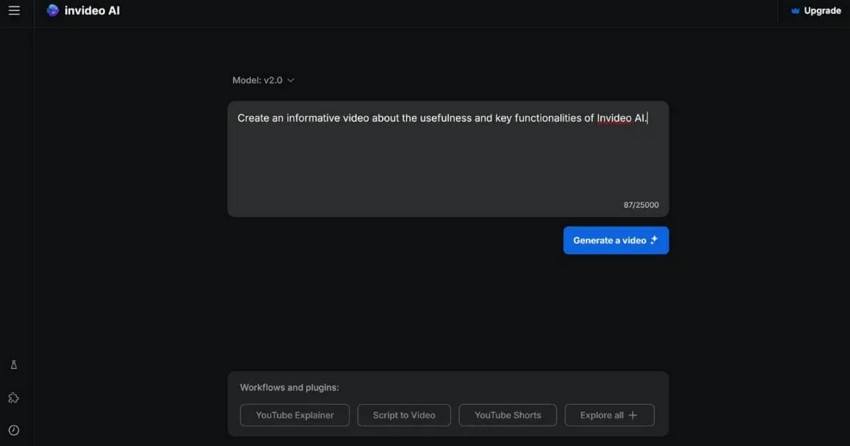
2. InVideo AI

invideo ai social media video generator

Core Functions & Positioning: InVideo AI focuses on accessibility and ease of use, allowing anyone to create professional social media videos from text prompts or simple ideas.

Supported Platforms: Instagram, TikTok, YouTube, Facebook, and Twitter.

Advantages:

  • User-friendly interface designed for non-technical users.
  • Extensive template library for different social media formats.
  • Quick turnaround from concept to finished video.
  • Integrated stock footage and music library.

Limitations:

  • Less customization than professional video editing software.
  • Quality variations depending on complexity of request.

Performance Review: We found InVideo AI to be a well-balanced tool that produces impressive videos without requiring technical skills. Its key strength is the template-based approach, which we tested and confirmed ensures professional-looking results even for complete beginners. For small businesses that need to create video content consistently across social media platforms, InVideo offers an efficient solution with a minimal learning curve.

3. Google Veo 3

google ve 3 ai social media video generator

Core Functions & Positioning: Google Veo 3 specializes in high-quality video generation with integrated sound capabilities, representing Google’s most advanced AI video offering to date.

Supported Platforms: YouTube, Instagram Reels, TikTok, Facebook, and all major social platforms.

Advantages:

  • Exceptional video quality with integrated sound generation.
  • Seamless integration with Google ecosystem.
  • Fast generation times (approximately 80 seconds per video).
  • Support for both 16:9 and 9:16 aspect ratios for all major platforms.

Limitations:

  • Limited to specific aspect ratios (primarily 16:9 and 9:16).
  • No reference image support in standard version.
  • Higher pricing compared to some competitors.

Performance Review: Google Veo 3 impressed us by filling a specific niche: high-quality video with integrated audio. Our tests showed it excels at creating branded content where a polished presentation and clear audio are critical. For marketers focused on YouTube and other video-first platforms, Google Veo 3 offers an efficient way to produce regular video content like AI ASMR with a level of polish that rivals traditional production methods.

Comparison of the Best AI Social Media Post Generators for Video Creation

ToolBest ForPricingKey FeatureLimitations
Runway MLAdvanced video creation$12-$76/monthImage-to-video transformationLearning curve for full capabilities
InVideo AIQuick video production$0-$30/monthUser-friendly templatesLimited customization
Google Veo 3Professional branded videosPremium pricingIntegrated sound generationLimited aspect ratio options

AI Social Media Post Generators for Post Scheduling and Management

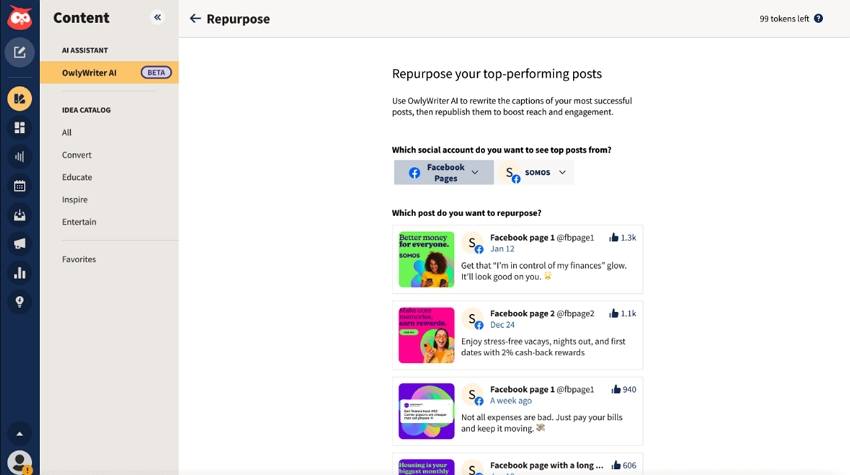
1. Hootsuite with AI Assistant

hootsuite online ai tool for social media post management

Core Functions & Positioning: Hootsuite has evolved its comprehensive social media management platform with advanced AI capabilities, creating an end-to-end solution for content creation, scheduling, and analytics.

Supported Platforms: Instagram, Facebook, Twitter, LinkedIn, Pinterest, YouTube, and TikTok.

Advantages:

  • Unified dashboard for all social media activities.
  • AI-powered content suggestions based on performance data.
  • Best time to post recommendations using predictive analytics.
  • Automated caption generation and hashtag suggestions.

Limitations:

  • Higher price point for full AI functionality.
  • Complex interface may overwhelm new users.

Performance Review: By integrating AI, Hootsuite has become one of the most powerful all-in-one tools for social media management. We were particularly impressed by its data-driven approach; the platform uses historical performance data to guide both content creation and posting schedules. For larger organizations managing numerous social channels, our review shows Hootsuite provides enterprise-level control with smart AI assistance that continually optimizes for engagement.

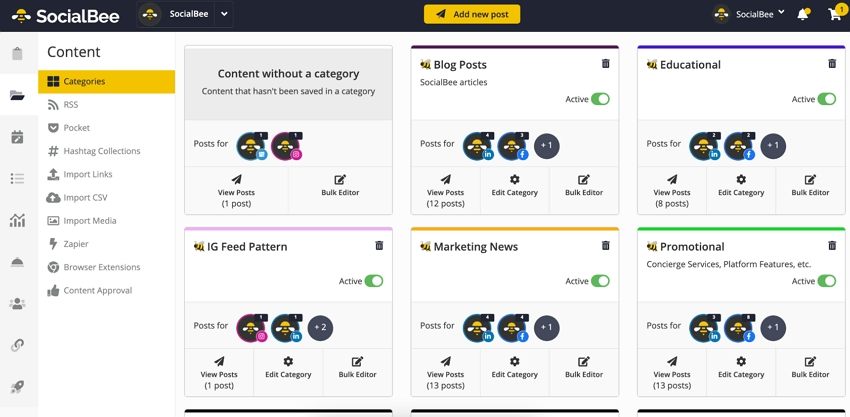
2. SocialBee

socialbee ai social media posting tool

Core Functions & Positioning: SocialBee combines content categorization with AI generation to create a sustainable posting system that maintains variety and engagement.

Supported Platforms: Facebook, Twitter, LinkedIn, Instagram, Pinterest, Google Business Profile, and TikTok.

Advantages:

  • Category-based content organization for balanced posting.
  • Content recycling with automatic variations.
  • AI post generator creates fresh content when needed.
  • Affordable pricing for small businesses and entrepreneurs.

Limitations:

  • Limited advanced analytics compared to enterprise solutions.
  • Some platforms have posting restrictions through the API.

Performance Review: SocialBee stands out with its innovative category-based scheduling system, which we found excellent for ensuring content variety. The platform’s AI is smartly focused on maintaining a consistent posting schedule while minimizing the actual content creation effort. Our review concludes that for small teams with limited resources, this online AI social media post management tool offers an intelligent way to maximize content efficiency and keep audiences engaged with a diverse mix of posts.

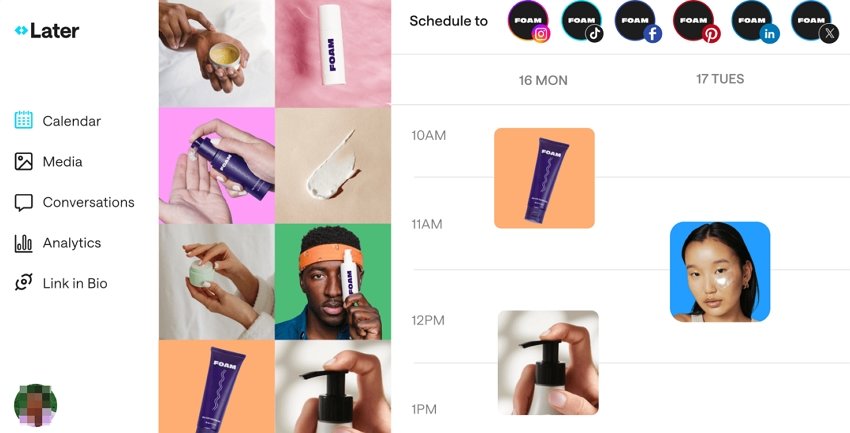
3. Later

later online ai instagram post management tool

Core Functions & Positioning: Later has evolved from an Instagram-focused scheduler to a comprehensive online AI-powered social media management platform with visual planning features.

Supported Platforms: Instagram, Facebook, Twitter, Pinterest, TikTok, and LinkedIn.

Advantages:

  • Visual content calendar for planning aesthetic feed layouts.
  • AI caption writer with customizable tone options.
  • Hashtag suggestions based on performance data.
  • Link in bio tools for driving traffic from social platforms.

Limitations:

  • Strongest features remain Instagram-focused.
  • Limited AI credits on lower-tier plans.

Performance Review: In our tests, Later’s primary strength remains its highly visual approach to social content planning. The platform’s AI features are designed to complement this strength, with an AI caption generator that helps match the tone to the visual aesthetic. We found it’s the perfect tool for brands where visual consistency is key (like in fashion, food, or travel), providing a great balance of AI assistance and manual control for a cohesive feed.

Comparison of the Best AI Tools for Social Media Post Scheduling and Management

ToolBest ForPricingKey FeatureLimitations
HootsuiteLarge organizations$99-$739/monthData-driven recommendationsComplex interface
SocialBeeSmall businesses$29-$99/monthCategory-based content recyclingLimited advanced analytics
LaterVisual-focused brands$18-$40/monthVisual content calendarInstagram-centric features

Conclusion: Matching Tools to User Types

The ideal AI social media post generator depends largely on your specific role and requirements:

  • For Marketing Professionals: Comprehensive solutions like Jasper AI for copywriting combined with Mew Design for visuals provide the quality and consistency needed for professional brand management. Hootsuite’s scheduling capabilities complete the workflow with data-driven posting optimization.
  • For Content Creators: Tools focused on creative output like Midjourney for images and Runway ML for videos allow for distinctive content that stands out in crowded feeds. Pairing these with SocialBee’s scheduling efficiency creates a sustainable content system.

  • For Business Owners: User-friendly options with minimal learning curves such as Copy.ai for text, Mew Design for images, and InVideo for quick videos offer the best balance of quality and efficiency. Later’s visual planning tools help maintain professional consistency without extensive time investment.

Frequently Asked Questions

Which AI social media post generator works best across multiple platforms? Hootsuite offers the most comprehensive multi-platform support, with AI features optimized for seven major social networks. For content creation specifically, Jasper AI provides templates tailored to each platform’s unique requirements and audience expectations.

Do AI-generated social media posts need human editing? While AI quality has improved dramatically, most professionals recommend reviewing AI-generated content before posting. Tools like Mew Design allow natural language refinements, making the editing process much more efficient than starting from scratch.

Are free AI social media post generators worth using? Free tiers from reputable platforms like Copy.ai and Rytr provide valuable functionality for individuals and small businesses getting started with AI. However, paid versions offer significantly more capabilities, higher quality output, and better consistency for serious marketing efforts.

How can I ensure AI-generated content matches my brand voice? Most advanced AI social media post generators now include voice training features. Jasper AI’s tone analyzer can study your existing content to match your style, while Mew Design allows specific guidance on visual brand elements through natural language instructions.

Will social media platforms penalize AI-generated content? Major platforms have not implemented specific penalties for AI content, but they do prioritize authentic engagement. The best practice is to use AI as a starting point or efficiency tool rather than publishing completely unedited AI content, ensuring your posts maintain human creativity and relevance.

🚀

Ready to Transform Your Social Media Strategy?

Start creating professional-quality social media content with AI-powered design tools. Join thousands of marketers and creators who are already using AI to boost their social media engagement.

Start Creating for Free

ChatGPT Poster Generator: How To Create Posters with ChatGPT and GPTs

chatgpt poster generator

Generated using mew.design

The rise of artificial intelligence has revolutionized poster design, and ChatGPT poster generator tools are at the forefront of this transformation. With the integration of DALL-E 3 and custom GPTs, creating posters has never been more accessible.

Whether you’re looking to craft event flyers, promotional designs, or motivational quotes, ChatGPT can help you conceptualize and create with minimal effort. In this article, we’ll walk you through how to use ChatGPT to generate posters, explore top poster GPTs, evaluate pros and cons, share expert tips and prompts, and offer a powerful alternative: Mew Design.

How to Use ChatGPT Poster Generator

Way 1. Create a Poster with ChatGPT (GPT-4o)

If you’re a ChatGPT Plus, Pro, or Team user, you can use the built-in image generation capabilities of GPT-4o (formerly DALL-E 3) to create posters. Free accounts can also generate posters but are limited to 2 generations per day.

  • Step 1. Log in to chat.openai.com. ChatGPT will automatically use the latest image generation mode if you are a subscriber or have free image generations available.
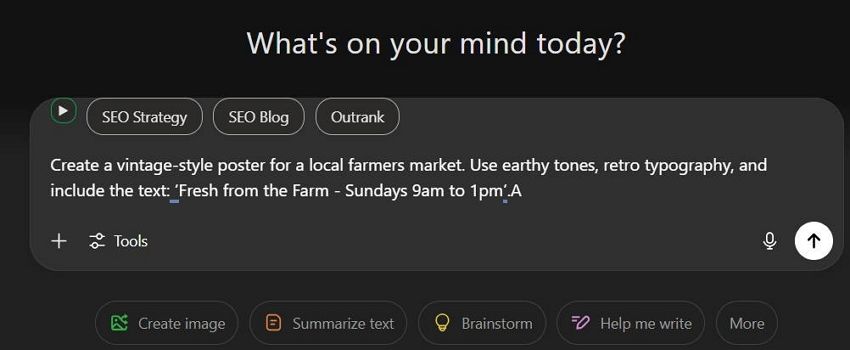
  • Step 2. Input a detailed poster prompt in the chat box. Example Prompt:

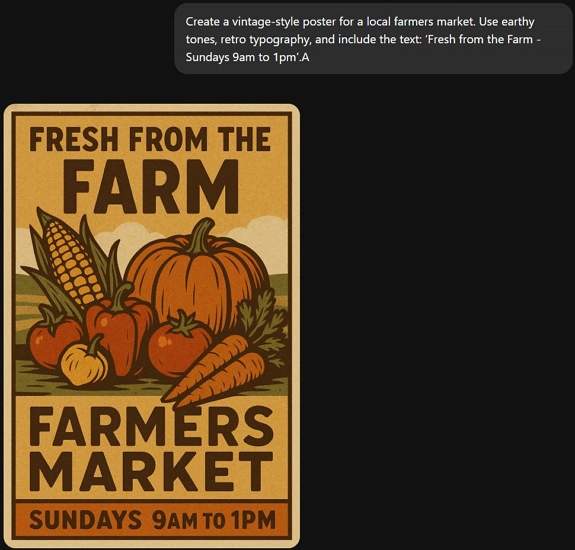
Create a vintage-style poster for a local farmers market. Use earthy tones, retro typography, and include the text: ‘Fresh from the Farm - Sundays 9am to 1pm’.

enter poster prompt to chatgpt

  • Step 3. Wait about 30s, ChatGPT will return your poster image.

chatgpt generate poster

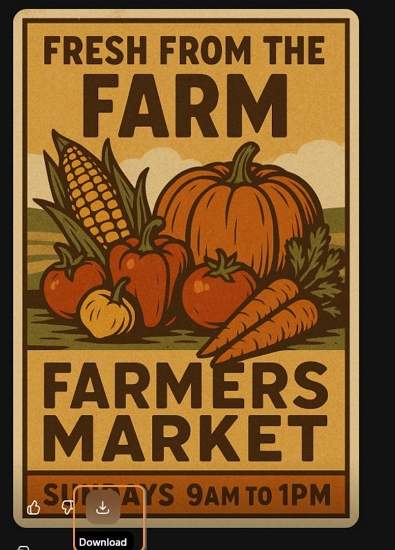
  • Step 4. If you’re satisfied with the ChatGPT-generated poster, click the Download icon to save it. If it’s not quite what you need, use a follow-up prompt to regenerate it.

download chatgpt generated poster

Way 2. Create a Poster with Poster Generator GPTs (ChatGPT Plugins)

If you need more customization or specialized templates, using third-party GPTs and plugins offers expanded poster generation options.

How to Use Poster Generator GPTs:

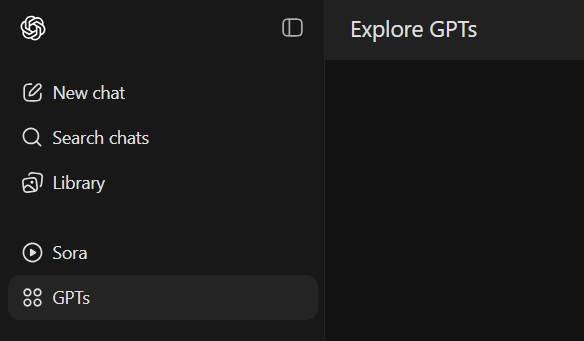
  • Step 1. Click GPTs in the sidebar.

explore gpts in chatgpt

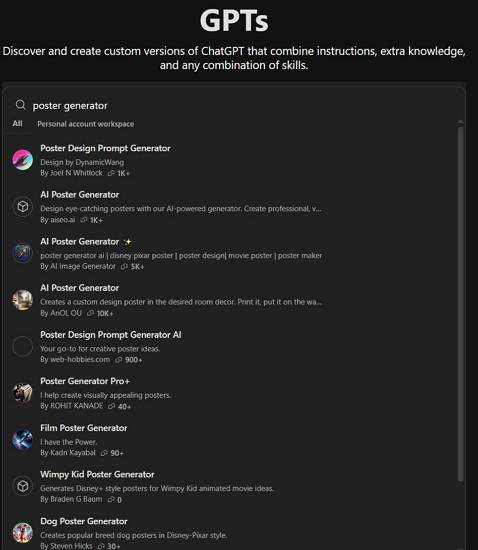
  • Step 2. Search for keywords like “poster maker” or “poster generator”.

search for poster generator gpts

  • Step 3. Click into a GPT and select Start Chat.

select a chatgpt poster generator plugin

  • Step 4. Begin chatting and follow prompts to to generate your poster using the selected Chatgpt plugin.

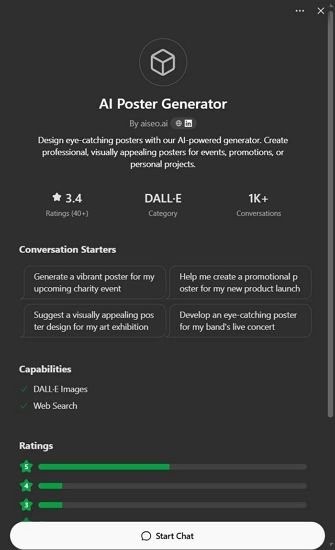
Top 3 ChatGPT Poster Generator Plugins

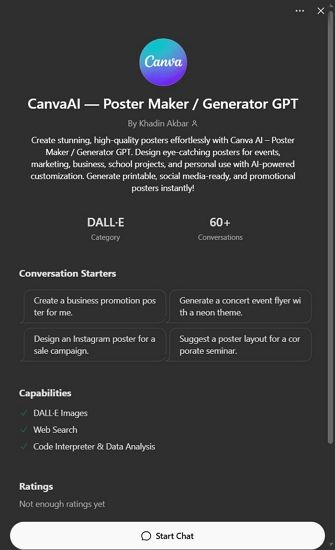
1. CanvaAI — Poster Maker / Generator GPT

A versatile tool using DALL-E 3, CanvaAI Poster Maker / Generator GPT helps you create custom posters with your input. You can select styles like modern, vintage, or minimalist.

  • Use Case: Event flyers, brand campaigns.
  • Notable Feature: Follows instructions for fonts, layout, and colors well.

canvaai poster maker generator gpt

2. Toolify AI - Poster Generator GPT

Designed specifically for generating image posters, Toolify AI Poster Generator GPT focuses on visually striking compositions based on minimal text prompts.

  • Use Case: Inspirational quotes, digital artwork.
  • Notable Feature: Clean, high-res output with image-to-text alignment.

toolify ai poster generator gpt

3. Appteam Poster Maker Flyer Maker

Found on the appteam.online, this GPT-style tool offers pre-configured poster templates you can modify through prompts.

  • Use Case: Marketing, education, social media.
  • Notable Feature: One-click variations and editable fields.

appteam poster maker flyer gpt

Pros and Cons of Using ChatGPT Poster Generator

✅ Advantages

  • Easy to use with detailed prompts.
  • Fast ideation with visual + text concept generation.
  • GPT-4o produces relatively accurate poster text.

❌ Disadvantages

  • Text Rendering Issues: Poster text may appear garbled or incorrect.
  • Lack of Editing Control: You cannot move or edit individual poster elements accurately.
  • Slow Rendering: Image generation can take up to 30 seconds or more.
  • Usage Limitations: Free users get limited generations per day.

These limitations make ChatGPT great for fast drafts or inspirations, but not ideal for refined, editable, or high-accuracy poster needs. That’s why many users turn to a powerful free alternative—Mew Design.

Best Free ChatGPT Poster Generator Alternative: Mew Design

Mew Design is an AI-powered graphic design platform where anyone can create professional-grade visual assets via natural language—without needing to learn design software. Built around the concept of “design for all,” Mew Design empowers individuals and businesses to bring their ideas to life quickly and creatively.

🚀

The Best Alternative to ChatGPT Poster Generator

Mew Design combines the power of AI Agent with specialized poster design algorithms, offering the most intuitive and powerful poster generation experience available today.

Start Creating Posters for Free

Why Mew Design Is a Better ChatGPT Alternative for Poster Creation

  • No Text Issues: Unlike ChatGPT’s image hallucinations, Mew Design uses text-to-design systems that preserve clarity—even for long content.
  • Fully Editable Posters: Generated works are code-based and can be modified precisely via natural language like “Move the logo to top left”, “Make the title bigger”, or “Change the poster style to Ghibli”.
  • Multiple AI Meow Designers (AI Agent for Design): Choose from a team of cat-themed AI designers, each with unique styles infused with human creativity.
  • Smart Understanding: Deep interpretation of both texts and visual inputs. You can upload your logo, product images, style references, and more — the Meow Designer will recognize them and incorporate them into the poster generation.

How to Create a Poster with Mew Design
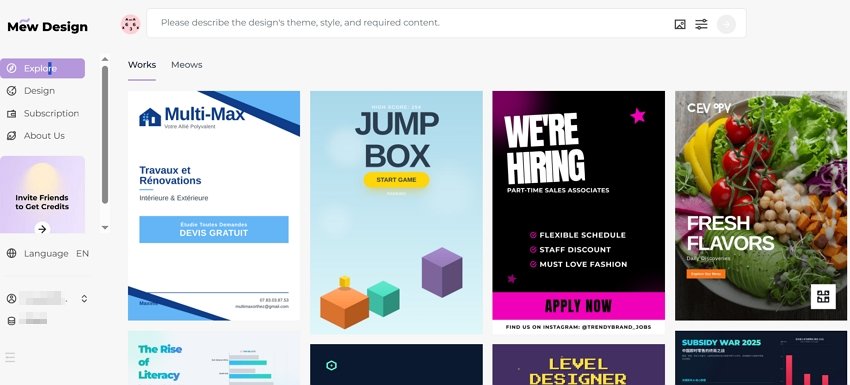
  • Step 1. Sign up for a free Mew Design account.

sign in to chatgpt poster generator alternative

  • Step 2. Select the Meow Designer that best suits your poster style or purpose.

select an ai agent for poster design

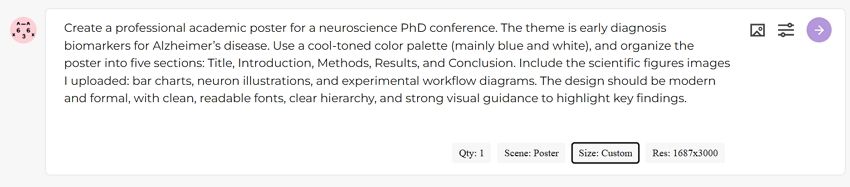
  • Step 3. Enter your poster idea in the prompt area.

input prompt to chatgpt poster generator alternative

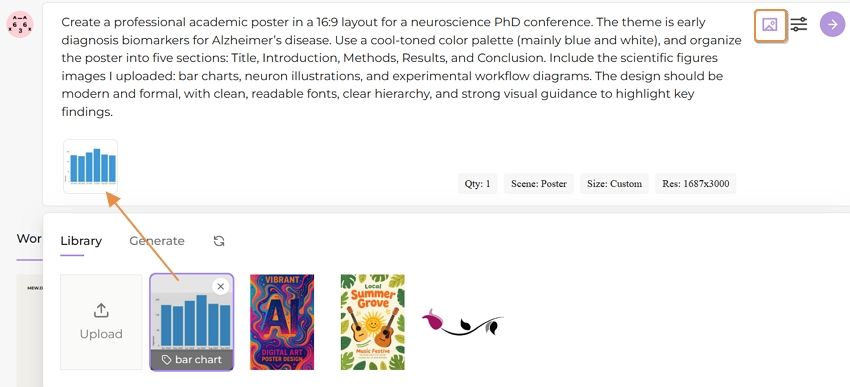
  • Step 4. Upload your reference images based on your needs.

upload reference images for poster

  • Step 5. Review the poster and continue editing via follow-up prompts.

edit the ai generated poster

  • Step 6. Export or publish your poster.

export the ai generated poster

Prompt Tips & Examples for ChatGPT Poster Generation

Here are sample prompts across poster types to spark creativity on ChatGPT:

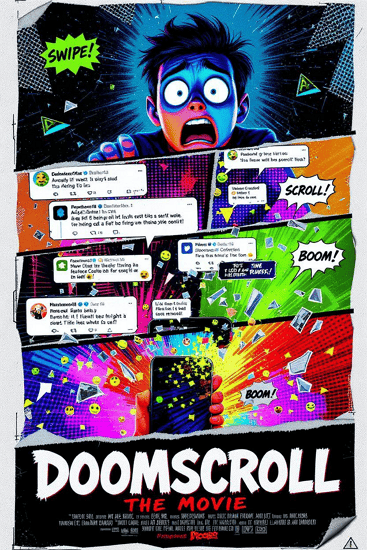
  • AI Concert Poster: “Create a neon punk concert poster for ‘Electric Rebellion Tour’ with glitch effects, electric guitars, and event details in bold font.”
  • AI Movie Poster: “Generate a thriller-style movie poster with a shadowy figure, foggy forest, and the title ‘Whispers in the Dark’.”
  • AI Hiring Poster: “Make a hiring poster for a design agency, include text: ‘We’re Hiring Designers’, use modern flat illustrations and a call-to-action button.”
  • AI Political Poster: “Create a political campaign poster for ‘Vote Lisa Chen 2025’, include patriotic symbols, bold serif font, and hopeful blue tones.”
  • AI Academic Poster: “Design a conference poster for ‘AI in Healthcare 2025’, with speaker photos, date/location, and professional academic layout.”
  • AI Educational Poster: “Generate a fun classroom poster saying ‘Science is Magic!’, with colorful illustrations of planets and microscopes.”
  • AI Sales Poster: “Create a flash sale poster for a fashion store, showing ‘70% OFF Today Only’, with red background, modern type, and price tags.”

ChatGPT Poster Prompt Best Practice Formula

[Action] + [Poster Type or Event] + [Style or Theme] + [Text] + [Color/Design Guidance] Example: “Design a minimalist poster for a tech hiring event, include ‘We’re Hiring Engineers!’, use navy blue and geometric patterns.”

Tips for Better Poster Generation with ChatGPT

  • Use clear instructions: specify layout, color, fonts, theme.
  • For text-heavy posters, say: “Make sure all text is readable and spelled correctly.”
  • Request variations: “Give me 3 versions of this poster.”
  • Export and edit externally if needed (e.g., Canva, Figma).

Comparison Table: ChatGPT vs Plugins vs Mew Design

Feature/ToolChatGPT (Built-in)ChatGPT Plugins (GPTs)Mew Design
Text AccuracyMediumMediumHigh
Layout ControlLowLow–MediumHigh
CustomizabilityPrompt-based onlySome templatingFull natural edits
Editability✅ (via prompt edits)
SpeedMedium (20–30 sec)Medium–SlowFast (10–30 sec)
PricingFree (2/day) or PaidFree/GPT Plan RequiredFree (200 Credits) or subscription
Use CasesQuick ideasMarketing visualsHigh-precision, editable posters

FAQs About ChatGPT Poster Generator

Can I use ChatGPT poster generator for free?? You can use it with a free ChatGPT account, but you’re limited to 1–2 generations per day. Paid accounts offer more access.

Is the ChatGPT generated poster editable? No, ChatGPT images are static. You’ll need external tools to tweak designs.

Can I use these posters commercially? Yes, OpenAI allows commercial use of generated images, but avoid mimicking real artists’ styles.

Is there a ChatGPT plugin to make the posters editable? No current ChatGPT plugin offers full editing. You must export and edit elsewhere. For anyone seeking visual storytelling with precision and polish, Mew Design is a superior solution beyond what AI alone can achieve.

What’s the best resolution for ChatGPT-generated posters?? For digital use, 1792x1024 or 1024x1792 pixels is typically sufficient. For print, request high-resolution outputs and consider using upscaling tools or platforms like Mew Design for the best quality.

Can ChatGPT poster generators handle complex typography? While AI image generators have improved significantly, complex typography can still be challenging. For text-heavy designs, consider using tools like Mew Design that offer post-generation text editing capabilities.

How do I create consistent poster series with ChatGPT? Develop a detailed style guide prompt that you can reuse, specifying colors, fonts, layout principles, and visual elements. Save successful prompts and modify only the content-specific elements for each new poster in your series.

Conclusion: Revolutionizing Poster Design with ChatGPT

ChatGPT poster generators represent a fundamental shift in how we approach design creation. By combining the power of natural language processing with advanced image generation, these tools democratize professional poster design and open up creative possibilities that were previously limited to skilled designers.

Whether you choose Mew Design for its comprehensive features and ease of use, explore custom ChatGPT GPTs for specialized workflows, or experiment with direct DALL-E prompting for maximum control, the key to success lies in understanding how to communicate effectively with AI systems.

As we move forward, the integration of AI in creative workflows will only deepen, making tools like ChatGPT poster makers essential skills for anyone involved in visual communication. Start experimenting today, and discover how artificial intelligence can amplify your creative vision and streamline your design process.

🚀

Ready to Create Your First AI-Powered Poster?

Join thousands of creators who are already using Mew Design to bring their poster ideas to life with the power of ChatGPT and advanced AI technology.

Start Creating Free

AI Movie Poster Memes: The Viral World of Funny AI-Generated Posters

ai movie poster memes

Generated using mew.design

Have you ever seen a Disney Pixar-style poster for a movie called The Holocaust or Crack Addiction and wondered what’s going on? Welcome to the strange and viral world of AI movie poster memes. These images mix familiar animation styles with shockingly absurd or inappropriate topics, creating a new kind of digital humor. What began as playful AI experiments has now become a full-blown internet trend. Creators use AI tools to generate fake movie posters that look real—often competing to make the most bizarre, funny, or shareable images online.

1. The Birth of AI Movie Poster Memes

How It All Started

The AI movie poster meme trend took off in late 2023, as AI image generators like DALL·E 3, Midjourney, and Bing Image Creator became advanced enough to generate realistic movie poster designs. At first, people used them to create posters for real or believable film ideas. But soon, the internet’s humor took over.

The real turning point came when users realized they could prompt these AI tools to make Disney Pixar-style posters for completely absurd or inappropriate topics. The mix of Pixar’s cheerful, family-friendly style with dark or ridiculous themes created a perfect recipe for viral comedy—and the memes quickly spread across social media.

The Viral Explosion

Funny AI-generated movie posters quickly went viral on platforms like Twitter, Reddit, TikTok, and Instagram. These memes are effective because they play on our instant recognition of the Disney Pixar style—bright colors, 3D animation, playful fonts, and wholesome vibes—while flipping it with shockingly inappropriate or absurd themes.

Their viral success comes from a mix of key factors:

  • Instant Recognition: The Pixar look is familiar to almost everyone
  • Cognitive Dissonance: The clash between style and subject creates humor
  • High Shareability: They’re perfect for social media sharing and reactions
  • Easy to Make: Anyone with access to AI tools can create them

2. Anatomy of Viral AI Movie Poster Memes

The Disney Pixar Parody Formula

The most successful AI movie poster memes follow a specific formula that maximizes comedic impact and viral potential. Understanding this formula helps explain why these memes are so effective at capturing attention and generating shares.

Visual Elements:

  • Authentic Pixar Aesthetic: Bright, saturated colors with the signature 3D animation look
  • Classic Typography: The iconic Disney Pixar font treatment and logo placement
  • Character Design: Cute, anthropomorphic characters with exaggerated features
  • Professional Layout: Proper movie poster composition with title, tagline, and credits

Content Subversion:

  • Dark Themes: Taking serious, adult topics and presenting them in children’s movie style
  • Absurd Concepts: Creating posters for completely ridiculous fictional films
  • Social Commentary: Using humor to comment on current events or social issues
  • Pop Culture References: Combining Pixar aesthetics with trending topics

Inappropriate Adult Themes: Some of the most viral examples involve taking serious adult topics and presenting them in Pixar’s innocent style. These create humor through extreme contrast but often push boundaries of taste.

Prompt 1: A Pixar-style movie poster titled “Divorce Court: The Animated Trial,” featuring smiling cartoon lawyers, a broken heart logo, and two parents cheerfully arguing in a courtroom with confetti in the background.

ai divorce court pixar movie poster meme

Prompt 2: A Pixar-inspired poster called “Cocaine: A Journey of Self-Discovery,” with a wide-eyed animated character holding a suspicious white powder, surrounded by sparkles and colorful typography.

ai cocaine pixar movie poster meme

Absurd Daily Life: Memes that turn mundane activities into epic Pixar adventures, like “The Great Grocery Run” or “WiFi Password: The Quest for Connection.”

Prompt 1: “The Great Laundry Heist” – A Pixar-style animated poster showing a group of socks escaping a washing machine like a prison break, with bold adventure-style fonts and dramatic lighting.

ai laundry heist pixar movie poster meme

Prompt 2: “Microwave Dinner: Rise of the Leftovers” – A heroic Pixar-style poster featuring a frozen meal gaining sentience, standing atop a spinning microwave with epic glow effects.

ai microwave dinner pixar movie poster meme

Social Media Commentary: Posters that satirize modern digital life, social media addiction, or internet culture using Pixar’s wholesome aesthetic.

Prompt 1: “Followers: The Algorithm Awakens” – A Pixar-style poster of a teen glued to their phone while friendly AI bots float around with likes, hearts, and retweets.

ai followers pixar movie poster meme

Prompt 2: “Doomscroll: The Movie” – A dramatic yet cheerful animated poster showing a character falling into an endless scroll of exaggerated tweets, emojis, and news alerts.

ai doomscroll pixar movie poster meme

Historical Events: Reimagining historical moments as animated family films, though these often venture into controversial territory.

Prompt 1: “The French Revolution: Liberty in 3D” – A Pixar-style poster featuring animated revolutionaries waving baguettes and smiling as fireworks burst behind the Bastille.

ai french revolution pixar movie poster meme

Prompt 2: “The Cold War: Freeze Frame” – A family-friendly animated poster showing two cartoon countries building snow forts on opposite sides of a frozen globe, with playful tension and bold fonts.

ai cold war pixar movie poster meme

3. How To Create Your Own AI Movie Poster Memes

Generate a Movie Poster Meme With Mew Design
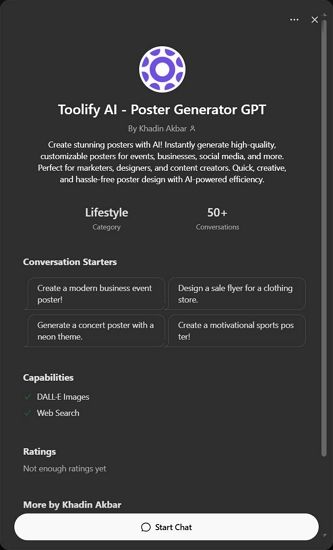
While many AI movie poster meme creators use various tools, Mew Design offers unique advantages for creating shareable meme content. Its conversational AI approach makes it easy to iterate quickly and experiment with different concepts.

create ai movie poster memes

How To Create a Movie Poster Meme With AI

Step 1: Choose Your Concept Start with a concept that creates humor through contrast. The best memes combine familiar elements in unexpected ways. Consider current events, daily frustrations, or absurd “what if” scenarios.

Step 2: Input Your Prompt Create a detailed prompt that captures the Pixar aesthetic while describing your humorous concept:

“Create a Disney Pixar movie poster for ‘The Laundry Wars: A Sock’s Journey Home.’ Show a brave cartoon sock character on an epic adventure through a washing machine landscape. Use bright Pixar colors, 3D animation style, and include the tagline ‘Some socks are destined for greatness.’ Make it look like an authentic Disney Pixar movie poster with proper typography and layout.”

input ai movie poster meme prompt

Step 3: Iterate and Refine Use Mew Design’s conversational editing to refine your meme:

  • “Make the sock character more heroic looking”
  • “Add more dramatic lighting for epic effect”
  • “Include fake movie credits at the bottom”

generate movie poster meme with ai

Step 4: Add Meme Elements Enhance the humor with specific details that make it more meme-worthy:

  • Fake release dates
  • Ridiculous taglines
  • Absurd character names
  • Over-the-top dramatic elements

refine ai generated movie poster meme

PixarAI.com: Specialized platform dedicated to creating Disney Pixar-style content, including meme posters. Offers templates and easy customization options specifically designed for viral content creation.

DALL-E 3 via Bing: Free access to OpenAI’s powerful image generator through Microsoft Bing. Excellent at understanding complex prompts and creating convincing Pixar-style aesthetics. For serious movie poster creation, explore our guide to free AI movie poster generators.

Midjourney: Subscription-based service known for high-quality, artistic outputs. Particularly good at creating detailed, professional-looking movie posters that could fool casual viewers.

Easy-Peasy.AI: User-friendly platform with specific Disney/Pixar style presets. Good for beginners who want to create memes without complex prompt engineering.

4. The Psychology Behind AI Movie Poster Memes

Why We Find Them Hilarious

The success of funny AI movie posters isn’t accidental – they tap into fundamental psychological principles that make content inherently shareable and memorable.

Incongruity Theory: The primary source of humor comes from the unexpected combination of innocent, child-friendly aesthetics with inappropriate or absurd content. Our brains find this mismatch inherently funny.

Superiority Theory: Sharing these memes allows people to demonstrate their cultural literacy and humor sophistication. Understanding the joke requires familiarity with both Disney Pixar and internet culture.

Relief Theory: These memes provide a safe way to engage with serious or taboo topics through humor, offering psychological relief from real-world stresses.

The Social Media Amplification Effect

AI-generated movie poster memes are perfectly designed for social media algorithms and user behavior:

Visual Appeal: Movie posters are inherently eye-catching and scroll-stopping on social feeds Quick Comprehension: The joke is immediately apparent, perfect for fast social media consumption Reaction Generation: They provoke strong emotional responses, driving comments and shares Remix Culture: Easy to iterate and create variations, encouraging user participation

Cultural Commentary Through Memes

Many successful AI movie poster memes function as social commentary, using humor to critique modern life, technology, politics, or cultural trends. The innocent Pixar aesthetic provides a disarming wrapper for potentially controversial messages.

Technology Critique: Memes about social media addiction, smartphone dependency, or AI fears Social Issues: Using humor to address serious topics like mental health, economic struggles, or generational differences Pop Culture Satire: Parodying current trends, celebrities, or entertainment industry practices

5. The Dark Side of AI Movie Poster Memes

Offensive and Controversial Content

While many AI movie poster memes are harmlessly funny, the format has also been used to create offensive content that pushes boundaries of taste and decency. Some creators have generated posters for historical tragedies, sensitive social issues, or explicitly inappropriate themes.

The “Offensive AI Pixar” Phenomenon: A subset of these memes deliberately creates the most shocking and inappropriate content possible, often featuring historical atrocities, adult themes, or offensive stereotypes presented in Disney’s innocent style.

Platform Moderation Challenges: Social media platforms struggle to moderate these memes because they often don’t contain explicit imagery – the offense comes from the concept and text rather than visual content.

Ethical Considerations

The AI movie poster meme trend raises several ethical questions:

Copyright and Trademark: Using Disney Pixar’s distinctive style and branding could potentially infringe on intellectual property rights Brand Dilution: Associating beloved family brands with inappropriate content may damage their reputation Normalization of Sensitive Topics: Using humor to address serious issues might trivialize important social problems

Impact on AI Tool Development

The popularity of offensive memes has influenced how AI companies develop and restrict their tools:

Content Filters: Platforms have implemented stricter content policies to prevent generation of inappropriate material Prompt Restrictions: Many tools now block specific keywords or concepts that commonly appear in offensive memes Brand Protection: Some AI platforms specifically prevent generation of content that mimics major entertainment brands

6. The Creative Potential of AI Movie Poster Memes

Beyond Humor: Legitimate Creative Applications

While funny AI-generated movie posters started as pure entertainment, the format has evolved to include legitimate creative and commercial applications.

Concept Visualization: Filmmakers use AI tools to quickly visualize movie concepts and pitch ideas Parody Projects: Content creators develop entire fictional universes around their meme posters Social Commentary: Artists use the format for serious cultural and political commentary Educational Content: Teachers and educators create engaging visual content for lessons

The Evolution of Meme Formats

AI movie poster memes have spawned numerous variations and sub-genres:

Genre Mashups: Combining different movie genres in unexpected ways Sequel Memes: Creating fake sequels to real movies with absurd premises Crossover Concepts: Merging different fictional universes or properties Meta-Memes: Memes about the meme format itself

Building Meme Communities

Successful meme creators often build communities around their content:

Consistent Themes: Developing recurring characters or concepts across multiple posters Interactive Elements: Encouraging audience participation in concept development Cross-Platform Presence: Sharing content across multiple social media platforms Collaboration: Working with other creators to develop shared fictional universes

7. Creating Responsible AI Movie Poster Memes

Best Practices for Meme Creators

If you want to participate in AI movie poster meme culture responsibly, consider these guidelines:

Avoid Harmful Content: Don’t create memes that mock tragedies, promote hate, or target vulnerable groups Respect Intellectual Property: Be mindful of trademark and copyright issues when parodying brands Consider Context: Think about how your memes might be interpreted by different audiences Credit AI Tools: Be transparent about using AI in your creative process

Positive Meme Concepts

Focus on concepts that create humor without causing harm:

Everyday Absurdities: Turn mundane life experiences into epic adventures Wholesome Parodies: Create content that maintains the spirit of family-friendly entertainment Social Commentary: Address important issues through thoughtful humor rather than shock value Creative Fiction: Develop original concepts that don’t rely on existing intellectual property

Building a Positive Community

AI movie poster meme creators can foster positive communities by:

Encouraging Creativity: Supporting original concepts over derivative content Promoting Inclusivity: Creating content that welcomes diverse audiences Educational Sharing: Teaching others about AI tools and responsible creation Constructive Feedback: Helping other creators improve their skills and concepts

🚀

Join the Meme Revolution

Create your own viral AI movie poster memes with Mew Design’s powerful AI tools. Transform your creative ideas into shareable content that entertains and engages your audience.

Start Creating Memes

8. Frequently Asked Questions

Are AI movie poster memes legal to create and share? Generally yes, as parody content is often protected under fair use laws. However, creating content that closely mimics trademarked styles or includes copyrighted elements could potentially raise legal issues. Most platforms allow parody content as long as it doesn’t violate community guidelines.

Which AI tools are best for creating movie poster memes? Popular options include DALL-E 3 (via Bing), Midjourney, PixarAI.com, and Mew Design. Each has different strengths – DALL-E 3 is free and good at following complex prompts, Midjourney produces high-quality artistic results, and Mew Design offers conversational editing for easy iteration.

How can I make my AI movie poster memes go viral? Focus on concepts that create humor through unexpected combinations, use current trends or relatable experiences, ensure high visual quality, post on multiple platforms, engage with meme communities, and time your posts for maximum visibility during peak social media hours.

Why do Disney Pixar parodies work so well for memes? The Disney Pixar aesthetic is instantly recognizable and associated with wholesome, family-friendly content. This creates a strong contrast when combined with inappropriate or absurd themes, generating humor through cognitive dissonance. The professional, polished look also makes the fake posters more convincing.

Can I monetize AI-generated movie poster memes? This depends on platform policies and the specific content. Some creators earn money through social media partnerships, merchandise, or content creation services. However, using trademarked styles or elements could complicate monetization efforts. Always check platform terms of service and consider intellectual property implications.

How do I avoid creating offensive content? Focus on humor that doesn’t mock tragedies, target vulnerable groups, or promote harmful stereotypes. Consider your audience and potential impact before sharing. When in doubt, ask trusted friends for feedback or stick to obviously fictional, absurd concepts that don’t reference real-world sensitive topics.

What makes some AI movie poster memes more successful than others? Successful memes typically combine recognizable visual elements with unexpected concepts, are immediately understandable, evoke strong emotional reactions, and tap into current cultural conversations. High visual quality and authentic-looking design also increase shareability and engagement.

The world of AI movie poster memes represents a fascinating evolution in digital humor and creative expression. As AI tools become more accessible and sophisticated, we can expect this meme format to continue evolving, potentially spawning new forms of AI-generated entertainment and social commentary. Whether you’re creating content for laughs or building a creative community, the key is balancing humor with responsibility while exploring the endless creative possibilities that AI technology offers.

AI Academic Poster Generator: Create Professional Research Posters in Minutes

ai academic poster generator

Generated using mew.design

Are you tired of spending countless hours wrestling with complex design software just to create a single research poster? Many researchers face this exact challenge - having brilliant scientific findings but struggling to present them in visually compelling ways that capture their audience’s attention.

The traditional approach to academic poster creation often involves mastering expensive software or hiring professional designers. Fortunately, AI academic poster generator technology has emerged as a game-changer, enabling researchers to create a research poster with AI assistance that produces professional-quality results in minutes rather than hours.

1. Understanding AI Academic Poster Generators

What Makes AI Academic Poster Generators Special?

An AI academic poster generator is a sophisticated digital tool that leverages artificial intelligence to help researchers create professional scientific posters. Unlike traditional design software that requires extensive manual formatting, these tools analyze your research content and automatically suggest optimal layouts, color schemes, and visual hierarchies that align with academic standards.

The technology behind these generators combines machine learning algorithms with design principles specifically tailored for scientific communication. When you input your research data, methodology, and findings, the AI processes this information to create layouts that effectively communicate complex scientific concepts while maintaining visual appeal and readability.

Key Features That Set AI Academic Poster Generators Apart

Smart Content Organization: AI academic poster generators excel at organizing scientific content logically. They understand the standard flow of academic presentations—from introduction and methodology to results and conclusions—and automatically arrange your content to follow this proven structure.

Scientific Template Library: These tools offer extensive collections of templates designed specifically for academic disciplines. Whether you’re presenting research in biology, chemistry, physics, or social sciences, you’ll find templates that match your field’s conventions and requirements.

Collaborative Features: Many platforms support real-time collaboration, allowing research teams to work together seamlessly on poster creation, with version control and comment systems that facilitate efficient teamwork.

2. Mew Design: The Revolutionary AI Design Agent

Mew Design stands out as the most innovative AI academic poster generator available today, representing a breakthrough in how researchers create scientific presentations. Unlike traditional template-based tools, Mew Design functions as a smart AI design agent that transforms natural language instructions into professional academic posters. ai poster generator free

What makes Mew Design unique is its conversational approach to poster creation. Instead of struggling with complex design interfaces, you simply describe your research poster requirements in plain English or other languages, and the AI design agent creates a complete, professional layout tailored to your specifications. This approach removes the learning curve associated with traditional design software while delivering results that meet the highest academic standards.

Key Features:

  • Natural language poster generation from text prompts
  • AI-powered editing through conversational instructions
  • Seamless integration of uploaded research images and data
  • Academic-specific design understanding
  • Instant revisions based on feedback

Why Mew Design Excels for Academic Posters:

Mew Design’s AI agents understand the unique requirements of academic communication. They automatically organize content according to scientific presentation standards, ensure proper visual hierarchy for research findings, and maintain the professional appearance expected at academic conferences.

The platform’s ability to incorporate uploaded images—such as charts, diagrams, logos, and experimental photos—makes it particularly valuable for researchers who need to include specific visual elements in their posters. You can tag uploaded images appropriately, and the AI positions them within the overall design. You can even input the raw data in the prompt error and let the AI analyze the data and create charts or diagrams.

How to Create an Academic Poster with Mew Design
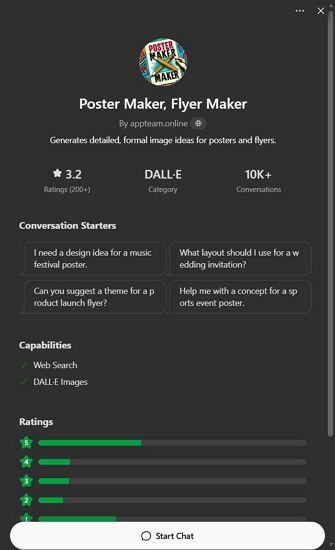
Let’s walk through creating a research poster step by step using a practical example.

Step 1: Access Mew Design and Choose Your AI Designer
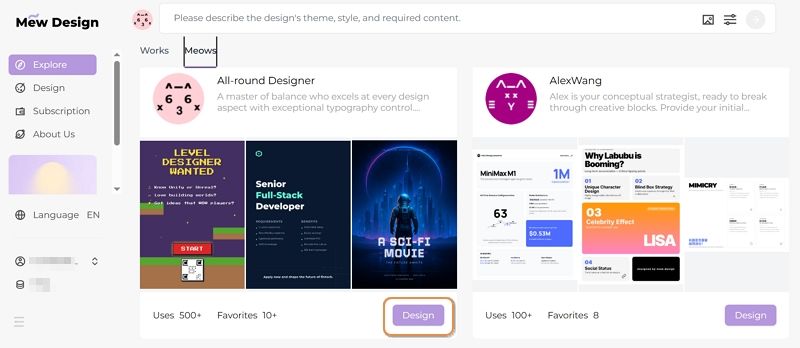
Visit Mew Design and sign up for a free account. Select the AI design agent that best matches your poster style preferences. For academic posters, choose an agent specializing in professional, clean designs.

select ai design agent

Step 2: Input Your Design Prompt

In the prompt area, describe your academic poster design requirements. Let’s say you’re a neuroscience PhD student preparing for a major conference presentation on Alzheimer’s disease biomarkers. You would enter a comprehensive prompt like this:

Create a professional academic poster for a neuroscience PhD conference. The theme is early diagnosis biomarkers for Alzheimer’s disease. Use a cool-toned color palette (mainly blue and white), and organize the poster into five sections: Title, Introduction, Methods, Results, and Conclusion. Include the scientific figures images I uploaded: bar charts, neuron illustrations, and experimental workflow diagrams. The design should be modern and formal, with clean, readable fonts, clear hierarchy, and strong visual guidance to highlight key findings.

input prompt for research poster

Step 3: Upload Reference Images

You can upload style reference images as well as charts and diagrams that need to be inserted into your poster. Mew Design supports tagging added images so the AI can better identify their purpose. In this case, you can upload:
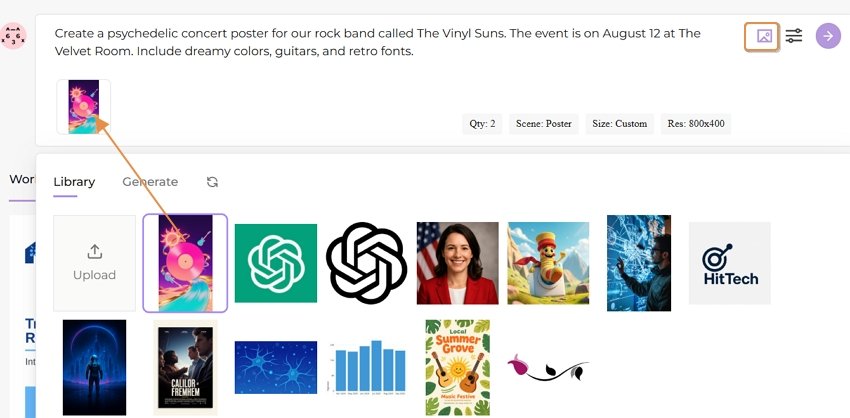
  • Bar charts showing biomarker levels (tagged as “data”)
  • Neuron illustrations from your experiments (tagged as “scientific illustration”)
  • Experimental workflow diagrams (tagged as “methodology”)
  • University logo (tagged as “logo”)

upload research data charts

Step 4: Set Generation Parameters

You can configure several settings to customize your poster generation:

  • Aspect ratio: Choose from various dimensions (16:9 landscape for conference display, A4 portrait, etc.)
  • Use case: Select Poster
  • Number of versions: Generate 1-4 variations to compare

set research poster parameters

Step 5: Generate Your Poster

Click the generate button and wait 30-60 seconds while Mew Design creates your academic poster. The AI analyzes your prompt, incorporates your uploaded images, and creates a professionally formatted poster that follows academic presentation standards.
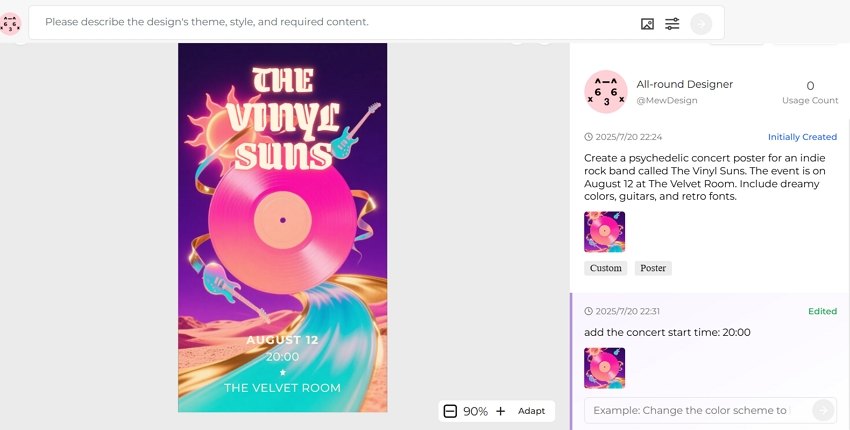
create research poster ai

Step 6: Refine with Natural Language Editing

You can review the generated poster and request adjustments using simple instructions:

  • “Move the university logo to the top right corner”
  • “Make the Results section larger and more prominent”
  • “Change the background to a subtle gradient from light blue to white”
  • “Increase the font size of the conclusion text”

The AI implements these changes while maintaining the overall design integrity and academic formatting standards.

🚀

Create Your First Academic Poster Today

Experience the power of conversational AI design. Transform your research into a professional poster in minutes, not hours.

Start Creating Now

3. Template-Based AI Academic Poster Makers

For researchers who prefer more structured approaches or need specific template features, several established platforms offer excellent AI-enhanced academic poster creation:

1) Appy Pie Design AI
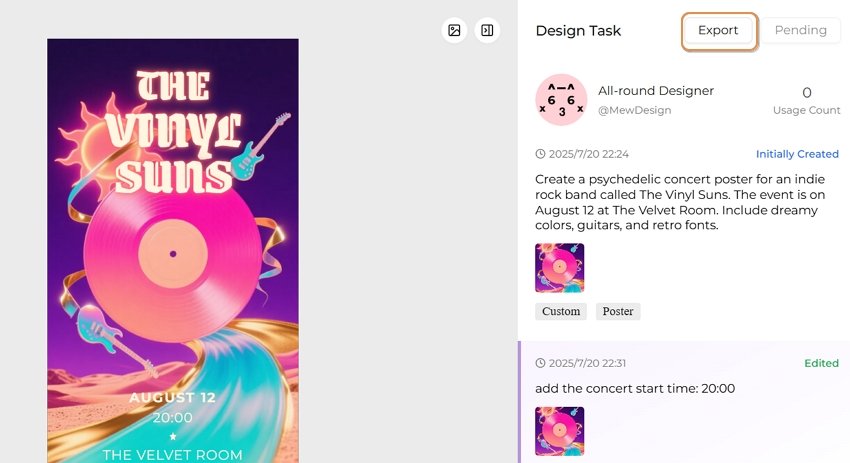
Appy Pie’s Research Poster Maker provides a streamlined approach to academic poster creation with AI assistance. The platform offers templates specifically designed for research presentations and includes features tailored to academic requirements.

ai academic poster generator appypie

Key Features:

  • Research-specific templates
  • AI layout suggestions
  • Easy content customization
  • Academic formatting options

Best For: Researchers who prefer template-based design with AI enhancement and want quick, professional results.

2) Adobe Express

Adobe Express brings professional design capabilities to AI-powered poster creation. The platform offers sophisticated AI features combined with Adobe’s design expertise, making it excellent for researchers who want maximum control over their poster design.

ai academic poster generator adobe

Key Features:

  • Professional-grade design tools
  • AI-powered layout suggestions
  • Creative Cloud integration
  • High-quality export options

Best For: Researchers familiar with Adobe products who want professional design capabilities with AI assistance.

3) Canva

Canva’s AI-powered poster maker has become popular among researchers due to its exceptional ease of use. The platform’s Magic Design feature uses AI to create custom poster layouts while maintaining academic presentation standards.
ai academic poster generator canva

Key Features:

  • Magic Design AI layout generation
  • Extensive scientific asset library
  • Team collaboration tools
  • One-click resizing for different formats

Best For: Researchers who prioritize ease of use and want to create professional posters quickly without extensive design knowledge.
4. Essential Design Principles for Academic Posters
Creating Visual Hierarchy That Guides Readers

Effective academic posters guide readers through your research story using clear visual hierarchy. AI academic poster generators excel at implementing these principles automatically, but understanding them helps you make better design decisions.
Title and Header Design: Your poster title should be the most prominent element, typically using the largest font size and positioned at the top center. AI tools automatically suggest appropriate title sizing—usually between 72-100 points—ensuring visibility from several feet away.
Section Organization: Organize your content into clear sections that follow the logical flow of scientific presentation: Background/Introduction, Methods, Results, Discussion, and Conclusions. AI generators understand this structure and automatically create layouts that guide readers through your research narrative.

Content Prioritization: Use font sizes, colors, and spacing to emphasize key findings. Your most important results should be the most visually prominent elements after your title.

Optimizing Text for Academic Readability

Academic posters require careful balance between comprehensive information and visual clarity. AI research poster generators help achieve this balance through intelligent text formatting and layout optimization.

Font Selection and Sizing: Choose clean, professional fonts that remain readable at various distances. Sans-serif fonts like Arial, Helvetica, or Calibri work best for academic posters. AI tools typically suggest font sizes of 24-32 points for body text and 36-48 points for section headers.

Text Density Management: Avoid overwhelming readers with dense text blocks. AI generators automatically suggest optimal text distribution, often recommending bullet points, short paragraphs, and strategic white space to improve readability.

Color and Contrast: Ensure sufficient contrast between text and background colors for optimal readability. AI tools analyze color combinations and suggest adjustments to meet accessibility standards.

Integrating Data Visualizations Effectively

Scientific posters rely heavily on visual data presentation. For complex data visualization needs, researchers can use specialized AI visualization tools to create charts and graphs, then incorporate these visual elements into their AI academic poster maker as reference images.

Chart and Graph Selection: First, use dedicated data visualization tools to analyze your data types and create appropriate visualizations. For quantitative data, create bar charts or line graphs; for qualitative findings, develop flowcharts or conceptual diagrams using specialized software.

Visual Integration: Once you’ve created your data visualizations, upload them to your AI academic poster generator as reference images. Tag them appropriately (e.g., “data,” “chart,” “graph”) so the AI can position them effectively within your poster layout.

Caption and Labeling: Every visual element should include clear, descriptive captions that explain the data and its significance. AI tools can suggest caption placement and formatting for optimal readability.

5. Best Practices for AI-Generated Academic Posters

Content Strategy for Maximum Impact

Creating effective academic posters with AI tools requires strategic thinking about content organization and presentation. The most successful AI research poster designs tell a clear, compelling story about your findings while maintaining scientific rigor.

Research Narrative Development: Structure your poster content to follow a logical research narrative. Begin with a compelling problem statement, clearly explain your methodology, present results in order of importance, and conclude with implications and future directions.

Key Finding Emphasis: Identify the 2-3 most important findings from your research and ensure these receive prominent visual treatment in your poster. AI tools can help emphasize these elements through strategic use of color, sizing, and positioning.

Audience Consideration: Tailor your content complexity to your expected audience. Conference posters viewed by specialists in your field can include more technical detail than presentations for general academic audiences.

Technical Optimization for Professional Results

AI academic poster maker tools offer numerous technical features that can significantly enhance the professional quality of your research presentations when used effectively.

Resolution and Print Quality: Ensure your AI-generated poster meets professional printing standards by selecting appropriate resolution settings. Most academic conferences require posters that can be printed at 150-300 DPI.

File Format Selection: Different presentation contexts require different file formats. AI generators usually offer multiple export options including PDF for printing, PNG for digital display, and editable formats for future modifications.

Size and Dimension Optimization: Academic poster sizes vary by conference and institution, with common dimensions including A0 (33.1” × 46.8”), A1 (23.4” × 33.1”), and custom sizes specified by conference organizers.

Emerging Technologies and Capabilities

The field of AI academic poster generator technology continues to evolve rapidly, with new capabilities emerging that promise to further streamline the research presentation process.

Enhanced Natural Language Understanding: Future AI tools will offer more sophisticated content analysis capabilities, automatically extracting key findings from research papers and suggesting optimal poster layouts based on content analysis.

Enhanced Data Integration: Emerging AI platforms are developing better integration between data visualization tools and poster generators. Researchers will be able to create charts and graphs using specialized AI visualization tools, then seamlessly incorporate these elements into their poster designs through improved workflow integration.

Real-Time Collaboration Enhancement: Enhanced collaboration features including live editing sessions and AI-powered feedback systems will make team-based poster development even more efficient and effective.

Implications for Academic Communication

As AI research poster generators become more sophisticated, they’re influencing broader trends in academic communication and presentation standards.

Standardization and Quality Improvement: AI tools are helping establish more consistent quality standards across academic posters, as researchers gain access to professional design capabilities regardless of their individual design skills.

Accessibility and Inclusion: Enhanced AI features focused on accessibility will help ensure that academic presentations are more inclusive and accessible to diverse audiences.

Efficiency and Productivity Gains: As AI tools become more capable, researchers will be able to allocate more time to research activities and less to presentation preparation, potentially accelerating the pace of scientific communication and discovery.

The future of academic poster creation lies in the smooth integration of AI design agents like Mew Design with specialized data visualization tools, creating a comprehensive ecosystem that supports every aspect of research presentation from data analysis to final poster design.