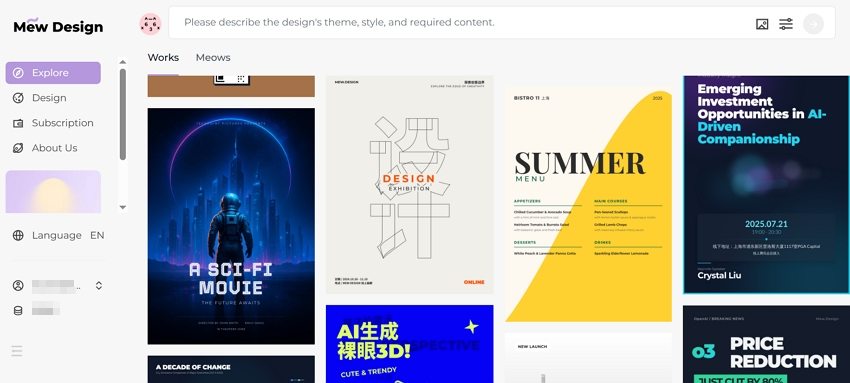

Skip to content

Poster Design

4 posts with the tag “Poster Design”

ChatGPT Poster Generator: How To Create Posters with ChatGPT and GPTs
chatgpt poster generator

Generated using mew.design

The rise of artificial intelligence has revolutionized poster design, and ChatGPT poster generator tools are at the forefront of this transformation. With the integration of DALL-E 3 and custom GPTs, creating posters has never been more accessible.

Whether you’re looking to craft event flyers, promotional designs, or motivational quotes, ChatGPT can help you conceptualize and create with minimal effort. In this article, we’ll walk you through how to use ChatGPT to generate posters, explore top poster GPTs, evaluate pros and cons, share expert tips and prompts, and offer a powerful alternative: Mew Design.

Way 1. Create a Poster with ChatGPT (GPT-4o)

Section titled “Way 1. Create a Poster with ChatGPT (GPT-4o)”

If you’re a ChatGPT Plus, Pro, or Team user, you can use the built-in image generation capabilities of GPT-4o (formerly DALL-E 3) to create posters. Free accounts can also generate posters but are limited to 2 generations per day.

  • Step 1. Log in to chat.openai.com. ChatGPT will automatically use the latest image generation mode if you are a subscriber or have free image generations available.
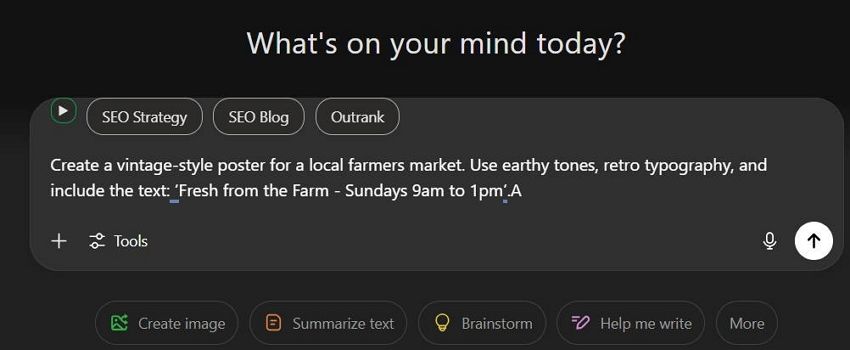
  • Step 2. Input a detailed poster prompt in the chat box. Example Prompt:

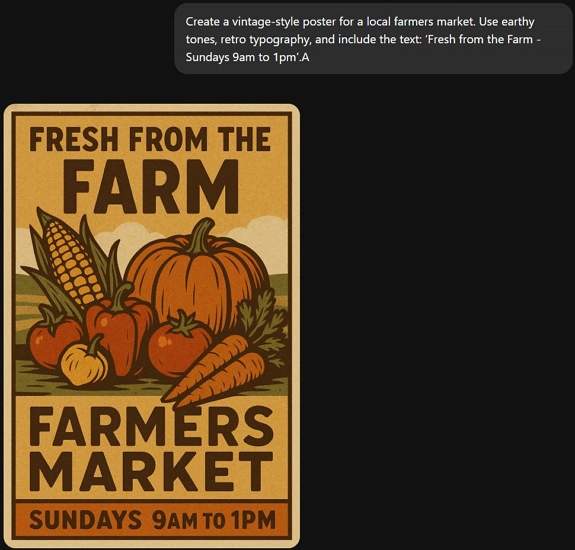
Create a vintage-style poster for a local farmers market. Use earthy tones, retro typography, and include the text: ‘Fresh from the Farm - Sundays 9am to 1pm’.
enter poster prompt to chatgpt

  • Step 3. Wait about 30s, ChatGPT will return your poster image.
chatgpt generate poster

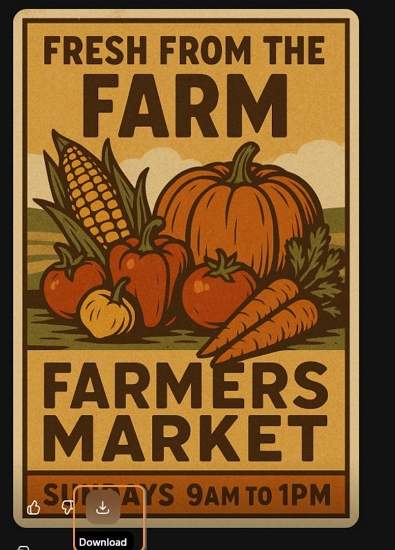
  • Step 4. If you’re satisfied with the ChatGPT-generated poster, click the Download icon to save it. If it’s not quite what you need, use a follow-up prompt to regenerate it.
download chatgpt generated poster

Way 2. Create a Poster with Poster Generator GPTs (ChatGPT Plugins)

Section titled “Way 2. Create a Poster with Poster Generator GPTs (ChatGPT Plugins)”

If you need more customization or specialized templates, using third-party GPTs and plugins offers expanded poster generation options.

How to Use Poster Generator GPTs:

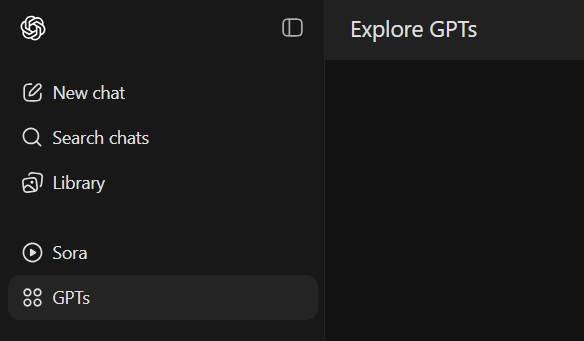
  • Step 1. Click GPTs in the sidebar.

explore gpts in chatgpt

  • Step 2. Search for keywords like “poster maker” or “poster generator”.
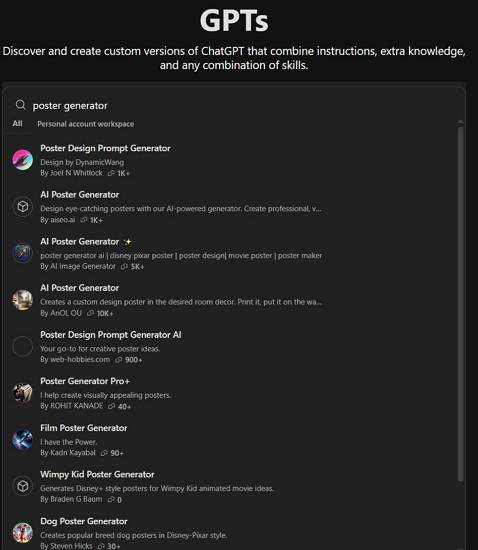
search for poster generator gpts

  • Step 3. Click into a GPT and select Start Chat.
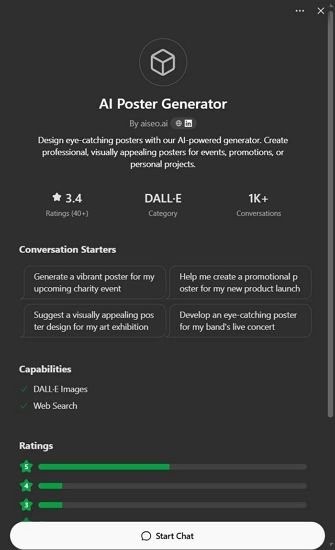
select a chatgpt poster generator plugin

  • Step 4. Begin chatting and follow prompts to to generate your poster using the selected Chatgpt plugin.

1. CanvaAI — Poster Maker / Generator GPT

Section titled “1. CanvaAI — Poster Maker / Generator GPT”

A versatile tool using DALL-E 3, CanvaAI Poster Maker / Generator GPT helps you create custom posters with your input. You can select styles like modern, vintage, or minimalist.

  • Use Case: Event flyers, brand campaigns.
  • Notable Feature: Follows instructions for fonts, layout, and colors well.
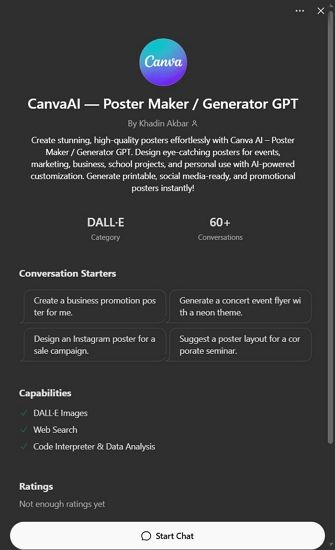
canvaai poster maker generator gpt

Designed specifically for generating image posters, Toolify AI Poster Generator GPT focuses on visually striking compositions based on minimal text prompts.

  • Use Case: Inspirational quotes, digital artwork.
  • Notable Feature: Clean, high-res output with image-to-text alignment.
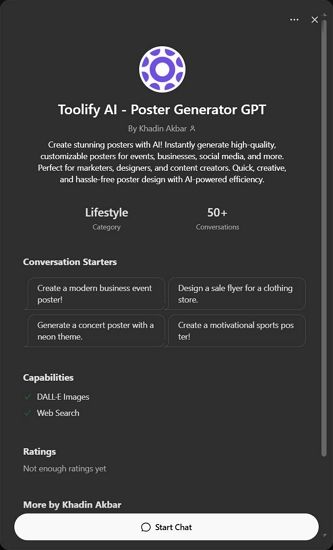
toolify ai poster generator gpt

Found on the appteam.online, this GPT-style tool offers pre-configured poster templates you can modify through prompts.

  • Use Case: Marketing, education, social media.
  • Notable Feature: One-click variations and editable fields.
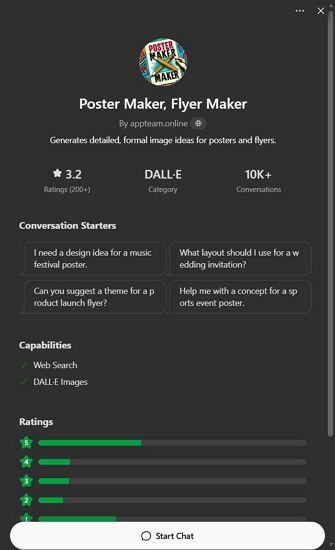
appteam poster maker flyer gpt

Pros and Cons of Using ChatGPT Poster Generator

Section titled “Pros and Cons of Using ChatGPT Poster Generator”

✅ Advantages

  • Easy to use with detailed prompts.
  • Fast ideation with visual + text concept generation.
  • GPT-4o produces relatively accurate poster text.

❌ Disadvantages

  • Text Rendering Issues: Poster text may appear garbled or incorrect.
  • Lack of Editing Control: You cannot move or edit individual poster elements accurately.
  • Slow Rendering: Image generation can take up to 30 seconds or more.
  • Usage Limitations: Free users get limited generations per day.

These limitations make ChatGPT great for fast drafts or inspirations, but not ideal for refined, editable, or high-accuracy poster needs. That’s why many users turn to a powerful free alternative—Mew Design.

Best Free ChatGPT Poster Generator Alternative: Mew Design

Section titled “Best Free ChatGPT Poster Generator Alternative: Mew Design”

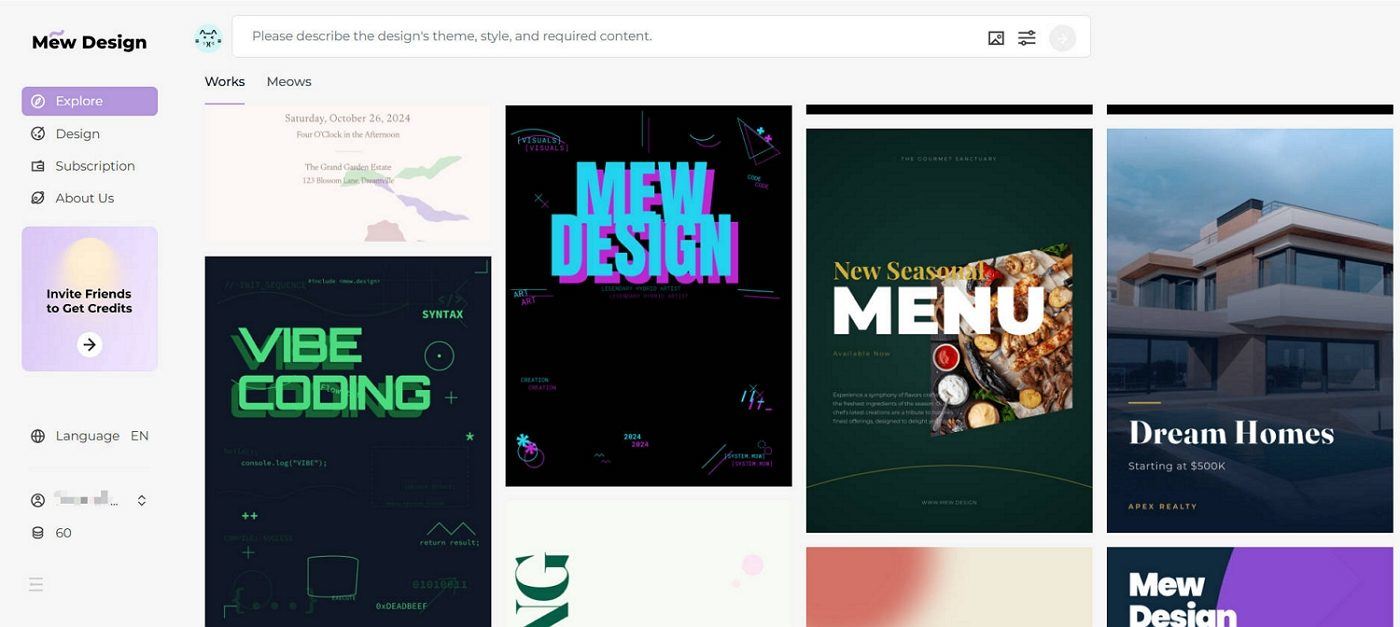
Mew Design is an AI-powered graphic design platform where anyone can create professional-grade visual assets via natural language—without needing to learn design software. Built around the concept of “design for all,” Mew Design empowers individuals and businesses to bring their ideas to life quickly and creatively.

🚀

The Best Alternative to ChatGPT Poster Generator

Mew Design combines the power of AI Agent with specialized poster design algorithms, offering the most intuitive and powerful poster generation experience available today.

Start Creating Posters for Free

Why Mew Design Is a Better ChatGPT Alternative for Poster Creation

Section titled “Why Mew Design Is a Better ChatGPT Alternative for Poster Creation”
  • No Text Issues: Unlike ChatGPT’s image hallucinations, Mew Design uses text-to-design systems that preserve clarity—even for long content.
  • Fully Editable Posters: Generated works are code-based and can be modified precisely via natural language like “Move the logo to top left”, “Make the title bigger”, or “Change the poster style to Ghibli”.
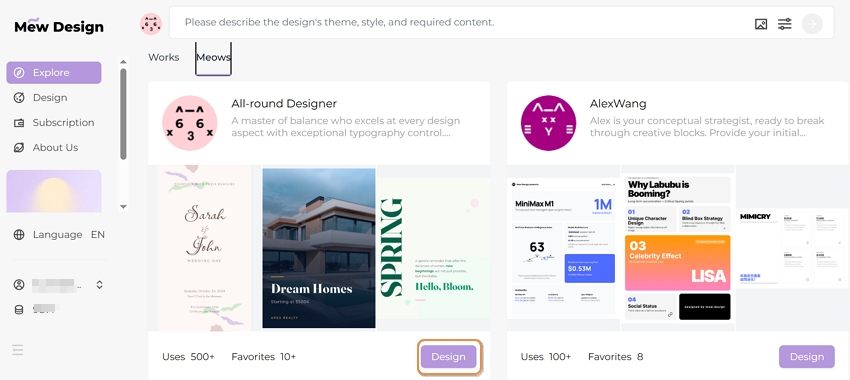
  • Multiple AI Meow Designers (AI Agent for Design): Choose from a team of cat-themed AI designers, each with unique styles infused with human creativity.
  • Smart Understanding: Deep interpretation of both texts and visual inputs. You can upload your logo, product images, style references, and more — the Meow Designer will recognize them and incorporate them into the poster generation.
  • Step 1. Sign up for a free Mew Design account.
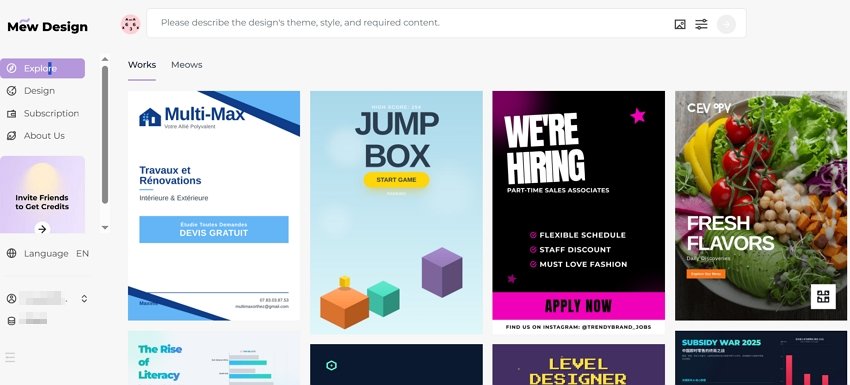
sign in to chatgpt poster generator alternative

  • Step 2. Select the Meow Designer that best suits your poster style or purpose.
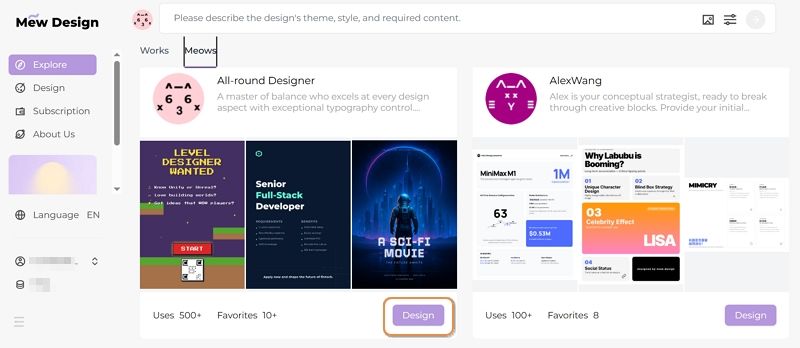
select an ai agent for poster design

  • Step 3. Enter your poster idea in the prompt area.

input prompt to chatgpt poster generator alternative

  • Step 4. Upload your reference images based on your needs.
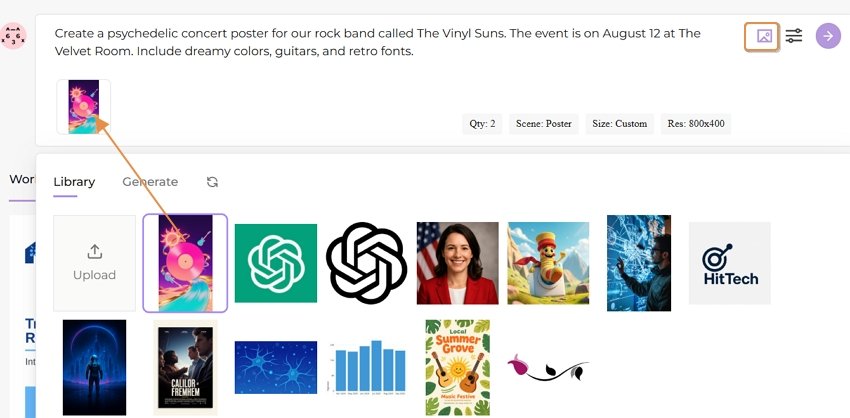
upload reference images for poster

  • Step 5. Review the poster and continue editing via follow-up prompts.
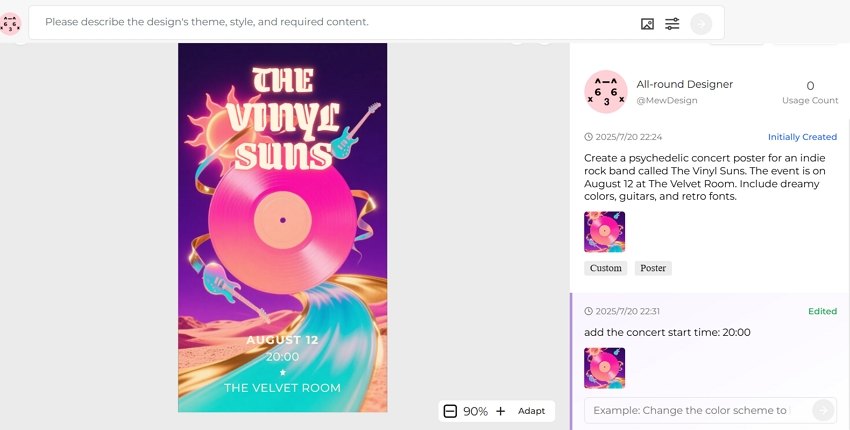
edit the ai generated poster

  • Step 6. Export or publish your poster.
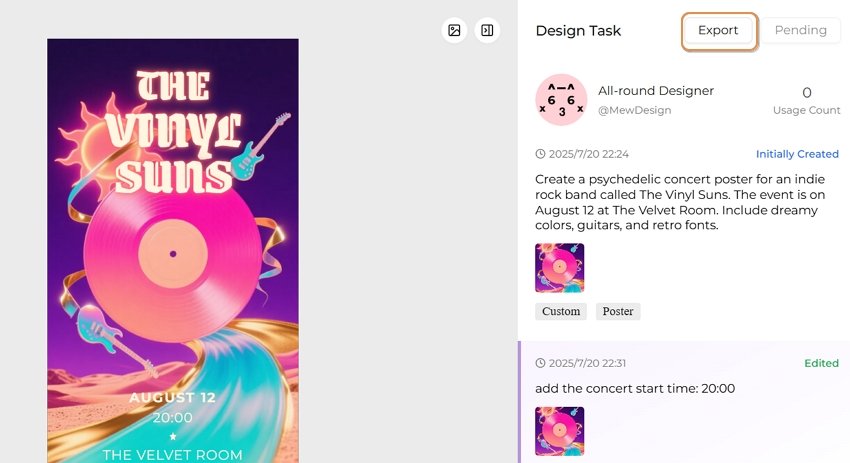
export the ai generated poster

Prompt Tips & Examples for ChatGPT Poster Generation

Section titled “Prompt Tips & Examples for ChatGPT Poster Generation”

Here are sample prompts across poster types to spark creativity on ChatGPT:

  • AI Concert Poster: “Create a neon punk concert poster for ‘Electric Rebellion Tour’ with glitch effects, electric guitars, and event details in bold font.”
  • AI Movie Poster: “Generate a thriller-style movie poster with a shadowy figure, foggy forest, and the title ‘Whispers in the Dark’.”
  • AI Hiring Poster: “Make a hiring poster for a design agency, include text: ‘We’re Hiring Designers’, use modern flat illustrations and a call-to-action button.”
  • AI Political Poster: “Create a political campaign poster for ‘Vote Lisa Chen 2025’, include patriotic symbols, bold serif font, and hopeful blue tones.”
  • AI Academic Poster: “Design a conference poster for ‘AI in Healthcare 2025’, with speaker photos, date/location, and professional academic layout.”
  • AI Educational Poster: “Generate a fun classroom poster saying ‘Science is Magic!’, with colorful illustrations of planets and microscopes.”
  • AI Sales Poster: “Create a flash sale poster for a fashion store, showing ‘70% OFF Today Only’, with red background, modern type, and price tags.”

ChatGPT Poster Prompt Best Practice Formula

Section titled “ChatGPT Poster Prompt Best Practice Formula”

[Action] + [Poster Type or Event] + [Style or Theme] + [Text] + [Color/Design Guidance] Example: “Design a minimalist poster for a tech hiring event, include ‘We’re Hiring Engineers!’, use navy blue and geometric patterns.”

Tips for Better Poster Generation with ChatGPT

Section titled “Tips for Better Poster Generation with ChatGPT”
  • Use clear instructions: specify layout, color, fonts, theme.
  • For text-heavy posters, say: “Make sure all text is readable and spelled correctly.”
  • Request variations: “Give me 3 versions of this poster.”
  • Export and edit externally if needed (e.g., Canva, Figma).

Comparison Table: ChatGPT vs Plugins vs Mew Design

Section titled “Comparison Table: ChatGPT vs Plugins vs Mew Design”
Feature/ToolChatGPT (Built-in)ChatGPT Plugins (GPTs)Mew Design
Text AccuracyMediumMediumHigh
Layout ControlLowLow–MediumHigh
CustomizabilityPrompt-based onlySome templatingFull natural edits
Editability✅ (via prompt edits)
SpeedMedium (20–30 sec)Medium–SlowFast (10–30 sec)
PricingFree (2/day) or PaidFree/GPT Plan RequiredFree (200 Credits) or subscription
Use CasesQuick ideasMarketing visualsHigh-precision, editable posters

Can I use ChatGPT poster generator for free?? You can use it with a free ChatGPT account, but you’re limited to 1–2 generations per day. Paid accounts offer more access.

Is the ChatGPT generated poster editable? No, ChatGPT images are static. You’ll need external tools to tweak designs.

Can I use these posters commercially? Yes, OpenAI allows commercial use of generated images, but avoid mimicking real artists’ styles.

Is there a ChatGPT plugin to make the posters editable? No current ChatGPT plugin offers full editing. You must export and edit elsewhere. For anyone seeking visual storytelling with precision and polish, Mew Design is a superior solution beyond what AI alone can achieve.

What’s the best resolution for ChatGPT-generated posters?? For digital use, 1792x1024 or 1024x1792 pixels is typically sufficient. For print, request high-resolution outputs and consider using upscaling tools or platforms like Mew Design for the best quality.

Can ChatGPT poster generators handle complex typography? While AI image generators have improved significantly, complex typography can still be challenging. For text-heavy designs, consider using tools like Mew Design that offer post-generation text editing capabilities.

How do I create consistent poster series with ChatGPT? Develop a detailed style guide prompt that you can reuse, specifying colors, fonts, layout principles, and visual elements. Save successful prompts and modify only the content-specific elements for each new poster in your series.

Conclusion: Revolutionizing Poster Design with ChatGPT

Section titled “Conclusion: Revolutionizing Poster Design with ChatGPT”

ChatGPT poster generators represent a fundamental shift in how we approach design creation. By combining the power of natural language processing with advanced image generation, these tools democratize professional poster design and open up creative possibilities that were previously limited to skilled designers.

Whether you choose Mew Design for its comprehensive features and ease of use, explore custom ChatGPT GPTs for specialized workflows, or experiment with direct DALL-E prompting for maximum control, the key to success lies in understanding how to communicate effectively with AI systems.

As we move forward, the integration of AI in creative workflows will only deepen, making tools like ChatGPT poster makers essential skills for anyone involved in visual communication. Start experimenting today, and discover how artificial intelligence can amplify your creative vision and streamline your design process.

🚀

Ready to Create Your First AI-Powered Poster?

Join thousands of creators who are already using Mew Design to bring their poster ideas to life with the power of ChatGPT and advanced AI technology.

Start Creating Free
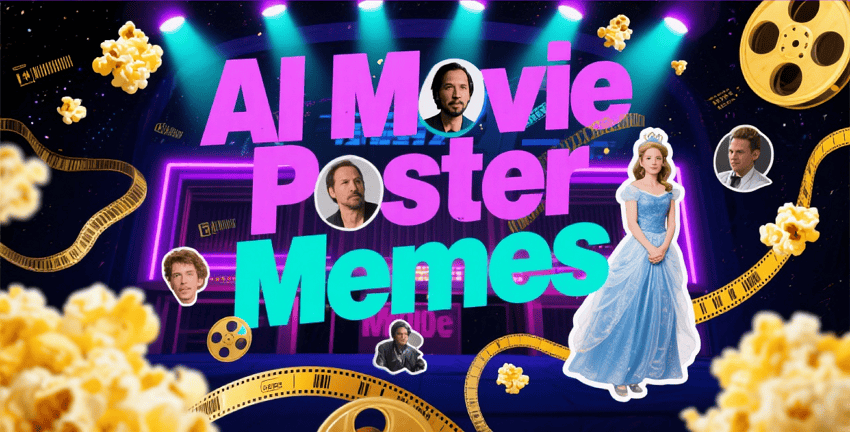
AI Movie Poster Memes: The Viral World of Funny AI-Generated Posters

ai movie poster memes

Generated using mew.design

Have you ever seen a Disney Pixar-style poster for a movie called The Holocaust or Crack Addiction and wondered what’s going on? Welcome to the strange and viral world of AI movie poster memes. These images mix familiar animation styles with shockingly absurd or inappropriate topics, creating a new kind of digital humor. What began as playful AI experiments has now become a full-blown internet trend. Creators use AI tools to generate fake movie posters that look real—often competing to make the most bizarre, funny, or shareable images online.

The AI movie poster meme trend took off in late 2023, as AI image generators like DALL·E 3, Midjourney, and Bing Image Creator became advanced enough to generate realistic movie poster designs. At first, people used them to create posters for real or believable film ideas. But soon, the internet’s humor took over.

The real turning point came when users realized they could prompt these AI tools to make Disney Pixar-style posters for completely absurd or inappropriate topics. The mix of Pixar’s cheerful, family-friendly style with dark or ridiculous themes created a perfect recipe for viral comedy—and the memes quickly spread across social media.

Funny AI-generated movie posters quickly went viral on platforms like Twitter, Reddit, TikTok, and Instagram. These memes are effective because they play on our instant recognition of the Disney Pixar style—bright colors, 3D animation, playful fonts, and wholesome vibes—while flipping it with shockingly inappropriate or absurd themes.

Their viral success comes from a mix of key factors:

  • Instant Recognition: The Pixar look is familiar to almost everyone
  • Cognitive Dissonance: The clash between style and subject creates humor
  • High Shareability: They’re perfect for social media sharing and reactions
  • Easy to Make: Anyone with access to AI tools can create them

The most successful AI movie poster memes follow a specific formula that maximizes comedic impact and viral potential. Understanding this formula helps explain why these memes are so effective at capturing attention and generating shares.

Visual Elements:

  • Authentic Pixar Aesthetic: Bright, saturated colors with the signature 3D animation look
  • Classic Typography: The iconic Disney Pixar font treatment and logo placement
  • Character Design: Cute, anthropomorphic characters with exaggerated features
  • Professional Layout: Proper movie poster composition with title, tagline, and credits

Content Subversion:

  • Dark Themes: Taking serious, adult topics and presenting them in children’s movie style
  • Absurd Concepts: Creating posters for completely ridiculous fictional films
  • Social Commentary: Using humor to comment on current events or social issues
  • Pop Culture References: Combining Pixar aesthetics with trending topics

Inappropriate Adult Themes: Some of the most viral examples involve taking serious adult topics and presenting them in Pixar’s innocent style. These create humor through extreme contrast but often push boundaries of taste.

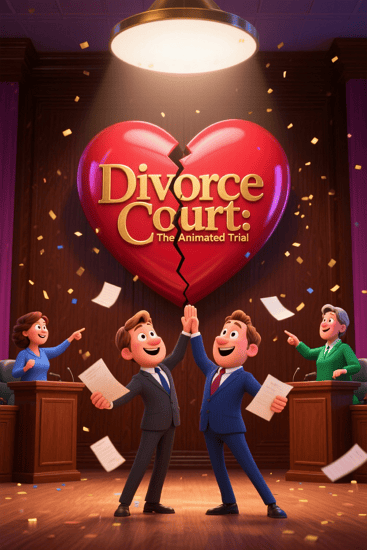
Prompt 1: A Pixar-style movie poster titled “Divorce Court: The Animated Trial,” featuring smiling cartoon lawyers, a broken heart logo, and two parents cheerfully arguing in a courtroom with confetti in the background.

ai divorce court pixar movie poster meme

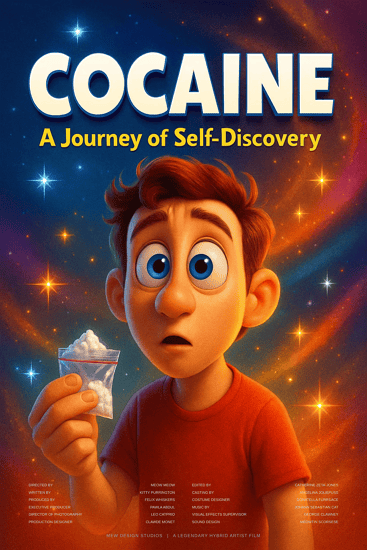
Prompt 2: A Pixar-inspired poster called “Cocaine: A Journey of Self-Discovery,” with a wide-eyed animated character holding a suspicious white powder, surrounded by sparkles and colorful typography.

ai cocaine pixar movie poster meme

Absurd Daily Life: Memes that turn mundane activities into epic Pixar adventures, like “The Great Grocery Run” or “WiFi Password: The Quest for Connection.”

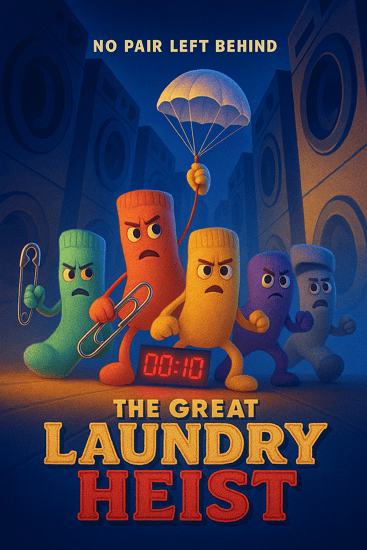
Prompt 1: “The Great Laundry Heist” – A Pixar-style animated poster showing a group of socks escaping a washing machine like a prison break, with bold adventure-style fonts and dramatic lighting.

ai laundry heist pixar movie poster meme

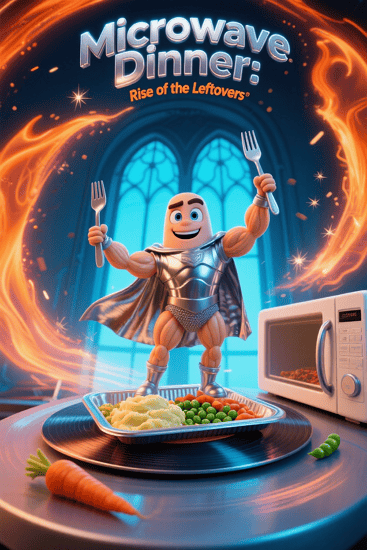
Prompt 2: “Microwave Dinner: Rise of the Leftovers” – A heroic Pixar-style poster featuring a frozen meal gaining sentience, standing atop a spinning microwave with epic glow effects.

ai microwave dinner pixar movie poster meme

Social Media Commentary: Posters that satirize modern digital life, social media addiction, or internet culture using Pixar’s wholesome aesthetic.

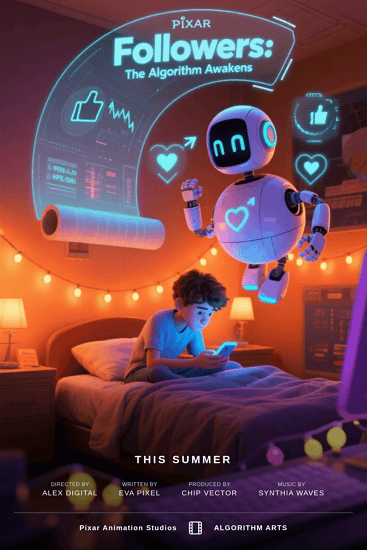
Prompt 1: “Followers: The Algorithm Awakens” – A Pixar-style poster of a teen glued to their phone while friendly AI bots float around with likes, hearts, and retweets.

ai followers pixar movie poster meme

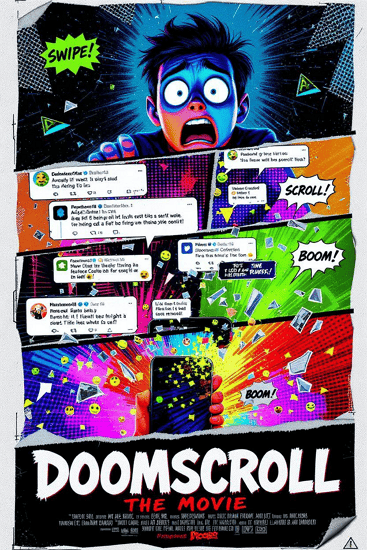
Prompt 2: “Doomscroll: The Movie” – A dramatic yet cheerful animated poster showing a character falling into an endless scroll of exaggerated tweets, emojis, and news alerts.

ai doomscroll pixar movie poster meme

Historical Events: Reimagining historical moments as animated family films, though these often venture into controversial territory.

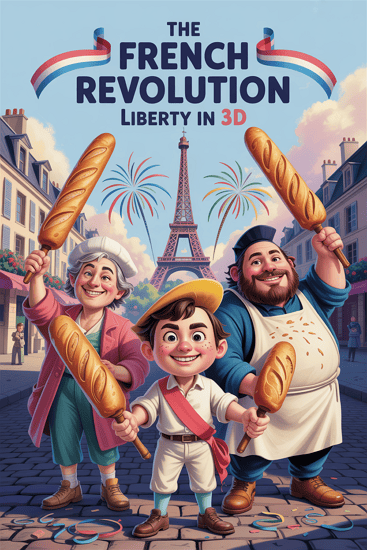
Prompt 1: “The French Revolution: Liberty in 3D” – A Pixar-style poster featuring animated revolutionaries waving baguettes and smiling as fireworks burst behind the Bastille.

ai french revolution pixar movie poster meme

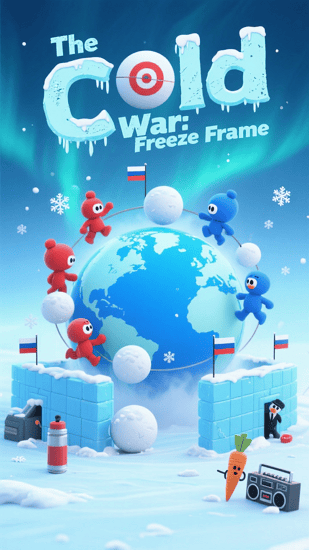
Prompt 2: “The Cold War: Freeze Frame” – A family-friendly animated poster showing two cartoon countries building snow forts on opposite sides of a frozen globe, with playful tension and bold fonts.

ai cold war pixar movie poster meme

3. How To Create Your Own AI Movie Poster Memes

Section titled “3. How To Create Your Own AI Movie Poster Memes”

Generate a Movie Poster Meme With Mew Design

Section titled “Generate a Movie Poster Meme With Mew Design”

While many AI movie poster meme creators use various tools, Mew Design offers unique advantages for creating shareable meme content. Its conversational AI approach makes it easy to iterate quickly and experiment with different concepts.

create ai movie poster memes

How To Create a Movie Poster Meme With AI

Step 1: Choose Your Concept Start with a concept that creates humor through contrast. The best memes combine familiar elements in unexpected ways. Consider current events, daily frustrations, or absurd “what if” scenarios.

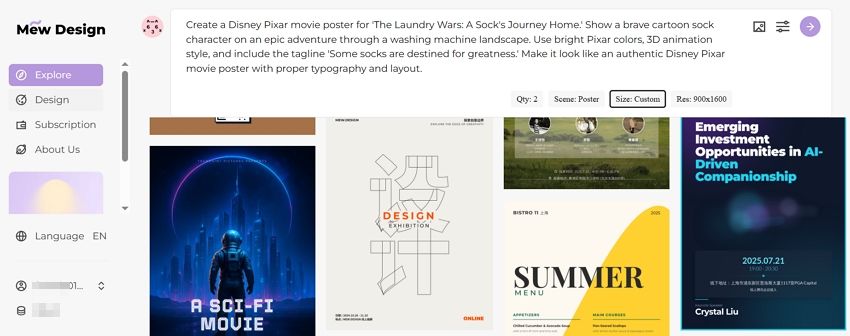
Step 2: Input Your Prompt Create a detailed prompt that captures the Pixar aesthetic while describing your humorous concept:

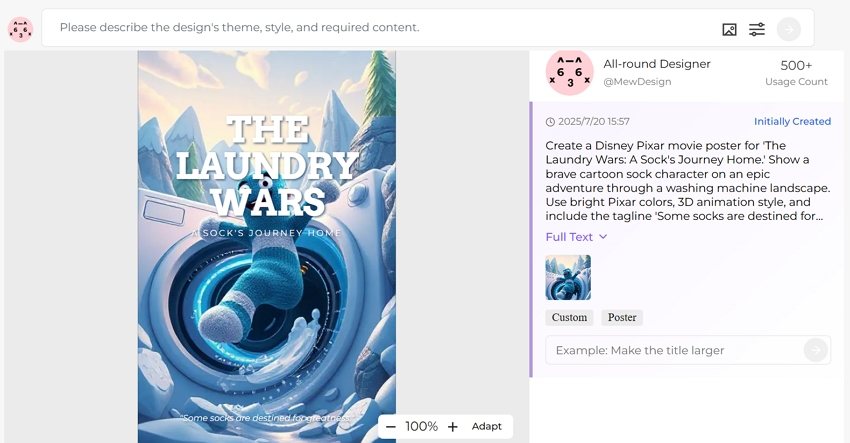
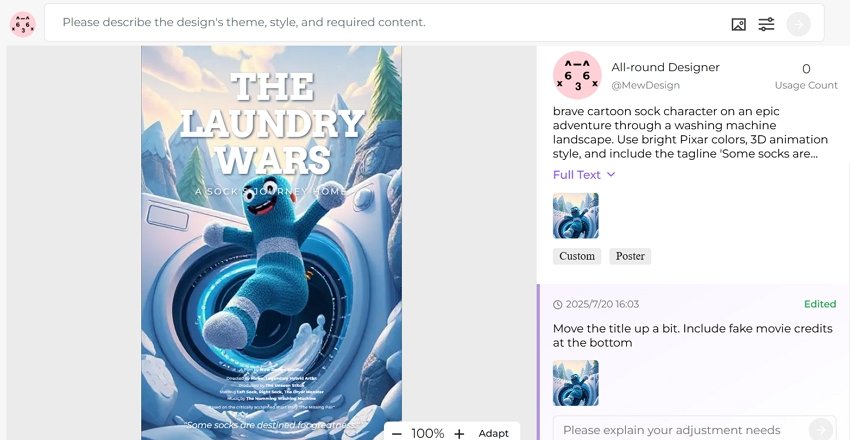
“Create a Disney Pixar movie poster for ‘The Laundry Wars: A Sock’s Journey Home.’ Show a brave cartoon sock character on an epic adventure through a washing machine landscape. Use bright Pixar colors, 3D animation style, and include the tagline ‘Some socks are destined for greatness.’ Make it look like an authentic Disney Pixar movie poster with proper typography and layout.”

input ai movie poster meme prompt

Step 3: Iterate and Refine Use Mew Design’s conversational editing to refine your meme:

  • “Make the sock character more heroic looking”
  • “Add more dramatic lighting for epic effect”
  • “Include fake movie credits at the bottom”

generate movie poster meme with ai

Step 4: Add Meme Elements Enhance the humor with specific details that make it more meme-worthy:

  • Fake release dates
  • Ridiculous taglines
  • Absurd character names
  • Over-the-top dramatic elements

refine ai generated movie poster meme

Section titled “Other Popular AI Tools for Movie Poster Meme Creation”

PixarAI.com: Specialized platform dedicated to creating Disney Pixar-style content, including meme posters. Offers templates and easy customization options specifically designed for viral content creation.

DALL-E 3 via Bing: Free access to OpenAI’s powerful image generator through Microsoft Bing. Excellent at understanding complex prompts and creating convincing Pixar-style aesthetics. For serious movie poster creation, explore our guide to free AI movie poster generators.

Midjourney: Subscription-based service known for high-quality, artistic outputs. Particularly good at creating detailed, professional-looking movie posters that could fool casual viewers.

Easy-Peasy.AI: User-friendly platform with specific Disney/Pixar style presets. Good for beginners who want to create memes without complex prompt engineering.

4. The Psychology Behind AI Movie Poster Memes

Section titled “4. The Psychology Behind AI Movie Poster Memes”

The success of funny AI movie posters isn’t accidental – they tap into fundamental psychological principles that make content inherently shareable and memorable.

Incongruity Theory: The primary source of humor comes from the unexpected combination of innocent, child-friendly aesthetics with inappropriate or absurd content. Our brains find this mismatch inherently funny.

Superiority Theory: Sharing these memes allows people to demonstrate their cultural literacy and humor sophistication. Understanding the joke requires familiarity with both Disney Pixar and internet culture.

Relief Theory: These memes provide a safe way to engage with serious or taboo topics through humor, offering psychological relief from real-world stresses.

AI-generated movie poster memes are perfectly designed for social media algorithms and user behavior:

Visual Appeal: Movie posters are inherently eye-catching and scroll-stopping on social feeds Quick Comprehension: The joke is immediately apparent, perfect for fast social media consumption Reaction Generation: They provoke strong emotional responses, driving comments and shares Remix Culture: Easy to iterate and create variations, encouraging user participation

Many successful AI movie poster memes function as social commentary, using humor to critique modern life, technology, politics, or cultural trends. The innocent Pixar aesthetic provides a disarming wrapper for potentially controversial messages.

Technology Critique: Memes about social media addiction, smartphone dependency, or AI fears Social Issues: Using humor to address serious topics like mental health, economic struggles, or generational differences Pop Culture Satire: Parodying current trends, celebrities, or entertainment industry practices

While many AI movie poster memes are harmlessly funny, the format has also been used to create offensive content that pushes boundaries of taste and decency. Some creators have generated posters for historical tragedies, sensitive social issues, or explicitly inappropriate themes.

The “Offensive AI Pixar” Phenomenon: A subset of these memes deliberately creates the most shocking and inappropriate content possible, often featuring historical atrocities, adult themes, or offensive stereotypes presented in Disney’s innocent style.

Platform Moderation Challenges: Social media platforms struggle to moderate these memes because they often don’t contain explicit imagery – the offense comes from the concept and text rather than visual content.

The AI movie poster meme trend raises several ethical questions:

Copyright and Trademark: Using Disney Pixar’s distinctive style and branding could potentially infringe on intellectual property rights Brand Dilution: Associating beloved family brands with inappropriate content may damage their reputation Normalization of Sensitive Topics: Using humor to address serious issues might trivialize important social problems

The popularity of offensive memes has influenced how AI companies develop and restrict their tools:

Content Filters: Platforms have implemented stricter content policies to prevent generation of inappropriate material Prompt Restrictions: Many tools now block specific keywords or concepts that commonly appear in offensive memes Brand Protection: Some AI platforms specifically prevent generation of content that mimics major entertainment brands

6. The Creative Potential of AI Movie Poster Memes

Section titled “6. The Creative Potential of AI Movie Poster Memes”

Beyond Humor: Legitimate Creative Applications

Section titled “Beyond Humor: Legitimate Creative Applications”

While funny AI-generated movie posters started as pure entertainment, the format has evolved to include legitimate creative and commercial applications.

Concept Visualization: Filmmakers use AI tools to quickly visualize movie concepts and pitch ideas Parody Projects: Content creators develop entire fictional universes around their meme posters Social Commentary: Artists use the format for serious cultural and political commentary Educational Content: Teachers and educators create engaging visual content for lessons

AI movie poster memes have spawned numerous variations and sub-genres:

Genre Mashups: Combining different movie genres in unexpected ways Sequel Memes: Creating fake sequels to real movies with absurd premises Crossover Concepts: Merging different fictional universes or properties Meta-Memes: Memes about the meme format itself

Successful meme creators often build communities around their content:

Consistent Themes: Developing recurring characters or concepts across multiple posters Interactive Elements: Encouraging audience participation in concept development Cross-Platform Presence: Sharing content across multiple social media platforms Collaboration: Working with other creators to develop shared fictional universes

7. Creating Responsible AI Movie Poster Memes

Section titled “7. Creating Responsible AI Movie Poster Memes”

If you want to participate in AI movie poster meme culture responsibly, consider these guidelines:

Avoid Harmful Content: Don’t create memes that mock tragedies, promote hate, or target vulnerable groups Respect Intellectual Property: Be mindful of trademark and copyright issues when parodying brands Consider Context: Think about how your memes might be interpreted by different audiences Credit AI Tools: Be transparent about using AI in your creative process

Focus on concepts that create humor without causing harm:

Everyday Absurdities: Turn mundane life experiences into epic adventures Wholesome Parodies: Create content that maintains the spirit of family-friendly entertainment Social Commentary: Address important issues through thoughtful humor rather than shock value Creative Fiction: Develop original concepts that don’t rely on existing intellectual property

AI movie poster meme creators can foster positive communities by:

Encouraging Creativity: Supporting original concepts over derivative content Promoting Inclusivity: Creating content that welcomes diverse audiences Educational Sharing: Teaching others about AI tools and responsible creation Constructive Feedback: Helping other creators improve their skills and concepts

🚀

Join the Meme Revolution

Create your own viral AI movie poster memes with Mew Design’s powerful AI tools. Transform your creative ideas into shareable content that entertains and engages your audience.

Start Creating Memes

Are AI movie poster memes legal to create and share? Generally yes, as parody content is often protected under fair use laws. However, creating content that closely mimics trademarked styles or includes copyrighted elements could potentially raise legal issues. Most platforms allow parody content as long as it doesn’t violate community guidelines.

Which AI tools are best for creating movie poster memes? Popular options include DALL-E 3 (via Bing), Midjourney, PixarAI.com, and Mew Design. Each has different strengths – DALL-E 3 is free and good at following complex prompts, Midjourney produces high-quality artistic results, and Mew Design offers conversational editing for easy iteration.

How can I make my AI movie poster memes go viral? Focus on concepts that create humor through unexpected combinations, use current trends or relatable experiences, ensure high visual quality, post on multiple platforms, engage with meme communities, and time your posts for maximum visibility during peak social media hours.

Why do Disney Pixar parodies work so well for memes? The Disney Pixar aesthetic is instantly recognizable and associated with wholesome, family-friendly content. This creates a strong contrast when combined with inappropriate or absurd themes, generating humor through cognitive dissonance. The professional, polished look also makes the fake posters more convincing.

Can I monetize AI-generated movie poster memes? This depends on platform policies and the specific content. Some creators earn money through social media partnerships, merchandise, or content creation services. However, using trademarked styles or elements could complicate monetization efforts. Always check platform terms of service and consider intellectual property implications.

How do I avoid creating offensive content? Focus on humor that doesn’t mock tragedies, target vulnerable groups, or promote harmful stereotypes. Consider your audience and potential impact before sharing. When in doubt, ask trusted friends for feedback or stick to obviously fictional, absurd concepts that don’t reference real-world sensitive topics.

What makes some AI movie poster memes more successful than others? Successful memes typically combine recognizable visual elements with unexpected concepts, are immediately understandable, evoke strong emotional reactions, and tap into current cultural conversations. High visual quality and authentic-looking design also increase shareability and engagement.

The world of AI movie poster memes represents a fascinating evolution in digital humor and creative expression. As AI tools become more accessible and sophisticated, we can expect this meme format to continue evolving, potentially spawning new forms of AI-generated entertainment and social commentary. Whether you’re creating content for laughs or building a creative community, the key is balancing humor with responsibility while exploring the endless creative possibilities that AI technology offers.

AI Academic Poster Generator: Create Professional Research Posters in Minutes

ai academic poster generator

Generated using mew.design

Are you tired of spending countless hours wrestling with complex design software just to create a single research poster? Many researchers face this exact challenge - having brilliant scientific findings but struggling to present them in visually compelling ways that capture their audience’s attention.

The traditional approach to academic poster creation often involves mastering expensive software or hiring professional designers. Fortunately, AI academic poster generator technology has emerged as a game-changer, enabling researchers to create a research poster with AI assistance that produces professional-quality results in minutes rather than hours.

1. Understanding AI Academic Poster Generators

Section titled “1. Understanding AI Academic Poster Generators”

What Makes AI Academic Poster Generators Special?

Section titled “What Makes AI Academic Poster Generators Special?”

An AI academic poster generator is a sophisticated digital tool that leverages artificial intelligence to help researchers create professional scientific posters. Unlike traditional design software that requires extensive manual formatting, these tools analyze your research content and automatically suggest optimal layouts, color schemes, and visual hierarchies that align with academic standards.

The technology behind these generators combines machine learning algorithms with design principles specifically tailored for scientific communication. When you input your research data, methodology, and findings, the AI processes this information to create layouts that effectively communicate complex scientific concepts while maintaining visual appeal and readability.

Key Features That Set AI Academic Poster Generators Apart

Section titled “Key Features That Set AI Academic Poster Generators Apart”

Smart Content Organization: AI academic poster generators excel at organizing scientific content logically. They understand the standard flow of academic presentations—from introduction and methodology to results and conclusions—and automatically arrange your content to follow this proven structure.

Scientific Template Library: These tools offer extensive collections of templates designed specifically for academic disciplines. Whether you’re presenting research in biology, chemistry, physics, or social sciences, you’ll find templates that match your field’s conventions and requirements.

Collaborative Features: Many platforms support real-time collaboration, allowing research teams to work together seamlessly on poster creation, with version control and comment systems that facilitate efficient teamwork.

2. Mew Design: The Revolutionary AI Design Agent

Section titled “2. Mew Design: The Revolutionary AI Design Agent”

Mew Design stands out as the most innovative AI academic poster generator available today, representing a breakthrough in how researchers create scientific presentations. Unlike traditional template-based tools, Mew Design functions as a smart AI design agent that transforms natural language instructions into professional academic posters. ai poster generator free

What makes Mew Design unique is its conversational approach to poster creation. Instead of struggling with complex design interfaces, you simply describe your research poster requirements in plain English or other languages, and the AI design agent creates a complete, professional layout tailored to your specifications. This approach removes the learning curve associated with traditional design software while delivering results that meet the highest academic standards.

Key Features:

  • Natural language poster generation from text prompts
  • AI-powered editing through conversational instructions
  • Seamless integration of uploaded research images and data
  • Academic-specific design understanding
  • Instant revisions based on feedback

Why Mew Design Excels for Academic Posters:

Mew Design’s AI agents understand the unique requirements of academic communication. They automatically organize content according to scientific presentation standards, ensure proper visual hierarchy for research findings, and maintain the professional appearance expected at academic conferences.

The platform’s ability to incorporate uploaded images—such as charts, diagrams, logos, and experimental photos—makes it particularly valuable for researchers who need to include specific visual elements in their posters. You can tag uploaded images appropriately, and the AI positions them within the overall design. You can even input the raw data in the prompt error and let the AI analyze the data and create charts or diagrams.

How to Create an Academic Poster with Mew Design

Section titled “How to Create an Academic Poster with Mew Design”

Let’s walk through creating a research poster step by step using a practical example.

Step 1: Access Mew Design and Choose Your AI Designer

Visit Mew Design and sign up for a free account. Select the AI design agent that best matches your poster style preferences. For academic posters, choose an agent specializing in professional, clean designs.

select ai design agent

Step 2: Input Your Design Prompt

In the prompt area, describe your academic poster design requirements. Let’s say you’re a neuroscience PhD student preparing for a major conference presentation on Alzheimer’s disease biomarkers. You would enter a comprehensive prompt like this:

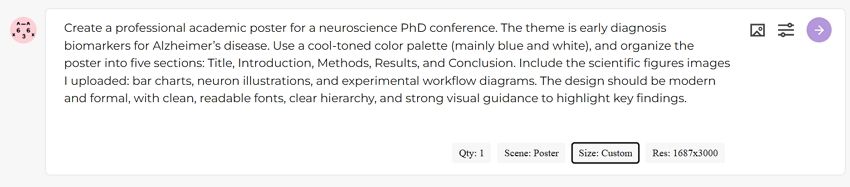
Create a professional academic poster for a neuroscience PhD conference. The theme is early diagnosis biomarkers for Alzheimer’s disease. Use a cool-toned color palette (mainly blue and white), and organize the poster into five sections: Title, Introduction, Methods, Results, and Conclusion. Include the scientific figures images I uploaded: bar charts, neuron illustrations, and experimental workflow diagrams. The design should be modern and formal, with clean, readable fonts, clear hierarchy, and strong visual guidance to highlight key findings.

input prompt for research poster

Step 3: Upload Reference Images

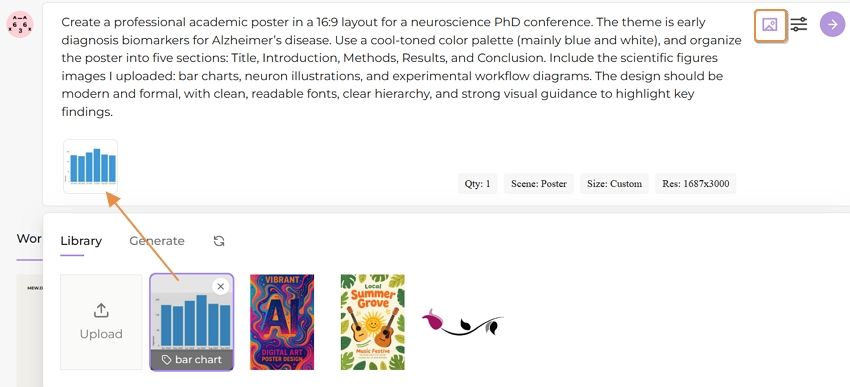
You can upload style reference images as well as charts and diagrams that need to be inserted into your poster. Mew Design supports tagging added images so the AI can better identify their purpose. In this case, you can upload:

  • Bar charts showing biomarker levels (tagged as “data”)
  • Neuron illustrations from your experiments (tagged as “scientific illustration”)
  • Experimental workflow diagrams (tagged as “methodology”)
  • University logo (tagged as “logo”)

upload research data charts

Step 4: Set Generation Parameters

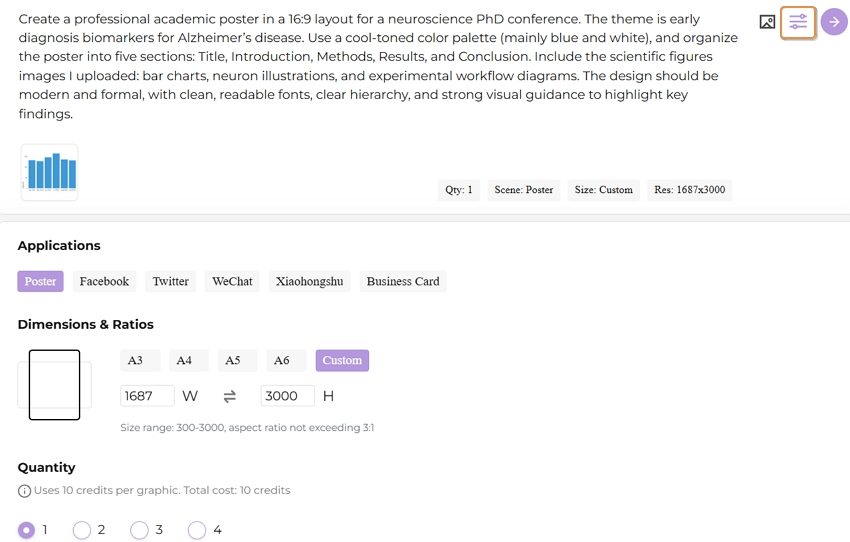
You can configure several settings to customize your poster generation:

  • Aspect ratio: Choose from various dimensions (16:9 landscape for conference display, A4 portrait, etc.)
  • Use case: Select Poster
  • Number of versions: Generate 1-4 variations to compare

set research poster parameters

Step 5: Generate Your Poster

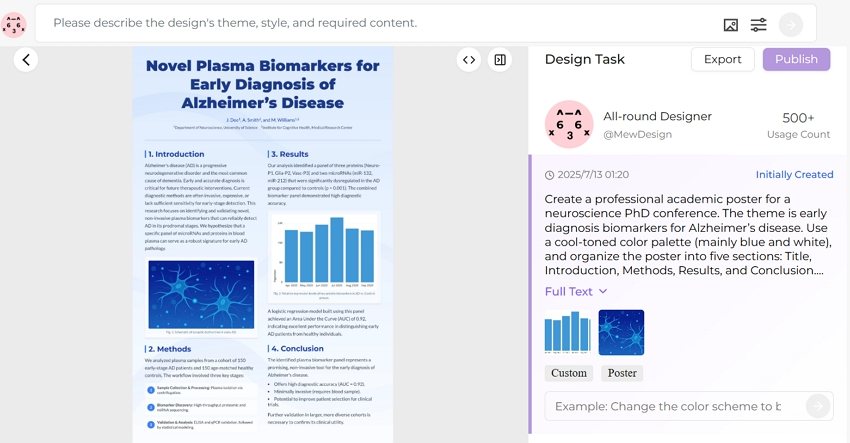
Click the generate button and wait 30-60 seconds while Mew Design creates your academic poster. The AI analyzes your prompt, incorporates your uploaded images, and creates a professionally formatted poster that follows academic presentation standards.

create research poster ai

Step 6: Refine with Natural Language Editing

You can review the generated poster and request adjustments using simple instructions:

  • “Move the university logo to the top right corner”
  • “Make the Results section larger and more prominent”
  • “Change the background to a subtle gradient from light blue to white”
  • “Increase the font size of the conclusion text”

The AI implements these changes while maintaining the overall design integrity and academic formatting standards.

🚀

Create Your First Academic Poster Today

Experience the power of conversational AI design. Transform your research into a professional poster in minutes, not hours.

Start Creating Now

3. Template-Based AI Academic Poster Makers

Section titled “3. Template-Based AI Academic Poster Makers”

For researchers who prefer more structured approaches or need specific template features, several established platforms offer excellent AI-enhanced academic poster creation:

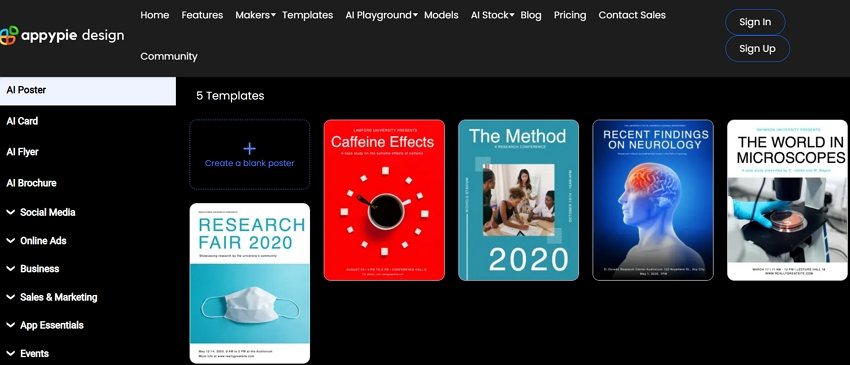
Appy Pie’s Research Poster Maker provides a streamlined approach to academic poster creation with AI assistance. The platform offers templates specifically designed for research presentations and includes features tailored to academic requirements.

ai academic poster generator appypie

Key Features:

  • Research-specific templates
  • AI layout suggestions
  • Easy content customization
  • Academic formatting options

Best For: Researchers who prefer template-based design with AI enhancement and want quick, professional results.

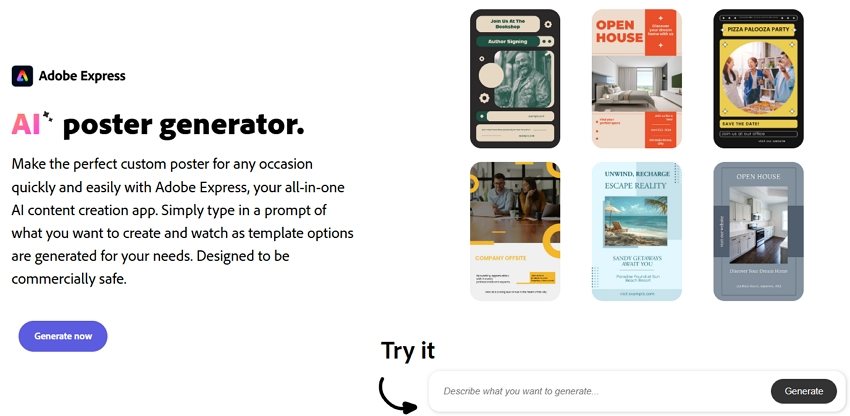
Adobe Express brings professional design capabilities to AI-powered poster creation. The platform offers sophisticated AI features combined with Adobe’s design expertise, making it excellent for researchers who want maximum control over their poster design.

ai academic poster generator adobe

Key Features:

  • Professional-grade design tools
  • AI-powered layout suggestions
  • Creative Cloud integration
  • High-quality export options

Best For: Researchers familiar with Adobe products who want professional design capabilities with AI assistance.

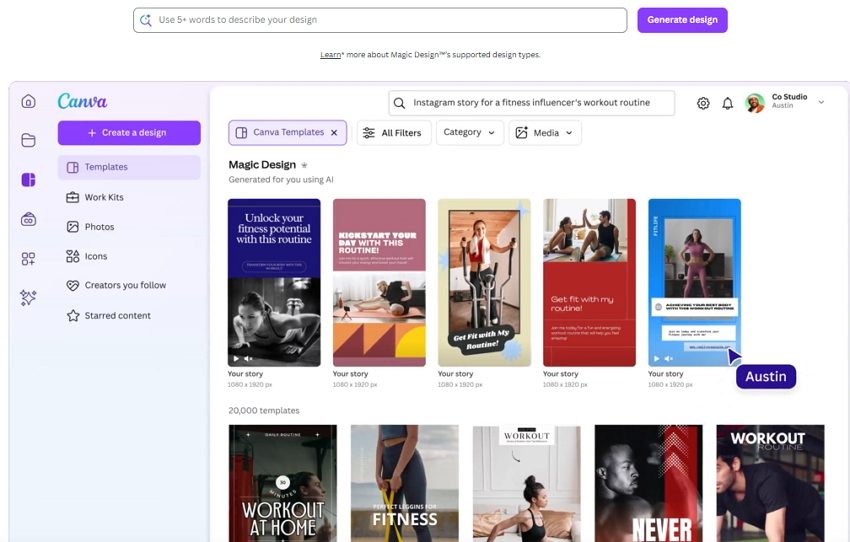
Canva’s AI-powered poster maker has become popular among researchers due to its exceptional ease of use. The platform’s Magic Design feature uses AI to create custom poster layouts while maintaining academic presentation standards.

ai academic poster generator canva

Key Features:

  • Magic Design AI layout generation
  • Extensive scientific asset library
  • Team collaboration tools
  • One-click resizing for different formats

Best For: Researchers who prioritize ease of use and want to create professional posters quickly without extensive design knowledge.

4. Essential Design Principles for Academic Posters

Section titled “4. Essential Design Principles for Academic Posters”

Creating Visual Hierarchy That Guides Readers

Section titled “Creating Visual Hierarchy That Guides Readers”

Effective academic posters guide readers through your research story using clear visual hierarchy. AI academic poster generators excel at implementing these principles automatically, but understanding them helps you make better design decisions.

Title and Header Design: Your poster title should be the most prominent element, typically using the largest font size and positioned at the top center. AI tools automatically suggest appropriate title sizing—usually between 72-100 points—ensuring visibility from several feet away.

Section Organization: Organize your content into clear sections that follow the logical flow of scientific presentation: Background/Introduction, Methods, Results, Discussion, and Conclusions. AI generators understand this structure and automatically create layouts that guide readers through your research narrative.

Content Prioritization: Use font sizes, colors, and spacing to emphasize key findings. Your most important results should be the most visually prominent elements after your title.

Academic posters require careful balance between comprehensive information and visual clarity. AI research poster generators help achieve this balance through intelligent text formatting and layout optimization.

Font Selection and Sizing: Choose clean, professional fonts that remain readable at various distances. Sans-serif fonts like Arial, Helvetica, or Calibri work best for academic posters. AI tools typically suggest font sizes of 24-32 points for body text and 36-48 points for section headers.

Text Density Management: Avoid overwhelming readers with dense text blocks. AI generators automatically suggest optimal text distribution, often recommending bullet points, short paragraphs, and strategic white space to improve readability.

Color and Contrast: Ensure sufficient contrast between text and background colors for optimal readability. AI tools analyze color combinations and suggest adjustments to meet accessibility standards.

Integrating Data Visualizations Effectively

Section titled “Integrating Data Visualizations Effectively”

Scientific posters rely heavily on visual data presentation. For complex data visualization needs, researchers can use specialized AI visualization tools to create charts and graphs, then incorporate these visual elements into their AI academic poster maker as reference images.

Chart and Graph Selection: First, use dedicated data visualization tools to analyze your data types and create appropriate visualizations. For quantitative data, create bar charts or line graphs; for qualitative findings, develop flowcharts or conceptual diagrams using specialized software.

Visual Integration: Once you’ve created your data visualizations, upload them to your AI academic poster generator as reference images. Tag them appropriately (e.g., “data,” “chart,” “graph”) so the AI can position them effectively within your poster layout.

Caption and Labeling: Every visual element should include clear, descriptive captions that explain the data and its significance. AI tools can suggest caption placement and formatting for optimal readability.

5. Best Practices for AI-Generated Academic Posters

Section titled “5. Best Practices for AI-Generated Academic Posters”

Creating effective academic posters with AI tools requires strategic thinking about content organization and presentation. The most successful AI research poster designs tell a clear, compelling story about your findings while maintaining scientific rigor.

Research Narrative Development: Structure your poster content to follow a logical research narrative. Begin with a compelling problem statement, clearly explain your methodology, present results in order of importance, and conclude with implications and future directions.

Key Finding Emphasis: Identify the 2-3 most important findings from your research and ensure these receive prominent visual treatment in your poster. AI tools can help emphasize these elements through strategic use of color, sizing, and positioning.

Audience Consideration: Tailor your content complexity to your expected audience. Conference posters viewed by specialists in your field can include more technical detail than presentations for general academic audiences.

Technical Optimization for Professional Results

Section titled “Technical Optimization for Professional Results”

AI academic poster maker tools offer numerous technical features that can significantly enhance the professional quality of your research presentations when used effectively.

Resolution and Print Quality: Ensure your AI-generated poster meets professional printing standards by selecting appropriate resolution settings. Most academic conferences require posters that can be printed at 150-300 DPI.

File Format Selection: Different presentation contexts require different file formats. AI generators usually offer multiple export options including PDF for printing, PNG for digital display, and editable formats for future modifications.

Size and Dimension Optimization: Academic poster sizes vary by conference and institution, with common dimensions including A0 (33.1” × 46.8”), A1 (23.4” × 33.1”), and custom sizes specified by conference organizers.

Section titled “6. Future Trends in AI Academic Poster Design”

The field of AI academic poster generator technology continues to evolve rapidly, with new capabilities emerging that promise to further streamline the research presentation process.

Enhanced Natural Language Understanding: Future AI tools will offer more sophisticated content analysis capabilities, automatically extracting key findings from research papers and suggesting optimal poster layouts based on content analysis.

Enhanced Data Integration: Emerging AI platforms are developing better integration between data visualization tools and poster generators. Researchers will be able to create charts and graphs using specialized AI visualization tools, then seamlessly incorporate these elements into their poster designs through improved workflow integration.

Real-Time Collaboration Enhancement: Enhanced collaboration features including live editing sessions and AI-powered feedback systems will make team-based poster development even more efficient and effective.

As AI research poster generators become more sophisticated, they’re influencing broader trends in academic communication and presentation standards.

Standardization and Quality Improvement: AI tools are helping establish more consistent quality standards across academic posters, as researchers gain access to professional design capabilities regardless of their individual design skills.

Accessibility and Inclusion: Enhanced AI features focused on accessibility will help ensure that academic presentations are more inclusive and accessible to diverse audiences.

Efficiency and Productivity Gains: As AI tools become more capable, researchers will be able to allocate more time to research activities and less to presentation preparation, potentially accelerating the pace of scientific communication and discovery.

The future of academic poster creation lies in the smooth integration of AI design agents like Mew Design with specialized data visualization tools, creating a comprehensive ecosystem that supports every aspect of research presentation from data analysis to final poster design.

The 7 Best Free AI Poster Generators in 2025

best free ai poster generator

Generated using mew.design

In recent years, artificial intelligence has evolved from a futuristic concept into a practical tool reshaping the creative world. Design—once dominated by professionals using complex software—is now more accessible than ever. Leading this shift are AI poster generators, which transform simple text prompts into visually stunning posters.

Whether you’re a marketer in need of campaign graphics, a student preparing for a presentation, or a small business owner promoting an event, finding the right AI tool can be a game-changer. This guide explores the best free AI poster generators available in 2025 to help you bring your ideas to life quickly and beautifully.

Top 7 Free AI Poster Generators In-Depth Reviews

Section titled “Top 7 Free AI Poster Generators In-Depth Reviews”

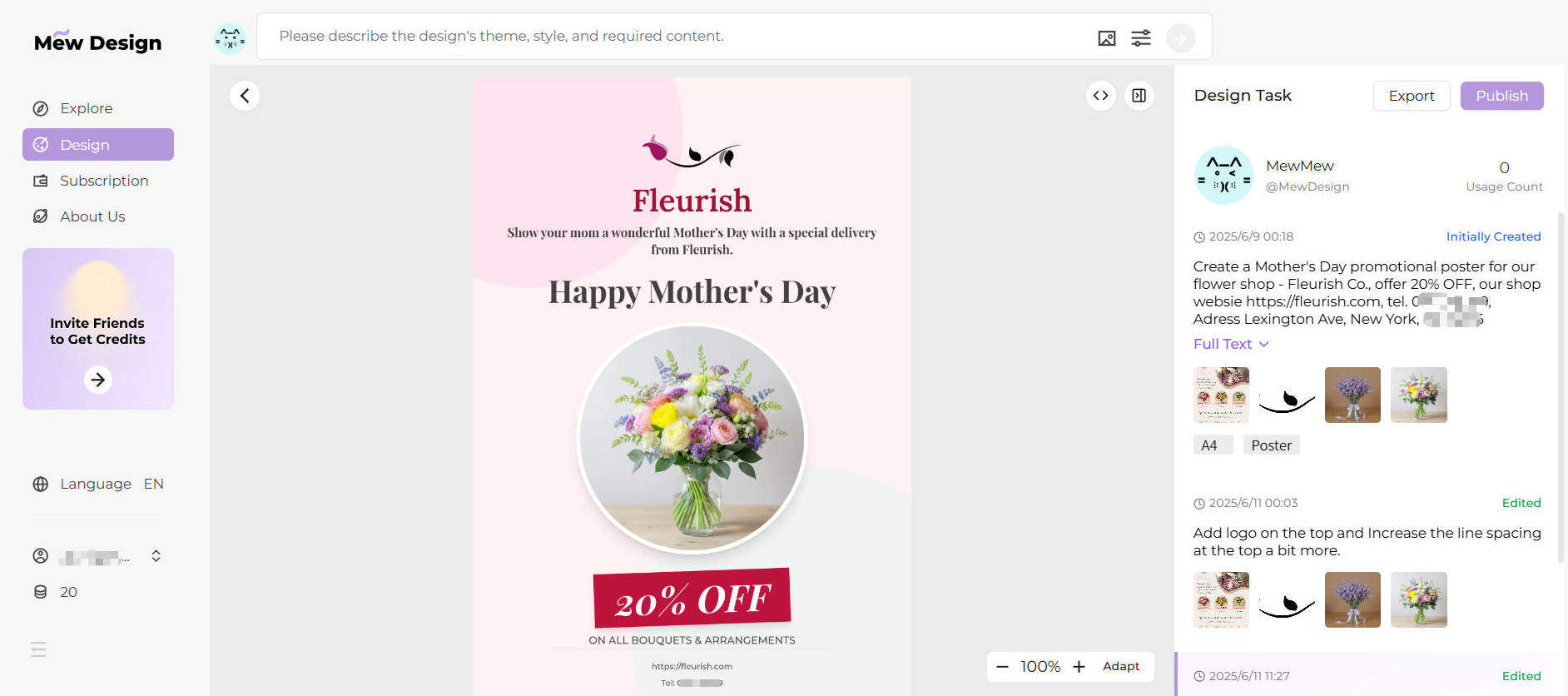
Mew Design isn’t just another AI design tool—it redefines what AI-generated visual content can be. While many platforms rely on basic text-to-image models, Mew Design operates as a free AI-powered graphic design agent. Instead of generating a single image from a prompt, it simulates how a real design team would work. Each poster design is the result of collaboration between specialized AI agents, each handling a different aspect—typography, layout, visual style, brand identity, etc.—and then coordinated by a central supervisory agent.

mew design free ai poster generator

This agent-based structure allows Mew Design to generate smart, cohesive, and brand-aware poster designs. Because the system generates posters as code (not just pixels), it offers much more precise control over typography, layout, image positioning, and color use—something generic image generators cannot achieve.

Mew Design is built on a powerful, layered design model. When you describe your poster, it breaks your request into distinct tasks, each handled by an AI agent with a specific design focus (e.g., color theory, branding, layout, illustration). These agents collaborate under the supervision of a coordination agent that ensures the final result is unified and matches your intent.

Instead of editing templates, users simply describe what they want: “A movie poster with a dark cinematic background, large title at the top, product image in the center, and our logo in the bottom-right corner.” Mew Design then produces multiple complete versions you can tweak via follow-up prompts. For detailed movie poster creation guidance, check out our comprehensive guide to free AI movie poster generators.

create poster with ai mew design

  • Conversational AI Workflow: You don’t need to touch a design tool—just describe your vision, and the system handles the rest.
  • Meow Designers (Specialist AI Agents): Choose agents trained in specific aesthetics (e.g. ‘Tech Meow’, ‘Vintage Meow’) or train a custom agent to match your brand’s identity.
  • Intelligent Text Integration: Mew Design doesn’t just add text—it composes it. Fonts, positioning, hierarchy, and legibility are all optimized like a professional designer would.
  • Deep Natural Language and Visual Understanding: Backed by large language models, Mew Design can understand complex user intent through text, and also analyze uploaded reference images to detect logos, color schemes, object focus, and layout. It can replicate the style of an uploaded image or seamlessly integrate your product photo, logo, or QR code into the design.
  • Precision Code-Based Output: Posters are not just generated visually—they’re structured as code, enabling pixel-perfect alignment, dynamic spacing, and modular editing.
  • Design output is dynamic, modular, and scalable—not just static images.
  • Agent-based architecture delivers more robust and consistent results.
  • Smart use of user-uploaded assets (backgrounds, logos, product shots, etc.)
  • True natural language design workflow.
  • 200 free credits on signup (≈ 20 designs) + bonus credits via referrals.
  • Every revision or variation consumes credits.
  • Currently limited to PNG export (PDF, SVG in development).

2. Canva – The Template Titan with Growing AI Power

Section titled “2. Canva – The Template Titan with Growing AI Power”

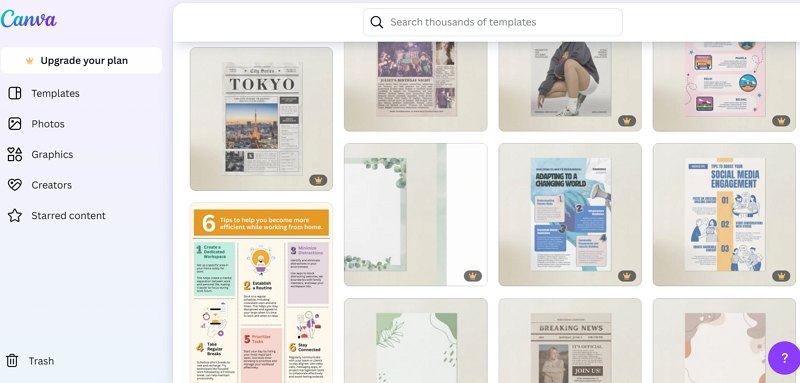
Canva has long been a favorite free online poster design platform among non-designers and professionals alike, known for its clean interface and vast template library. With the integration of AI tools like Magic Media and Magic Switch, Canva has significantly upgraded its automation capabilities. While it’s still largely template-driven, the experience is now more flexible and adaptive than ever—making it a strong contender among the best free AI poster generator tools.

canva free ai poster maker

Canva is built around an intuitive drag-and-drop editor. Users can start from a blank canvas or choose from thousands of templates tailored to formats like posters, social media posts, flyers, and presentations. Its AI tools now allow for basic text-to-image generation and auto-formatting of visual assets. Canva is ideal for creating free AI poster designs that are quick, clean, and collaborative.

Where Canva shines is in collaborative, template-based design, making it ideal for users who want fast results without learning complex tools. AI suggestions enhance speed but don’t generate complete original designs from scratch like Mew Design does.

  • Magic Media: Canva’s text-to-image generator that supports various illustration styles.
  • Template Library: Thousands of professionally designed layouts you can customize.
  • Magic Switch: Resize any design for different platforms with one click (Pro feature).
  • Brand Kits: Save and apply brand colors, logos, and fonts across projects.
  • Collaborative Editing: Real-time team collaboration on shared designs.
  • Extremely beginner-friendly interface.
  • Huge variety of templates and assets.
  • Great for teams and collaborative workflows.
  • Rapid design speed for standard formats.
  • AI tools are still supplementary, not central.
  • Output quality depends heavily on template choice.
  • Limited free-tier AI credits; many features require Pro.
  • Not suitable for users seeking fully original, template-free designs.

3. Adobe Express – Speed and Power from a Creative Giant

Section titled “3. Adobe Express – Speed and Power from a Creative Giant”

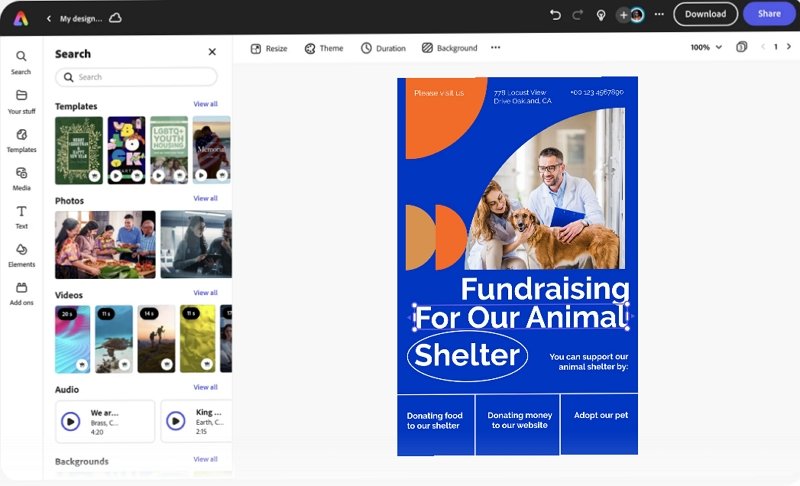
Adobe Express, formerly Adobe Spark, integrates Adobe’s generative Firefly AI with user-friendly design workflows. As one of the most trusted platforms for online AI poster generator solutions, it brings powerful features from the Adobe ecosystem to non-designers, making it easier than ever to create a poster with AI while maintaining high quality.

adobe express free online ai poster generator

Users can start from templates or build from scratch. Firefly AI powers image generation, text effects, and content editing. Quick Actions enable users to remove backgrounds, resize assets, or convert video formats instantly—all from the browser.

It’s best suited for professionals who want to create fast, high-quality content for social media, events, or marketing campaigns, especially if they already use other Adobe tools.

  • Firefly Text-to-Image Generator
  • Generative Fill for smart background editing
  • Quick Actions for image, video, and layout tasks
  • Creative Cloud Integration
  • Brand Templates and Libraries
  • High design quality and feature depth
  • Fast content creation with smart AI tools
  • Ideal for users in the Adobe ecosystem
  • Free plan includes strong core features
  • Monthly credit limit for generative AI features
  • Slightly steeper learning curve than Canva
  • Mobile UI can feel less responsive

4. Venngage – The Business Poster and Infographic Specialist

Section titled “4. Venngage – The Business Poster and Infographic Specialist”

Venngage stands out as a top free AI poster maker for creating professional, data-driven visuals like reports, infographics, and event posters. While it doesn’t offer full image generation like Mew Design or Canva, its AI and design automation tools are tailored for structured, brand-consistent outputs.

venngage free ai poster maker

Venngage is designed for business users who need visual storytelling. Its AI design generator can build layouts from prompts or reuse brand assets consistently across materials. Charts, icons, and data-driven visuals are its key strengths.

  • AI Design Generator for layouts
  • My Brand Kit for style consistency
  • Extensive icon and illustration library
  • Data Visualization Tools for clear infographics
  • Professional, polished results ideal for business
  • Great support for charts and visual data
  • Brand kits make content production fast and cohesive
  • Free plan is limited and mostly a preview
  • Not built for creative or artistic posters
  • No AI image generation capabilities

5. Visme – Interactive, Animated, and Customizable

Section titled “5. Visme – Interactive, Animated, and Customizable”

Visme focuses on interactive content, offering animated posters, presentations, and infographics. While not a full online AI poster generator, it does offer free AI poster design assistance for layouts and design balance.

visme free ai poster design assistance

Visme offers more control and flexibility than Canva but requires more manual input. You can create rich visual content by assembling charts, icons, animations, and imported assets. AI helps speed up formatting and design balance.

  • AI Designer suggests layouts and visual balance
  • Animations and interactive graphics
  • Brand Kit tools
  • Deep customization for advanced users
  • Ideal for animated and presentation-style posters
  • Flexible tools for data-rich visuals
  • Greater customization than most tools
  • Free users cannot export designs
  • AI tools are more assistive than generative
  • Learning curve is higher for casual users

6. Piktochart – Clean, Data-First Poster Creation

Section titled “6. Piktochart – Clean, Data-First Poster Creation”

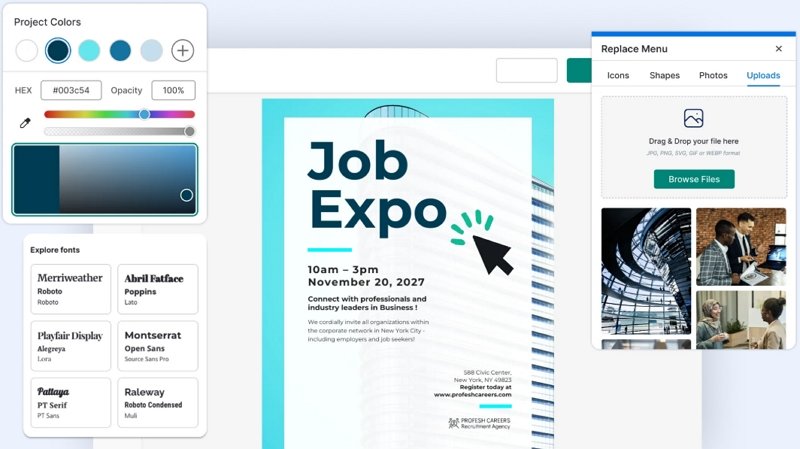
Piktochart excels in turning structured data into clean, informative posters and infographics. It’s especially useful for users seeking a free download of AI-generated poster design files, with a strong focus on clarity and communication.

piktochart free online ai poster design tool

It allows users to import text or spreadsheet data and transforms it into organized visuals. Its AI focuses on information hierarchy, clarity, and visual alignment—making it perfect for non-designers communicating complex topics.

  • AI-Powered Layout and Design Suggestions
  • Google Sheets Integration for live data sync
  • Icon, chart, and infographic templates
  • Fast, structured visual design for data-heavy use cases
  • Strong educational and corporate applications
  • Clean, readable output
  • Free tier includes watermarks and download limits
  • Minimal creative or visual variety
  • Not built for marketing or stylized poster use

7. VEED.IO – Fast Video and Simple Posters in One

Section titled “7. VEED.IO – Fast Video and Simple Posters in One”

Though primarily a video editor, VEED.IO now includes a basic online AI poster generator. It’s best for creators who want a fast visual to pair with their video content and need a free AI poster maker without the bells and whistles.

veed io free online ai poster generator

Its AI generator takes basic prompts and produces simple poster layouts—often social-friendly thumbnails or digital flyers. Poster design is not its core focus, but it’s useful for quick turnarounds.

  • Basic AI Poster Generation
  • Video Editor Integration
  • Browser-based and cloud synced
  • Extremely easy for beginners
  • No installation required
  • Good for creators already using VEED.IO
  • Posters include watermarks on free plan
  • Minimal layout control or creativity
  • Not suitable for professional design tasks

Comparison Table of the 7 Best Free AI Poster Generators

Section titled “Comparison Table of the 7 Best Free AI Poster Generators”
ToolApproachBest ForAI StrengthsFree LimitsRating
Mew DesignConversational Generative AIOriginal, brand-aware postersComplete design generation200 credits (≈20 designs)⭐⭐⭐⭐⭐
CanvaTemplate-based w/ AI assistQuick, collaborative designsLayout suggestions, image generationLimited AI credits⭐⭐⭐⭐☆
Adobe ExpressAI-enhanced templatesAdobe users, professional contentFirefly image generationMonthly credit limits⭐⭐⭐⭐☆
VenngageBusiness-focused designsReports, infographicsLayout automationHeavily restricted free tier⭐⭐⭐☆☆
VismeInteractive/animated contentPresentations, animated postersDesign balance suggestionsNo export on free tier⭐⭐⭐☆☆
PiktochartData visualizationInformative, data-driven postersAutomated data-to-visual conversionWatermarks, download limits⭐⭐⭐☆☆
VEED.IOVideo-centric w/ poster extrasContent creators, video thumbnailsBasic poster layoutsWatermarks, limited features⭐⭐☆☆☆

Conclusion: Which Free AI Poster Generator Should You Choose?

Section titled “Conclusion: Which Free AI Poster Generator Should You Choose?”

Choosing the right AI poster design tool depends on your needs. If you’re searching for the best free AI poster generator with powerful features and smart automation, Mew Design leads the pack. It enables you to create customized, stunning visuals using both prompts and images—with no prior design skills.

  • Want an online AI poster maker that supports deep creative control? Try Mew Design.
  • Need a free AI poster design tool that’s fast and collaborative? Canva is excellent.
  • Looking to download a poster design AI file free? Most tools offer PNG files; SVG or PDF may require upgrades.
  • For infographic-heavy posters, Venngage or Piktochart offer excellent structure.
  • And if you’re creating content for video or social, VEED.IO delivers fast results.

No matter your project, these tools offer a smarter, faster way to design.

🚀

Ready to Create Posters With AI?

Thanks for choosing Mew Design — Let AI boost your creative journey.

What is the best free AI poster generator?

Mew Design is the top choice. It offers 200 free credits upon signup, which covers about 20 custom posters. No watermarks, no templates—just original poster designs generated from your prompt. The best part is that you can adjust the generated poster’s typography, layout, style, and more with follow-up prompts.

Can I use these AI-generated posters commercially?

Yes, but check each platform’s licensing. Mew Design, Canva, and Adobe Express allow commercial use of generated content. However, be aware that you may not hold exclusive copyright to AI-generated images, as similar outputs could be generated for other users. Always review the licensing agreement before using designs in a commercial project.

Do I need any design experience to use an AI poster maker?

Not at all. The primary advantage of the best AI poster maker tools is that they eliminate the need for technical design skills. Platforms like Mew Design are built around natural language input—just describe what you want, upload your logo or image, and the AI handles layout, typography, and composition. Mew Design’s vision is simple yet powerful: Design Freedom for All. Whether you’re a complete beginner or a creative professional, the tool makes high-quality design accessible, fast, and intuitive.

Can I get a poster design AI file free download from these tools?

Yes, most free AI poster generators like Mew Design and Canva let you export PNG files. To access vector files like SVG or PDF, a paid plan may be required.

Which online AI poster generator offers the most flexibility?

Mew Design. Unlike image-only generators, it understands layout, typography, and branding—and works like a real designer agent.

How much does it cost to use these tools?

All the tools listed have a free plan, but the limitations vary greatly.

  • Credit-Based: Mew Design and Piktochart give you a set number of free credits.
  • Feature-Limited: Canva and Adobe Express limit access to premium features and assets.
  • Output-Limited: Visme, VEED.IO, and Piktochart place the most severe restrictions on their free plans, either by adding watermarks or preventing downloads altogether, pushing you toward a paid subscription for any practical use.
Which AI poster maker is best for beginners?

Mew Design and Canva. Both are intuitive and beginner-friendly. Mew Design is especially useful for those who want original posters without using templates.

Can these AI tools create posters with specific text and information?

Yes, but some are better than others. This is where Mew Design truly excels. Its AI is built to intelligently integrate text—like dates, locations, and slogans—into the design in a visually coherent way. While other tools can add text, they often struggle with placement and typography in a fully automated workflow.