

GPT Image 2: Official Release, Features, and Free Trial
Has GPT Image 2 launched?
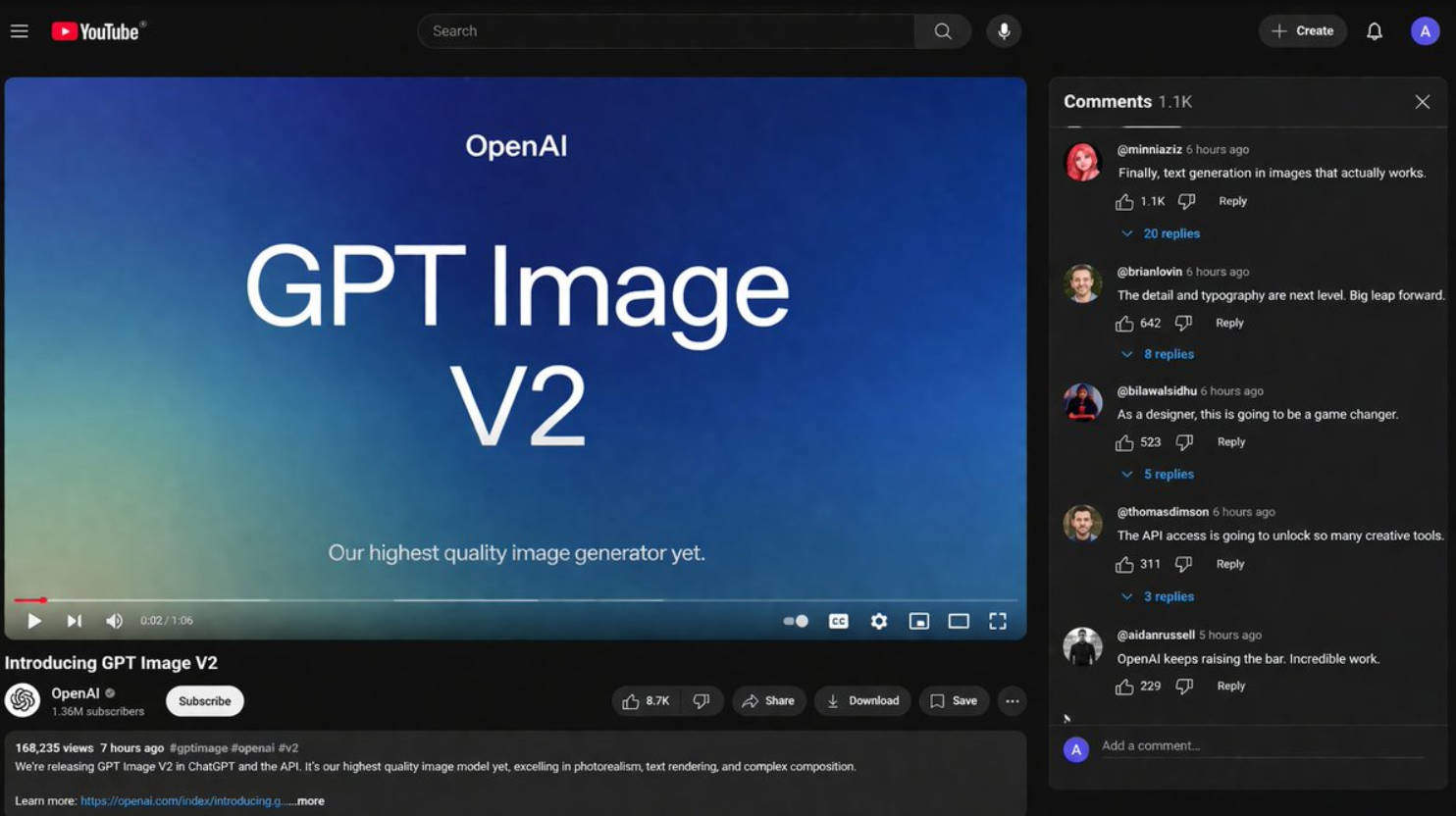
Yes — GPT Image 2 is now officially launched by OpenAI. OpenAI’s public site now features an official product announcement for ChatGPT Images 2.0, and OpenAI’s developer documentation includes a dedicated official model page for GPT Image 2. That is a major change from the earlier rumor phase, when discussion mostly came from A/B tests, LM Arena sightings, and third-party reporting rather than formal product documentation.
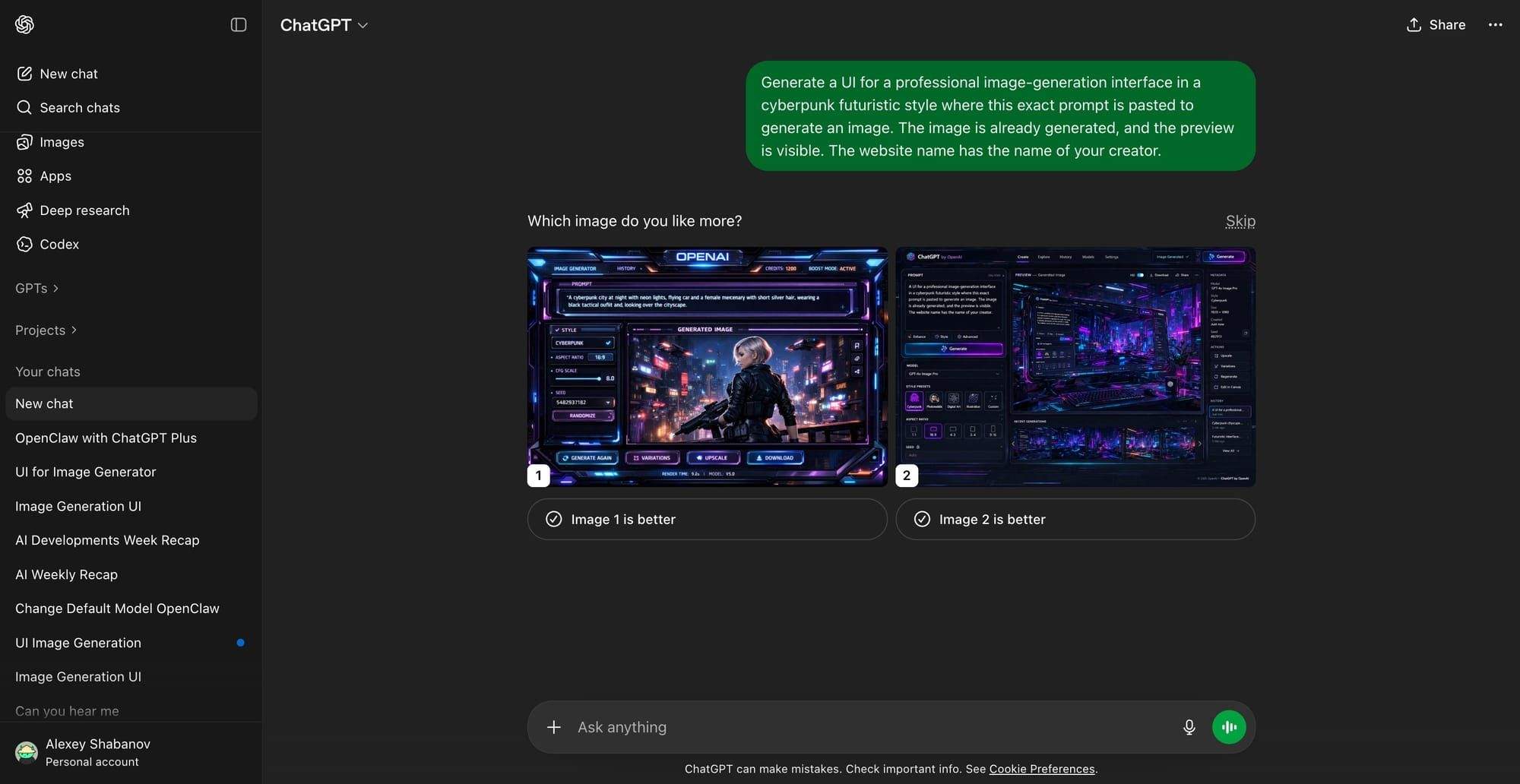
Early GPT Image 2-style sample that circulated during the rumor phase, before the official launch. Source: testingcatalog.com
That means the rumor stage is over. GPT Image 2 is now part of OpenAI’s official image stack, and the new baseline is no longer “maybe in testing,” but officially available as OpenAI’s latest image generation model.
Try GPT Image 2 Free on Mew Design
Mew Design - AI Design Agent has already integrated GPT Image 2 AI model. You can try it now for free: new users can get 50 free credits, and image credits vary with the quality and size you choose. Just add “use gpt-image-2” in your prompt and the AI agent will generate images using GPT Image 2 model.
Try GPT Image 2 on Mew Design
What OpenAI officially says now
Section titled “What OpenAI officially says now”The clearest proof is OpenAI’s official launch and documentation footprint. On OpenAI’s site, Introducing ChatGPT Images 2.0 is listed as a product release dated April 21, 2026. Meanwhile, the official developer docs now have a public model page for GPT Image 2, where OpenAI describes it as a “State-of-the-art image generation model” with highest performance and medium speed. The model page also lists the public snapshot gpt-image-2-2026-04-21, which is strong evidence that this is not just a private test label but an official released model name.
OpenAI’s current image generation guide also now treats GPT Image 2 as the latest GPT Image model in the lineup. The guide states that developers can generate images from scratch, edit existing images, use reference images, work with masks, and build multi-turn image workflows through the Responses API. It also highlights streaming partial images, flexible image inputs, and iterative high-fidelity editing inside conversational flows.
Search results tied to OpenAI’s launch materials additionally describe the release as a new era of image generation with improved text rendering, multilingual support, and advanced editing. That closely matches what users had previously expected from the rumored next-generation GPT Image model.

Official GPT Image example from OpenAI’s image generation guide. Source: developers.openai.com
Quick comparison table: GPT Image 1 vs GPT Image 1.5 vs GPT Image 2
Section titled “Quick comparison table: GPT Image 1 vs GPT Image 1.5 vs GPT Image 2”The best way to understand the launch is to compare GPT Image 2 against the previous public baselines rather than against rumor-era expectations.
| Area | GPT Image 1 | GPT Image 1.5 | GPT Image 2 |
|---|---|---|---|
| Official status | Official public model | Official public model | Official latest public model |
| OpenAI positioning | GPT Image family model for generation and editing | Improved image generation model with better instruction following and prompt adherence | State-of-the-art image generation model |
| Public documentation | Yes | Yes | Yes |
| Official model page | GPT Image 1 | GPT Image 1.5 | GPT Image 2 |
| Image generation | Yes | Yes | Yes |
| Image editing | Yes | Yes | Yes |
| Multi-turn workflows | Supported via GPT Image tooling | Supported | Supported and emphasized in the current guide |
| Reference-image workflows | Supported | Supported | Supported with high-fidelity image input handling |
| Flexible output sizes | More limited by older-era expectations | Supported | Supports flexible sizes up to 4K-class resolutions within OpenAI’s constraints |
| Transparent background support | Supported on some GPT Image family workflows | Supported on some workflows | Not currently supported |
| Current public baseline | Older | Previous latest | Current latest |
This comparison matters because many users still search for “GPT Image 2 vs GPT Image 1.5.” The simple answer is that GPT Image 2 is now the official next step in OpenAI’s public image model line, replacing rumor-based comparisons with a documented release and current API support.
Want to test GPT Image 2 without setting up the API?
Mew Design already offers a live GPT Image 2 workflow. New users can get 50 free credits, and image credits vary with the quality and size you choose. That makes it one of the easiest ways to test GPT Image 2 for posters, product images, UI screens, and social assets.
Explore GPT Image 2
From rumors to release: what changed
Section titled “From rumors to release: what changed”Before launch, the GPT Image 2 story was driven by indirect signals: LM Arena appearances, code names, mobile app strings, and reported ChatGPT A/B tests. That earlier evidence now reads more like a pre-launch trail than a false alarm. The important difference is that users no longer have to infer the model’s existence from leaks or third-party reporting. OpenAI now publicly acknowledges the new generation through a release post and a model page.
So the updated timeline looks like this: first there were community sightings and speculation, then OpenAI formally launched ChatGPT Images 2.0, and now GPT Image 2 appears in the official developer docs as the latest state-of-the-art image generation model. That turns the old question “Has GPT Image 2 launched?” into a settled one. Yes, it has.
GPT Image 2 vs GPT Image 1.5: what the upgrade looks like now
Section titled “GPT Image 2 vs GPT Image 1.5: what the upgrade looks like now”The biggest difference is no longer just community hype. GPT Image 2 is now OpenAI’s official latest model, and the current image generation guide describes it as the newest GPT Image option for image creation and editing workflows. It supports single-image generation, image editing, reference-image generation, mask-based edits, multi-turn iteration, flexible image inputs, and streaming partial results.
1. Better support for practical image workflows
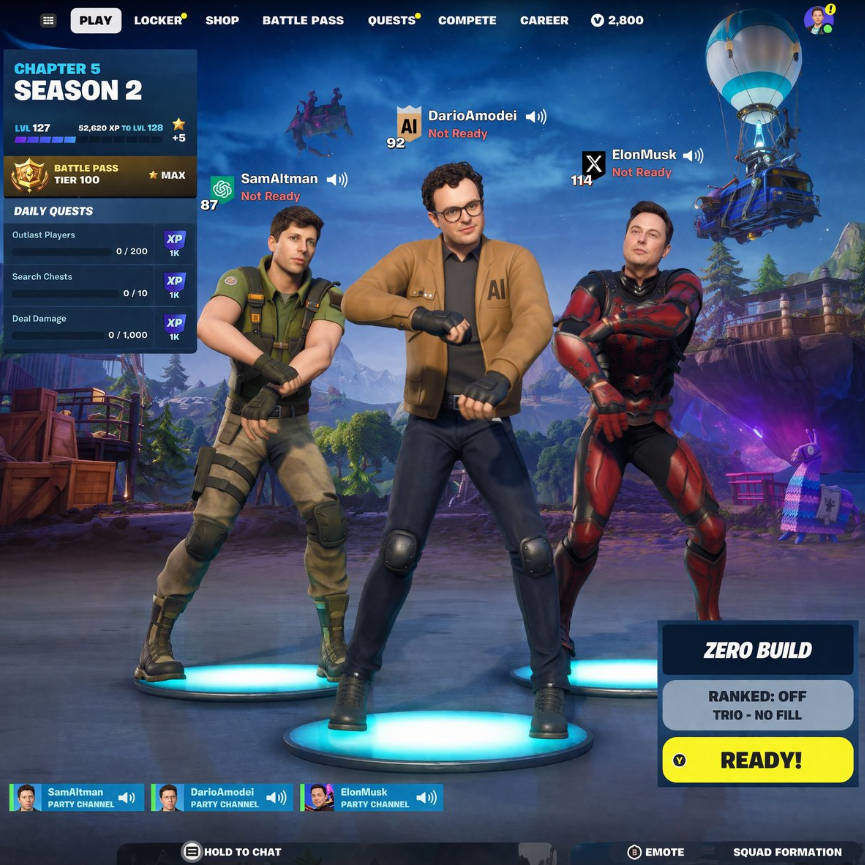
Section titled “1. Better support for practical image workflows”OpenAI’s current guide makes GPT Image 2 feel more production-oriented than earlier rumor coverage suggested. It is documented not just as a model for one-shot generation, but as part of broader workflows: iterative editing, use of prior conversation context, reference-image generation, and image masking. That is especially relevant for teams building creative tools, internal design systems, or UI-heavy products rather than simply generating standalone art.
Source: X
2. Stronger image-input handling
Section titled “2. Stronger image-input handling”One important technical detail is that GPT Image 2 processes image inputs at high fidelity automatically. The docs explicitly say the input_fidelity parameter should be omitted for GPT Image 2 because the model already handles image inputs at high fidelity by default. In practice, that is a meaningful signal for editing and reference-image workflows where preserving important details matters.
Source: X
3. Flexible sizes, including 4K-class outputs
Section titled “3. Flexible sizes, including 4K-class outputs”OpenAI’s guide says GPT Image 2 accepts flexible output sizes as long as they fit the model’s constraints, with examples including 3840x2160 and 2160x3840. That supports a wider range of production scenarios such as posters, presentation visuals, landscape hero images, and portrait marketing assets.
4. Still improved, but not perfect
Section titled “4. Still improved, but not perfect”The launch does not mean every previous weakness is gone. OpenAI’s guide still warns about limitations, including latency on complex prompts, occasional issues with text rendering, possible consistency challenges across recurring brand elements or characters, and composition-control imperfections. So the right framing is not “perfect image generation,” but a more capable and more practical official model with clear workflow advantages.
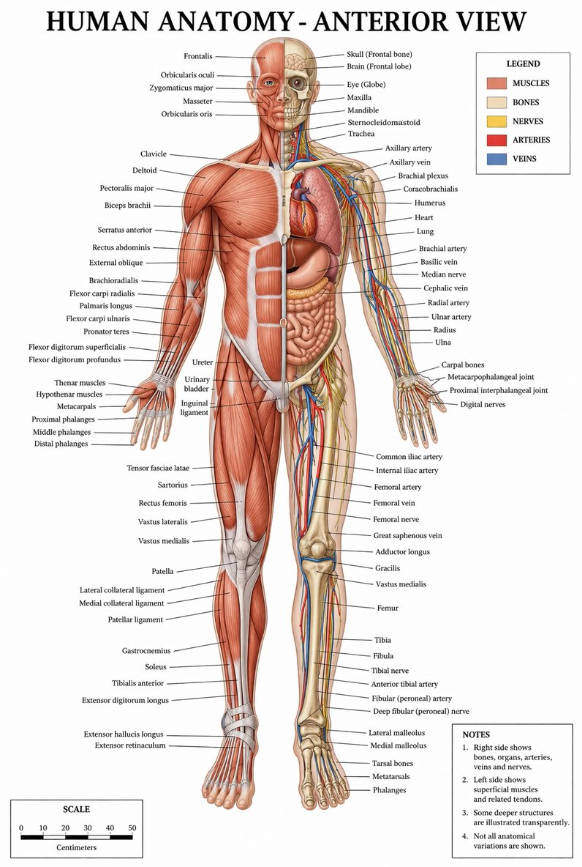
Early community example highlighting the text-rendering direction that GPT Image 2 became known for. Source: X
Why Mew Design matters now that GPT Image 2 is live
Section titled “Why Mew Design matters now that GPT Image 2 is live”Now that GPT Image 2 is official, the next question is practical: where can people actually try it without building their own API workflow? Mew Design’s live page answers that directly. The platform says “GPT Image 2 Is Live on Mew Design [Try It Now for Free]” and describes Mew Design as an AI Design Agent that automatically selects the right design tools and models for the task. It also says users can generate and refine visuals in one workspace instead of switching between separate tools.
Mew Design’s GPT Image 2 page highlights the most commercially relevant use cases: posters, ads, product images, presentation-style visuals, UI mockups, infographics, paid social creatives, email graphics, and editable marketing assets. That positioning is useful because it maps GPT Image 2 to real business use cases, not just image-model curiosity.
The same page also notes that new users can get 50 free credits to try it, with image credits based on the quality and size they choose. Its GPT Image 2 prompt guide says people who want to explicitly target the model can add “Use gpt-image” to the prompt, while Mew Design’s separate prompt-template page also shows a use gpt-image-2 pattern in examples.
Use GPT Image 2 on Mew Design for real design tasks
Mew Design positions GPT Image 2 for text-accurate posters, UI mockups, product hero images, infographics, social ads, and iterative image edits. If you want to explicitly use the model, start your prompt with “Use gpt-image” or “use gpt-image-2”.
Try It Now
Best-fit use cases for GPT Image 2 right now
Section titled “Best-fit use cases for GPT Image 2 right now”Based on OpenAI’s current documentation and Mew Design’s live positioning, GPT Image 2 is especially well suited to practical visual tasks rather than only artistic experimentation. The strongest categories include:
- marketing posters and launch creatives
- UI mockups and dashboard concepts
- product hero images and e-commerce assets
- infographic-style structured layouts
- iterative edits to existing images
- reference-based visual generation
- multi-step conversational design refinement
That matters because the public conversation around GPT Image 2 was always centered on usefulness: clearer text, better layout control, and more convincing interface-style imagery. Now, with the official launch in place, that usefulness is backed by documented workflows rather than speculation alone.
FAQs about GPT Image 2
Section titled “FAQs about GPT Image 2”Is GPT Image 2 officially available now?
Yes. OpenAI now has both an official product announcement for ChatGPT Images 2.0 and an official developer model page for GPT Image 2.
Is GPT Image 2 the current latest OpenAI image model?
Yes. OpenAI’s current image generation guide refers to GPT Image 2 as the latest GPT Image model in the lineup.
How is GPT Image 2 different from GPT Image 1.5?
The most important difference is status and generation. GPT Image 1.5 was the previous public baseline, while GPT Image 2 is now the officially documented latest model. OpenAI’s current guide also emphasizes GPT Image 2 in modern workflows such as multi-turn editing, reference-image generation, flexible sizing, and high-fidelity image input handling.
Can GPT Image 2 edit existing images?
Yes. OpenAI’s image generation guide documents image edits, mask-based edits, and reference-image workflows for GPT Image models, including GPT Image 2.
Does GPT Image 2 support transparent backgrounds?
Not currently. OpenAI’s guide explicitly says GPT Image 2 does not currently support transparent backgrounds.
Can I try GPT Image 2 for free on Mew Design?
Mew Design’s GPT Image 2 page says users can try it now for free: new users can get 50 free credits, and image credits vary with quality and size.
What is Mew Design using GPT Image 2 for?
Mew Design positions GPT Image 2 for posters, UI mockups, product images, infographics, social ads, presentation visuals, and other editable marketing or design assets created through its AI Design Agent workflow.
Final answer
Section titled “Final answer”So, has GPT Image 2 launched? Yes — officially. OpenAI has now publicly launched ChatGPT Images 2.0 and documented GPT Image 2 as its latest state-of-the-art image generation model. The conversation has moved from rumor tracking to real-world evaluation: how well it handles text, editing, reference images, structured layouts, and production workflows.
And if the practical question is “Where can I try it right now?”, Mew Design already has a live GPT Image 2 experience, including free credits for new users and a dedicated page for testing the model on real design tasks.