
Skip to content

Blog

Free AI Movie Poster Generator: Create a Film Poster Quickly With AI

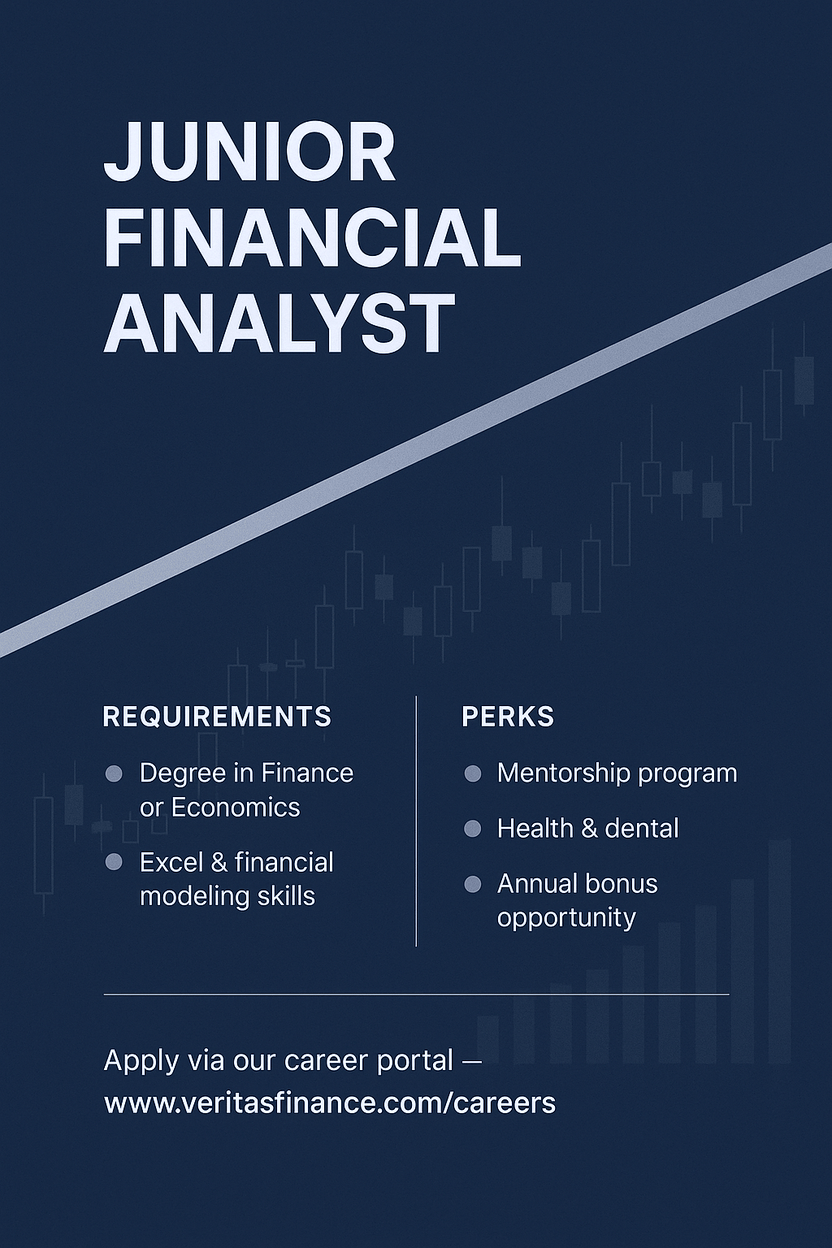
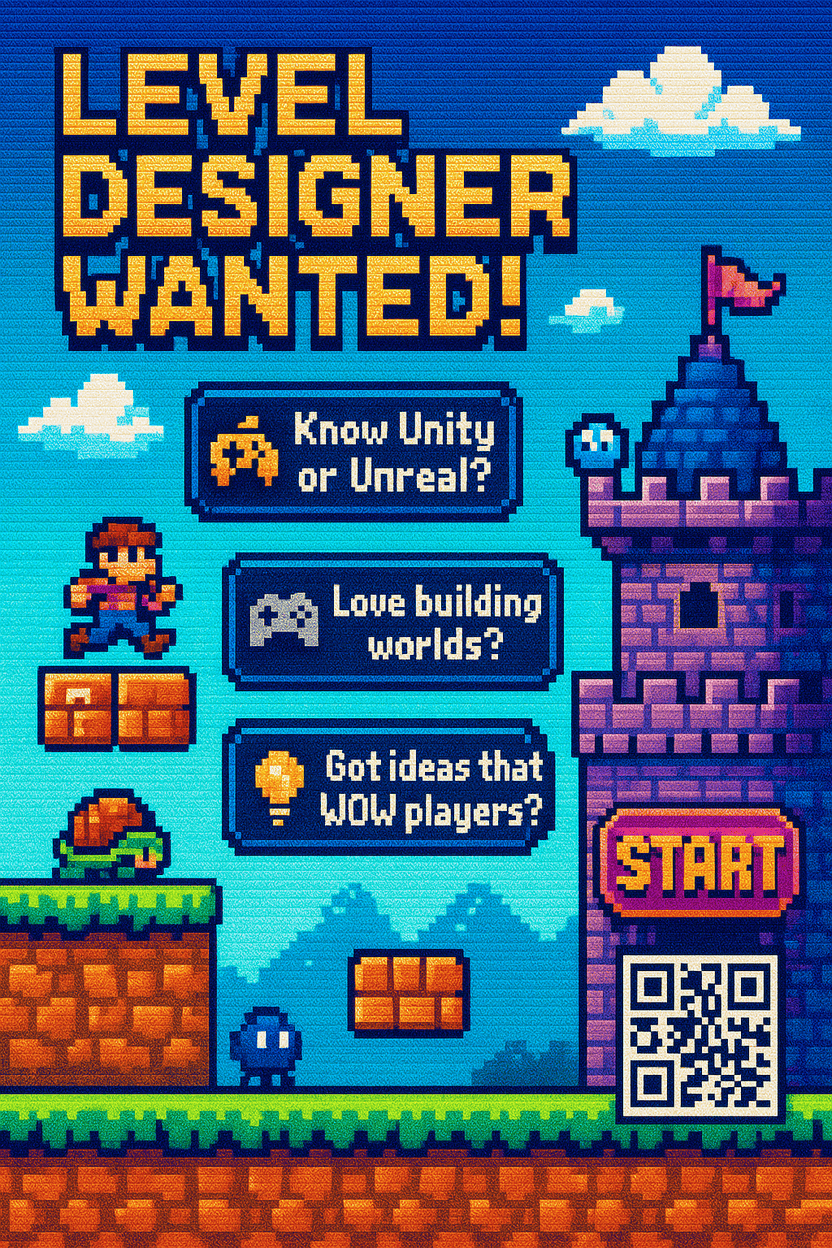
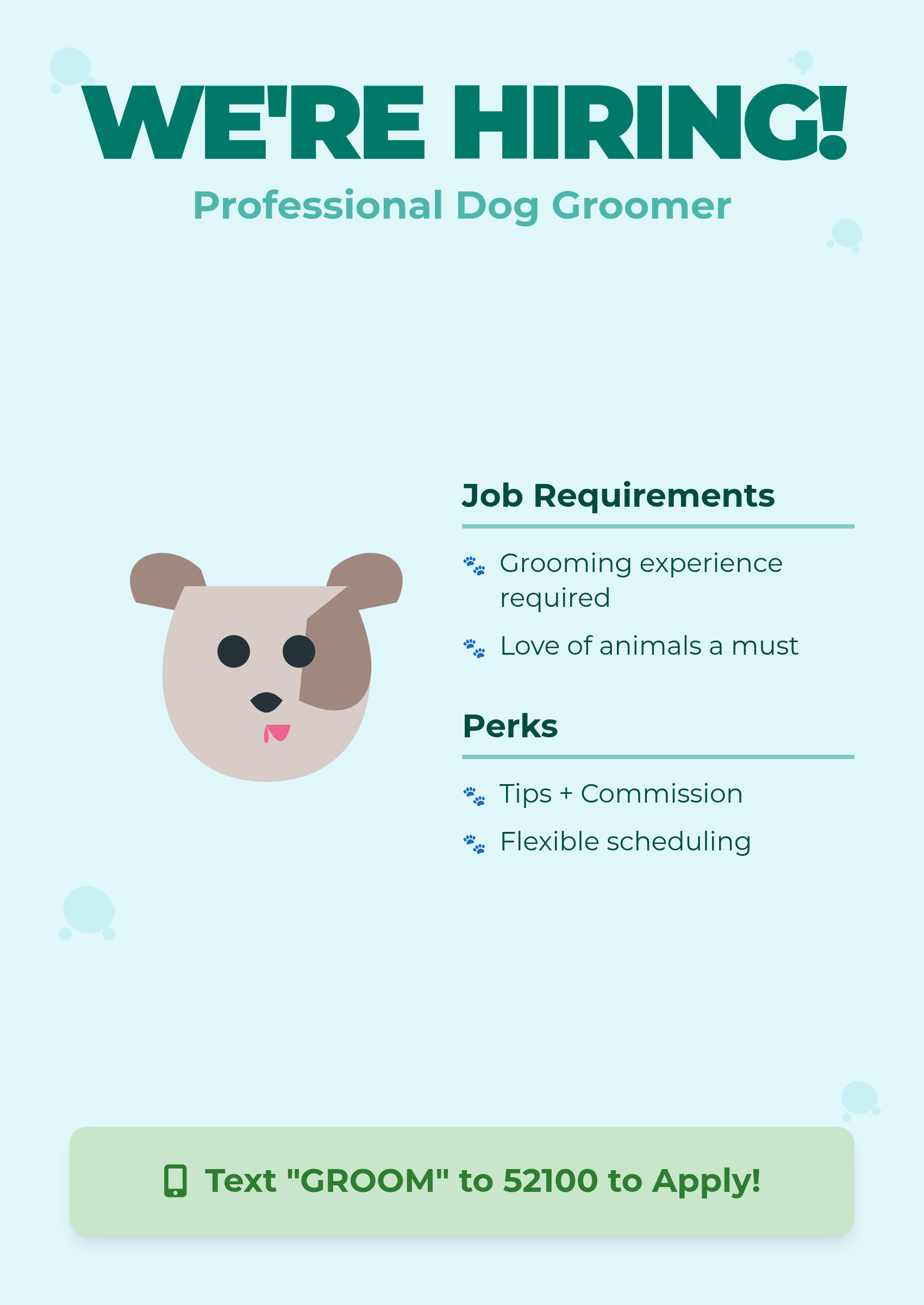
ai movie poster generator free

Generated using mew.design

Are you an indie filmmaker struggling to create eye-catching movie posters that capture your film’s essence? Or perhaps you’re a creative enthusiast looking to bring your cinematic ideas to life without breaking the bank? The challenge of creating professional-quality movie posters has traditionally required expensive design software or hiring professional designers.

Fortunately, AI movie poster generator free tools have revolutionized film marketing, enabling filmmakers and creatives to create stunning movie posters with AI assistance that produces Hollywood-quality results in minutes rather than hours. These innovative platforms democratize movie poster design, making professional visual marketing accessible to everyone.

1. Mew Design: The Ultimate Free AI Movie Poster Creator

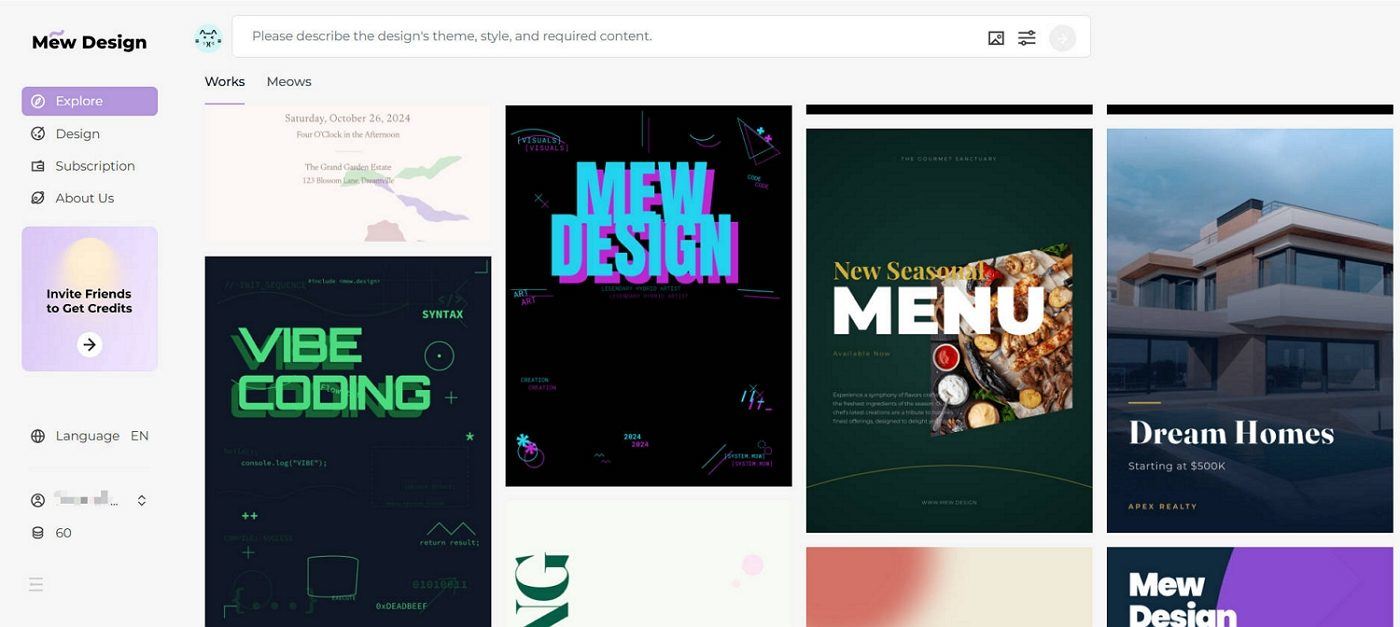
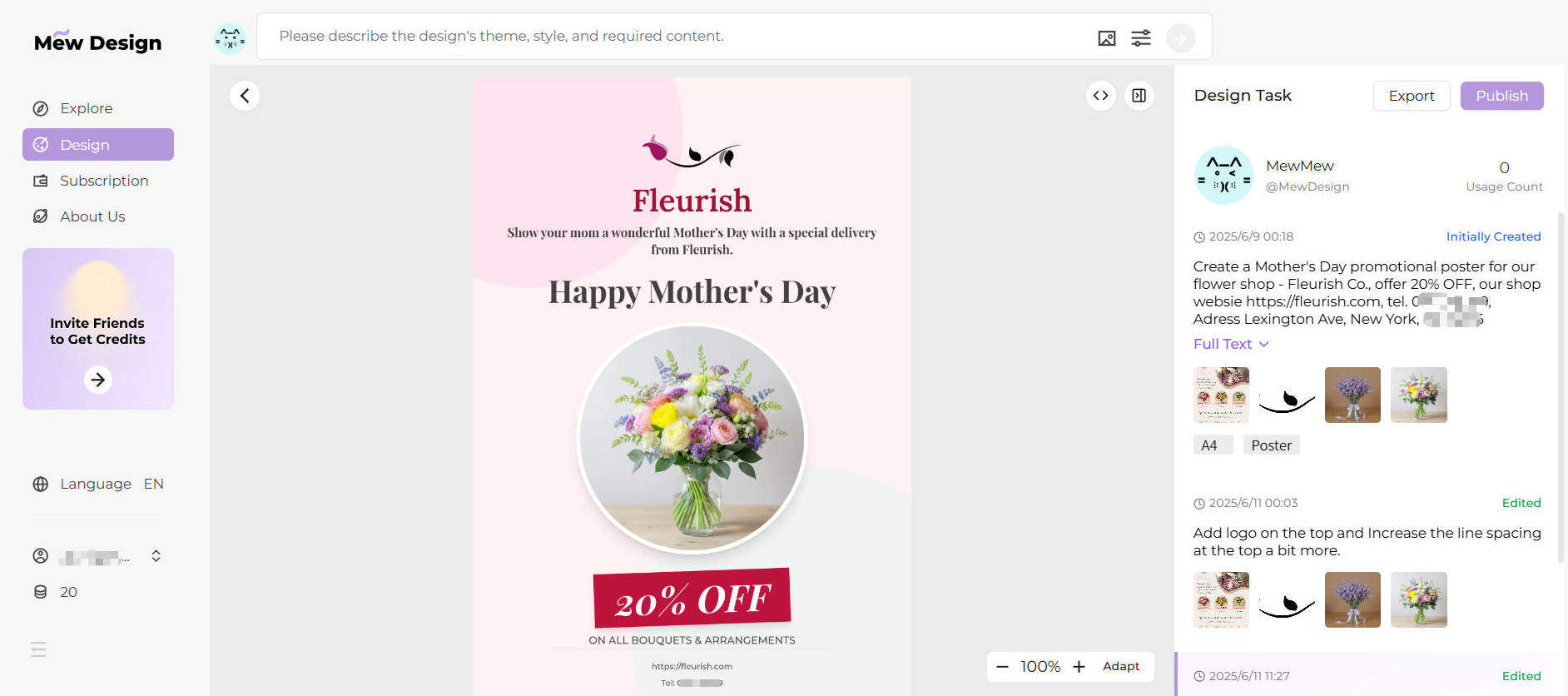
Mew Design stands out as the most innovative free AI movie poster generator available today, offering a revolutionary approach to film poster creation. Unlike template-based tools, Mew Design functions as an intelligent AI design agent that transforms natural language descriptions into professional movie posters.

ai movie poster generator

What makes Mew Design unique is its conversational approach to poster creation. Instead of struggling with complex design interfaces or limiting templates, you simply describe your movie poster vision in plain English or other languages, and the AI design agent creates a complete, professional layout tailored to your film’s concept.

Key Features:

  • Text to Movie Poster Generation: Transform natural language descriptions into professional movie posters without design expertise
  • Genre-Specific Design Intelligence: AI automatically applies appropriate color schemes, typography, and composition styles for horror, comedy, sci-fi, drama, and other film genres
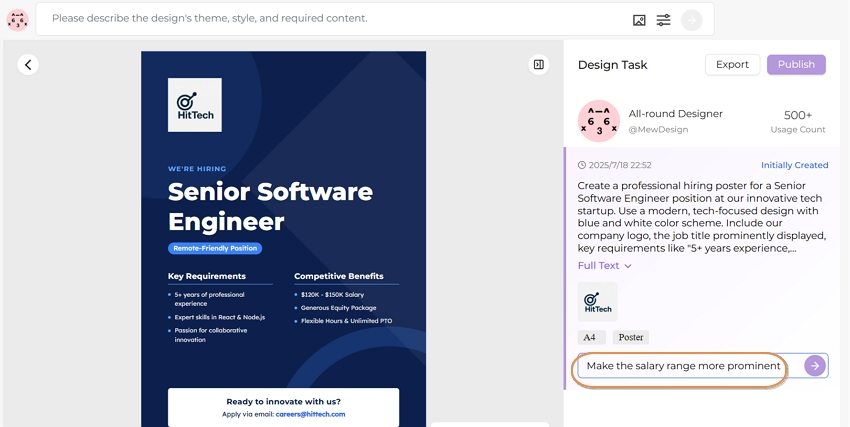
  • Conversational AI Editing: Make revisions through simple instructions like “make the title larger” or “add more dramatic lighting”
  • Movie Still Integration: Seamlessly incorporate uploaded movie stills, actor headshots, and promotional images into poster designs
  • Instant Style Variations: Generate multiple poster variations in different cinematic styles for comprehensive marketing campaigns

Genre Showcase: Movie Posters Created with Mew Design

Explore the versatility of Mew Design across different movie genres. Each poster demonstrates how AI can capture the unique aesthetic and emotional tone of various film styles:

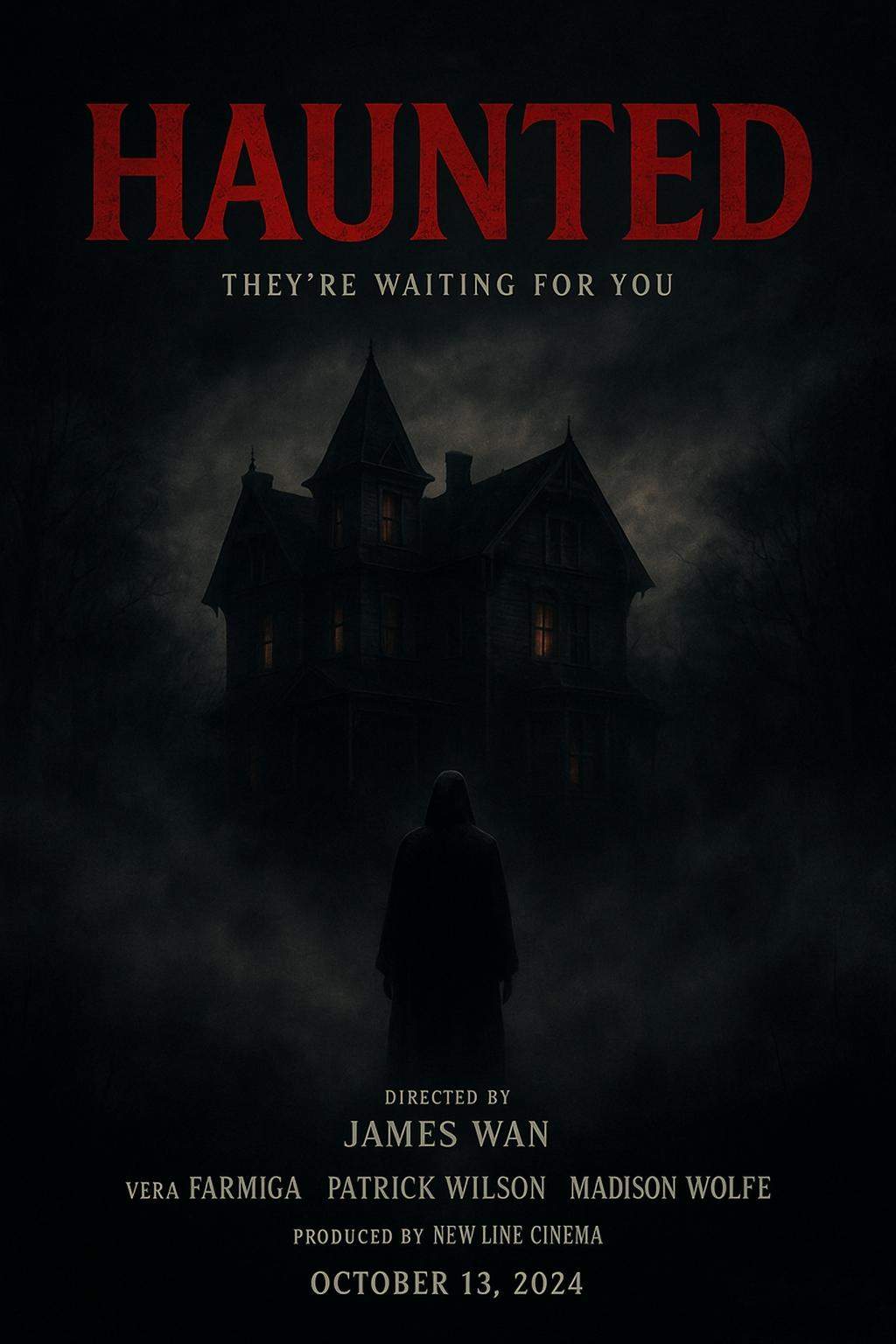
AI Horror Movie Poster

Horror Genre

Prompt: A dark horror movie poster with a haunted house, dense fog, and a mysterious figure. Use red accents, shadowy lighting, and eerie textures. Include cinematic typography: Director, Actors, Produced by, Premiere Date

Create Similar
AI Action Movie Poster

Action Genre

Prompt: Epic action movie poster with explosive fiery background, muscular hero in dynamic running pose carrying assault rifles and weapons, military helicopters flying in dramatic sky, intense cinematic lighting with orange and red tones, movie poster style typography with main title “MAXIMUM IMPACT”, tagline “When All Hope Is Lost, One Man Stands”, credits at bottom including director and cast names, professional movie poster layout, high contrast dramatic lighting, smoke and debris effects

Create Similar
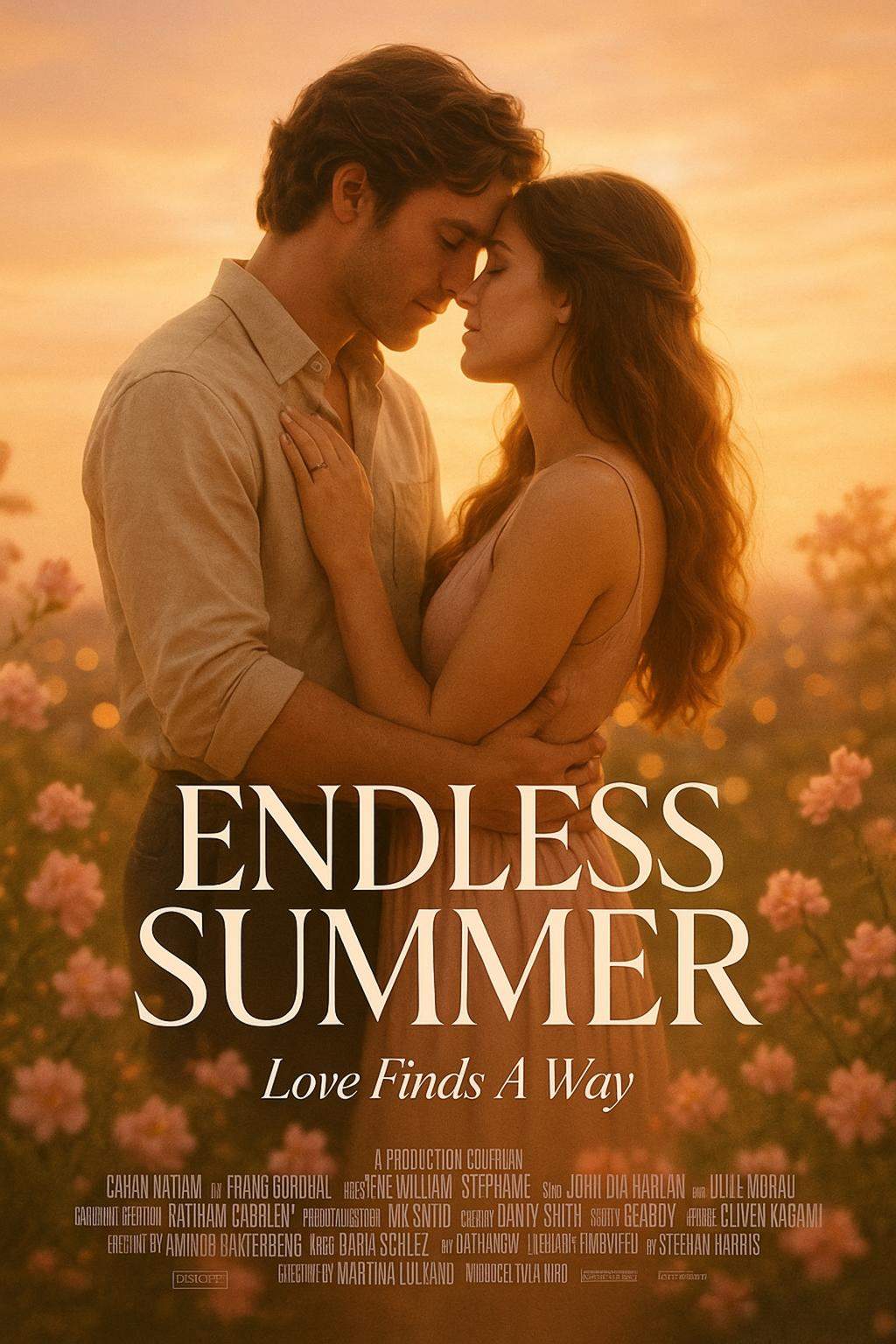
AI Romance Movie Poster

Romance Genre

Prompt: A romantic movie poster showing a couple under a sunset sky, surrounded by flowers or city lights. Use soft pastel tones and dreamy lighting. Add the couple image I uploaded as background.

Create Similar
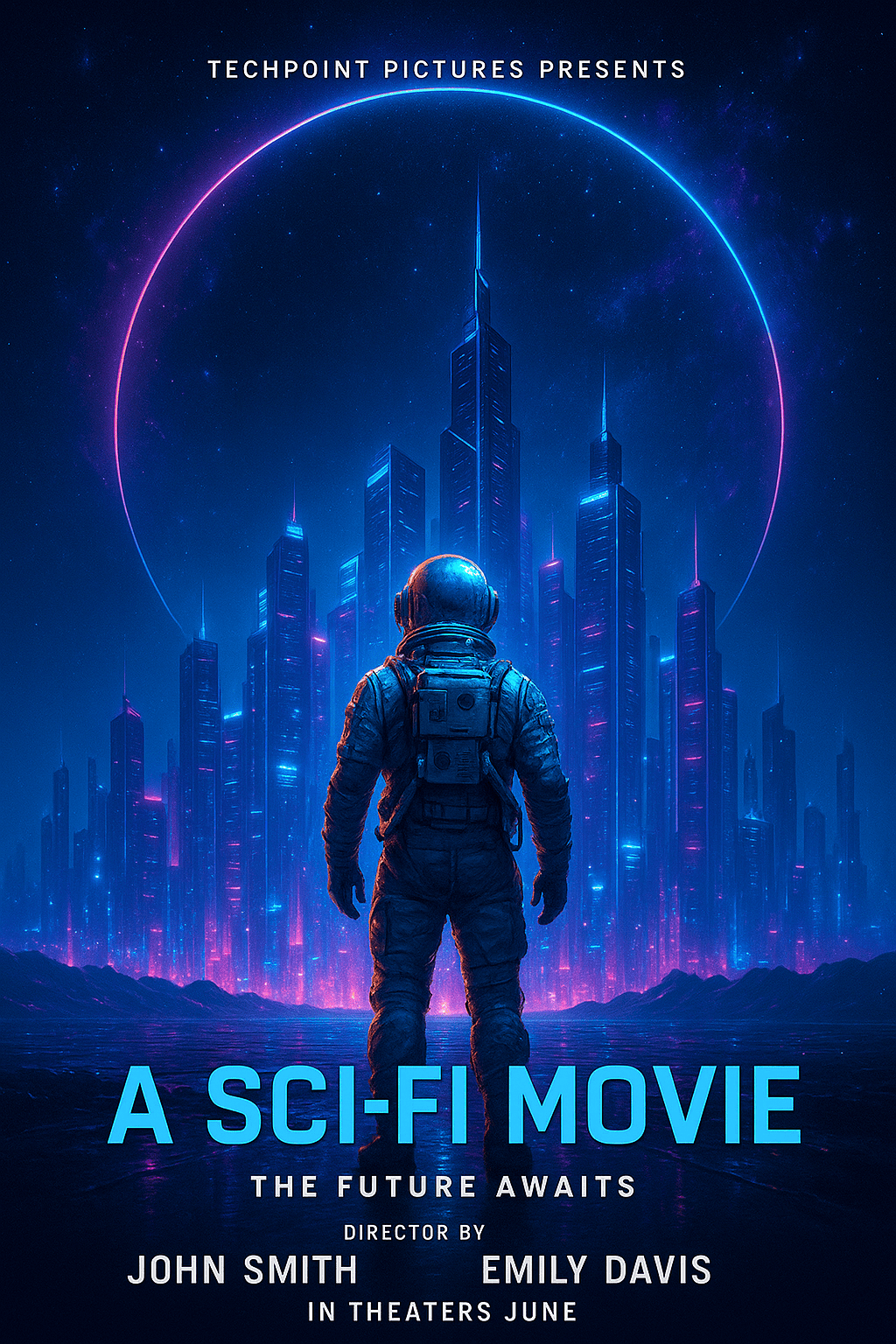
AI Sci-Fi Movie Poster

Sci-Fi Genre

Prompt: Design a futuristic sci-fi poster with cool color palettes, technological elements, and sleek typography

Create Similar
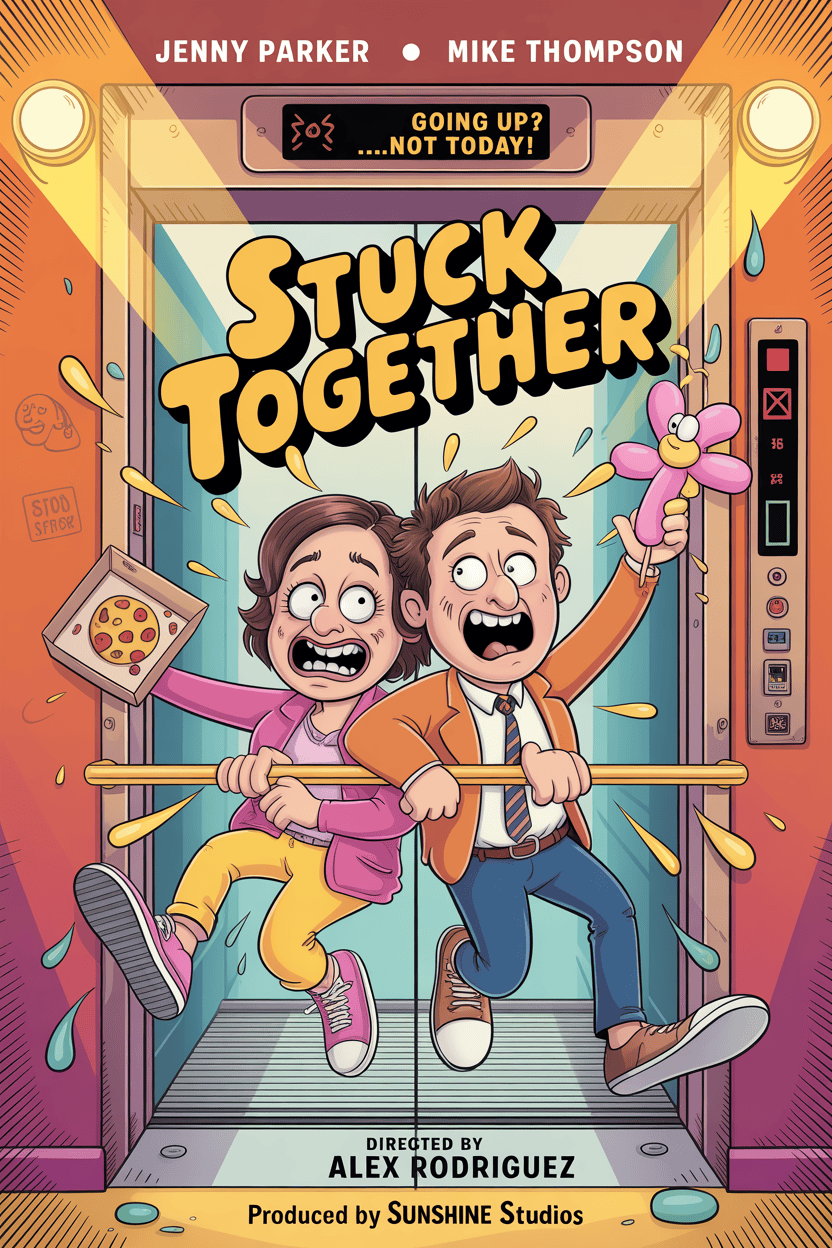
Comedy Movie Poster

Comedy Genre

Prompt: A bright and colorful comedy movie poster featuring two funny main characters stuck in an elevator. Use warm, cheerful colors like yellow, orange, and sky blue. Add playful typography, exaggerated facial expressions, and cartoon-style props.

Create Similar
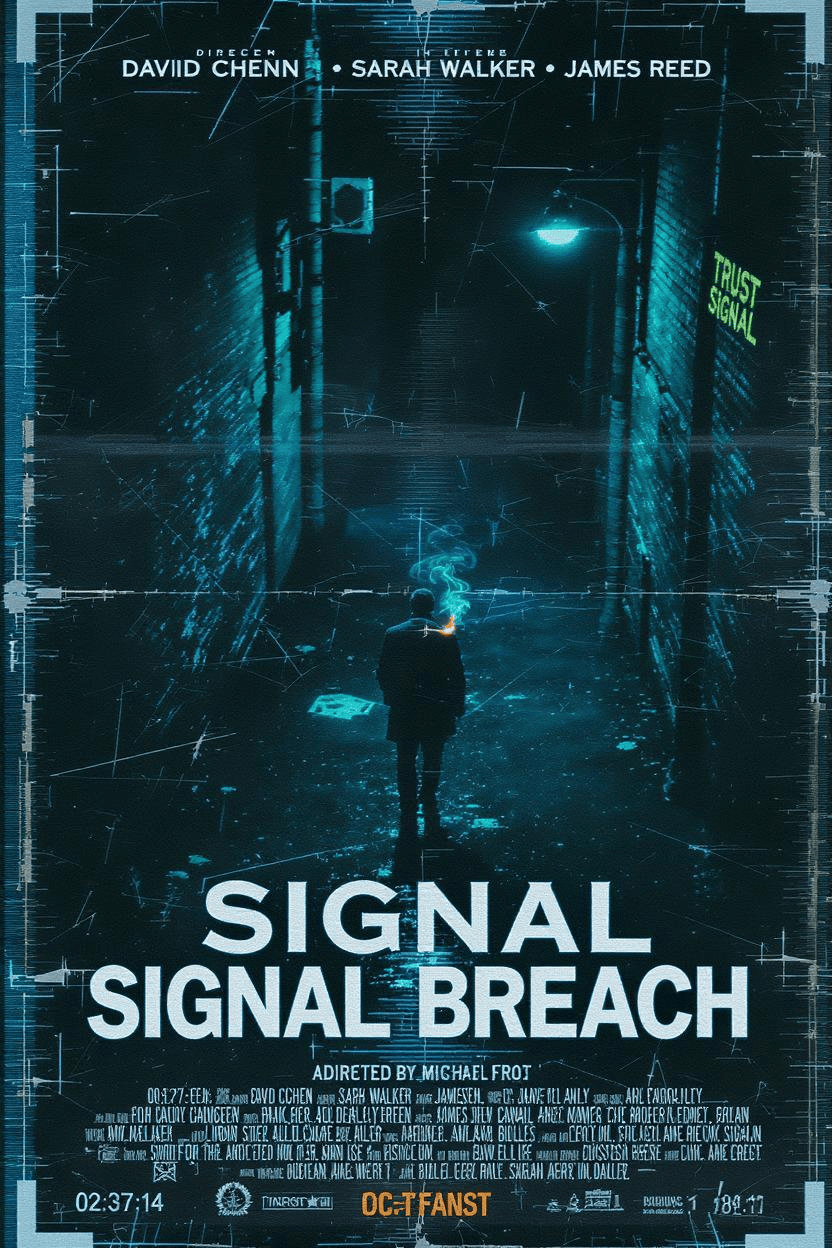
AI Thriller Movie Poster

Thriller Genre

Prompt: create a A thriller movie poster featuring a dark alley, a lone detective, and glitch effects. Create a tense, mysterious atmosphere with cold tones. Include cinematic typography like director, actor, tageline, producer, etc.

Create Similar
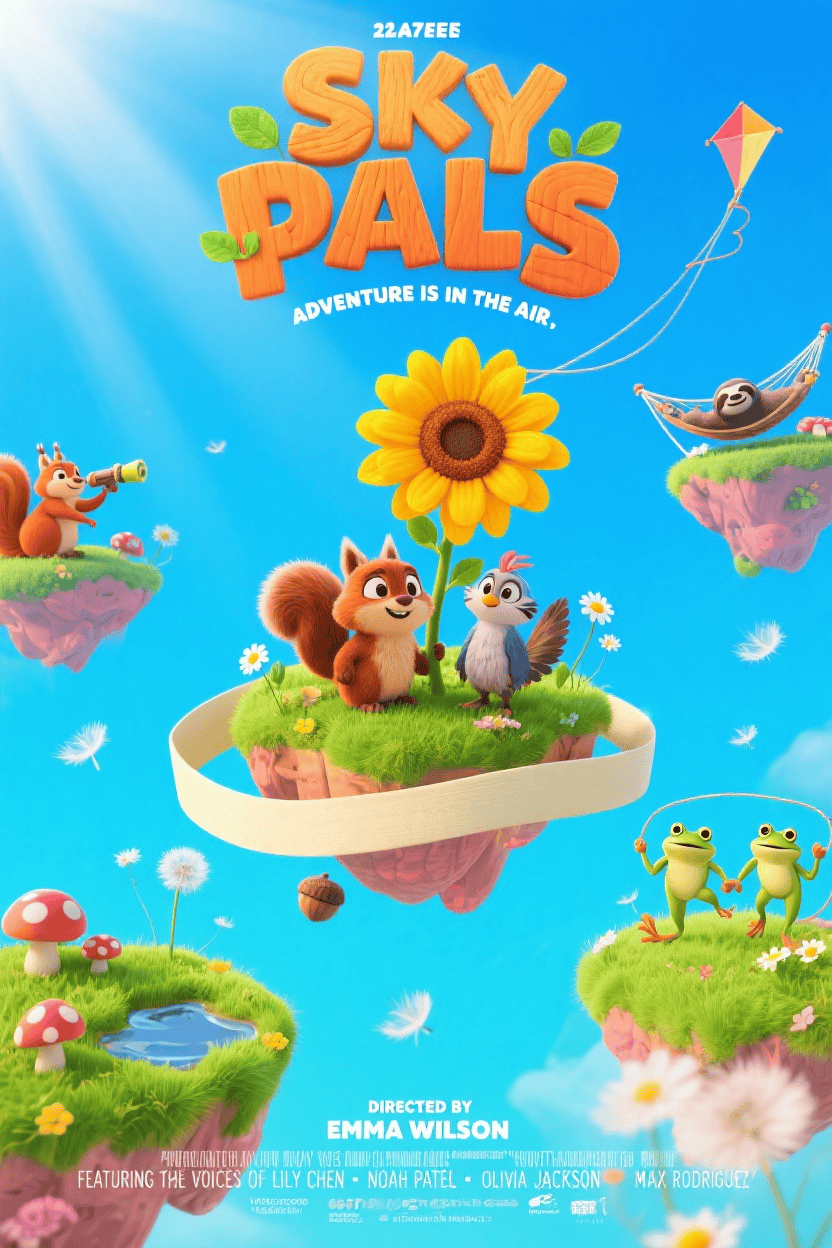
AI Animated Movie Poster

Drama Genre

Prompt: A colorful animated movie poster with cute animal characters, a bright landscape, and playful typography. Use cheerful colors and a lighthearted mood.

Create Similar
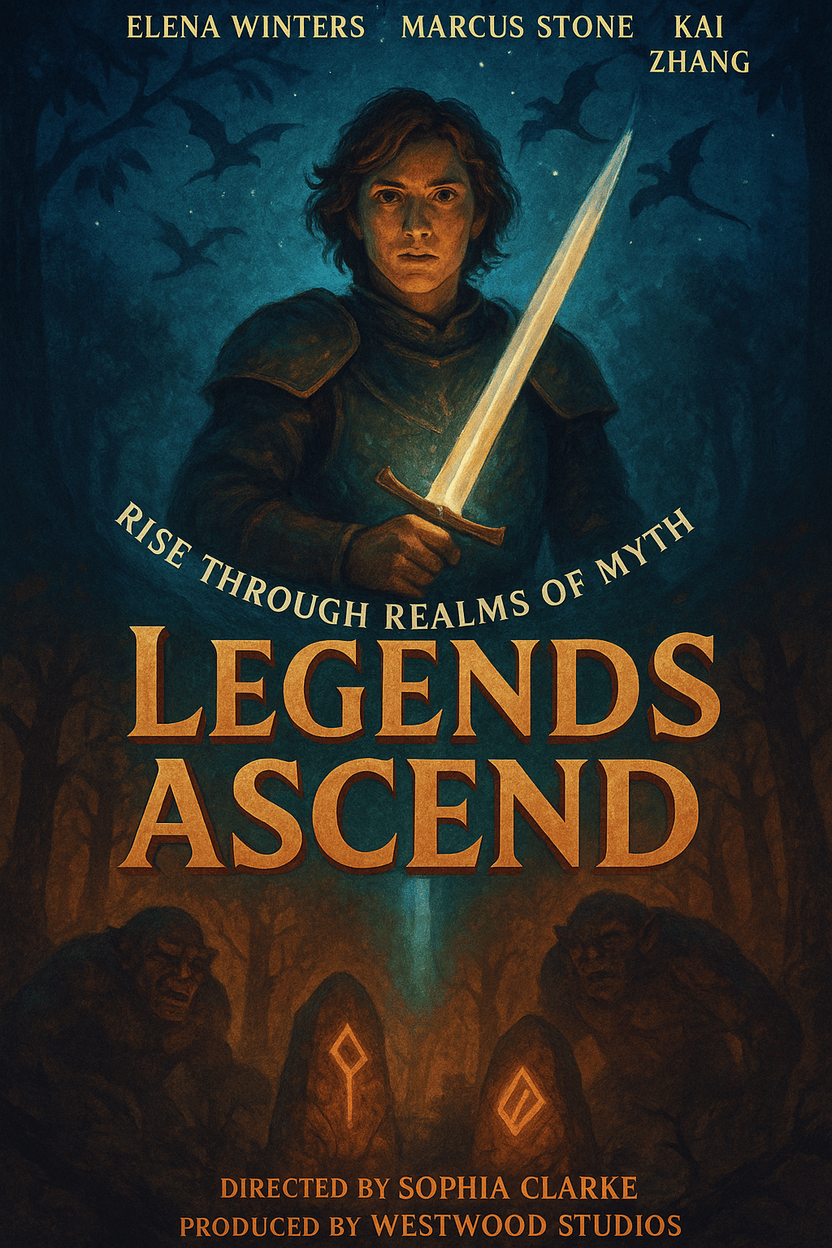
AI Fantasy Movie Poster

Fantasy Genre

Prompt: A fantasy movie poster with a magical forest, a warrior with a glowing sword, and mythical creatures in the background. Use vivid colors and epic composition.

Create Similar

Why Mew Design Excels for Movie Posters:

Mew Design’s AI agents understand the unique requirements of film marketing. They automatically organize visual elements according to movie poster conventions, ensure proper hierarchy for titles and credits, and maintain the cinematic appeal expected by movie audiences.

The platform’s ability to incorporate uploaded images—such as movie stills, actor headshots, logos, and promotional photos—makes it particularly valuable for filmmakers who need to include specific visual elements in their posters. You can tag uploaded images appropriately, and the AI positions them within compelling poster compositions.

How to Create a Movie Poster with Mew Design

Let’s walk through creating a compelling movie poster step by step using a practical example.

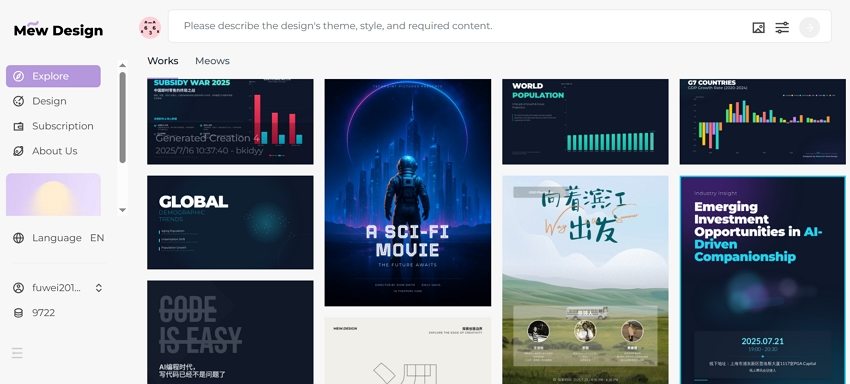
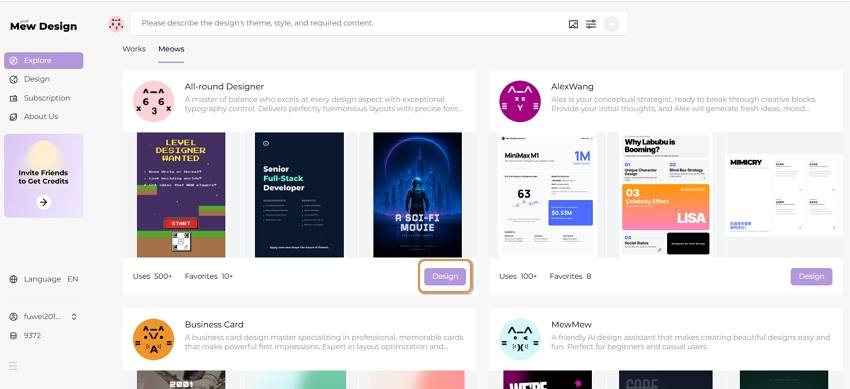
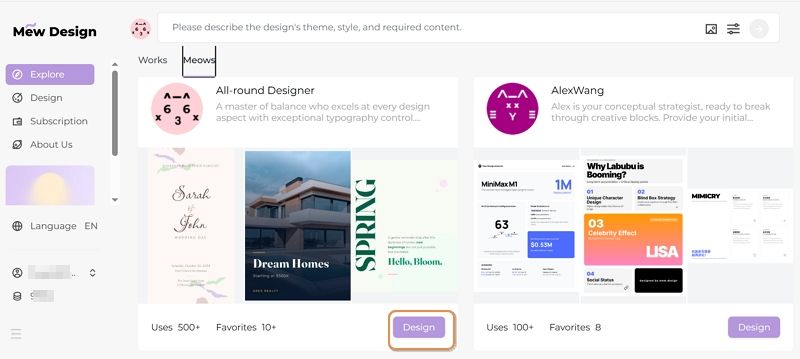
Step 1: Access Mew Design and Choose Your AI Designer

Visit Mew Design and sign up for a free account. Select the AI design agent that best matches your film’s aesthetic. For movie posters, choose an agent specializing in cinematic, dramatic designs.

select ai design agent for movie poster

Step 2: Input Your Movie Poster Design Prompt

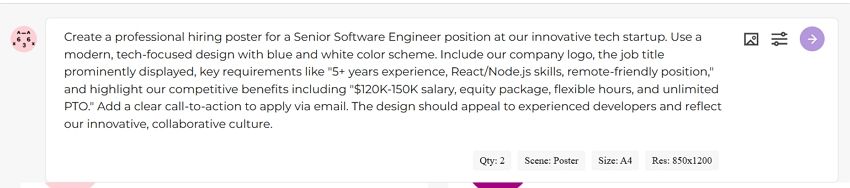
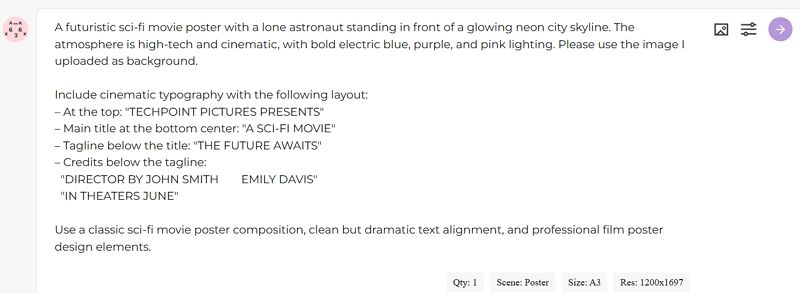
In the prompt area, describe your movie poster vision comprehensively. Let’s say you’re an indie filmmaker creating a Sci-Fi movie. You would enter a detailed prompt like this:

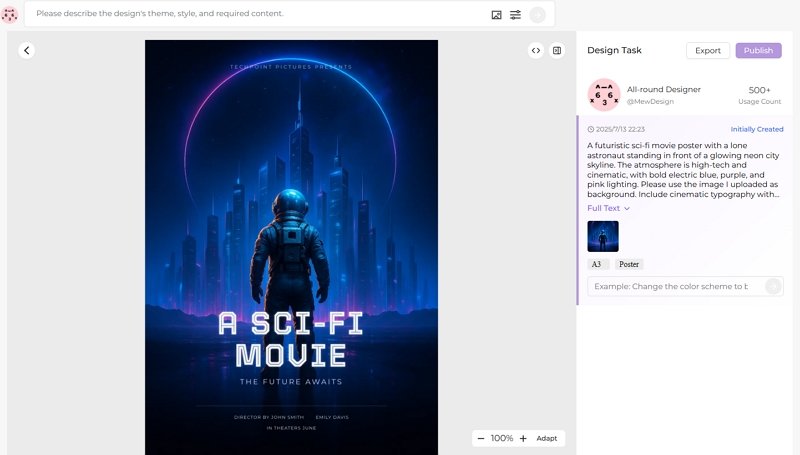
A futuristic sci-fi movie poster with a lone astronaut standing in front of a glowing neon city skyline. The atmosphere is high-tech and cinematic, with bold electric blue, purple, and pink lighting. Please use the image I uploaded as background.

Include cinematic typography with the following layout: – At the top: “TECHPOINT PICTURES PRESENTS” – Main title at the bottom center: “A SCI-FI MOVIE” – Tagline below the title: “THE FUTURE AWAITS” – Credits below the tagline:
“DIRECTOR BY JOHN SMITH EMILY DAVIS"
"IN THEATERS JUNE”

Use a classic sci-fi movie poster composition, clean but dramatic text alignment, and professional film poster design elements.

input movie poster prompt

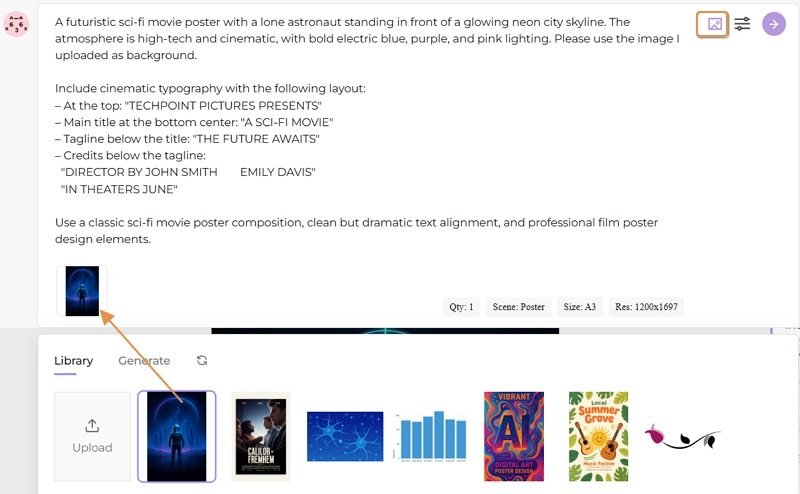
Step 3: Upload Reference Images

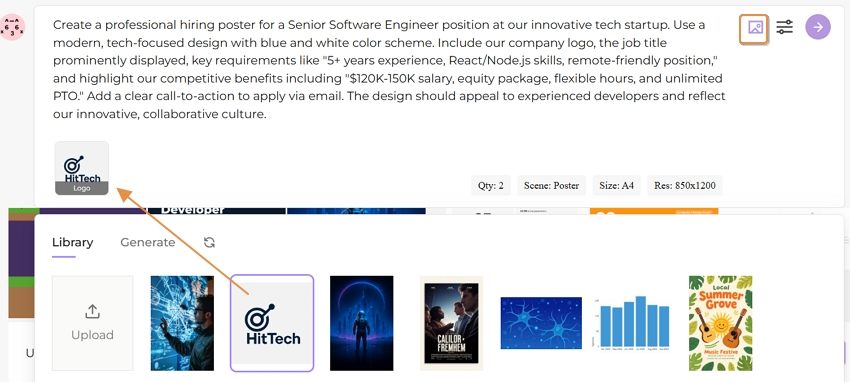
Upload any movie stills, actor photos, or style references that should be incorporated into your poster. Mew Design supports tagging uploaded images for better AI understanding. For this thriller, you might upload:

  • Movie stills showing the main character (tagged as “protagonist”)
  • City skyline photos from your film (tagged as “background”)
  • Production company logo (tagged as “logo”)

upload movie stills

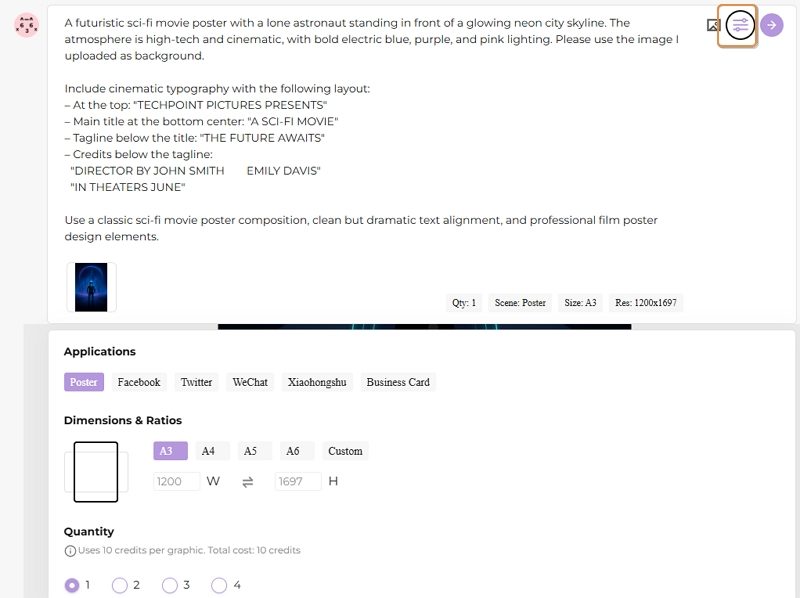
Step 4: Set Generation Parameters

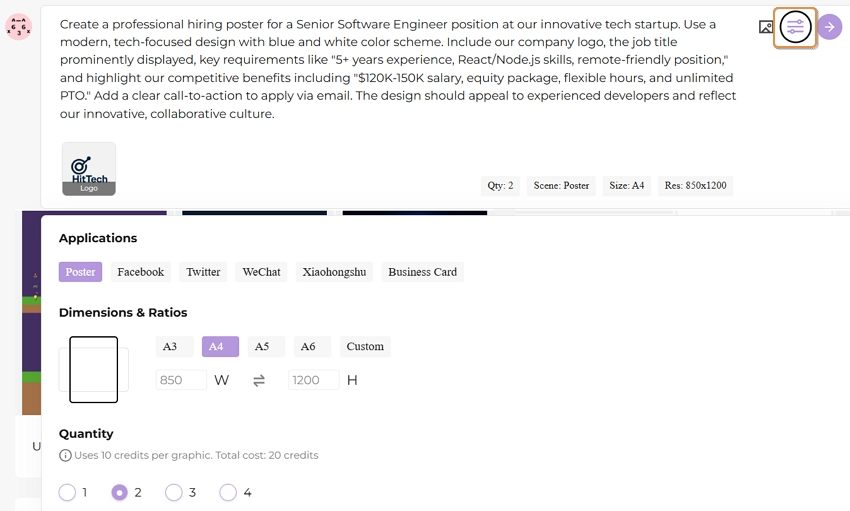
Configure settings to customize your poster generation, such as aspect ratio, applications, number of versions, etc. according to your needs.

set movie poster parameters

Step 5: Generate Your Movie Poster

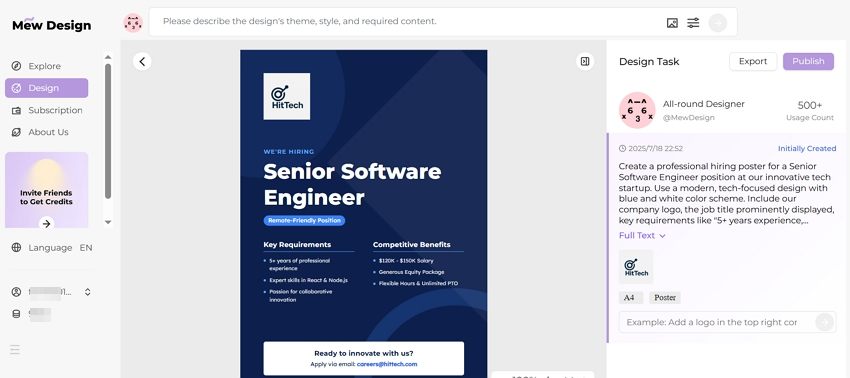
Click generate and wait about 30 seconds while Mew Design creates your movie poster. The AI analyzes your prompt, incorporates your uploaded images, and creates a professionally formatted poster that follows cinematic marketing standards.

create movie poster with ai

Step 6: Refine with Natural Language Editing

Review the generated poster and request adjustments using simple instructions:

  • “Make the movie title larger and more prominent”
  • “Add more dramatic lighting to the eye”
  • “Move the tagline to the top of the poster”
  • “Increase the contrast for a more noir feeling”

The AI implements these changes while maintaining the overall cinematic design and marketing effectiveness.

🚀

Bring Your Film Vision to Life

Experience the power of conversational AI design. Transform your movie concept into a professional poster that captures your film’s essence and attracts your target audience.

Start Creating Now

2. Top Template-based AI Movie Poster Generator Platforms

For filmmakers who prefer structured approaches or need specific template features, several established platforms offer AI-enhanced movie poster creation based on traditional template systems. These tools use AI to match appropriate genre templates, replace text and materials, but have limitations in creative generation and modification optimization. For more creative freedom and control, we recommend using Mew Design.

1) OpenArt AI Movie Poster Generator

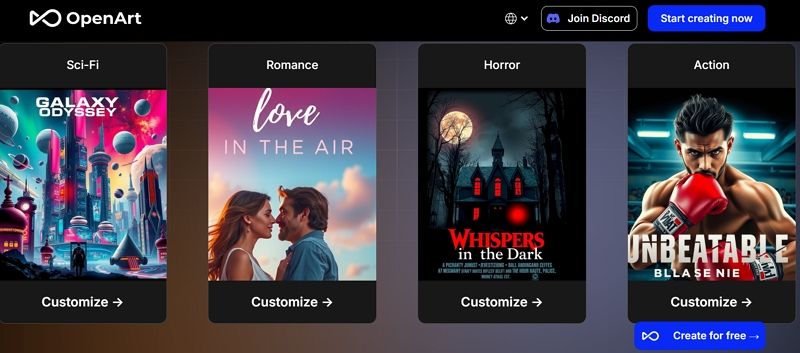
OpenArt provides a comprehensive free AI movie poster generator with genre-specific models and extensive customization options. The platform works by using AI to analyze your input and match it to pre-existing genre templates, then applying style variations based on different AI models.

openart ai movie poster generator

Key Features:

  • Multiple AI models for different poster styles
  • Genre-specific templates (Action, Horror, Romance, Sci-Fi)
  • Free tier with generous generation limits
  • High-resolution output suitable for printing

Working Principle: Uses template matching with AI style transfer to create variations of existing poster layouts.

Best For: Filmmakers who want to experiment with different AI models and need multiple poster variations for their marketing campaign.

Limitations: Limited creative control over composition and layout structure due to template-based approach.

2) Melies AI Movie Poster Generator

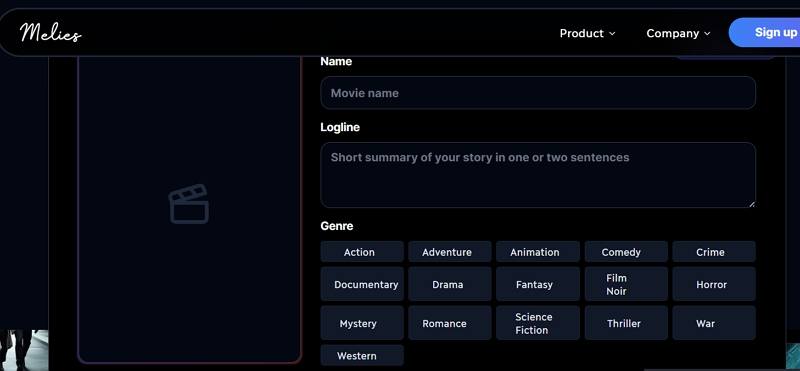
Melies offers a specialized movie poster generator with mood and style controls. The platform works by combining predefined genre templates with AI-enhanced styling, providing 5 free high-quality generations daily.

melies ai movie poster generator

Key Features:

  • Genre selection (Drama, Mystery, Crime, Romance, etc.)
  • Add tagline
  • High-resolution output
  • Keyword guidance for precise results

Working Principle: Combines genre-based templates with AI style enhancement for atmospheric poster creation.

Best For: Independent filmmakers who need professional-quality posters with specific mood and atmospheric requirements.

Limitations: Fixed mood categories limit creative expression; template-based structure restricts layout flexibility.

3) LightX AI Movie Poster Maker

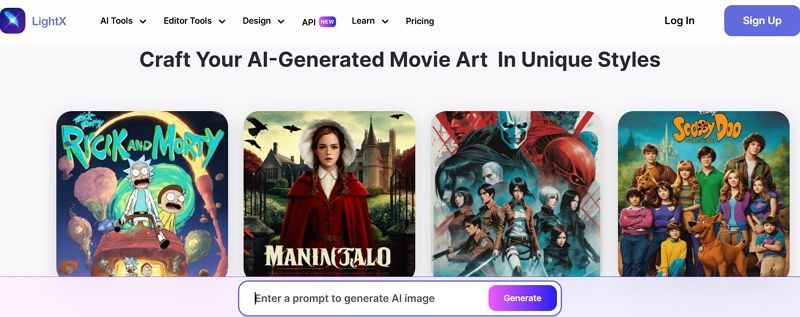
LightX combines AI generation with built-in typography capabilities, allowing you to add movie titles, taglines, and credits directly within the platform. The system uses template-based layouts with AI-assisted text placement and styling.

lightx ai movie poster maker

Key Features:

  • AI-generated typography for titles and credits
  • Multiple poster size options
  • Style presets for different genres
  • Cost-effective alternative to hiring designers

Working Principle: Template-based poster creation with AI-enhanced typography and text placement optimization.

Best For: Filmmakers who need complete poster creation including professional typography and text layout.

Limitations: Template constraints limit unique design possibilities; AI assistance focuses mainly on text rather than creative composition.

4) Easy-Peasy.AI Movie Poster Generator

Easy-Peasy.AI offers a user-friendly interface with quick generation capabilities. The platform uses simplified template matching with basic AI enhancement, providing free credits for new users and focusing on ease of use for creators without design experience.

easy peasy movie poster generator

Key Features:

  • Intuitive interface for beginners
  • Fast generation times
  • Free credits for new users
  • Commercial usage rights

Working Principle: Simplified template system with basic AI style application for quick poster generation.

Best For: First-time users and filmmakers who prioritize simplicity and quick results over advanced customization options.

Limitations: Very basic customization options; limited creative control due to simplified template approach.

3. Essential Design Principles for Movie Posters

Understanding Genre Conventions

Effective movie posters follow established genre conventions that help audiences immediately understand what type of film they’re viewing. Free AI movie poster generators excel at implementing these principles automatically, but understanding them helps you make better creative decisions.

Horror Movie Posters: Typically use dark color palettes with reds and blacks, dramatic lighting, and unsettling imagery. Typography often features distressed or gothic fonts that convey fear and suspense.

Action Movie Posters: Emphasize dynamic compositions with explosive backgrounds, bold typography, and prominent character placement. Colors tend to be high-contrast with oranges, blues, and dramatic lighting effects.

Romantic Comedy Posters: Feature warm, inviting color schemes with pinks, yellows, and soft lighting. Typography is usually clean and approachable, with emphasis on the main characters’ chemistry.

Sci-Fi Movie Posters: Incorporate futuristic elements, cool color palettes with blues and purples, and often feature technological or space-themed imagery with sleek, modern typography.

Creating Visual Hierarchy for Film Marketing

Movie posters must communicate essential information quickly and effectively. AI movie poster generator free tools automatically create proper visual hierarchy, but understanding these principles helps you provide better creative direction.

Title Prominence: The movie title should be the most prominent text element, typically positioned at the top or bottom of the poster with high contrast against the background.

Character Focus: Main characters should be positioned prominently, with the lead actor/actress receiving the most visual attention through size, lighting, or positioning.

Tagline Integration: Compelling taglines should be positioned where they complement the overall design without competing with the title for attention.

Credit Placement: Industry credits and logos should be included at the bottom in a readable but non-intrusive manner.

Color Psychology in Movie Marketing

Colors play a crucial role in conveying genre and mood in movie posters. Understanding color psychology helps you communicate more effectively with your target audience.

Warm Colors (Reds, Oranges, Yellows): Create excitement, energy, and emotional intensity. Perfect for action films, comedies, and romantic movies.

Cool Colors (Blues, Purples, Greens): Convey mystery, technology, and sophistication. Ideal for thrillers, sci-fi films, and dramas.

Monochromatic Schemes: Create unity and focus attention on specific elements. Often used in art house films and dramatic pieces.

High Contrast: Draws attention and creates visual impact. Essential for action movies and horror films that need to grab attention quickly.

4. Best Practices for AI-Generated Movie Posters

Content Strategy for Maximum Impact

Creating effective movie posters with AI tools requires strategic thinking about your film’s marketing goals and target audience. The most successful AI movie poster generator free designs tell a clear, compelling story about your film while appealing to your intended viewers.

Target Audience Consideration: Tailor your poster’s visual style to appeal to your film’s target demographic. Young adult audiences might prefer modern, dynamic designs, while art house film audiences may appreciate more sophisticated, minimalist approaches.

Genre Expectations: Ensure your poster meets genre expectations while finding ways to stand out. Horror posters should feel scary, but unique visual elements can help differentiate your film from others in the genre.

Marketing Campaign Integration: Consider how your poster will work across different marketing channels, from theater displays to social media thumbnails and streaming platform tiles.

Technical Optimization for Professional Results

Free AI movie poster generator tools offer numerous technical features that can significantly enhance the professional quality of your film marketing when used effectively.

Resolution and Print Quality: Ensure your AI-generated poster meets professional printing standards by selecting appropriate resolution settings. Movie theaters typically require posters that can be printed at 300 DPI for standard sizes.

File Format Selection: Different marketing uses require different file formats. AI generators usually offer multiple export options including PDF for printing, PNG for digital marketing, and high-resolution formats for large displays.

Size and Dimension Optimization: Movie poster sizes vary by use case, with standard dimensions including 27” × 40” for theaters, 11” × 17” for lobbies, and various digital formats for online marketing.

Color Profile Management: Ensure your posters use appropriate color profiles for their intended use—RGB for digital displays and CMYK for print materials.

5. The Viral World of AI Movie Poster Memes

Understanding the AI Movie Poster Meme Phenomenon

The rise of AI movie poster generator free tools has sparked a viral internet phenomenon: AI-generated movie poster memes. These humorous creations often parody existing films, create fictional movies with absurd premises, or reimagine beloved characters in unexpected genres.

Disney Pixar AI Parodies: One of the most popular trends involves creating fake Disney Pixar movie posters with dark, adult, or absurd themes. These memes play on the contrast between Pixar’s family-friendly aesthetic and inappropriate content, creating humorous juxtapositions that go viral on social media. Learn more about this phenomenon in our detailed guide to AI movie poster memes.

Genre Mashup Memes: Creators use AI tools to imagine what classic films would look like in different genres—turning romantic comedies into horror films or transforming action movies into children’s animations.

Absurd Concept Posters: Many viral AI movie posters feature intentionally ridiculous premises, like “The Toaster That Could” or “Revenge of the Houseplants,” showcasing the creative possibilities of AI generation.

Creating Shareable Movie Poster Content

While these memes are created for entertainment, they demonstrate important principles for creating engaging movie poster content:

Unexpected Combinations: Mixing familiar elements in unexpected ways creates memorable and shareable content.

Cultural References: Incorporating popular culture references helps content resonate with specific audiences and communities.

Visual Humor: Effective meme posters often rely on visual jokes that can be understood quickly, making them perfect for social media sharing.

Trend Awareness: Understanding current internet trends and memes can help filmmakers create marketing content that feels relevant and engaging.

6. Frequently Asked Questions

Are free AI movie poster generators really free to use? Most platforms offer free tiers with limited generations per day or month. For example, Neural Frames provides 5 free high-quality poster generations daily, while OpenArt offers free access to basic models. Mew Design offers 200 free AI credits upon registration, allowing you to generate up to 20 posters. Users can invite friends to earn more free credits. Premium features and unlimited generations typically require paid subscriptions.

Can I use AI-generated movie posters for commercial purposes? Most free AI movie poster generators allow commercial use of generated images, but always check the specific platform’s terms of service. Platforms like OpenArt and LightX explicitly allow commercial usage, while others may have restrictions on commercial applications.

How do I ensure my AI-generated poster looks professional? Focus on clear, detailed prompts that specify genre, mood, color scheme, and composition. Upload high-quality reference images and use platforms that offer high-resolution output. Consider using tools like Mew Design that understand cinematic design principles and can create industry-standard layouts.

What file formats and resolutions should I use for different purposes? For theater displays, use 300 DPI resolution in standard poster dimensions (27” × 40”). For digital marketing, PNG or JPEG formats work well. For print materials, ensure you have high-resolution files (at least 300 DPI) and consider CMYK color profiles for professional printing.

How can I make my movie poster stand out from others in the same genre? While respecting genre conventions, incorporate unique visual elements specific to your film’s story or characters. Use distinctive color palettes, unexpected compositions, or creative typography. Consider what makes your film unique and ensure those elements are reflected in the poster design.

Can AI movie poster generators handle different languages and international markets? Many AI tools can incorporate text in different languages, but you may need to manually adjust typography and layout for optimal readability. Consider cultural preferences for color, imagery, and composition when creating posters for international markets.

What’s the difference between template-based and AI-generated movie posters? Template-based tools have fixed layouts that limit user creativity and freedom of expression. AI-generated posters can be created based on your creative ideas and adjusted to achieve satisfying results. AI tools like Mew Design offer unlimited creative possibilities and unique results, while templates provide faster but more predictable outcomes.

The future of movie poster creation lies in the seamless integration of AI design tools with film production workflows, enabling filmmakers to create professional marketing materials that effectively communicate their artistic vision while appealing to their target audiences. Whether you’re an indie filmmaker on a budget or a creative enthusiast exploring cinematic storytelling, free AI movie poster generators provide the tools to bring your film marketing vision to life. For other creative poster applications, explore our guides on AI concert poster generator and discover more options in our comprehensive best free AI poster generators resource.

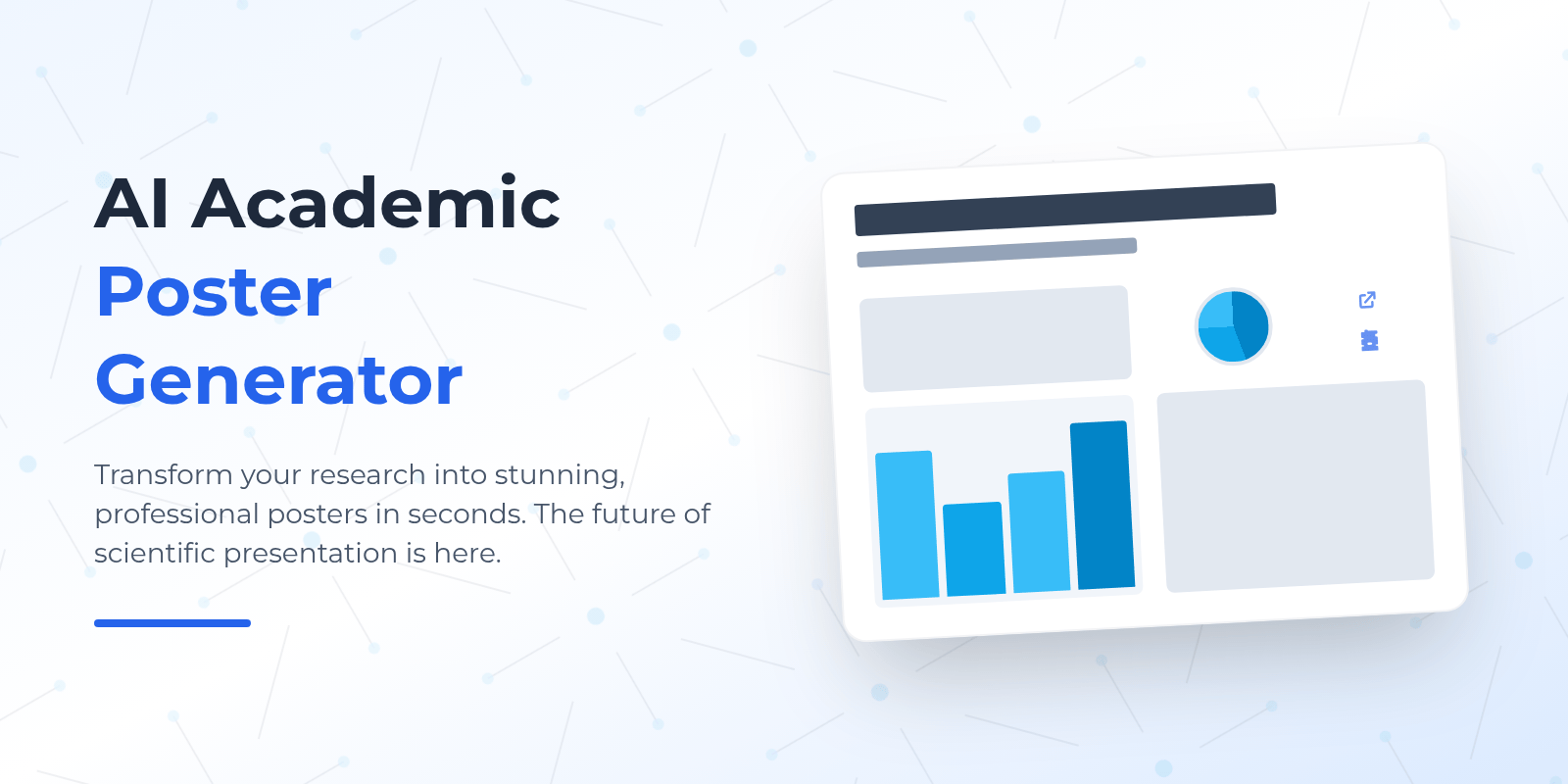
AI Academic Poster Generator: Create Professional Research Posters in Minutes

ai academic poster generator

Generated using mew.design

Are you tired of spending countless hours wrestling with complex design software just to create a single research poster? Many researchers face this exact challenge - having brilliant scientific findings but struggling to present them in visually compelling ways that capture their audience’s attention.

The traditional approach to academic poster creation often involves mastering expensive software or hiring professional designers. Fortunately, AI academic poster generator technology has emerged as a game-changer, enabling researchers to create a research poster with AI assistance that produces professional-quality results in minutes rather than hours.

1. Understanding AI Academic Poster Generators

What Makes AI Academic Poster Generators Special?

An AI academic poster generator is a sophisticated digital tool that leverages artificial intelligence to help researchers create professional scientific posters. Unlike traditional design software that requires extensive manual formatting, these tools analyze your research content and automatically suggest optimal layouts, color schemes, and visual hierarchies that align with academic standards.

The technology behind these generators combines machine learning algorithms with design principles specifically tailored for scientific communication. When you input your research data, methodology, and findings, the AI processes this information to create layouts that effectively communicate complex scientific concepts while maintaining visual appeal and readability.

Key Features That Set AI Academic Poster Generators Apart

Smart Content Organization: AI academic poster generators excel at organizing scientific content logically. They understand the standard flow of academic presentations—from introduction and methodology to results and conclusions—and automatically arrange your content to follow this proven structure.

Scientific Template Library: These tools offer extensive collections of templates designed specifically for academic disciplines. Whether you’re presenting research in biology, chemistry, physics, or social sciences, you’ll find templates that match your field’s conventions and requirements.

Collaborative Features: Many platforms support real-time collaboration, allowing research teams to work together seamlessly on poster creation, with version control and comment systems that facilitate efficient teamwork.

2. Mew Design: The Revolutionary AI Design Agent

Mew Design stands out as the most innovative AI academic poster generator available today, representing a breakthrough in how researchers create scientific presentations. Unlike traditional template-based tools, Mew Design functions as a smart AI design agent that transforms natural language instructions into professional academic posters. ai poster generator free

What makes Mew Design unique is its conversational approach to poster creation. Instead of struggling with complex design interfaces, you simply describe your research poster requirements in plain English or other languages, and the AI design agent creates a complete, professional layout tailored to your specifications. This approach removes the learning curve associated with traditional design software while delivering results that meet the highest academic standards.

Key Features:

  • Natural language poster generation from text prompts
  • AI-powered editing through conversational instructions
  • Seamless integration of uploaded research images and data
  • Academic-specific design understanding
  • Instant revisions based on feedback

Why Mew Design Excels for Academic Posters:

Mew Design’s AI agents understand the unique requirements of academic communication. They automatically organize content according to scientific presentation standards, ensure proper visual hierarchy for research findings, and maintain the professional appearance expected at academic conferences.

The platform’s ability to incorporate uploaded images—such as charts, diagrams, logos, and experimental photos—makes it particularly valuable for researchers who need to include specific visual elements in their posters. You can tag uploaded images appropriately, and the AI positions them within the overall design. You can even input the raw data in the prompt error and let the AI analyze the data and create charts or diagrams.

How to Create an Academic Poster with Mew Design

Let’s walk through creating a research poster step by step using a practical example.

Step 1: Access Mew Design and Choose Your AI Designer

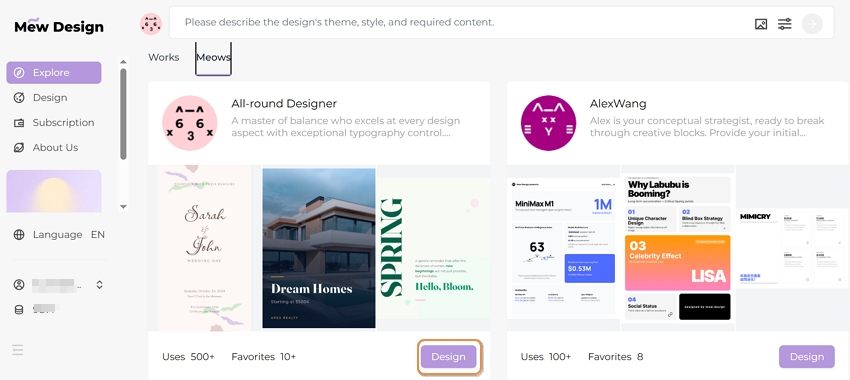
Visit Mew Design and sign up for a free account. Select the AI design agent that best matches your poster style preferences. For academic posters, choose an agent specializing in professional, clean designs.

select ai design agent

Step 2: Input Your Design Prompt

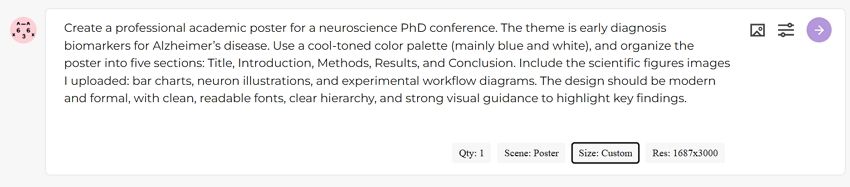
In the prompt area, describe your academic poster design requirements. Let’s say you’re a neuroscience PhD student preparing for a major conference presentation on Alzheimer’s disease biomarkers. You would enter a comprehensive prompt like this:

Create a professional academic poster for a neuroscience PhD conference. The theme is early diagnosis biomarkers for Alzheimer’s disease. Use a cool-toned color palette (mainly blue and white), and organize the poster into five sections: Title, Introduction, Methods, Results, and Conclusion. Include the scientific figures images I uploaded: bar charts, neuron illustrations, and experimental workflow diagrams. The design should be modern and formal, with clean, readable fonts, clear hierarchy, and strong visual guidance to highlight key findings.

input prompt for research poster

Step 3: Upload Reference Images

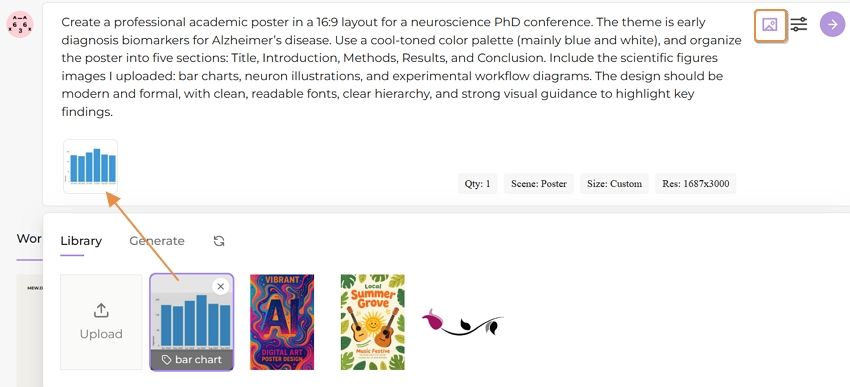
You can upload style reference images as well as charts and diagrams that need to be inserted into your poster. Mew Design supports tagging added images so the AI can better identify their purpose. In this case, you can upload:

  • Bar charts showing biomarker levels (tagged as “data”)
  • Neuron illustrations from your experiments (tagged as “scientific illustration”)
  • Experimental workflow diagrams (tagged as “methodology”)
  • University logo (tagged as “logo”)

upload research data charts

Step 4: Set Generation Parameters

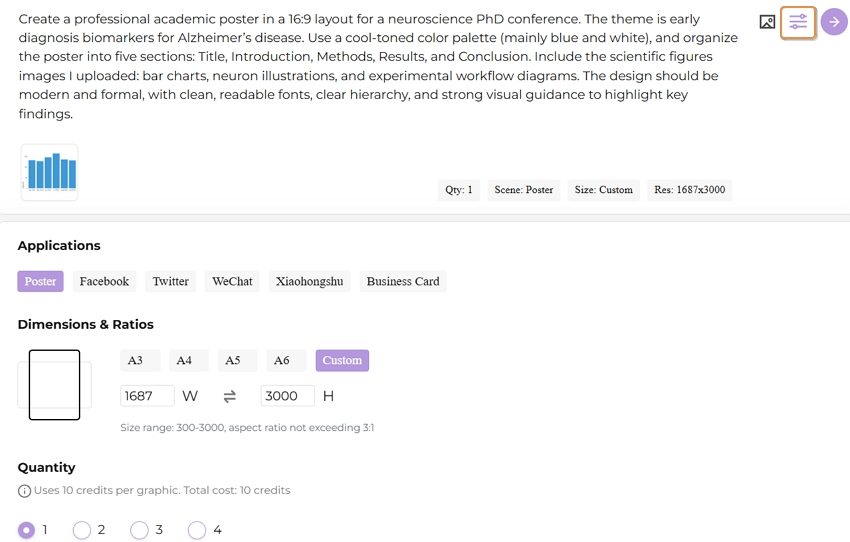
You can configure several settings to customize your poster generation:

  • Aspect ratio: Choose from various dimensions (16:9 landscape for conference display, A4 portrait, etc.)
  • Use case: Select Poster
  • Number of versions: Generate 1-4 variations to compare

set research poster parameters

Step 5: Generate Your Poster

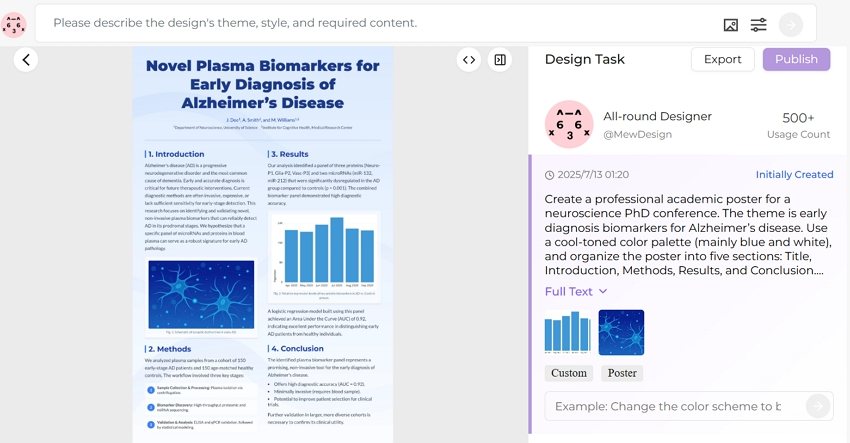
Click the generate button and wait 30-60 seconds while Mew Design creates your academic poster. The AI analyzes your prompt, incorporates your uploaded images, and creates a professionally formatted poster that follows academic presentation standards.

create research poster ai

Step 6: Refine with Natural Language Editing

You can review the generated poster and request adjustments using simple instructions:

  • “Move the university logo to the top right corner”
  • “Make the Results section larger and more prominent”
  • “Change the background to a subtle gradient from light blue to white”
  • “Increase the font size of the conclusion text”

The AI implements these changes while maintaining the overall design integrity and academic formatting standards.

🚀

Create Your First Academic Poster Today

Experience the power of conversational AI design. Transform your research into a professional poster in minutes, not hours.

Start Creating Now

3. Template-Based AI Academic Poster Makers

For researchers who prefer more structured approaches or need specific template features, several established platforms offer excellent AI-enhanced academic poster creation:

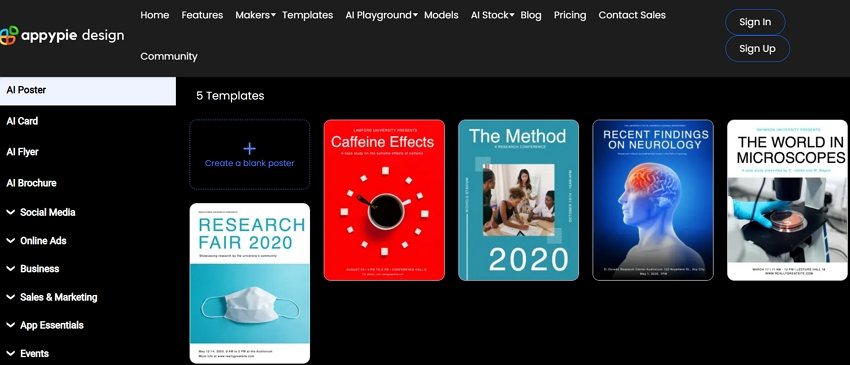
1) Appy Pie Design AI

Appy Pie’s Research Poster Maker provides a streamlined approach to academic poster creation with AI assistance. The platform offers templates specifically designed for research presentations and includes features tailored to academic requirements.

ai academic poster generator appypie

Key Features:

  • Research-specific templates
  • AI layout suggestions
  • Easy content customization
  • Academic formatting options

Best For: Researchers who prefer template-based design with AI enhancement and want quick, professional results.

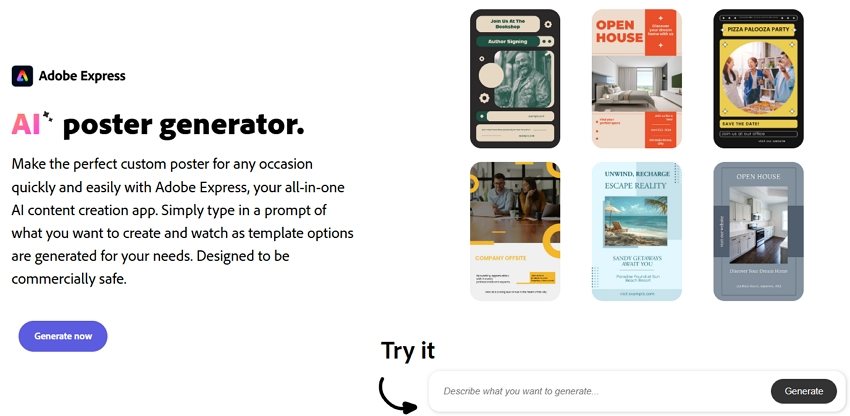
2) Adobe Express

Adobe Express brings professional design capabilities to AI-powered poster creation. The platform offers sophisticated AI features combined with Adobe’s design expertise, making it excellent for researchers who want maximum control over their poster design.

ai academic poster generator adobe

Key Features:

  • Professional-grade design tools
  • AI-powered layout suggestions
  • Creative Cloud integration
  • High-quality export options

Best For: Researchers familiar with Adobe products who want professional design capabilities with AI assistance.

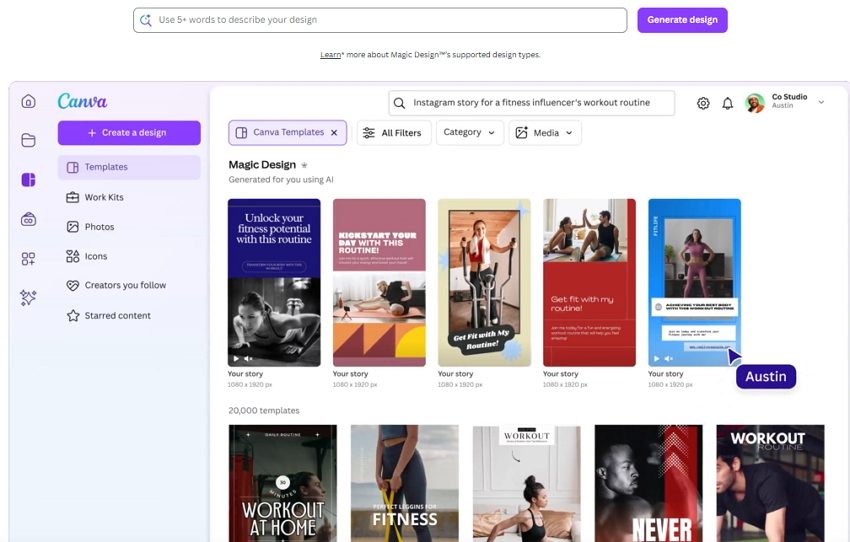
3) Canva

Canva’s AI-powered poster maker has become popular among researchers due to its exceptional ease of use. The platform’s Magic Design feature uses AI to create custom poster layouts while maintaining academic presentation standards.

ai academic poster generator canva

Key Features:

  • Magic Design AI layout generation
  • Extensive scientific asset library
  • Team collaboration tools
  • One-click resizing for different formats

Best For: Researchers who prioritize ease of use and want to create professional posters quickly without extensive design knowledge.

4. Essential Design Principles for Academic Posters

Creating Visual Hierarchy That Guides Readers

Effective academic posters guide readers through your research story using clear visual hierarchy. AI academic poster generators excel at implementing these principles automatically, but understanding them helps you make better design decisions.

Title and Header Design: Your poster title should be the most prominent element, typically using the largest font size and positioned at the top center. AI tools automatically suggest appropriate title sizing—usually between 72-100 points—ensuring visibility from several feet away.

Section Organization: Organize your content into clear sections that follow the logical flow of scientific presentation: Background/Introduction, Methods, Results, Discussion, and Conclusions. AI generators understand this structure and automatically create layouts that guide readers through your research narrative.

Content Prioritization: Use font sizes, colors, and spacing to emphasize key findings. Your most important results should be the most visually prominent elements after your title.

Optimizing Text for Academic Readability

Academic posters require careful balance between comprehensive information and visual clarity. AI research poster generators help achieve this balance through intelligent text formatting and layout optimization.

Font Selection and Sizing: Choose clean, professional fonts that remain readable at various distances. Sans-serif fonts like Arial, Helvetica, or Calibri work best for academic posters. AI tools typically suggest font sizes of 24-32 points for body text and 36-48 points for section headers.

Text Density Management: Avoid overwhelming readers with dense text blocks. AI generators automatically suggest optimal text distribution, often recommending bullet points, short paragraphs, and strategic white space to improve readability.

Color and Contrast: Ensure sufficient contrast between text and background colors for optimal readability. AI tools analyze color combinations and suggest adjustments to meet accessibility standards.

Integrating Data Visualizations Effectively

Scientific posters rely heavily on visual data presentation. For complex data visualization needs, researchers can use specialized AI visualization tools to create charts and graphs, then incorporate these visual elements into their AI academic poster maker as reference images.

Chart and Graph Selection: First, use dedicated data visualization tools to analyze your data types and create appropriate visualizations. For quantitative data, create bar charts or line graphs; for qualitative findings, develop flowcharts or conceptual diagrams using specialized software.

Visual Integration: Once you’ve created your data visualizations, upload them to your AI academic poster generator as reference images. Tag them appropriately (e.g., “data,” “chart,” “graph”) so the AI can position them effectively within your poster layout.

Caption and Labeling: Every visual element should include clear, descriptive captions that explain the data and its significance. AI tools can suggest caption placement and formatting for optimal readability.

5. Best Practices for AI-Generated Academic Posters

Content Strategy for Maximum Impact

Creating effective academic posters with AI tools requires strategic thinking about content organization and presentation. The most successful AI research poster designs tell a clear, compelling story about your findings while maintaining scientific rigor.

Research Narrative Development: Structure your poster content to follow a logical research narrative. Begin with a compelling problem statement, clearly explain your methodology, present results in order of importance, and conclude with implications and future directions.

Key Finding Emphasis: Identify the 2-3 most important findings from your research and ensure these receive prominent visual treatment in your poster. AI tools can help emphasize these elements through strategic use of color, sizing, and positioning.

Audience Consideration: Tailor your content complexity to your expected audience. Conference posters viewed by specialists in your field can include more technical detail than presentations for general academic audiences.

Technical Optimization for Professional Results

AI academic poster maker tools offer numerous technical features that can significantly enhance the professional quality of your research presentations when used effectively.

Resolution and Print Quality: Ensure your AI-generated poster meets professional printing standards by selecting appropriate resolution settings. Most academic conferences require posters that can be printed at 150-300 DPI.

File Format Selection: Different presentation contexts require different file formats. AI generators usually offer multiple export options including PDF for printing, PNG for digital display, and editable formats for future modifications.

Size and Dimension Optimization: Academic poster sizes vary by conference and institution, with common dimensions including A0 (33.1” × 46.8”), A1 (23.4” × 33.1”), and custom sizes specified by conference organizers.

Emerging Technologies and Capabilities

The field of AI academic poster generator technology continues to evolve rapidly, with new capabilities emerging that promise to further streamline the research presentation process.
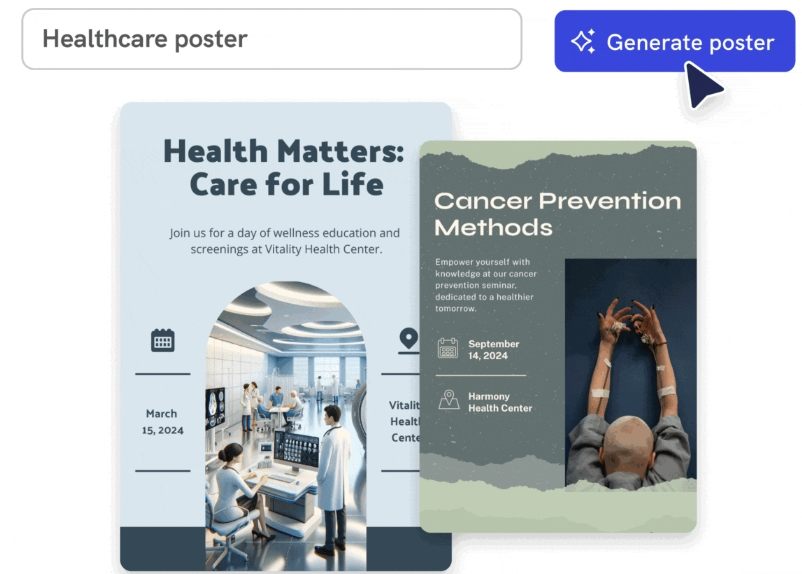
Enhanced Natural Language Understanding: Future AI tools will offer more sophisticated content analysis capabilities, automatically extracting key findings from research papers and suggesting optimal poster layouts based on content analysis.

Enhanced Data Integration: Emerging AI platforms are developing better integration between data visualization tools and poster generators. Researchers will be able to create charts and graphs using specialized AI visualization tools, then seamlessly incorporate these elements into their poster designs through improved workflow integration.

Real-Time Collaboration Enhancement: Enhanced collaboration features including live editing sessions and AI-powered feedback systems will make team-based poster development even more efficient and effective.

Implications for Academic Communication

As AI research poster generators become more sophisticated, they’re influencing broader trends in academic communication and presentation standards.

Standardization and Quality Improvement: AI tools are helping establish more consistent quality standards across academic posters, as researchers gain access to professional design capabilities regardless of their individual design skills.

Accessibility and Inclusion: Enhanced AI features focused on accessibility will help ensure that academic presentations are more inclusive and accessible to diverse audiences.

Efficiency and Productivity Gains: As AI tools become more capable, researchers will be able to allocate more time to research activities and less to presentation preparation, potentially accelerating the pace of scientific communication and discovery.

The future of academic poster creation lies in the smooth integration of AI design agents like Mew Design with specialized data visualization tools, creating a comprehensive ecosystem that supports every aspect of research presentation from data analysis to final poster design.

The 7 Best Free AI Poster Generators in 2025

best free ai poster generator

Generated using mew.design

In recent years, artificial intelligence has evolved from a futuristic concept into a practical tool reshaping the creative world. Design—once dominated by professionals using complex software—is now more accessible than ever. Leading this shift are AI poster generators, which transform simple text prompts into visually stunning posters.

Whether you’re a marketer in need of campaign graphics, a student preparing for a presentation, or a small business owner promoting an event, finding the right AI tool can be a game-changer. This guide explores the best free AI poster generators available in 2025 to help you bring your ideas to life quickly and beautifully.

Top 7 Free AI Poster Generators In-Depth Reviews

1. Mew Design – The Unrivaled Champion

Mew Design isn’t just another AI design tool—it redefines what AI-generated visual content can be. While many platforms rely on basic text-to-image models, Mew Design operates as a free AI-powered graphic design agent. Instead of generating a single image from a prompt, it simulates how a real design team would work. Each poster design is the result of collaboration between specialized AI agents, each handling a different aspect—typography, layout, visual style, brand identity, etc.—and then coordinated by a central supervisory agent.

mew design free ai poster generator

This agent-based structure allows Mew Design to generate smart, cohesive, and brand-aware poster designs. Because the system generates posters as code (not just pixels), it offers much more precise control over typography, layout, image positioning, and color use—something generic image generators cannot achieve.

✅ Overview

Mew Design is built on a powerful, layered design model. When you describe your poster, it breaks your request into distinct tasks, each handled by an AI agent with a specific design focus (e.g., color theory, branding, layout, illustration). These agents collaborate under the supervision of a coordination agent that ensures the final result is unified and matches your intent.

Instead of editing templates, users simply describe what they want: “A movie poster with a dark cinematic background, large title at the top, product image in the center, and our logo in the bottom-right corner.” Mew Design then produces multiple complete versions you can tweak via follow-up prompts. For detailed movie poster creation guidance, check out our comprehensive guide to free AI movie poster generators.

create poster with ai mew design

🔍 Key Features

  • Conversational AI Workflow: You don’t need to touch a design tool—just describe your vision, and the system handles the rest.
  • Meow Designers (Specialist AI Agents): Choose agents trained in specific aesthetics (e.g. ‘Tech Meow’, ‘Vintage Meow’) or train a custom agent to match your brand’s identity.
  • Intelligent Text Integration: Mew Design doesn’t just add text—it composes it. Fonts, positioning, hierarchy, and legibility are all optimized like a professional designer would.
  • Deep Natural Language and Visual Understanding: Backed by large language models, Mew Design can understand complex user intent through text, and also analyze uploaded reference images to detect logos, color schemes, object focus, and layout. It can replicate the style of an uploaded image or seamlessly integrate your product photo, logo, or QR code into the design.
  • Precision Code-Based Output: Posters are not just generated visually—they’re structured as code, enabling pixel-perfect alignment, dynamic spacing, and modular editing.

👍 Pros

  • Design output is dynamic, modular, and scalable—not just static images.
  • Agent-based architecture delivers more robust and consistent results.
  • Smart use of user-uploaded assets (backgrounds, logos, product shots, etc.)
  • True natural language design workflow.
  • 200 free credits on signup (≈ 20 designs) + bonus credits via referrals.

👎 Cons

  • Every revision or variation consumes credits.
  • Currently limited to PNG export (PDF, SVG in development).

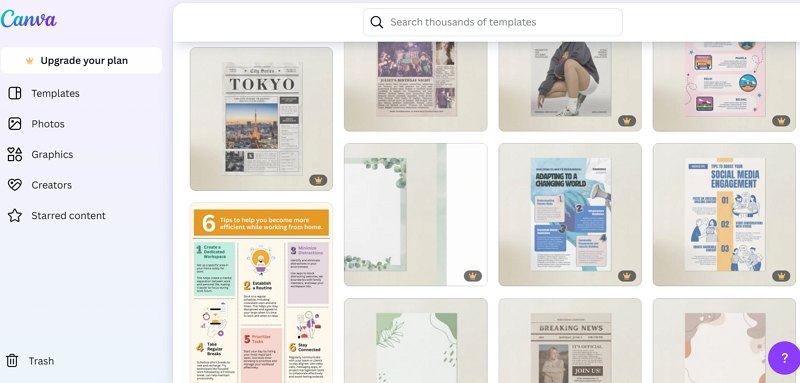
2. Canva – The Template Titan with Growing AI Power

Canva has long been a favorite free online poster design platform among non-designers and professionals alike, known for its clean interface and vast template library. With the integration of AI tools like Magic Media and Magic Switch, Canva has significantly upgraded its automation capabilities. While it’s still largely template-driven, the experience is now more flexible and adaptive than ever—making it a strong contender among the best free AI poster generator tools.

canva free ai poster maker

🔍 How Canva Works

Canva is built around an intuitive drag-and-drop editor. Users can start from a blank canvas or choose from thousands of templates tailored to formats like posters, social media posts, flyers, and presentations. Its AI tools now allow for basic text-to-image generation and auto-formatting of visual assets. Canva is ideal for creating free AI poster designs that are quick, clean, and collaborative.

Where Canva shines is in collaborative, template-based design, making it ideal for users who want fast results without learning complex tools. AI suggestions enhance speed but don’t generate complete original designs from scratch like Mew Design does.

⚙️ Key Features

  • Magic Media: Canva’s text-to-image generator that supports various illustration styles.
  • Template Library: Thousands of professionally designed layouts you can customize.
  • Magic Switch: Resize any design for different platforms with one click (Pro feature).
  • Brand Kits: Save and apply brand colors, logos, and fonts across projects.
  • Collaborative Editing: Real-time team collaboration on shared designs.

✅ Pros

  • Extremely beginner-friendly interface.
  • Huge variety of templates and assets.
  • Great for teams and collaborative workflows.
  • Rapid design speed for standard formats.

⚠️ Cons

  • AI tools are still supplementary, not central.
  • Output quality depends heavily on template choice.
  • Limited free-tier AI credits; many features require Pro.
  • Not suitable for users seeking fully original, template-free designs.

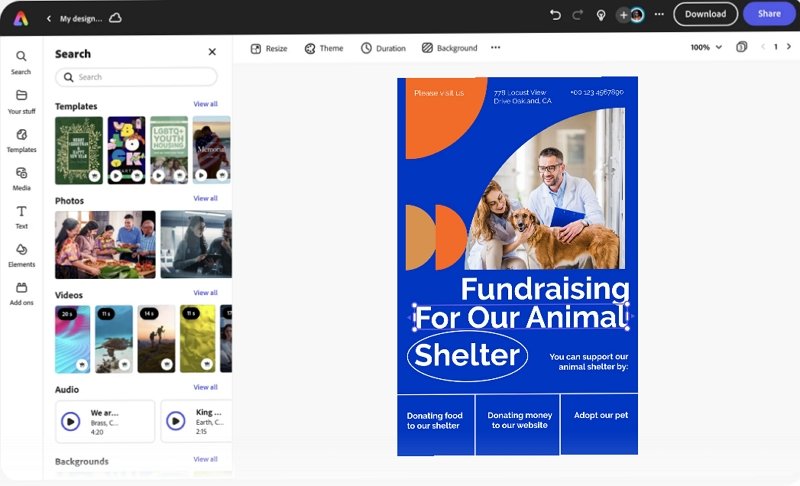
3. Adobe Express – Speed and Power from a Creative Giant

Adobe Express, formerly Adobe Spark, integrates Adobe’s generative Firefly AI with user-friendly design workflows. As one of the most trusted platforms for online AI poster generator solutions, it brings powerful features from the Adobe ecosystem to non-designers, making it easier than ever to create a poster with AI while maintaining high quality.

adobe express free online ai poster generator

🔍 How Adobe Express Works

Users can start from templates or build from scratch. Firefly AI powers image generation, text effects, and content editing. Quick Actions enable users to remove backgrounds, resize assets, or convert video formats instantly—all from the browser.

It’s best suited for professionals who want to create fast, high-quality content for social media, events, or marketing campaigns, especially if they already use other Adobe tools.

⚙️ Key Features

  • Firefly Text-to-Image Generator
  • Generative Fill for smart background editing
  • Quick Actions for image, video, and layout tasks
  • Creative Cloud Integration
  • Brand Templates and Libraries

✅ Pros

  • High design quality and feature depth
  • Fast content creation with smart AI tools
  • Ideal for users in the Adobe ecosystem
  • Free plan includes strong core features

⚠️ Cons

  • Monthly credit limit for generative AI features
  • Slightly steeper learning curve than Canva
  • Mobile UI can feel less responsive

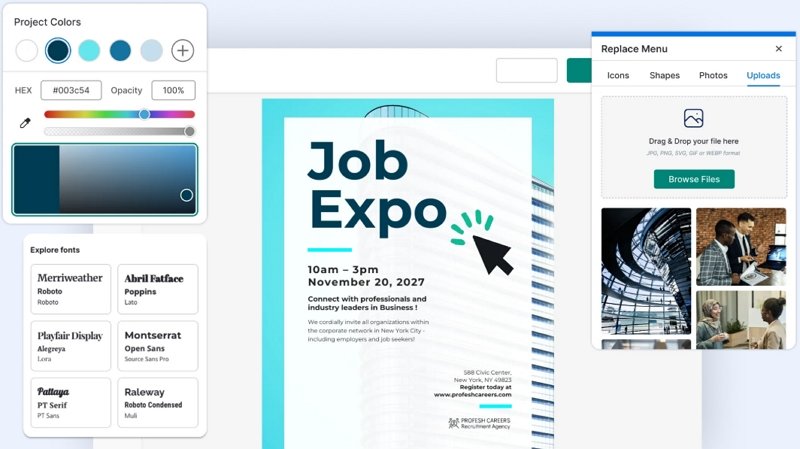
4. Venngage – The Business Poster and Infographic Specialist

Venngage stands out as a top free AI poster maker for creating professional, data-driven visuals like reports, infographics, and event posters. While it doesn’t offer full image generation like Mew Design or Canva, its AI and design automation tools are tailored for structured, brand-consistent outputs.

venngage free ai poster maker

🔍 How Venngage Works

Venngage is designed for business users who need visual storytelling. Its AI design generator can build layouts from prompts or reuse brand assets consistently across materials. Charts, icons, and data-driven visuals are its key strengths.

⚙️ Key Features

  • AI Design Generator for layouts
  • My Brand Kit for style consistency
  • Extensive icon and illustration library
  • Data Visualization Tools for clear infographics

✅ Pros

  • Professional, polished results ideal for business
  • Great support for charts and visual data
  • Brand kits make content production fast and cohesive

⚠️ Cons

  • Free plan is limited and mostly a preview
  • Not built for creative or artistic posters
  • No AI image generation capabilities

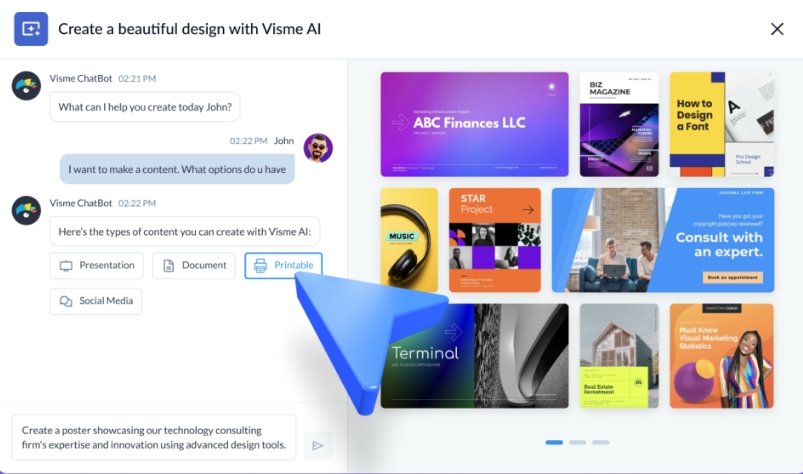
5. Visme – Interactive, Animated, and Customizable

Visme focuses on interactive content, offering animated posters, presentations, and infographics. While not a full online AI poster generator, it does offer free AI poster design assistance for layouts and design balance.

visme free ai poster design assistance

🔍 How Visme Works

Visme offers more control and flexibility than Canva but requires more manual input. You can create rich visual content by assembling charts, icons, animations, and imported assets. AI helps speed up formatting and design balance.

⚙️ Key Features

  • AI Designer suggests layouts and visual balance
  • Animations and interactive graphics
  • Brand Kit tools
  • Deep customization for advanced users

✅ Pros

  • Ideal for animated and presentation-style posters
  • Flexible tools for data-rich visuals
  • Greater customization than most tools

⚠️ Cons

  • Free users cannot export designs
  • AI tools are more assistive than generative
  • Learning curve is higher for casual users

6. Piktochart – Clean, Data-First Poster Creation

Piktochart excels in turning structured data into clean, informative posters and infographics. It’s especially useful for users seeking a free download of AI-generated poster design files, with a strong focus on clarity and communication.

piktochart free online ai poster design tool

🔍 How Piktochart Works

It allows users to import text or spreadsheet data and transforms it into organized visuals. Its AI focuses on information hierarchy, clarity, and visual alignment—making it perfect for non-designers communicating complex topics.

⚙️ Key Features

  • AI-Powered Layout and Design Suggestions
  • Google Sheets Integration for live data sync
  • Icon, chart, and infographic templates

✅ Pros

  • Fast, structured visual design for data-heavy use cases
  • Strong educational and corporate applications
  • Clean, readable output

⚠️ Cons

  • Free tier includes watermarks and download limits
  • Minimal creative or visual variety
  • Not built for marketing or stylized poster use

7. VEED.IO – Fast Video and Simple Posters in One

Though primarily a video editor, VEED.IO now includes a basic online AI poster generator. It’s best for creators who want a fast visual to pair with their video content and need a free AI poster maker without the bells and whistles.

veed io free online ai poster generator

🔍 How VEED.IO Works

Its AI generator takes basic prompts and produces simple poster layouts—often social-friendly thumbnails or digital flyers. Poster design is not its core focus, but it’s useful for quick turnarounds.

⚙️ Key Features

  • Basic AI Poster Generation
  • Video Editor Integration
  • Browser-based and cloud synced

✅ Pros

  • Extremely easy for beginners
  • No installation required
  • Good for creators already using VEED.IO

⚠️ Cons

  • Posters include watermarks on free plan
  • Minimal layout control or creativity
  • Not suitable for professional design tasks

Comparison Table of the 7 Best Free AI Poster Generators

ToolApproachBest ForAI StrengthsFree LimitsRating
Mew DesignConversational Generative AIOriginal, brand-aware postersComplete design generation200 credits (≈20 designs)⭐⭐⭐⭐⭐
CanvaTemplate-based w/ AI assistQuick, collaborative designsLayout suggestions, image generationLimited AI credits⭐⭐⭐⭐☆
Adobe ExpressAI-enhanced templatesAdobe users, professional contentFirefly image generationMonthly credit limits⭐⭐⭐⭐☆
VenngageBusiness-focused designsReports, infographicsLayout automationHeavily restricted free tier⭐⭐⭐☆☆
VismeInteractive/animated contentPresentations, animated postersDesign balance suggestionsNo export on free tier⭐⭐⭐☆☆
PiktochartData visualizationInformative, data-driven postersAutomated data-to-visual conversionWatermarks, download limits⭐⭐⭐☆☆
VEED.IOVideo-centric w/ poster extrasContent creators, video thumbnailsBasic poster layoutsWatermarks, limited features⭐⭐☆☆☆

Conclusion: Which Free AI Poster Generator Should You Choose?

Choosing the right AI poster design tool depends on your needs. If you’re searching for the best free AI poster generator with powerful features and smart automation, Mew Design leads the pack. It enables you to create customized, stunning visuals using both prompts and images—with no prior design skills.

  • Want an online AI poster maker that supports deep creative control? Try Mew Design.
  • Need a free AI poster design tool that’s fast and collaborative? Canva is excellent.
  • Looking to download a poster design AI file free? Most tools offer PNG files; SVG or PDF may require upgrades.
  • For infographic-heavy posters, Venngage or Piktochart offer excellent structure.
  • And if you’re creating content for video or social, VEED.IO delivers fast results.

No matter your project, these tools offer a smarter, faster way to design.

🚀

Ready to Create Posters With AI?

Thanks for choosing Mew Design — Let AI boost your creative journey.

FAQs

What is the best free AI poster generator?

Mew Design is the top choice. It offers 200 free credits upon signup, which covers about 20 custom posters. No watermarks, no templates—just original poster designs generated from your prompt. The best part is that you can adjust the generated poster’s typography, layout, style, and more with follow-up prompts.

Can I use these AI-generated posters commercially?

Yes, but check each platform’s licensing. Mew Design, Canva, and Adobe Express allow commercial use of generated content. However, be aware that you may not hold exclusive copyright to AI-generated images, as similar outputs could be generated for other users. Always review the licensing agreement before using designs in a commercial project.

Do I need any design experience to use an AI poster maker?

Not at all. The primary advantage of the best AI poster maker tools is that they eliminate the need for technical design skills. Platforms like Mew Design are built around natural language input—just describe what you want, upload your logo or image, and the AI handles layout, typography, and composition. Mew Design’s vision is simple yet powerful: Design Freedom for All. Whether you’re a complete beginner or a creative professional, the tool makes high-quality design accessible, fast, and intuitive.

Can I get a poster design AI file free download from these tools?

Yes, most free AI poster generators like Mew Design and Canva let you export PNG files. To access vector files like SVG or PDF, a paid plan may be required.

Which online AI poster generator offers the most flexibility?

Mew Design. Unlike image-only generators, it understands layout, typography, and branding—and works like a real designer agent.

How much does it cost to use these tools?

All the tools listed have a free plan, but the limitations vary greatly.

  • Credit-Based: Mew Design and Piktochart give you a set number of free credits.
  • Feature-Limited: Canva and Adobe Express limit access to premium features and assets.
  • Output-Limited: Visme, VEED.IO, and Piktochart place the most severe restrictions on their free plans, either by adding watermarks or preventing downloads altogether, pushing you toward a paid subscription for any practical use.
Which AI poster maker is best for beginners?

Mew Design and Canva. Both are intuitive and beginner-friendly. Mew Design is especially useful for those who want original posters without using templates.

Can these AI tools create posters with specific text and information?

Yes, but some are better than others. This is where Mew Design truly excels. Its AI is built to intelligently integrate text—like dates, locations, and slogans—into the design in a visually coherent way. While other tools can add text, they often struggle with placement and typography in a fully automated workflow.

The AI Design Revolution: From Traditional Tools to Intelligent Creation

The AI Design Revolution: From Traditional Tools to Intelligent Creation

Over the past two years, the application of artificial intelligence in the design field has undergone revolutionary changes. From initial simple image generation to today’s complex creative collaboration, AI is redefining what “design” means.

The Golden Age of Traditional Design Tools

The Adobe Era (1990-2020)

Looking back at the development of the design industry, Adobe Creative Suite was undoubtedly the dominant force for the past thirty years:

  • Photoshop - The go-to choice for image processing
  • Illustrator - Standard tool for vector design
  • After Effects - Professional platform for motion design
  • Figma/Sketch - Emerging forces in UI design

These tools shaped a generation of designers’ workflows but also brought obvious limitations:

Pain Points of Traditional Design Workflows:
├── High Learning Costs - Takes months or years to master
├── Low Creative Efficiency - Many repetitive operations
├── Heavy Inspiration Dependency - Lack of creative inspiration mechanisms
└── High Collaboration Barriers - Obvious professional knowledge barriers

The Rise of AI Design Tools

Generative AI Breakthrough (2022-2025)

In 2022, with the successive releases of DALL-E 2, Midjourney, and Stable Diffusion, the design industry experienced unprecedented transformation:

Text-to-Image Generation

  • Midjourney - New benchmark for artistic creation
  • DALL-E 3 - OpenAI’s visual creativity engine
  • Adobe Firefly - Most commercialized solution

Professional Design Applications

  • Runway ML - Video content generation and editing
  • Canva Magic Studio - AI design assistant for the masses
  • Mew Design - Next-generation intelligent design platform

Core Advantages of AI Design

1. Creative Inspiration and Concept Exploration

AI’s greatest value isn’t in replacing designers, but in expanding creative boundaries:

Traditional Workflow: Inspiration → Sketch → Design → Optimization
AI-Enhanced Workflow: Idea → AI Generation → Selection → Deep Customization

Practical Example:

A brand designer used Midjourney to find inspiration for new product packaging. Through the prompt “modern minimalism + Japanese aesthetics + sustainable materials,” they obtained 50 different design directions in 10 minutes, with 3 becoming the foundation for the final solution.

2. Intelligent Workflows

AI tools are automating repetitive work in the design process:

  • Auto Background Removal - Remove.bg one-click background removal
  • Color Matching - AI analyzes and generates harmonious color schemes
  • Layout Generation - Intelligent typography layout suggestions
  • Asset Recommendations - Resource matching based on project requirements

3. Scaling Personalized Design

Through AI, designers can achieve “personalization for everyone” at scale:

# Pseudo-code example: AI-driven personalized poster generation
def generate_personalized_poster(user_data):
style = analyze_user_preference(user_data.history)
content = extract_key_message(user_data.brief)
layout = optimize_for_platform(user_data.target_platform)
return ai_generate(
style=style,
content=content,
layout=layout,
brand_guidelines=user_data.brand
)

How Designers Embrace the AI Era

Redefining Designer Value

In the AI era, designers’ core value is shifting from “executor” to “strategist”:

Traditional RoleAI Era Role
Tool Operation ExpertAI Collaboration Expert
Visual ExecutionCreative Strategy Planning
Single Skill MasteryCross-domain Integration
Individual OutputTeam Empowerment

Essential AI Design Skills

  1. Prompt Engineering - Learning to communicate effectively with AI
  2. AI Tool Combination - Building personal AI toolchains
  3. Quality Control - Identifying and optimizing AI-generated content
  4. Human-AI Collaboration - Maintaining creative leadership with AI assistance

Practical Recommendations

Beginner Stage (1-3 months):

  • Experience mainstream AI design tools
  • Learn basic prompt techniques
  • Establish AI creative workflows

Intermediate Stage (3-6 months):

  • Specialize in 1-2 professional AI tools
  • Explore AI applications in specific projects
  • Start building AI design portfolios

Expert Stage (6+ months):

  • Develop customized AI solutions
  • Become team’s AI technology expert
  • Explore AI design business models

Future Outlook: The Next Decade of Design

Multimodal AI: Future AI design tools will integrate text, images, audio, and video for true multimedia creation.

Real-time Collaboration: AI will become virtual team members, participating in creative discussions and iterations in real-time.

Emotional Computing: AI will understand and express emotions, creating more impactful design works.

Industry Transformation Predictions

  1. Restructuring Design Education - Traditional design schools will add AI courses
  2. Birth of New Professions - AI designers, prompt engineers, and other new roles
  3. Reduced Creation Costs - SMEs can afford professional-grade design
  4. Improved Copyright Laws - Defining intellectual property rights for AI creations

Conclusion: The Future of Human-AI Collaboration

AI is not the enemy of designers, but the most powerful creative partner. Just as every technological revolution in history has spawned new creative possibilities, the popularization of AI design tools will usher in a completely new creative era.

The key lies in: Maintaining a learning mindset, having the courage to embrace change, and deep thinking about the essence of creativity.

In this era full of opportunities, every designer has the chance to redefine their professional boundaries and create unprecedented works.


What are your thoughts on AI design? Share your experiences and insights in the comments.

Want to learn more about AI design?

  • Follow our podcast
  • Subscribe to our design newsletter
  • Join our AI designer community

This is the first article in our “Design & AI” series. Next, we’ll dive deep into specific tool techniques and practical case studies.

Make a Picture with Words: AI Text-to-Image & Word Art Generators 2025

Make a Picture with Words: AI Text-to-Image & Word Art Generators 2025

The art of transforming text into visual masterpieces has evolved dramatically with artificial intelligence. Whether you want to make a picture with words, create stunning text-to-image art, or design eye-catching word art, modern AI tools offer unprecedented creative possibilities. This comprehensive guide explores the best methods and tools for creating pictures from text in 2025.

What Does “Make a Picture with Words” Mean?

Making a picture with words encompasses several creative techniques:

  • Text-to-Image Generation: Using AI to create images from written descriptions
  • Word Art Creation: Arranging text to form visual designs and shapes
  • Typography Art: Converting text into artistic visual representations
  • Text Picture Overlay: Adding stylized text to existing images
  • Word Cloud Visualization: Creating visual representations of text data

🚀 Create Pictures with Words Using Mew Design

Mew Design stands out as the premier AI-powered platform for creating stunning text-based visuals. Our advanced algorithms understand natural language and transform your words into breathtaking artwork.

🚀

Transform Your Words into Visual Art with Mew Design

Experience the most advanced AI text-to-image technology. Create professional word art, stunning typography designs, and artistic text pictures in seconds.

Start Creating Word Art →

Why Choose Mew Design for Text Pictures?

  • Advanced AI Models: Cutting-edge algorithms for superior text interpretation
  • Multiple Art Styles: From realistic to abstract, cartoon to professional
  • High Resolution: Create crisp, detailed images perfect for any use
  • Instant Generation: Transform text to pictures in seconds
  • Commercial License: Use your creations for business purposes

Top AI Text-to-Image Generators for 2025

1. Mew Design - Premium AI Text-to-Image Platform

Best for: Professional text-to-image creation, word art, typography design

Key Features:

  • Advanced natural language processing
  • Multiple artistic styles and formats
  • High-resolution output up to 4K
  • Commercial usage rights
  • Intuitive user interface

2. DALL-E 3 - OpenAI’s Advanced Generator

Best for: Creative and artistic text interpretations

Strengths:

  • Exceptional prompt understanding
  • Creative and unique outputs
  • Integration with ChatGPT
  • High-quality results

3. Midjourney - Artistic AI Image Creation

Best for: Artistic and stylized text-to-image generation

Features:

  • Distinctive artistic style
  • Community-driven platform
  • Discord-based interface
  • Premium quality outputs

4. Stable Diffusion - Open-Source Solution

Best for: Customizable and free text-to-image generation

Advantages:

  • Open-source and free
  • Highly customizable
  • Local installation possible
  • Active community support

Step-by-Step Guide: How to Make Pictures with Words

Method 1: Using AI Text-to-Image Generators

Step 1: Choose Your Platform

  • Visit Mew Design for the best results
  • Create a free account to get started
  • Explore the text-to-image interface

Step 2: Craft Your Text Prompt

Example Prompts:
- "A majestic mountain landscape at sunset with golden light"
- "Cute cartoon cat wearing a wizard hat, digital art style"
- "Futuristic cityscape with neon lights, cyberpunk aesthetic"
- "Watercolor painting of a peaceful garden with butterflies"

Step 3: Customize Settings

  • Select image dimensions (square, landscape, portrait)
  • Choose artistic style (realistic, cartoon, abstract)
  • Adjust quality and detail levels
  • Set the number of variations

Step 4: Generate and Refine

  • Click generate to create your image
  • Review the results
  • Refine your prompt if needed
  • Download your favorite versions

Method 2: Creating Word Art and Typography

Step 1: Select Word Art Tools

  • Mew Design: AI-powered word art creation
  • WordArt.com: Classic word cloud generator
  • Canva: Template-based word art
  • Adobe Express: Professional typography tools

Step 2: Design Your Word Art

  • Enter your text or words
  • Choose shapes and layouts
  • Select colors and fonts
  • Arrange text elements

Step 3: Customize Visual Elements

  • Adjust font sizes and weights
  • Apply color gradients and effects
  • Position text elements strategically
  • Add background elements if desired

Method 3: Adding Text to Existing Images

Step 1: Choose Your Base Image

  • Upload your photo or select from stock
  • Ensure good contrast for text overlay
  • Consider composition and focal points

Step 2: Add Text Elements

  • Select appropriate fonts for your message
  • Choose colors that complement the image
  • Position text for maximum impact
  • Apply effects like shadows or outlines

Best Practices for Text-to-Image Creation

Writing Effective Prompts

Be Specific and Descriptive

Poor: "A dog"
Better: "A golden retriever puppy playing in a sunny meadow, photorealistic style"
Best: "A 3-month-old golden retriever puppy with fluffy fur running through a wildflower meadow during golden hour, shot with shallow depth of field, professional photography style"

Include Style References

  • Specify artistic styles: “watercolor painting”, “digital art”, “oil painting”
  • Reference famous artists: “in the style of Van Gogh”, “Pixar animation style”
  • Mention techniques: “macro photography”, “long exposure”, “HDR”

Use Technical Terms

  • Camera settings: “shot with 85mm lens”, “f/1.4 aperture”
  • Lighting: “soft lighting”, “dramatic shadows”, “golden hour”
  • Composition: “rule of thirds”, “symmetrical composition”

Optimizing for Different Use Cases

Social Media Graphics

  • Use square (1:1) or vertical (9:16) formats
  • Include bold, readable text
  • Apply vibrant colors and high contrast
  • Keep designs simple and impactful

Print Materials

  • Generate high-resolution images (300 DPI minimum)
  • Use CMYK color profiles when possible
  • Consider bleed areas for printing
  • Test print compatibility

Web and Digital Use

  • Optimize file sizes for web loading
  • Use standard web formats (JPEG, PNG, WebP)
  • Consider responsive design requirements
  • Ensure accessibility compliance

Advanced Techniques for Word Pictures

Creating Word Clouds

Traditional Word Clouds

  1. Collect your text data
  2. Use tools like WordArt.com or Wordificator
  3. Select shapes and color schemes
  4. Adjust word frequency and sizing
  5. Export in high resolution

AI-Enhanced Word Clouds

  1. Use Mew Design for AI-generated word arrangements
  2. Combine multiple text sources
  3. Apply artistic filters and effects
  4. Create themed visualizations

Typography Art Techniques

Text Shape Formation

  • Arrange text to form recognizable shapes
  • Use varying font sizes for depth
  • Apply color gradients for visual interest
  • Consider negative space utilization

Kinetic Typography

  • Create animated text effects
  • Use motion to enhance message delivery
  • Apply easing and timing principles
  • Export as video or GIF formats

Font and Text Effects

3D Text Effects

  • Apply depth and dimension to text
  • Use lighting and shadow effects
  • Create metallic or glass textures
  • Add environmental reflections

Artistic Text Treatments

  • Watercolor text effects
  • Grunge and distressed styles
  • Neon and glow effects
  • Hand-lettered appearances

Tools Comparison: Free vs Premium Options

Free Text-to-Image Tools

ToolStrengthsLimitationsBest For
Stable DiffusionOpen-source, customizableRequires technical setupDevelopers, tech-savvy users
Bing Image CreatorEasy to use, integratedLimited customizationCasual users, quick generation
Canva FreeTemplates, user-friendlyWatermarks, limited exportsSocial media, basic designs
WordArt.comSimple word cloudsBasic features onlySimple word cloud creation

Premium Text-to-Image Platforms

PlatformPricingKey FeaturesTarget Users
Mew Design$9.99/monthAdvanced AI, commercial license, high-resProfessionals, businesses
Midjourney$10/monthArtistic style, communityArtists, creatives
DALL-E 3$20/monthGPT integration, high qualityContent creators, professionals
Adobe Express$9.99/monthFull creative suite, templatesDesigners, marketers

Creative Applications and Use Cases

Marketing and Advertising

Social Media Campaigns

  • Create eye-catching post graphics
  • Design story templates with text
  • Generate branded visual content
  • Develop consistent visual themes

Print Advertising

  • Design poster and flyer graphics
  • Create brochure illustrations
  • Generate billboard concepts
  • Develop packaging designs

Educational Content

Visual Learning Materials

  • Create infographic elements
  • Design educational posters
  • Generate concept illustrations
  • Develop presentation graphics

Student Projects

  • Book report visualizations
  • Science project illustrations
  • History timeline graphics
  • Creative writing inspiration

Personal Projects

Gift Creation

  • Personalized artwork from meaningful text
  • Custom greeting cards
  • Family photo text overlays
  • Memory book illustrations

Home Decoration

  • Wall art from favorite quotes
  • Family motto displays
  • Inspirational text designs
  • Custom typography prints

Troubleshooting Common Issues

Poor Image Quality

Solutions:

  • Use more specific and detailed prompts
  • Increase resolution settings
  • Try different artistic styles
  • Refine prompt wording

Text Not Matching Vision

Fixes:

  • Add more descriptive adjectives
  • Include style references
  • Specify technical details
  • Use negative prompts to exclude unwanted elements

Limited Creative Output

Improvements:

  • Experiment with different AI models
  • Combine multiple generation attempts
  • Use prompt variations
  • Study successful examples from others

Emerging Technologies

Real-Time Generation

  • Instant image creation as you type
  • Live preview of prompt changes
  • Interactive editing capabilities
  • Streamlined workflow integration

Multi-Modal AI

  • Voice-to-image generation
  • Sketch-to-image enhancement
  • Video-to-image extraction
  • Cross-platform compatibility

Industry Developments

Improved AI Models

  • Better prompt understanding
  • Higher resolution outputs
  • Faster generation speeds
  • More consistent results

Integration Opportunities

  • Social media platform integration
  • Design software plugins
  • Mobile app development
  • Cloud-based solutions

Frequently Asked Questions

How do I make a picture with words for free? You can use free tools like Stable Diffusion, Bing Image Creator, or the free tier of Mew Design. Simply enter your text description and generate images. For word art specifically, try WordArt.com or Canva’s free templates.

What’s the difference between text-to-image and word art? Text-to-image AI creates entirely new images based on written descriptions, while word art arranges actual text characters into visual designs. Both create pictures from words but use different approaches.

Can I use AI-generated text pictures commercially? This depends on the platform’s terms of service. Mew Design offers commercial licenses, while some free tools may have restrictions. Always check the specific platform’s usage rights before commercial use.

How do I write better prompts for text-to-image generation? Be specific and descriptive, include style references, mention technical details like lighting and composition, and use clear, concise language. Study successful examples and iterate on your prompts.

What image formats work best for text pictures? For web use, JPEG or PNG work well. For print, use high-resolution PNG or TIFF. For word art with transparent backgrounds, always use PNG format to maintain transparency.

How can I improve the quality of my generated images? Use detailed prompts, select higher resolution settings, try premium AI models like those in Mew Design, and experiment with different artistic styles until you find what works best for your needs.

Are there mobile apps for creating pictures with words? Yes, many platforms offer mobile apps including Canva, Adobe Express, and various word art creators. Mew Design also works well on mobile browsers for on-the-go creation.

Can I edit the images after generating them? Absolutely! You can use image editing software like Photoshop, GIMP, or online editors like Canva to further customize your generated images, add text overlays, or combine multiple creations.

Conclusion

Making pictures with words has never been more accessible or creative than in 2025. With advanced AI text-to-image generators like Mew Design, traditional word art tools, and sophisticated typography platforms, anyone can transform text into stunning visual art.

Whether you’re creating social media graphics, designing marketing materials, or pursuing personal creative projects, the tools and techniques covered in this guide provide everything needed to bring your textual visions to life.

Ready to start creating? Visit Mew Design today and discover how easy it is to transform your words into breathtaking visual art. With our cutting-edge AI technology and user-friendly interface, your next masterpiece is just a few words away.


Transform your ideas into visual reality. Start creating pictures with words today using the most advanced AI tools available in 2025.