
跳转到内容

Blog

平面设计风格终极指南(从巴洛克到Y2K)
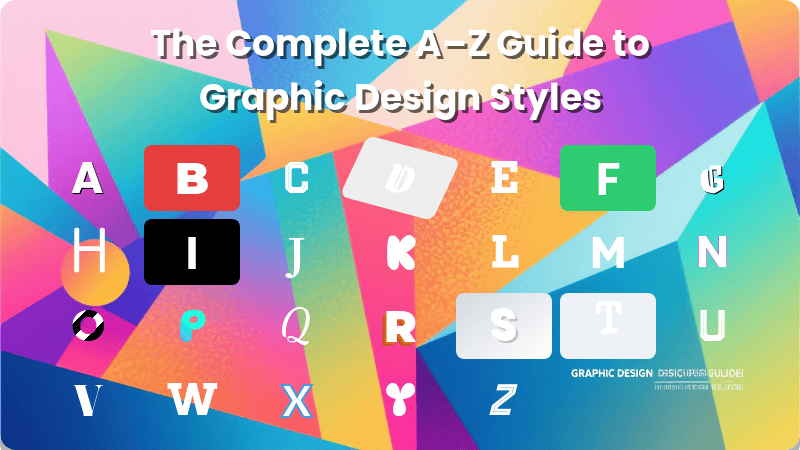
平面设计风格指南

由 mew.design 生成

你是否曾好奇,是什么让一个品牌给人永恒的优雅感,而另一个则显得大胆而现代?秘密就藏在它的平面设计风格之中。

平面设计风格不仅仅是漂亮视觉元素的集合;它是一种连贯的视觉语言,向世界传达一个品牌的个性、价值观和核心信息。随着AI技术的兴起,像 Mew Design 这样强大的人工智能设计智能体,现在可以通过简单的自然语言提示,帮助你生成各种风格的惊艳图形。

这份综合指南是你的首选资源,带你探索丰富的设计史,理解每种风格的关键特征,并为自己的品牌和创意项目做出明智的决策。

什么是平面设计风格 & 它们为何重要?

简单来说,平面设计风格是一套一致的视觉规则——涵盖色彩、形状、字体和构图——它们共同作用,营造出特定的情绪和感觉。理解它们至关重要,因为它们是强大的工具,可用于:

  • 品牌建设: 一致的风格能建立认知度和信任感。想想苹果的简洁极简主义,它立即传达出精致和易用性。
  • 信息沟通: 风格在只言片语被阅读之前就设定了基调。一张朋克摇滚海报原始、混乱的能量所传达的信息,与一家律师事务所宣传册结构化、值得信赖的布局截然不同。
  • 情感连接: 它通过使用特定目标受众的视觉语言来与之建立联系。俏皮、多彩的风格可能会与年轻受众产生共鸣,而更柔和、优雅的风格则可能吸引奢侈品市场。
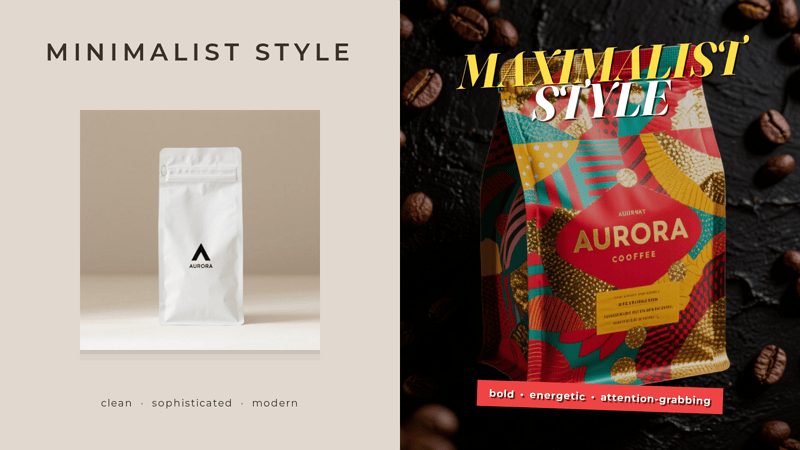
展示咖啡品牌的平面设计风格对比信息图

展示咖啡品牌的平面设计风格对比信息图。由 Mew.Design 生成。

平面设计风格的发展时间线

平面设计在艺术运动、技术进步和文化变迁的塑造下不断演变。这条时间线让你一窥视觉语言的变化过程,每个时代都在前一个时代的基础上建立或反叛。

  • 17世纪 & 印刷术的黎明: 在平面设计成为一个专业之前,巴洛克时期戏剧化、华丽的原则影响了早期的印刷装饰,为视觉的丰富性开创了先例。
  • 19世纪末 - 20世纪初: 一场反抗工业化千篇一律的叛逆开始了。新艺术运动流畅、有机的线条让位给未来主义和构成主义等前卫运动的激进抽象,以及装饰艺术和包豪斯的流线型几何。
  • 20世纪中期: 战后时代开启了两条截然不同的道路。瑞士风格的简洁、基于网格的秩序主导了企业设计,而世纪中期现代主义的俏皮乐观则抓住了消费文化的精神。
  • 20世纪末: 一场文化爆炸反映在设计中。后现代主义有意打破现代主义的规则,而垃圾摇滚风格(Grunge)则反映了地下音乐场景原始、未经打磨的美学。
  • 数字时代(90年代末 - 今天): 计算机和互联网的兴起创造了全新的设计范式。我们看到了Y2K美学、拟物化的现实主义、扁平化设计的清晰,以及现在由3D、玻璃拟态和AI驱动创作带来的新维度。 平面设计风格时间线信息图
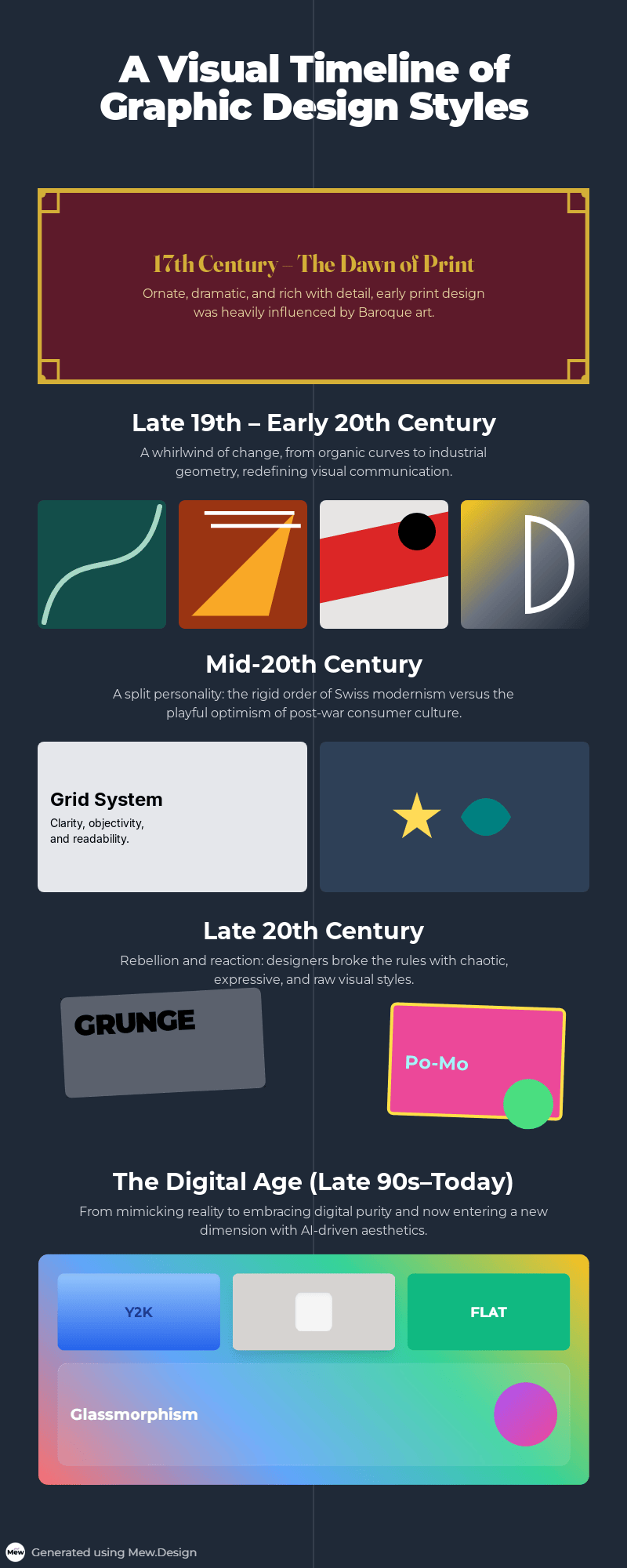
    平面设计风格时间线信息图。由 Mew.Design 生成。

平面设计风格 A-Z 完整指南

这是你了解最具影响力的平面设计风格的必备参考指南。  

历史与奠基风格

这些是开创性的设计运动,它们打破了过去,为现代视觉传达创造了基本原则。理解这些历史风格是欣赏当今趋势来源以及视觉语言如何演变的关键。

1. 巴洛克 (Baroque)

巴洛克风格于17世纪初在欧洲兴起,那是一个充满戏剧性科学和宗教变革的时期。虽然主要是一场艺术和建筑运动,但其戏剧、宏伟和情感强度的核心原则,严重影响了早期的印刷和装饰艺术。这种华丽的设计风格可被视为更具装饰性美学的先驱,建立了一种充满动感、细节和令人敬畏的复杂性的视觉语言。

关键人物: 卡拉瓦乔 (Caravaggio)、吉安·洛伦佐·贝尼尼 (Gian Lorenzo Bernini)(在艺术和雕塑领域)。

关键特征:

  • 戏剧与情感: 强烈的明暗对比(chiaroscuro)以营造戏剧张力。
  • 华丽细节: 丰富、复杂的装饰,包括花饰、卷涡和精细的插图。
  • 动感: 充满活力和运动感的动态构图。

现代应用: 其原则在现代极繁主义设计中得到呼应。非常适合希望传达奢华、传统和戏剧性风格的品牌,例如高端葡萄酒标签、婚礼请柬和经典书籍封面。
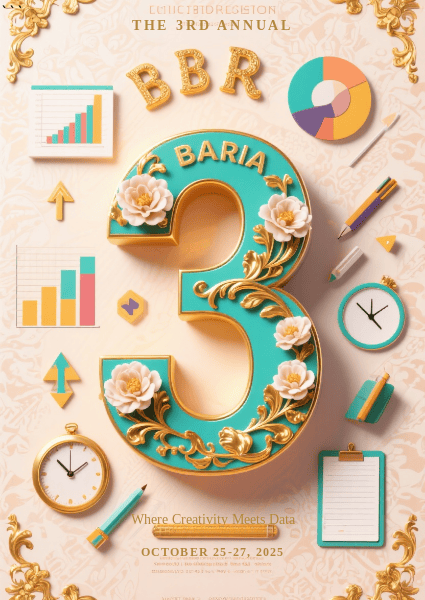
现代平面设计中的巴洛克风格示例

大胆的3D字体与华丽的巴洛克细节在充满活力的现代垂直拼贴画中相遇。由 Mew.Design 生成。

著名作品: 17世纪书籍中精致的扉页和版画常常展示出巴洛克的设计原则。 -> 深入了解 巴洛克风格设计

2. 新艺术运动 (Art Nouveau)

新艺术运动大约在1890年至1910年在欧洲盛行,它是一种革命性的平面设计风格,源于摆脱维多利亚时代僵化历史风格的渴望。它旨在通过将艺术融入日常生活来使设计现代化,其核心灵感来自自然界中流动、不羁的形态。

关键人物: 阿尔丰斯·穆夏 (Alphonse Mucha)、亨利·德·图卢兹-罗特列克 (Henri de Toulouse-Lautrec)、古斯塔夫·克里姆特 (Gustav Klimt)。

关键特征:

  • 有机形态: 以流动、蜿蜒和不对称的“鞭绳”曲线为主,灵感来自自然(藤蔓、花朵、昆虫)。
  • 装饰性插图: 以优雅、风格化的形象(特别是长发飘逸的女性)为特色,与周围环境无缝融合。
  • 整合式字体: 字体通常是手绘的,并成为艺术品本身的一部分,随构图扭曲和转动。

现代应用: 非常适合希望传达优雅、奢华和艺术感的品牌。常见于化妆品、巧克力和酒精饮料的包装,以及精品酒店的品牌设计中。
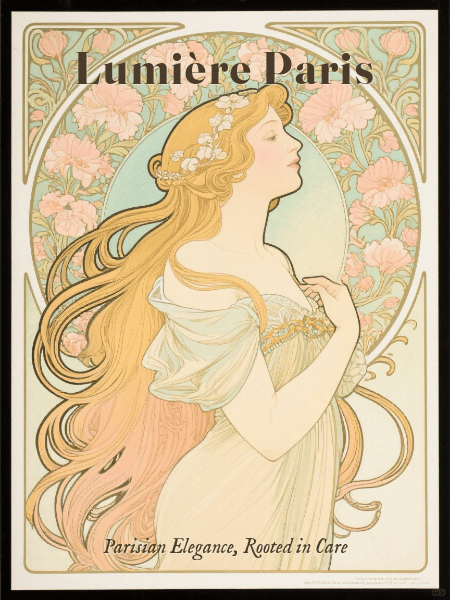
新艺术运动平面设计风格示例

受阿尔丰斯·穆夏启发的复古新艺术运动包装,具有流畅的有机图案、优雅的女性形象和整合的装饰性字体。由 Mew.Design 生成。

著名作品: 阿尔丰斯·穆夏为JOB香烟和各种戏剧作品设计的广告海报。

-> 深入了解 新艺术运动风格

3. 未来主义 (Futurism)

未来主义是20世纪初第一次世界大战前在意大利兴起的一场前卫运动,它颂扬活力、速度、技术和机器。这种激进而充满活力的平面设计风格完全拒绝过去,试图创造一种能够捕捉现代世界激动人心、甚至常常是暴力能量的新视觉语言。

关键人物: F.T. 马里内蒂 (F.T. Marinetti)、翁贝托·薄丘尼 (Umberto Boccioni)。

关键特征:

  • 动感与速度: 使用对角线、模糊形式和重复来营造运动感。
  • 工业影响: 在其图像中颂扬汽车、飞机和工业机械。
  • 表现主义字体: 打破传统布局,将单词和字母散布在页面上,创造出动态、爆炸性的效果。

现代应用: 其原则影响了那些旨在表现活力、大胆和前瞻性的设计。常见于科技品牌、体育广告和需要传达高能量的活动海报。
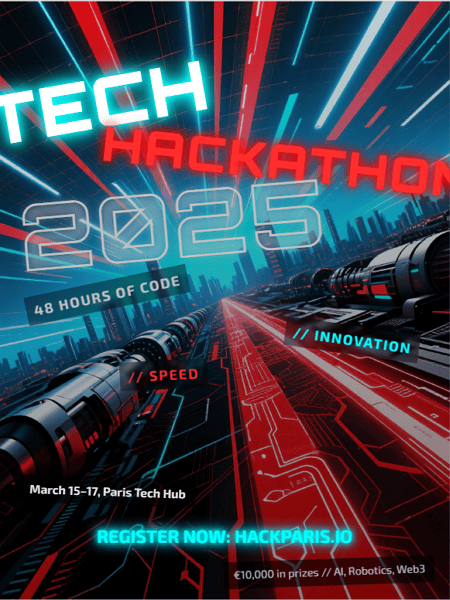
未来主义平面设计风格示例

未来主义的能量与科技创新在这张大胆、动感的黑客松海报中相遇。由 Mew.Design 生成。

著名作品: F.T. 马里内蒂在其著作《Zang Tumb Tumb》中的实验性字体设计。

-> 探索未来主义设计的活力原则。

4. 达达主义 (Dada)

达达主义诞生于第一次世界大战期间的苏黎世(约1916年),与其说是一种风格,不如说是一场反艺术、反战争的运动,它拒绝逻辑、理性和现代社会的美学。由此产生的平面设计风格故意混乱、非理性和荒谬,使用拼贴和蒙太奇手法来批判政治和文化。

关键人物: 马塞尔·杜尚 (Marcel Duchamp)、汉娜·霍克 (Hannah Höch)、特里斯坦·查拉 (Tristan Tzara)。

关键特征:

  • 拼贴与蒙太奇: 将报纸和杂志中不相关的图像和文本组合起来,创造出刺眼、无意义的构图。
  • 偶然与荒诞: 在布局中拥抱随机性。
  • 拒绝规则: 故意打破所有字体和构图的传统。

现代应用: 其反叛精神在朋克和垃圾摇滚美学中得以延续。被那些希望显得颠覆、非传统和批判主流的品牌和艺术家所使用。
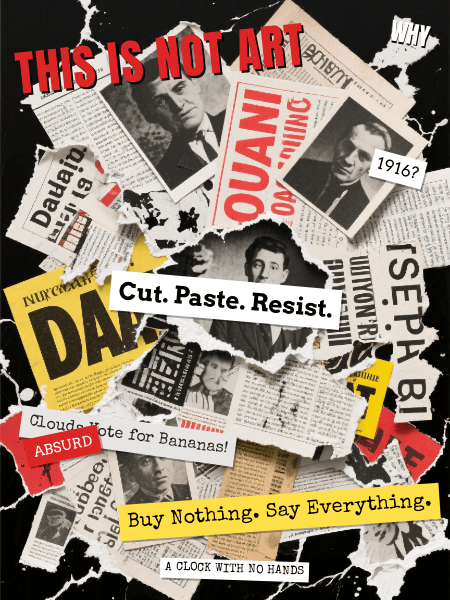
达达主义平面设计风格示例

一张充满荒诞意象、不匹配字体和破碎标题的混乱达达风格拼贴画。由 Mew.Design 生成。

著名作品: 像《Dada》这样的杂志中的实验性布局和蒙太奇作品,以及汉娜·霍克的作品。

-> 探索达达主义设计的混乱反叛。

5. 构成主义 (Constructivism)

这种富有影响力的设计风格于1920年代初在俄国布尔什维克革命后出现。构成主义认为艺术不应纯粹是艺术性的,而应服务于社会目的,成为建设新的共产主义社会的工具。它拒绝为艺术而艺术,转而支持功能性强、有力且具有社会意识的设计。

关键人物: 亚历山大·罗德琴科 (Alexander Rodchenko)、埃尔·利西茨基 (El Lissitzky)。

关键特征:

  • 几何抽象: 使用简单的几何形状,如圆形、方形和矩形。
  • 有限的调色板: 通常仅限于红色、黑色和白色,以获得最大的视觉冲击力。
  • 蒙太奇: 以动态方式整合摄影,创造强有力的信息。
  • 动态构图: 采用强烈的对角线来营造动感和活力。

现代应用: 其大胆的字体和动态、几何的布局原则对几乎所有现代平面设计都产生了巨大影响。常被用于政治海报和激进艺术中。
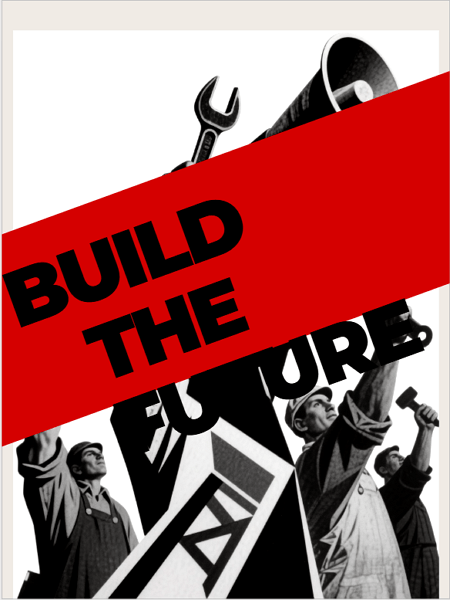
构成主义平面设计风格示例

一张大胆的构成主义风格海报,以动态对角线、几何形状和蒙太奇为特色——用红、黑、白三色传达了强有力、有目的的信息。由 Mew.Design 生成。

著名作品: 亚历山大·罗德琴科的标志性广告海报,例如为Lengiz出版社设计的海报。

-> 学习构成主义设计的强大原则。

6. 超现实主义 (Surrealism)

超现实主义于1920年代在巴黎兴起,由作家安德烈·布勒东 (André Breton) 领导,是一场旨在解放潜意识力量的文化运动。由此产生的设计风格不基于逻辑或现实,而是基于梦境、记忆和奇异的并置,创造出既令人不安又引人入胜的视觉效果。

关键人物: 萨尔瓦多·达利 (Salvador Dalí)、雷内·马格利特 (René Magritte)、马克斯·恩斯特 (Max Ernst)。

关键特征:

  • 梦幻般的意象: 呈现不合逻辑的场景和奇怪、意想不到的物体组合。
  • 象征主义: 象征性地使用物体来探索潜意识的思想和欲望。
  • 写实技巧: 经常使用高度写实和精细的绘画技巧,使不真实的事物看起来可信。

现代应用: 严重影响了现代插画、广告和海报设计,这些领域的目标是引人深思、奇异且令人难忘。
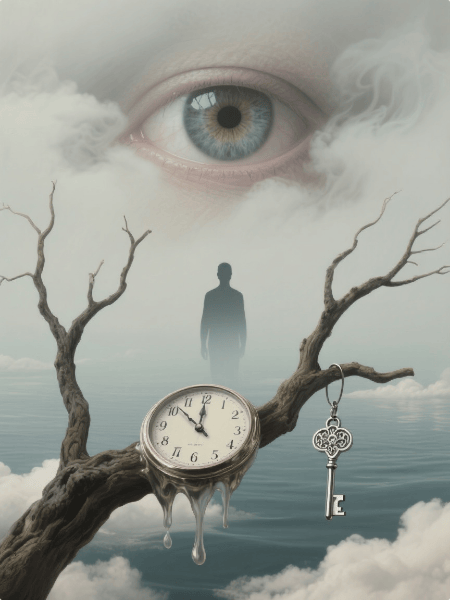
超现实主义平面设计风格示例

一张超现实主义海报,将超写实的梦境意象和象征性物体融合在一个怪诞、引人深思的构图中。由 Mew.Design 生成。

著名作品: 萨尔瓦多·达利的画作《记忆的永恒》,以其融化的时钟而闻名。

-> 潜入超现实主义设计的梦幻世界。

7. 包豪斯 (Bauhaus)

包豪斯设计风格诞生于德国颇具影响力的包豪斯学校(1919-1933)。由瓦尔特·格罗皮乌斯 (Walter Gropius) 创立,它作为对旧风格装饰过度的一种回应而出现,旨在将艺术、工艺和技术结合起来,为现代工业社会创造功能性和美观的物品。

关键人物: 瓦尔特·格罗皮乌斯 (Walter Gropius)、拉斯洛·莫霍利-纳吉 (László Moholy-Nagy)、赫伯特·拜尔 (Herbert Bayer)。

关键特征:

  • “形式追随功能”: 核心原则是设计应首先讲求实用性并服务于其目的。
  • 几何纯粹性: 强烈强调简单的几何形式,如圆形、方形和三角形。
  • 无衬线字体: 提倡使用简洁、功能性的无衬线字体,通常为小写。
  • 不对称布局: 使用结构化但动态的不对称网格。

现代应用: 包豪斯哲学是许多现代设计的基础,特别是在UI/UX、家具设计和企业品牌中,清晰和功能性至关重要。
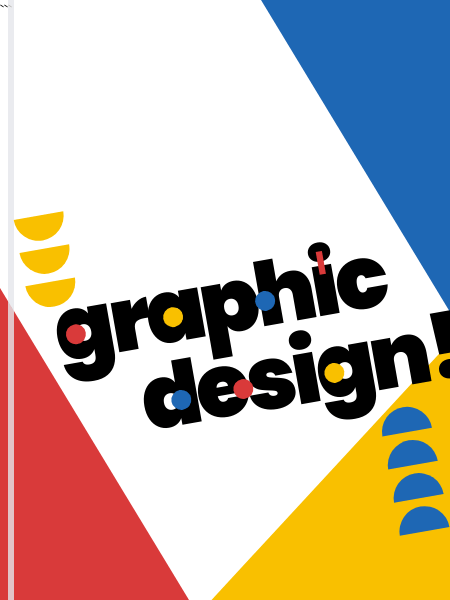
包豪斯平面设计风格示例

一个充满活力的包豪斯风格封面,以大胆的几何形状、原色和俏皮的无衬线字体为特色,布局动态而不对称。由 Mew.Design 生成。

著名作品: 赫伯特·拜尔的通用字母表和马塞尔·布劳耶 (Marcel Breuer) 的标志性瓦西里椅。

-> 探索包豪斯设计风格的基础原则。

8. 装饰艺术 (Art Deco)

装饰艺术在1920年代和1930年代达到顶峰,是对“咆哮的二十年代”的魅力、繁荣和机器时代现代性的一种视觉庆典。其名称来源于1925年在巴黎举行的“国际现代装饰和工业艺术博览会”,它代表着奢华、进步和对未来的坚定信念。

关键人物: A.M. 卡桑德尔 (A.M. Cassandre)、艾尔泰 (Erté / Romain de Tirtoff)。

关键特征:

  • 几何形状: 强烈强调锐利、重复的几何图案,如Z字形、V形和放射状图案。
  • 对称与大胆线条: 构图通常严格对称,线条大胆而清晰。
  • 奢华感: 使用流线型、光滑的形态和视觉上丰富的材料,如铬、金和抛光漆。
  • 字体: 偏爱高、窄、几何感的无衬线字体。

现代应用: 高端、奢华品牌的理想选择。常用于时尚和电影的标志、酒店品牌以及独家产品的包装。
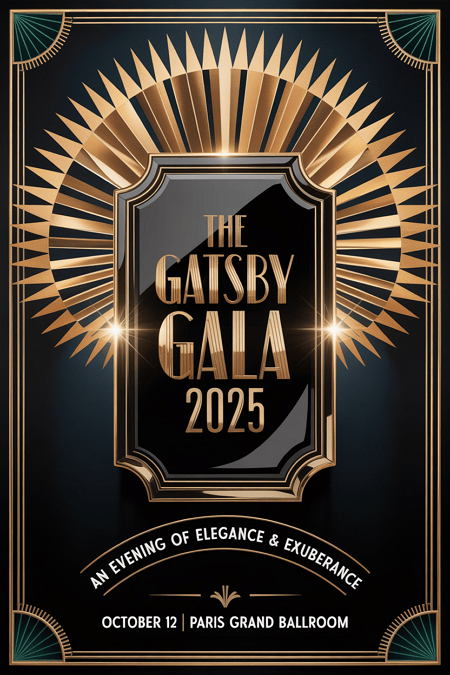
装饰艺术平面设计风格示例

一张华丽的装饰艺术海报,展示了对称的几何图案、大胆的线条和奢华的金色与黑色调——散发出1920年代的优雅和现代的精致。由 Mew.Design 生成。

著名作品: 电影《大都会》的海报和《了不起的盖茨比》的标志性封面。

-> 在我们的装饰艺术风格指南中查看惊艳的例子。

9. 瑞士风格 (国际主义排版风格)

这种极具影响力的设计风格于1950年代在瑞士发展起来,建立在包豪斯的现代主义原则之上。它寻求一种通用、客观和理性的设计方法,认为清晰的沟通应永远是首要目标。

关键人物: 阿明·霍夫曼 (Armin Hofmann)、约瑟夫·米勒-布罗克曼 (Josef Müller-Brockmann)。

关键特征:

  • 网格系统: 坚定不移地致力于使用数学网格进行布局,创造秩序和统一。
  • 无衬线字体: 几乎只使用像Helvetica和Univers这样简洁的无衬线字体,通常设置为左对齐、右参差。
  • 客观性: 拒绝装饰和个人表达,偏爱客观的摄影和清晰、简洁的信息。
  • 负空间: 将充足的空白作为设计中一个活跃且重要的元素来使用。

现代应用: 其原则是现代网页设计、UI/UX和企业品牌的基础。它传达了清晰、专业和可信赖的感觉。
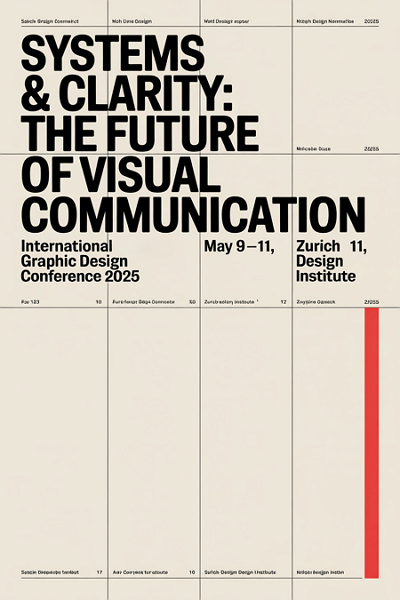
瑞士平面设计风格示例

一张植根于瑞士风格原则的海报——简洁的字体、严格的网格和精确的对齐,为这种理性、极简的视觉传达未来愿景带来了清晰和秩序。由 Mew.Design 生成。

著名作品: 约瑟夫·米勒-布罗克曼的音乐会海报,他巧妙地运用了字体和几何形式。

-> 在我们的瑞士风格指南中学习这些原则。

10. 世纪中期现代主义 (Mid-Century Modern)

作为二战后(约1945年至1965年)流行起来的广泛设计运动,世纪中期现代主义平面设计风格反映了那个时代的乐观主义、消费主义和对新技术的迷恋。它以友好、平易近人和迷人的复古感而闻名。

关键人物: 索尔·巴斯 (Saul Bass)、保罗·兰德 (Paul Rand)、雷和查尔斯·伊姆斯 (Ray and Charles Eames)。

关键特征:

  • 俏皮与有机: 特点是简洁的线条与柔和的有机曲线相结合。
  • 不对称: 构图通常不对称但保持平衡。
  • 插画风格: 采用友好、常常是古怪的插图和图标。
  • 调色板: 使用独特的乐观色彩(如薄荷绿、原子橙和绿松石色)与大地色调形成对比。

现代应用: 唤起怀旧和复古的魅力。非常适合插画、初创公司品牌以及希望显得友好和亲切的包装设计。
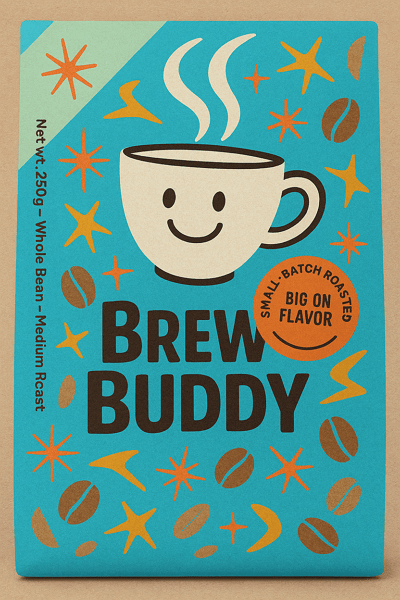
世纪中期现代主义平面设计风格示例

一个迷人的世纪中期现代主义包装设计,带有俏皮的插图、复古的色彩和友好的字体——将复古的温暖与现代的魅力融为一体。由 Mew.Design 生成。

著名作品: 索尔·巴斯标志性的电影海报和片头序列(例如《桃色血案》)。

-> 探索世纪中期现代主义设计的魅力。

11. 迷幻风格 (Psychedelic)

源于1960年代的反文化运动,迷幻设计是对当时僵化的现代主义的一种视觉反叛,深受迷幻音乐和致幻体验的影响。它旨在创造一种改变了的意识状态的视觉再现。

关键人物: 韦斯·威尔逊 (Wes Wilson)、维克多·莫斯科索 (Victor Moscoso)、彼得·马克斯 (Peter Max)。

关键特征:

  • 扭曲的视觉效果: 呈现漩涡状、融化状和抽象的形状,创造出令人头晕目眩的效果。
  • 难以辨认的字体: 手绘字体常常被扭曲到难以阅读的程度,成为整体图像的一部分。
  • 振动的色彩: 使用强烈、高对比度且常常冲突的颜色组合,以营造振动感。

现代应用: 用于音乐节海报、专辑封面以及希望传达创意、自由精神或拓展思维氛围的品牌。
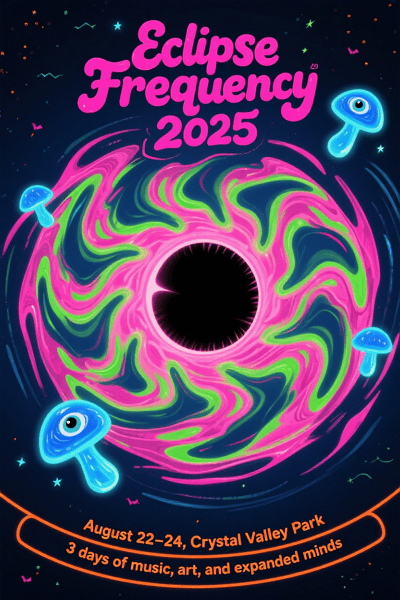
迷幻平面设计风格示例

一张令人眼花缭乱的迷幻海报,扭曲的形态、振动的色彩和变形的字体——捕捉了宇宙音乐体验的精神。由 Mew.Design 生成。

著名作品: 旧金山The Fillmore等场地的音乐会海报。

-> 理解迷幻风格的反叛精神。

12. 波普艺术 (Pop Art)

波普艺术设计风格始于1950年代,在1960年代爆发,通过融合广告和漫画书等流行文化意象,挑战了美术传统。它模糊了高雅艺术与通俗艺术的界限,颂扬平凡与商业。

关键人物: 安迪·沃霍尔 (Andy Warhol)、罗伊·利希滕斯坦 (Roy Lichtenstein)。

关键特征:

  • 大众文化意象: 使用来自广告、漫画书和日常消费品的图像。
  • 大胆与鲜活: 采用明亮、饱和的颜色和大胆的轮廓。
  • 重复: 常常在单个作品中重复图像,以反映大规模生产。
  • 本戴点 (Ben-Day Dots): 罗伊·利希滕斯坦以使用网点模仿商业漫画印刷的外观而闻名。

现代应用: 这种风格在广告、编辑插画和时尚领域仍然强大,用于创造大胆、具有讽刺意味和引人注目的视觉效果。
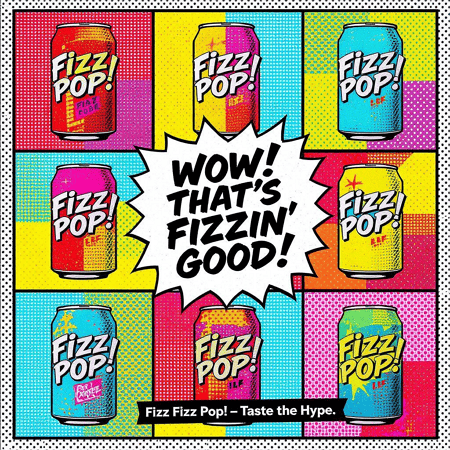
波普艺术平面设计风格示例

一则充满漫画气息、饱和色彩和有力重复的大胆波普艺术风格广告——以讽刺、高冲击力的风格颂扬日常生活。由 Mew.Design 生成。

著名作品: 安迪·沃霍尔的《金宝汤罐头》系列。

-> 了解波普艺术如何继续影响现代设计。

现代与当代风格

随着技术进步和文化分裂,现代主义的严格规则让位于更多样化、个人化,有时甚至是反叛的平面设计类型。这些当代风格反映了我们现代世界的复杂性,从极端简约到层叠的混乱。

13. 后现代主义 (Postmodernism)

后现代设计风格出现于1970年代末和1980年代,是对现代主义和瑞士风格的僵化规则及所谓严肃性的一种直接、通常是俏皮的反叛。它宣称设计可以是表现性的、装饰性的和不拘一格的,摆脱了“形式追随功能”的信条。

关键人物: 沃尔夫冈·魏恩加特 (Wolfgang Weingart)、阿普里尔·格雷曼 (April Greiman)、保拉·谢尔 (Paula Scher)。

关键特征:

  • 打破规则: 故意打破网格,混合字体,并以看似混乱的方式层叠元素。
  • 不拘一格: 自由地混合历史风格和不同的美学。
  • 表现性与俏皮: 偏爱拼贴、大胆的色彩和表现性的装饰形式。

现代应用: 其影响见于那些表现性强、层次丰富和非传统的设计中。Zine文化、实验性海报和具有反叛身份的品牌常常借鉴后现代主义原则。
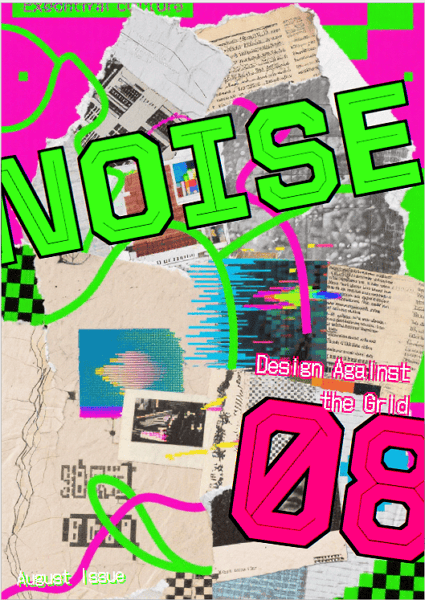
后现代主义平面设计风格示例

一个打破规则的后现代主义Zine封面,充满了层叠的字体、冲突的风格和拼贴的混乱——在这里,设计摒弃秩序,崇尚表达。由 Mew.Design 生成。

著名作品: 沃尔夫冈·魏恩加特的实验性字体设计和阿普里尔·格雷曼的早期数字作品。

-> 探索后现代主义设计的自由不羁。

14. 极简主义 (Minimalism)

虽然其根源在于现代主义,但极简主义作为一种独特的平面设计风格,在20世纪末和21世纪初占据了主导地位。它是一种“少即是多”的哲学,相信当所有非必要元素被剥离,只留下纯粹、集中的内容时,信息会更有力量。

关键人物: 受路德维希·密斯·凡·德·罗 (Ludwig Mies van der Rohe)(建筑)等先驱的影响,并被迪特·拉姆斯 (Dieter Rams)(产品设计)等设计师所采纳。

关键特征:

  • “少即是多”: 核心理念是剥离所有非必要元素。
  • 负空间: 大量使用白色或空白空间作为主要设计元素,以创造焦点和优雅感。
  • 简约调色板: 通常是单色的,或使用非常有限且经过深思熟虑的颜色组合。
  • 简洁字体: 依赖于单一、精心挑选的无衬线字体。

现代应用: 在科技(苹果)、奢侈品牌(香奈儿)、建筑和UI/UX设计中占主导地位。它传达了精致、自信和清晰。
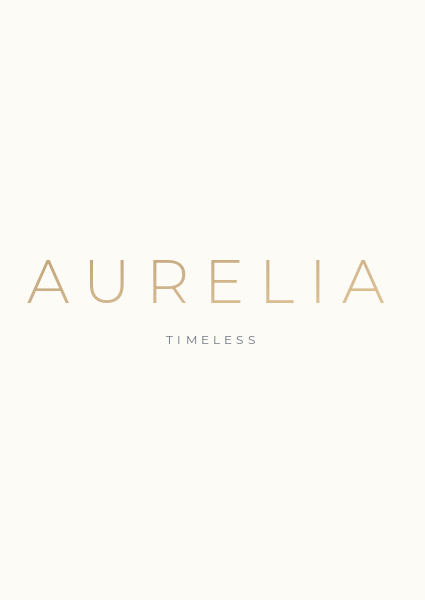
极简主义平面设计风格示例

一个极简主义的科技主页,利用清晰、空白和克制来传达精确和优雅——每个元素都服务于一个目的。由 Mew.Design 生成。

著名作品: 史蒂夫·乔布斯和乔尼·艾维领导下的苹果公司的品牌和产品设计。

-> 通过我们的极简主义指南掌握简约的艺术。

15. 极繁主义 (Maximalism)

作为对极简主义克制的直接反叛,极繁主义近年来作为一种颂扬过度、个性和大胆表达的风格而出现。它奉行“多即是多”的哲学,创造丰富、沉浸式的视觉体验。

关键人物: 这更像是一种当代趋势而非正式运动,像设计师Camille Walala和艺术家Hassan Hajjaj这样的人物体现了其精神。

关键特征:

  • “多即是多”: 用丰富的元素、颜色和纹理层层填充空间。
  • 不拘一格与大胆: 在单个构图中混合不同的风格、图案和字体。
  • 鲜活的色彩: 使用无畏、饱和且通常非传统的调色板。

现代应用: 非常适合希望显得大胆、充满活力和非传统的品牌。常见于时尚、活动推广和酒店设计。
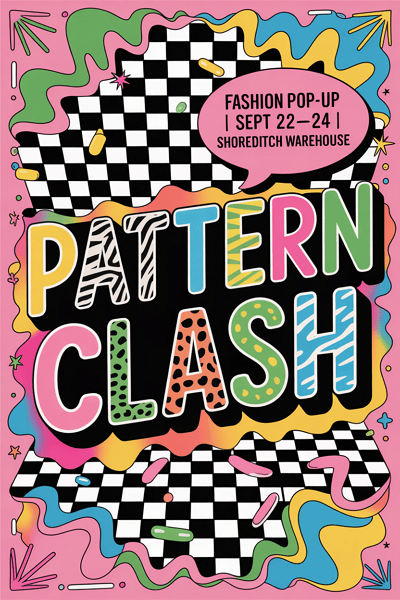
极繁主义平面设计风格示例

色彩、字体和图案的狂欢——这张极繁主义海报将视觉混乱转化为一个拒绝被忽视的大胆时尚宣言。由 Mew.Design 生成。

著名作品: 近期像Gucci这样的品牌的广告活动,或音乐节的鲜活形象设计。

-> 潜入极繁主义设计的活力世界。

16. 垃圾摇滚风格 (Grunge)

诞生于1990年代的另类摇滚和垃圾摇滚音乐场景,这种平面设计风格是对1980年代干净、光鲜的企业美学的一种视觉反抗。它拥抱一种原始、未经提炼且常常混乱的外观,感觉更真实、更人性化。

关键人物: 大卫·卡森 (David Carson)、内维尔·布罗迪 (Neville Brody)。

关键特征:

  • 破旧纹理: 融合了颗粒感的照片、撕裂的纸张、污渍和粗糙的背景。
  • 混乱布局: 拒绝网格,偏爱层叠、凌乱和看似随机的构图。
  • 非传统字体: 使用重叠、扭曲且有时难以辨认的字体。

现代应用: 用于传达一种原始、前卫和反建制的态度。在音乐、时尚和以年轻人为中心的品牌中仍然可见。
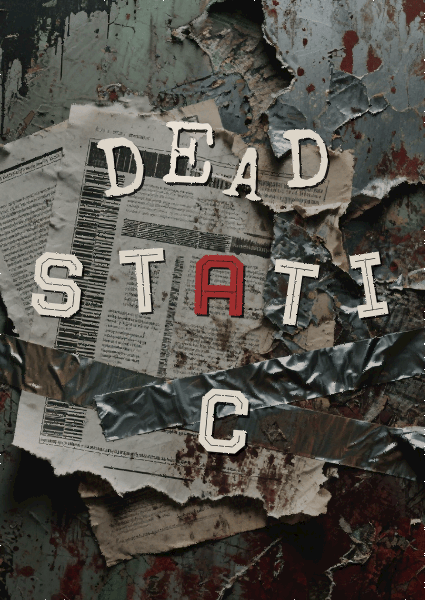
垃圾摇滚平面设计风格示例

垃圾摇滚风格不追求完美——它关乎情感、质感和反叛。这个设计深入挖掘了那种原始的能量,创造出一个与音乐本身一样粗粝和真实的封面。由 Mew.Design 生成。

著名作品: 大卫·卡森为《Ray Gun》杂志所做的开创性工作。

-> 了解更多垃圾摇滚风格的知识。

17. 粗野主义 (Brutalism)

在数字设计中,粗野主义于2010年代中期出现,其灵感来源于粗野主义建筑原始、不加修饰的混凝土形态。这是一种粗犷、常常令人不适的风格,它将原始功能和诚实置于传统美学之上。

关键人物: 帕斯卡尔·德维尔 (Pascal Deville),颇具影响力的档案网站brutalistwebsites.com的创建者,帮助定义和推广了这场数字运动。

关键特征:

  • 原始与未完成: 通常看起来像未加样式的HTML,带有原始的文本链接和系统字体。
  • 鲜明与冲突: 使用大胆、常常冲突的颜色和鲜明、高对比度的字体。
  • 拒绝传统: 故意忽视传统的美学和用户友好性设计原则,以做出大胆的声明。

现代应用: 被艺术团体、作品集和时尚品牌用来展现前卫、诚实和反商业的形象。
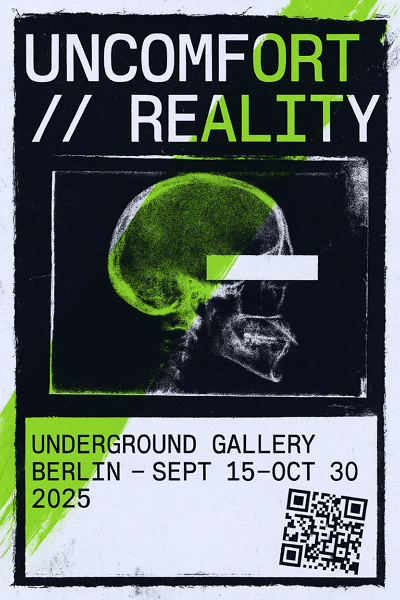
粗野主义平面设计风格示例

一张挑战传统美学的粗野主义海报——原始、颠覆性的视觉效果,与地下艺术文化和后数字时代的反叛精神相契合。由 Mew.Design 生成。

著名作品: 拥抱这种原始美学的设计师和工作室的网站,比如巴黎世家 (Balenciaga) 的网站。

-> 探索粗野主义网页设计的原始力量。

18. 有机/手绘风格 (Organic / Hand-drawn)

作为对数字工具冷酷精确性的直接回应,有机或手绘平面设计风格强调人性化的触感、不完美和真实性。它与其说是一个特定的历史运动,不如说是一种永恒的哲学,珍视艺术家在与观众建立温暖和个人联系方面的手工创作。

关键人物: 当代字体艺术家如杰西卡·希什 (Jessica Hische) 和定义了像Mailchimp这样品牌的插画家们都推崇这种美学。

关键特征:

  • 不完美的线条: 拥抱手绘线条和插图自然的抖动和变化。
  • 自然纹理: 常常融合纸张、水彩或素描般的纹理。
  • 定制字体: 采用手写字体或友好、易于接近的脚本字体。
  • 质朴亲切的色彩: 倾向于使用更柔和、更自然的调色板。

现代应用: 理想选择于希望显得真实、可持续和友好的品牌。非常适合手工艺食品包装、咖啡店、健康应用和儿童产品。
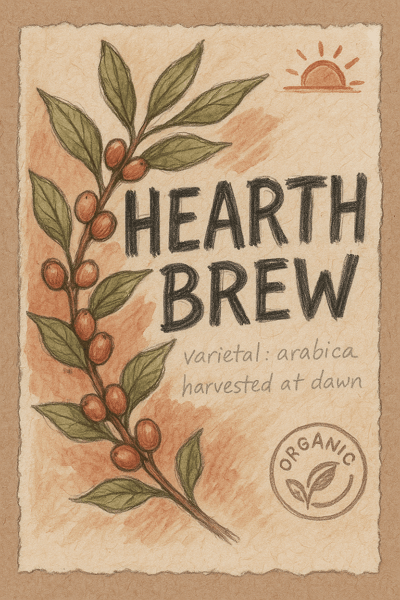
有机平面设计风格示例

一个传达有机图形风格的包装概念——手工、质朴、真诚——旨在吸引重视真实的自觉消费者和咖啡爱好者。由 Mew.Design 生成。

著名作品: Mailchimp的插画和友好品牌形象,以及Headspace使用的亲切插图。

-> 用手绘风格为你的作品注入人性。

19. 抽象风格 (Abstract)

抽象平面设计风格植根于20世纪初的美术运动,它使用形式、颜色和纹理来营造一种情绪,而非进行字面上的再现。它在情感和感官层面上进行沟通,将设计从现实主义的束缚中解放出来。

关键人物: 历史上受瓦西里·康定斯基 (Wassily Kandinsky) 等艺术家的影响。在平面设计领域,保罗·兰德 (Paul Rand) 是使用抽象形式进行企业形象设计的大师。

关键特征:

  • 非再现性: 不试图真实地描绘一个物体。
  • 注重构图: 依赖于形状、线条和颜色的相互作用来创造视觉体验。
  • 唤起情感: 旨在通过视觉感觉创造一种感受或传达一个想法。

现代应用: 广泛用于品牌设计(特别是科技和咨询公司)、包装和海报,当需要一个独特且引人深思的图像时。
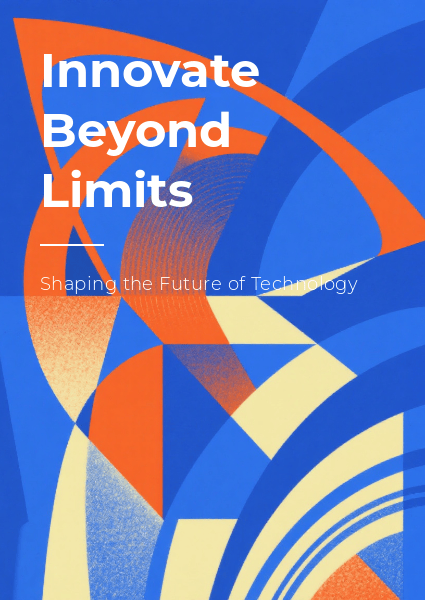
抽象平面设计风格示例

一场充满活力的抽象形状和层叠色彩的游戏,捕捉了创新和情感表达的精神——一个邀请观众探索超越字面意义、拥抱创作自由的设计。由 Mew.Design 生成。

著名作品: 保罗·兰德为IBM、ABC和UPS设计的标志性logo,它们使用简单的抽象形状创造了令人难忘的身份。

-> 学习如何在你的设计中使用抽象形式。

20. 几何风格 (Geometric)

作为一种植根于许多运动的永恒风格,几何平面设计风格依赖于圆形、方形和三角形等简单形状的视觉力量。它创造了一种秩序感、稳定感和技术精确感。

关键人物: 这些原则对包豪斯和瑞士风格的大师如约瑟夫·米勒-布罗克曼 (Josef Müller-Brockmann) 来说至关重要。

关键特征:

  • 基于形状: 构图主要由圆形、方形、三角形和六边形构成。
  • 秩序与图案: 常常使用重复和对称来创造复杂且视觉上令人愉悦的图案。
  • 简洁与现代: 使用锐利的线条和清晰的形状使其具有干净、逻辑和现代的感觉。

现代应用: 用途极其广泛。用于标志设计、包装图案、海报和网页设计,以创造秩序感、科技感和稳定感。
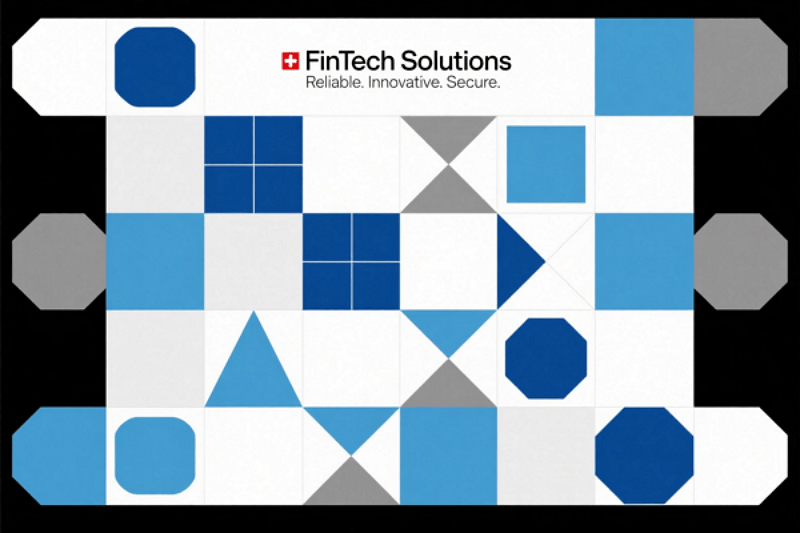
几何平面设计风格示例

一个由几何形状和锐利线条构成的精确构图,体现了清晰、秩序和技术的精致。由 Mew.Design 生成。

著名作品: 奥托·艾歇 (Otl Aicher) 为1972年慕尼黑奥运会创作的象形图和视觉识别系统。

-> 看看几何设计如何创造结构和美感。

数字与UI/UX风格

个人电脑和互联网的黎明为视觉传达开辟了新的疆域。以下类型的平面设计诞生于屏幕,专为用户界面、网站和数字体验的互动、基于像素的世界而创建。这些风格优先考虑可用性、互动性以及数字媒介的独特属性。

21. Y2K复兴 (千禧美学)

Y2K平面设计风格是近期由对1990年代末和2000年代初美学的怀旧情绪推动的趋势。它是一种复古未来主义,重新诠释了早期互联网时代的“技术乌托邦”乐观主义,那个时代充斥着笨重的硬件、拨号调制解调器,以及对似乎近在咫尺的数字未来的迷恋。

关键人物: 由新一代设计师在TikTok和Instagram等社交媒体平台上推广的趋势。

关键特征:

  • 早期CGI美学: 具有低多边形3D模型、金属光泽和气泡状形态。
  • 半透明与彩虹色元素: 模仿半透明塑料硬件(如iMac G3)和全息纹理的外观。
  • 未来主义字体: 使用粗大、通常带有金属或铬效果的字体。
  • 明亮、酸性色彩: 常见的调色板包括闪亮的蓝色、银色、亮粉色和青柠绿。

现代应用: 广泛用于时尚品牌、音乐(专辑封面和巡演视觉)以及针对Z世代的社交媒体营销。
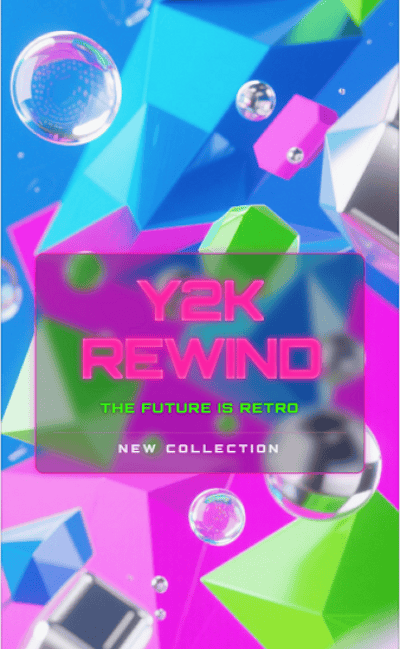
y2k平面设计风格示例

一个充满活力的Y2K设计,带有半透明塑料、金属光泽和粗大的铬合金字体,捕捉了早期互联网的怀旧情怀和复古未来主义的乐观精神。由 Mew.Design 生成。

著名作品: 像奥利维亚·罗德里戈 (Olivia Rodrigo) 和查莉·XCX (Charli XCX) 等音乐人的视觉形象和商品中常常融入强烈的Y2K元素。

-> 探索Y2K复兴的复古未来主义。

22. 3D设计 / CGI

3D设计使用现代软件来创建具有深度、纹理和真实感的图像和动画,这在以前是不可能的。它已经从一个利基的特效发展成为一种融合了真实与虚拟的主流美学。

关键人物: 这个领域由工作室和个人艺术家推动。Beeple (Mike Winkelmann) 将每日CGI艺术带入主流视野,而像Man vs Machine这样的工作室则为全球品牌创作前沿的3D动态图形。

关键特征:

  • 深度与真实感: 创造出一种可触摸的深度和维度感。
  • 逼真纹理: 能以惊人的准确度模仿现实世界中的材料(如金属、玻璃、织物)。
  • 奇幻意象: 允许创作富有想象力的角色、环境和抽象形态。

现代应用: 在科技公司的品牌设计、产品模型、动态图形和广告中无处不在,用于创造引人注目、高制作价值的视觉效果。
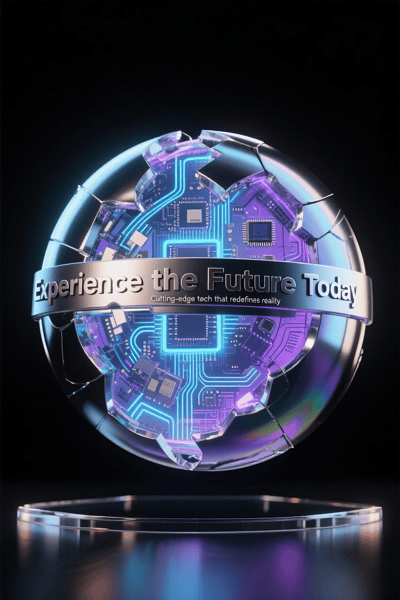
3d平面设计风格示例

一个引人注目的3D设计,将逼真的纹理和深度与富有想象力的未来形态相结合——提供了一个连接现实与数字创意的精致视觉。由 Mew.Design 生成。

著名作品: 苹果公司流畅细致的产品发布动画是高端商业3D设计的典范。

-> 探索3D设计的沉浸式世界。

23. 拟物化 (Skeuomorphism)

作为早期数字设计(尤其是在2000年代)的一种流行风格,拟物化旨在让新技术感觉熟悉和直观。这种平面设计通过使数字界面元素在外观和感觉上模仿其现实世界中的对应物来实现这一点。

关键人物: 斯科特·福斯特尔 (Scott Forstall),苹果公司前iOS高级副总裁,是早期iPhone软件中这种风格的主要倡导者。

关键特征:

  • 模仿现实世界: 数字元素被设计得看起来像物理对象(例如,一个看起来像纸质记事本的笔记应用,一个看起来像真实垃圾桶的回收站图标)。
  • 纹理与阴影: 使用逼真的纹理、渐变和投影来创造深度和可触摸感。

现代应用: 虽然在UI中很大程度上被扁平化设计所取代,但其原则仍在游戏设计和需要即时识别的图标中使用。
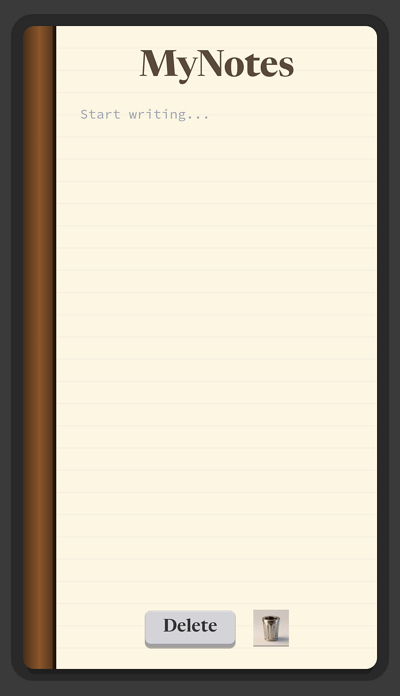
拟物化平面设计风格示例

一个触感丰富的应用界面,通过模仿现实世界的纹理和阴影,将数字元素赋予生命——通过丰富的拟物化细节体现了熟悉度和直观设计。由 Mew.Design 生成。

著名作品: 苹果iOS的原始界面(直到iOS 6),其逼真的便笺、日历和“滑动来解锁”按钮。

-> 重温拟物化设计的时代。

24. 扁平化设计 (Flat Design)

扁平化设计在2010年代初作为对拟物化的直接反叛而声名鹊起。它拥抱屏幕的二维特性,将简洁、清晰和可用性置于首位。

关键人物: 由微软以其Metro设计语言开创,并由苹果公司发布iOS 7后在全球推广。

关键特征:

  • 二维性: 去除了所有3D效果,如投影、渐变和纹理。
  • 简洁与清晰: 使用简单的形状、明亮的纯色和简洁的字体。
  • 注重可用性: 旨在创建干净、易于导航的用户界面。

现代应用: 现代网站、移动应用和软件界面的主流风格。
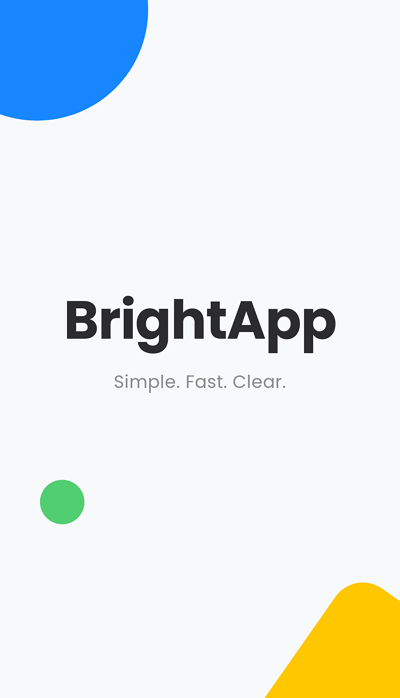
扁平化平面设计风格示例

一个清爽简约的启动页,去除了复杂性——展示了扁平化设计的清晰、明亮的色彩和直接的可用性,以获得无缝的数字体验。由 Mew.Design 生成。

著名作品: 现代网站、移动应用和软件界面的主流风格。

-> 深入了解巴洛克风格设计。

25. 液态/抽象流体风格 (Liquid / Abstract Flow)

这种超现代的平面设计风格以其流动、无定形和动态的形状为定义。它经常使用渐变和动感来创造出既有机、充满活力又具未来感的视觉效果。

关键人物: 作为一个近期趋势,它更多地由创意机构和科技公司而非单个人物来定义。

关键特征:

  • 无定形形状: 使用流动、液体般的形态,挑战僵硬的几何学。
  • 渐变与色彩: 常常采用鲜艳的渐变来赋予形状生命和维度。
  • 动感: 构图感觉充满活力和运动感。

现代应用: 受科技初创公司、创意机构和希望显得创新、适应性强且走在潮流前沿的品牌欢迎。
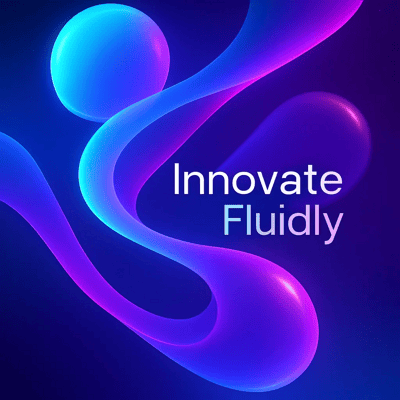
液态平面设计风格示例

流动形态和鲜活渐变的动态融合——这个设计充满了动感和能量,体现了现代科技创新的未来主义和适应性精神。由 Mew.Design 生成。

著名作品: 像Stripe这样的公司的网页设计和品牌推广,它们经常使用流体渐变和抽象背景形状。

-> 看看液态设计如何创造流动感。

26. 故障艺术 (Glitch Art)

故障艺术故意使用数字错误和瑕疵来达到美学目的。它源于对技术不完美之处的迷恋,将数据损坏、像素化和数字噪音转变为一种引人注目的视觉语言。

关键人物: 早期先驱如Ant Scott (Beflix) 探索了这种美学,后来被无数数字艺术家在Tumblr和Instagram等平台上推广。

关键特征:

  • 损坏的美学: 具有扭曲的图像、像素化和色彩溢出。
  • 数字噪音: 融合了看起来像静电或数据错误的元素。
  • 未来感与反乌托邦: 可以唤起一种未来、技术饱和甚至反乌托邦世界的感觉。

现代应用: 非常适合音乐活动、科技会议以及游戏或网络安全领域的品牌,它们希望拥有前卫、数字原生的外观。
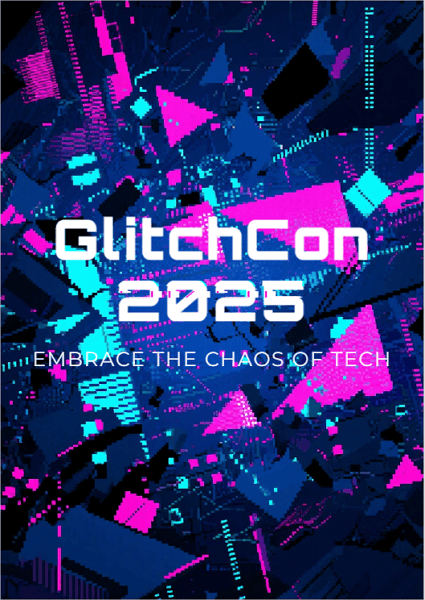
故障艺术平面设计风格示例

像素化、扭曲和数字噪音的原始碰撞——这张故障艺术海报传达了技术不完美的美感,唤起了一个混乱与控制交织的未来世界。由 Mew.Design 生成。

著名作品: 这种美学在A$AP Rocky的《L$D》等音乐视频和《黑客军团》(Mr. Robot) 等剧集的片头序列中非常突出。

-> 探索故障艺术的扭曲之美。

27. 全息/彩虹色风格 (Holographic / Iridescent)

这种近期的平面设计风格模仿光线通过棱镜或全息图折射的效果。它创造出闪闪发光、多色调的金属质感,既有未来感又飘逸空灵。

关键人物: 一种由时装公司和设计工作室在社交媒体上推广的趋势驱动型风格。

关键特征:

  • 闪烁的纹理: 使用在多种柔和色和霓虹色之间变换的渐变。
  • 金属光泽: 通常具有金属或珍珠般的光洁度。
  • 未来感: 唤起一种高科技和幻想的感觉。

现代应用: 在时尚、美妆包装、科技品牌和社交媒体图形中很受欢迎,用于创造一种新潮、引人注目和神奇的效果。
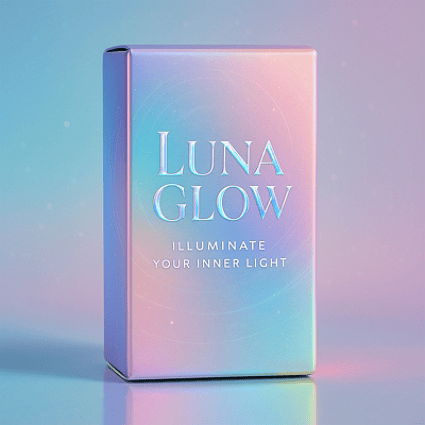
全息平面设计风格示例

柔和与霓虹渐变的闪亮舞蹈,带有金属光泽——这种彩虹色设计捕捉了一种既神奇又现代的未来主义优雅。由 Mew.Design 生成。

著名作品: 在耐克未来感运动鞋的营销中和Fenty Beauty等品牌的包装上广泛见到。

-> 探索彩虹色设计的未来光彩。

28. 黏土拟态 (Claymorphism)

作为UI中3D设计的演变,黏土拟态设计风格使用光滑、圆润、黏土般的图形。它创造出一种柔软、轻盈和有触感的感觉,仿佛UI元素被充气且可触摸。

关键人物: 这种风格由Dribbble和Behance等创意平台上的UI/UX设计师群体推广开来。

关键特征:

  • 柔软蓬松的3D: 具有看起来像软黏土的光滑、圆润的形状。
  • 内外阴影: 使用微妙的内外阴影来营造被充气的错觉。
  • 轻盈简约: 通常设置在简单、浅色的背景上。

现代应用: 用于移动应用和仪表盘的用户界面,以创造友好、简单和有触感的用户体验。 黏土拟态平面设计风格示例
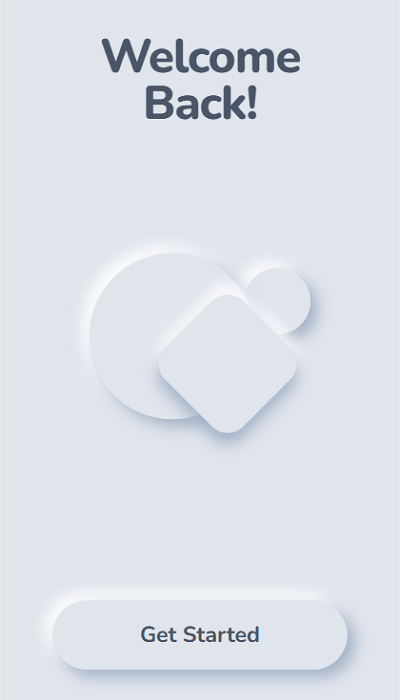
柔软、蓬松的形状和微妙的阴影相结合,创造出一个有触感、友好的界面——这种黏土拟态设计邀请用户体验一个轻盈、平易近人的数字世界。由 Mew.Design 生成。

著名作品: 虽然仍在兴起,但在Dribbble上的概念UI设计中广泛见到,并开始出现在金融科技和健康应用的界面中。

-> 了解黏土拟态的柔软触感。

29. 玻璃拟态 (Glassmorphism)

作为一种流行的UI趋势,玻璃拟态设计模仿磨砂玻璃的外观。它通过在色彩鲜艳、模糊的背景上层叠半透明元素,为界面增添了深度和层次感。

关键人物: 这种风格被苹果的设计团队大力推广。

关键特征:

  • 磨砂玻璃效果: 标志性元素是背景模糊,创造出半透明、磨砂玻璃的外观。
  • 分层深度: 对象相互浮动,创造出清晰的视觉层次。
  • 微妙的边框: 通常会给半透明对象应用一个浅色的1像素边框,以帮助它从背景中脱颖而出。

现代应用: 广泛用于现代用户界面的仪表盘、移动应用卡片和网站元素,以创造轻盈、通透和未来感。
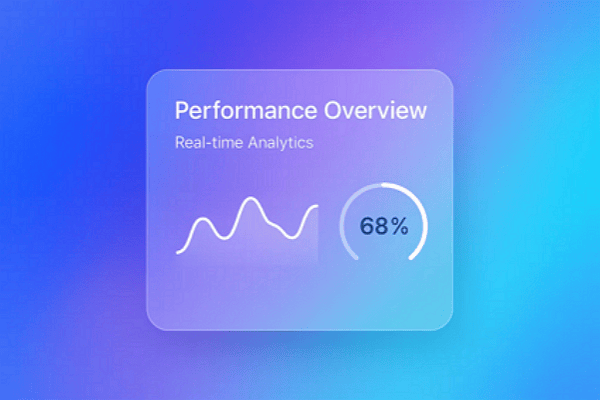
玻璃拟态平面设计风格示例

一张半透明磨砂玻璃卡片层叠在鲜艳的色彩之上——这种玻璃拟态UI设计以轻盈、未来感的美学创造了深度和清晰度,非常适合现代仪表盘。由 Mew.Design 生成。

著名作品: 苹果的macOS Big Sur界面、iOS控制中心以及微软Fluent Design系统的部分元素。

-> 探索最新的UI趋势:玻璃拟态。

常见问题解答 (FAQs)

装饰艺术(Art Deco)和新艺术运动(Art Nouveau)有什么区别? 最简单的记忆方法是:新艺术运动关乎流动、有机、受自然启发的曲线(想象藤蔓)。装饰艺术关乎锐利、对称、受机器启发的几何形状(想象摩天大楼)。

极简主义还是一种流行的设计风格吗? 是的。极简主义仍然是最流行和最永恒的风格之一,尤其是在数字设计、企业品牌和奢侈品市场。它对可用性和清晰度的关注使其非常有效。

平面设计风格有多少种? 没有确切的数字。风格在不断演变、融合和重现。本指南涵盖了最重要和最知名的风格,但设计师们总是在创造新的视觉语言。

一个品牌可以使用多种设计风格吗? 通常来说,一致性是强大品牌形象的关键。但是,一个品牌可以有一个核心风格,并为特定活动或子品牌使用来自互补次要风格的元素,只要这看起来是刻意的而不是混乱的。

结论

平面设计风格是我们用来讲述故事、唤起情感和建立持久联系的强大视觉工具。从新艺术运动的历史优雅到扁平化设计的简洁功能,每种风格都提供了一种独特的沟通方式。理解这些选择是建立一个真正引人注目的品牌的第一步。

🚀

准备好设计一张图了吗?

在 Mew Design,我们专注于将品牌形象转化为引人注目的视觉风格。无论你被永恒的极简主义吸引,还是偏爱大胆的极繁主义,我们的AI设计智能体都能帮助你打造一个真正能建立连接的外观。

使用Mew Design生成你的设计作品
Top 12 AI Social Media Post Generators for 2025

ai social media post generator

Generated using mew.design

In today’s fast-paced digital world, consistently creating interesting social media content is a major challenge. Marketers and creators need powerful tools to keep up with changing algorithms and audience tastes. AI has transformed social content creation, offering solutions to generate compelling posts quickly.

With over 70% of businesses (Source: McKinsey & Company report) using AI in their social media content strategy, these tools help create relevant, platform-optimized posts that save significant time and resources. This guide explores the The 12 best AI social media post generators, including free, freemium, and paid tools, to help you maintain a strong social media presence without burnout.

How We Tested and Selected These AI Tools for Social Media Posts

To find the best AI social media post generators, I and my friends tested dozens of tools based on five key criteria:

  • Content Quality and Brand Fit: The key aspect we evaluated was output quality. We looked at whether the content was authentic, compelling, and customizable to suit various brand tones and industry contexts.
  • User Experience: We evaluated how easy each tool was to learn and use. We considered the balance between powerful features and a steep learning curve, noting which platforms were beginner-friendly and which required more time to master.
  • Platform Support: We verified that the generators supported the most important social media platforms for a modern marketing strategy. We noted which tools offered broad coverage and which specialized in certain platforms, like Instagram or YouTube.
  • Customization: The best tools allow for significant customization to match a brand’s identity. We looked for advanced settings for tone and style that ensure the AI-generated content feels authentic.
  • Value for Money: Finally, we assessed the pricing and return on investment. We considered the time saved versus the cost, and whether the available plans offered enough generation capacity for different needs.

AI Social Media Post Generators for Image/Graphic Creation

1. Mew Design

free ai social media post generator for graphic design

Core Functions & Positioning: Mew Design stands at the forefront of AI graphic design agent for social media, offering high-quality graphic designs like social media posts, posters, flyers, infographics, slides, and more through an intuitive natural language interface. The platform’s innovative “Meow Designers” (AI design agents) transform text descriptions into professional, platform-optimized visuals without requiring any design skills.

Supported Platforms: Instagram, Facebook, TikTok, LinkedIn, Pinterest, and Twitter, with custom sizing options for each platform.

Advantages:

  • Superior visual quality with exceptional typography and layout design.
  • Natural language editing allows precise adjustments through conversation.
  • Platform-specific sizing ensures optimal display across all social networks. You can either ask the AI to generate multiple graphic sizes for different social media platforms at once, or start with one size in the first draft and resize it for other platforms using follow-up prompts. All versions can be exported.
  • Code-based graphic generation enables highly controllable and editable designs.
  • Multi-Agent collaboration system mimics professional design team workflows.

Limitations:

  • Currently focused primarily on static graphic designs.
  • Premium features require subscription.

Performance Review: Mew Design truly feels like the future of AI graphic creation for social media. Instead of relying on templates, we could simply describe our design needs in plain English or other languages and get professional results.

The standout feature for us was the ability to make precise edits through conversation, which completely removes the learning curve of complex design software. For example, we could ask to turn the headline red or move the logo to the top right corner—Mew Design handled these changes with impressive accuracy without altering the rest of the layout. This level of controllability is something we haven’t seen in tools like ChatGPT, Midjourney, or Lovart, where even small edits often result in a completely regenerated image.

edit ai generated graphic with prompts

Another highlight is its excellent text-to-visual layout capabilities—even long text blocks are displayed clearly and correctly on the graphic, without distortion or hallucinated content. It delivers exceptional quality that often blurs the line between AI-generated and human-designed content.

ai generate and refine social media graphic precisely

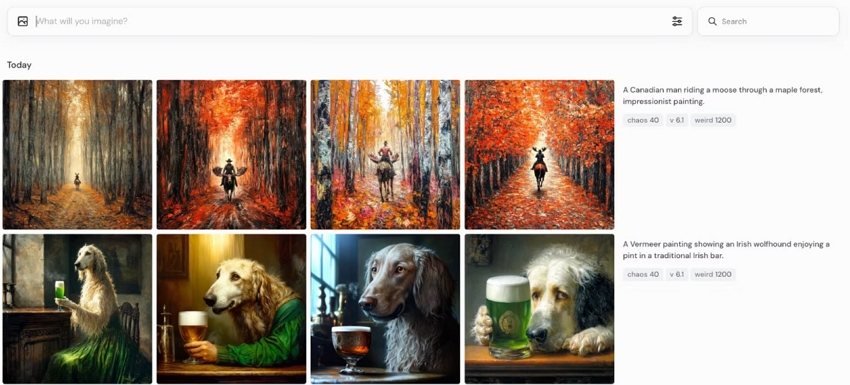
2. Midjourney

ai social media image generator

Core Functions & Positioning: Midjourney has established itself as a leading freemium AI image generator with remarkable artistic capabilities, now optimized for social media content creation.

Supported Platforms: Works with all major social platforms, though requires manual resizing for optimal display.

Advantages:

  • Unmatched creative and artistic quality.
  • Excellent for creating unique, attention-grabbing artistic visuals.
  • Strong community for inspiration and prompt ideas.
  • Continuous model improvements enhance capabilities.

Limitations:

  • Limited direct social media platform integration.
  • Requires Discord usage for full functionality.
  • Learning curve for mastering effective prompts.

Performance Review: Our tests confirmed that Midjourney is a powerhouse for creating good, artistic images that can help you improve your social media engagement, particularly on platforms like Instagram and Pinterest. While it lacks the direct social media integration of its competitors, its image quality is superior. We believe the ability to generate truly unique, scroll-stopping images gives creators a significant competitive edge in a crowded feed.

ai social media poster generator for graphic design

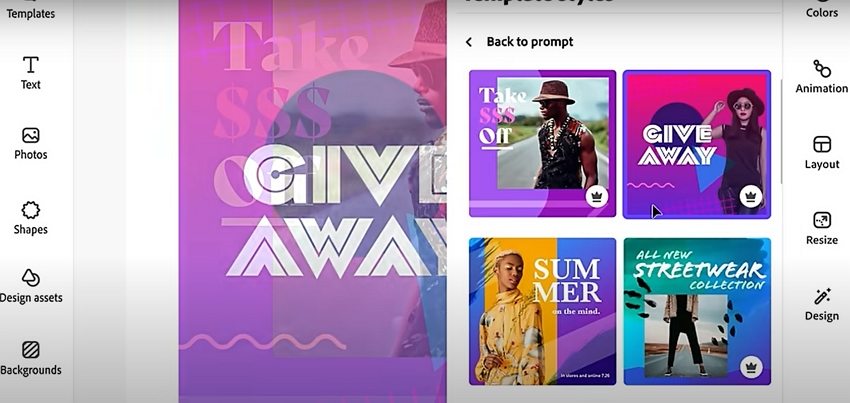
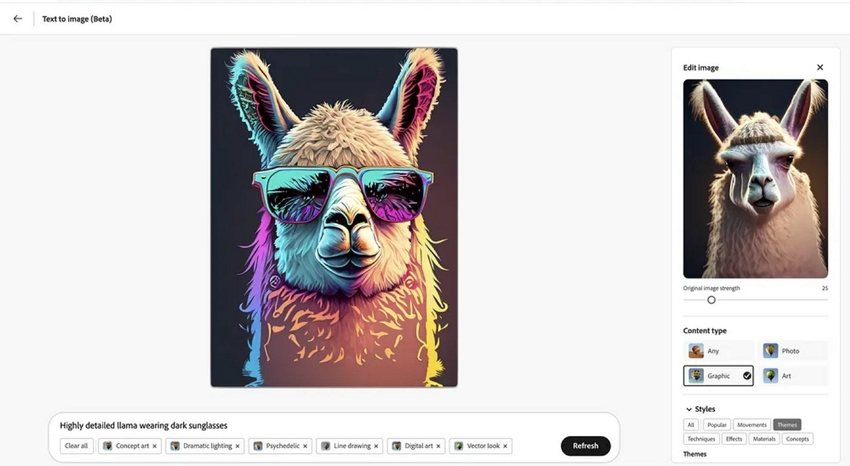
3. Adobe Firefly

ai social media image generator adobe

Core Functions & Positioning: Adobe Firefly combines Adobe’s design expertise with AI generation capabilities, focusing on commercially safe content creation for professional marketing use.

Supported Platforms: Integrates with Creative Cloud and works across all major social media platforms.

Advantages:

  • Commercial usage rights clearly defined.
  • Seamless integration with Adobe Creative Cloud.
  • Text effects and typography tools ideal for branded content.
  • Strong focus on ethical AI image generation.

Limitations:

  • Requires Adobe subscription for full functionality.
  • Less creative flexibility than some competitors.

Performance Review: Adobe Firefly stood out in our review for its focus on commercial safety and its deep integration with professional design workflows. We found it excelled at creating on-brand content that maintained visual consistency with other marketing materials. For any organization concerned about the copyright implications of AI content, Firefly provides peace of mind alongside professional-quality images that are ready for social media.

adobe firefly text to image

Comparison of The Best AI Social Media Post Generators for Image Creation

ToolBest ForPricingKey FeatureLimitations
Mew DesignBrand-consistent visualsFree/$5.99 one time feeNatural language editingPrimarily static designs
MidjourneyArtistic, unique content$10-$60/monthSuperior artistic qualityRequires Discord usage
Adobe FireflyProfessional marketingIncluded with Creative CloudCommercial usage rightsLimited without Adobe subscription

AI Social Media Post Generators for Copywriting

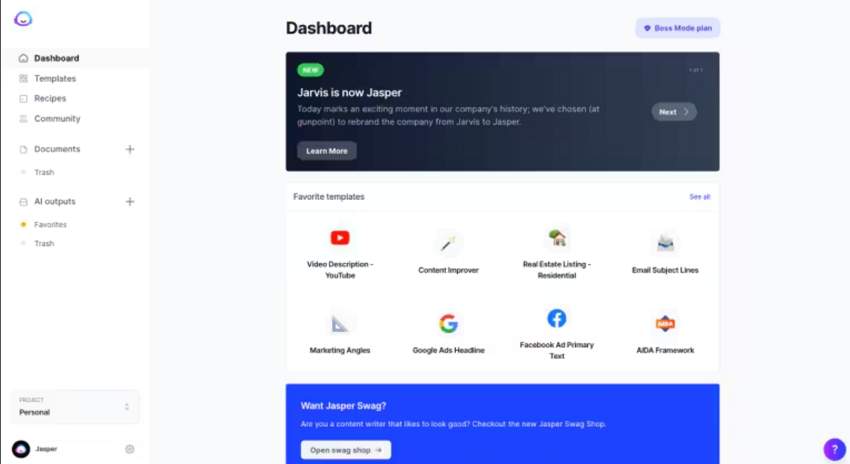
1. Jasper AI

jasper ai social media copy generator

Core Functions & Positioning: Jasper stands out as one of the most powerful free AI social media post generators for copywriting. Purpose-built for marketing content, Jasper can analyze your brand voice and maintain consistency across all your social media platforms.

Supported Platforms: Facebook, Instagram, Twitter, LinkedIn, Pinterest, and TikTok.

Advantages:

  • Over 50 specialized copywriting templates for different social media formats.
  • Advanced tone analysis to maintain brand voice consistency.
  • Integration with major social media management platforms.
  • Multi-language support for global marketing.

Limitations:

  • Higher price point compared to some competitors.
  • Requires initial setup time to properly train on your brand voice.

Performance Review: Our testing found that Jasper excels at creating nuanced, platform-specific content that genuinely drives engagement. What stood out was its ability to understand the subtle differences between a professional LinkedIn post and a casual TikTok video, making it arguably the most versatile AI copywriter we reviewed.

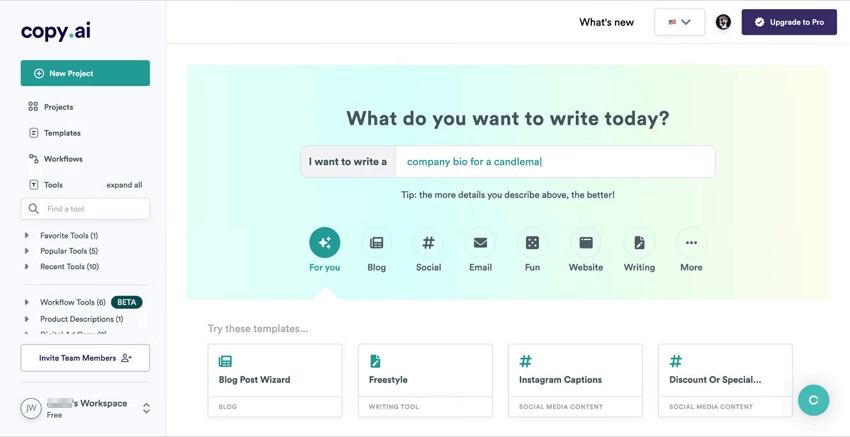
2. Copy.ai

copy ai social media content generator

Core Functions & Positioning: Copy.ai offers a streamlined approach to social media content generation with its intuitive interface and broad template library. It’s designed to infuse AI across your entire content marketing strategy.

Supported Platforms: Instagram, Facebook, Twitter, LinkedIn, and Pinterest.

Advantages:

  • Instantly generates hundreds of on-brand posts with minimal input.
  • User-friendly interface ideal for beginners.
  • Excellent for short-form content like captions and headlines.
  • Free tier available for small businesses or individual creators.

Limitations:

  • Less effective for very technical or specialized industries.
  • Limited customization options compared to premium alternatives.

Performance Review: In our review, Copy.ai delivered consistent quality for short-form social media content. Its real strength is speed; we were able to generate multiple post variations very quickly, which is great for A/B testing headlines and hooks. While it doesn’t quite match Jasper’s sophistication for long-form content, it’s an excellent choice for teams that need to produce a high volume of engaging captions for free.

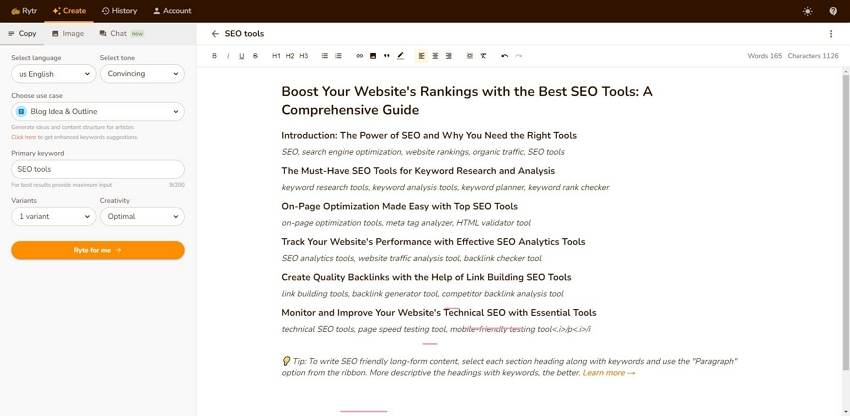
3. Rytr

rytr ai social media post maker

Core Functions & Positioning: Rytr has positioned itself as the budget-friendly yet powerful option in the AI social media post generator space. It combines affordability with surprising versatility for businesses with limited marketing budgets.

Supported Platforms: Instagram, Facebook, Twitter, LinkedIn, and YouTube.

Advantages:

  • Exceptional value with competitive pricing ($29/month for unlimited content).
  • Over 40 content use cases and templates.
  • 30+ tone variations for different brand personalities.
  • Built-in plagiarism checker ensures originality.

Limitations:

  • Output quality can be inconsistent for complex topics.
  • Limited advanced features compared to premium options.

Performance Review: Considering its low price point, Rytr performed impressively in our tests as a copywriting tool. We found it excelled at creating engaging captions, relevant hashtag suggestions, and short promotional copy. For small businesses and solopreneurs who need to stay active on social media without a large budget, Rytr provides impressive results that often compete with more expensive tools.

Comparison of The Best AI Social Media Post Generators for Copywriting

ToolBest ForPricingKey FeatureLimitations
Jasper AIEnterprise marketing teams$49-$125/month50+ specialized templatesHigher price point
Copy.aiHigh-volume content needs$0-$36/monthGenerates hundreds of variationsLess effective for technical content
RytrBudget-conscious businesses$0-$29/month40+ use cases & templatesInconsistent for complex topics

AI Social Media Post Generators for Video Creation

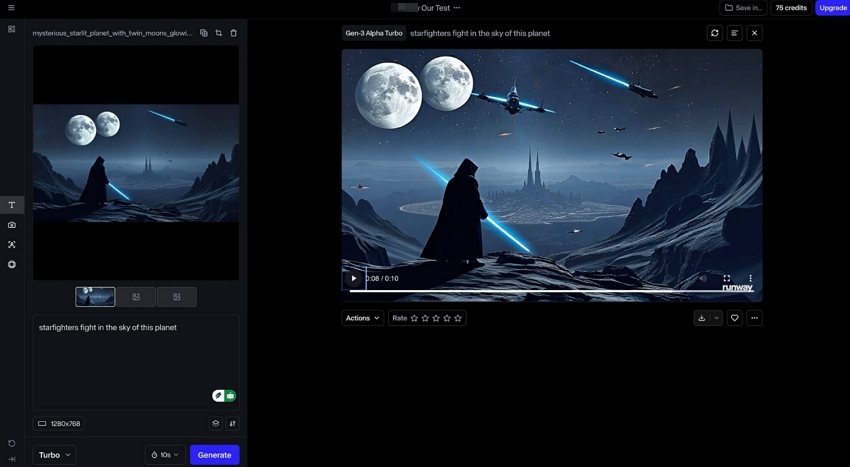
1. Runway ML

runway ml free ai social media video generator

Core Functions & Positioning: Runway ML has emerged as one of the leader in free AI-powered video generation for social media, offering advanced capabilities that transform static assets into dynamic video content.

Supported Platforms: Instagram Reels, TikTok, YouTube Shorts, Facebook Video, and LinkedIn Video.

Advantages:

  • Powerful text-to-video generation (Gen-2 model).
  • Image-to-video transformation for existing assets.
  • Advanced editing capabilities including frame interpolation.
  • Professional motion effects and transitions.

Limitations:

  • Higher learning curve compared to simpler tools.
  • Premium pricing for advanced features and higher resolution.

Performance Review: In our evaluation, Runway ML has genuinely changed what we thought was possible for AI video generation. The ability to turn a static image into a compelling video is a game-changer for repurposing content across platforms. For marketers wanting to get the high engagement rates of video, we found Runway ML to be a sophisticated solution that delivers scroll-stopping results without needing any video production expertise.

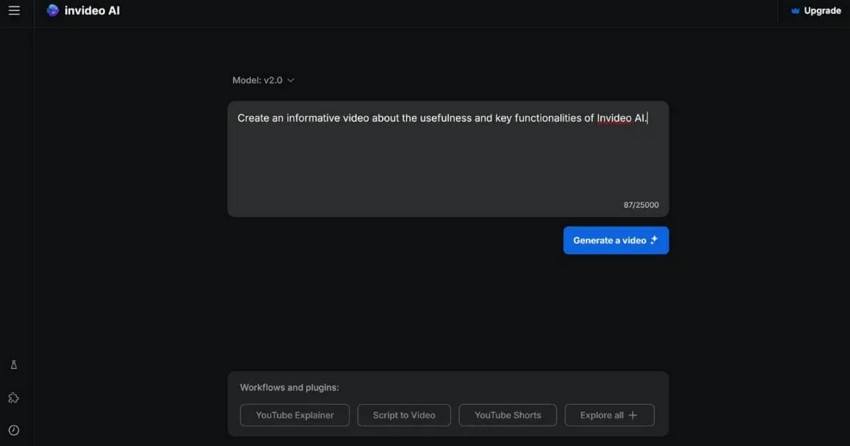
2. InVideo AI

invideo ai social media video generator

Core Functions & Positioning: InVideo AI focuses on accessibility and ease of use, allowing anyone to create professional social media videos from text prompts or simple ideas.

Supported Platforms: Instagram, TikTok, YouTube, Facebook, and Twitter.

Advantages:

  • User-friendly interface designed for non-technical users.
  • Extensive template library for different social media formats.
  • Quick turnaround from concept to finished video.
  • Integrated stock footage and music library.

Limitations:

  • Less customization than professional video editing software.
  • Quality variations depending on complexity of request.

Performance Review: We found InVideo AI to be a well-balanced tool that produces impressive videos without requiring technical skills. Its key strength is the template-based approach, which we tested and confirmed ensures professional-looking results even for complete beginners. For small businesses that need to create video content consistently across social media platforms, InVideo offers an efficient solution with a minimal learning curve.

3. Google Veo 3

google ve 3 ai social media video generator

Core Functions & Positioning: Google Veo 3 specializes in high-quality video generation with integrated sound capabilities, representing Google’s most advanced AI video offering to date.

Supported Platforms: YouTube, Instagram Reels, TikTok, Facebook, and all major social platforms.

Advantages:

  • Exceptional video quality with integrated sound generation.
  • Seamless integration with Google ecosystem.
  • Fast generation times (approximately 80 seconds per video).
  • Support for both 16:9 and 9:16 aspect ratios for all major platforms.

Limitations:

  • Limited to specific aspect ratios (primarily 16:9 and 9:16).
  • No reference image support in standard version.
  • Higher pricing compared to some competitors.

Performance Review: Google Veo 3 impressed us by filling a specific niche: high-quality video with integrated audio. Our tests showed it excels at creating branded content where a polished presentation and clear audio are critical. For marketers focused on YouTube and other video-first platforms, Google Veo 3 offers an efficient way to produce regular video content like AI ASMR with a level of polish that rivals traditional production methods.

Comparison of the Best AI Social Media Post Generators for Video Creation

ToolBest ForPricingKey FeatureLimitations
Runway MLAdvanced video creation$12-$76/monthImage-to-video transformationLearning curve for full capabilities
InVideo AIQuick video production$0-$30/monthUser-friendly templatesLimited customization
Google Veo 3Professional branded videosPremium pricingIntegrated sound generationLimited aspect ratio options

AI Social Media Post Generators for Post Scheduling and Management

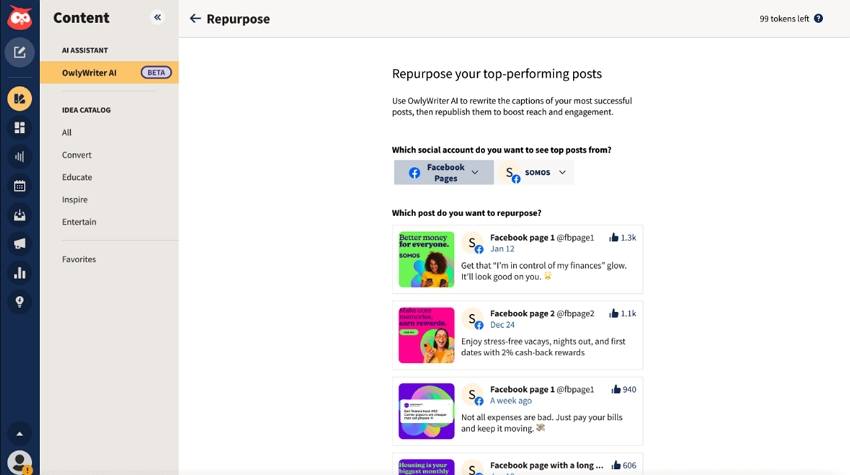
1. Hootsuite with AI Assistant

hootsuite online ai tool for social media post management

Core Functions & Positioning: Hootsuite has evolved its comprehensive social media management platform with advanced AI capabilities, creating an end-to-end solution for content creation, scheduling, and analytics.

Supported Platforms: Instagram, Facebook, Twitter, LinkedIn, Pinterest, YouTube, and TikTok.

Advantages:

  • Unified dashboard for all social media activities.
  • AI-powered content suggestions based on performance data.
  • Best time to post recommendations using predictive analytics.
  • Automated caption generation and hashtag suggestions.

Limitations:

  • Higher price point for full AI functionality.
  • Complex interface may overwhelm new users.

Performance Review: By integrating AI, Hootsuite has become one of the most powerful all-in-one tools for social media management. We were particularly impressed by its data-driven approach; the platform uses historical performance data to guide both content creation and posting schedules. For larger organizations managing numerous social channels, our review shows Hootsuite provides enterprise-level control with smart AI assistance that continually optimizes for engagement.

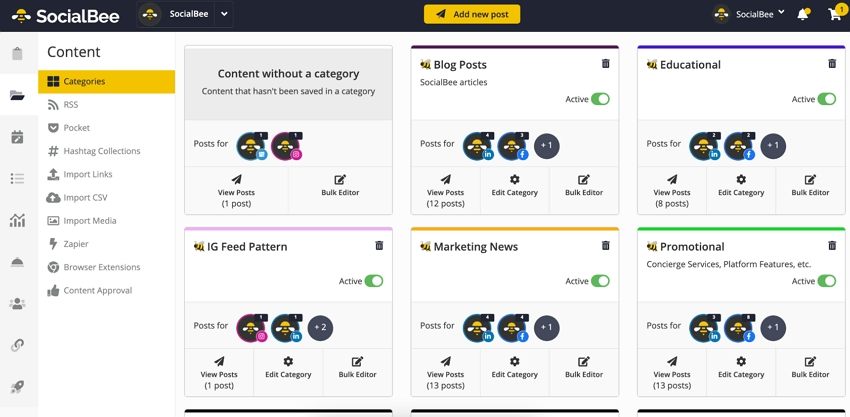
2. SocialBee

socialbee ai social media posting tool

Core Functions & Positioning: SocialBee combines content categorization with AI generation to create a sustainable posting system that maintains variety and engagement.

Supported Platforms: Facebook, Twitter, LinkedIn, Instagram, Pinterest, Google Business Profile, and TikTok.

Advantages:

  • Category-based content organization for balanced posting.
  • Content recycling with automatic variations.
  • AI post generator creates fresh content when needed.
  • Affordable pricing for small businesses and entrepreneurs.

Limitations:

  • Limited advanced analytics compared to enterprise solutions.
  • Some platforms have posting restrictions through the API.

Performance Review: SocialBee stands out with its innovative category-based scheduling system, which we found excellent for ensuring content variety. The platform’s AI is smartly focused on maintaining a consistent posting schedule while minimizing the actual content creation effort. Our review concludes that for small teams with limited resources, this online AI social media post management tool offers an intelligent way to maximize content efficiency and keep audiences engaged with a diverse mix of posts.

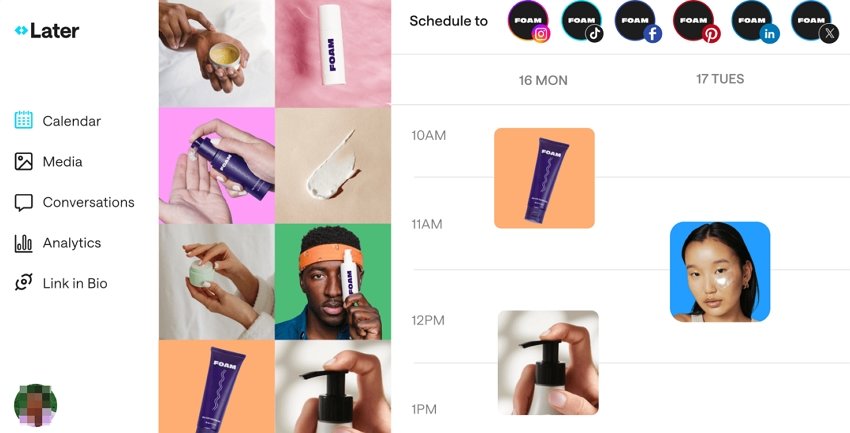
3. Later

later online ai instagram post management tool

Core Functions & Positioning: Later has evolved from an Instagram-focused scheduler to a comprehensive online AI-powered social media management platform with visual planning features.

Supported Platforms: Instagram, Facebook, Twitter, Pinterest, TikTok, and LinkedIn.

Advantages:

  • Visual content calendar for planning aesthetic feed layouts.
  • AI caption writer with customizable tone options.
  • Hashtag suggestions based on performance data.
  • Link in bio tools for driving traffic from social platforms.

Limitations:

  • Strongest features remain Instagram-focused.
  • Limited AI credits on lower-tier plans.

Performance Review: In our tests, Later’s primary strength remains its highly visual approach to social content planning. The platform’s AI features are designed to complement this strength, with an AI caption generator that helps match the tone to the visual aesthetic. We found it’s the perfect tool for brands where visual consistency is key (like in fashion, food, or travel), providing a great balance of AI assistance and manual control for a cohesive feed.

Comparison of the Best AI Tools for Social Media Post Scheduling and Management

ToolBest ForPricingKey FeatureLimitations
HootsuiteLarge organizations$99-$739/monthData-driven recommendationsComplex interface
SocialBeeSmall businesses$29-$99/monthCategory-based content recyclingLimited advanced analytics
LaterVisual-focused brands$18-$40/monthVisual content calendarInstagram-centric features

Conclusion: Matching Tools to User Types

The ideal AI social media post generator depends largely on your specific role and requirements:

  • For Marketing Professionals: Comprehensive solutions like Jasper AI for copywriting combined with Mew Design for visuals provide the quality and consistency needed for professional brand management. Hootsuite’s scheduling capabilities complete the workflow with data-driven posting optimization.

  • For Content Creators: Tools focused on creative output like Midjourney for images and Runway ML for videos allow for distinctive content that stands out in crowded feeds. Pairing these with SocialBee’s scheduling efficiency creates a sustainable content system.

  • For Business Owners: User-friendly options with minimal learning curves such as Copy.ai for text, Mew Design for images, and InVideo for quick videos offer the best balance of quality and efficiency. Later’s visual planning tools help maintain professional consistency without extensive time investment.

Frequently Asked Questions

Which AI social media post generator works best across multiple platforms? Hootsuite offers the most comprehensive multi-platform support, with AI features optimized for seven major social networks. For content creation specifically, Jasper AI provides templates tailored to each platform’s unique requirements and audience expectations.

Do AI-generated social media posts need human editing? While AI quality has improved dramatically, most professionals recommend reviewing AI-generated content before posting. Tools like Mew Design allow natural language refinements, making the editing process much more efficient than starting from scratch.

Are free AI social media post generators worth using? Free tiers from reputable platforms like Copy.ai and Rytr provide valuable functionality for individuals and small businesses getting started with AI. However, paid versions offer significantly more capabilities, higher quality output, and better consistency for serious marketing efforts.

How can I ensure AI-generated content matches my brand voice? Most advanced AI social media post generators now include voice training features. Jasper AI’s tone analyzer can study your existing content to match your style, while Mew Design allows specific guidance on visual brand elements through natural language instructions.

Will social media platforms penalize AI-generated content? Major platforms have not implemented specific penalties for AI content, but they do prioritize authentic engagement. The best practice is to use AI as a starting point or efficiency tool rather than publishing completely unedited AI content, ensuring your posts maintain human creativity and relevance.

🚀

Ready to Transform Your Social Media Strategy?

Start creating professional-quality social media content with AI-powered design tools. Join thousands of marketers and creators who are already using AI to boost their social media engagement.

Start Creating for Free

ChatGPT Poster Generator: How To Create Posters with ChatGPT and GPTs

chatgpt poster generator

Generated using mew.design

The rise of artificial intelligence has revolutionized poster design, and ChatGPT poster generator tools are at the forefront of this transformation. With the integration of DALL-E 3 and custom GPTs, creating posters has never been more accessible.

Whether you’re looking to craft event flyers, promotional designs, or motivational quotes, ChatGPT can help you conceptualize and create with minimal effort. In this article, we’ll walk you through how to use ChatGPT to generate posters, explore top poster GPTs, evaluate pros and cons, share expert tips and prompts, and offer a powerful alternative: Mew Design.

How to Use ChatGPT Poster Generator

Way 1. Create a Poster with ChatGPT (GPT-4o)

If you’re a ChatGPT Plus, Pro, or Team user, you can use the built-in image generation capabilities of GPT-4o (formerly DALL-E 3) to create posters. Free accounts can also generate posters but are limited to 2 generations per day.

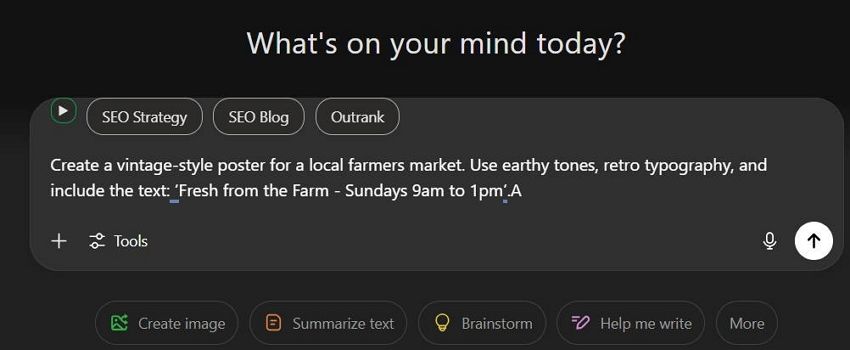
  • Step 1. Log in to chat.openai.com. ChatGPT will automatically use the latest image generation mode if you are a subscriber or have free image generations available.
  • Step 2. Input a detailed poster prompt in the chat box. Example Prompt:

Create a vintage-style poster for a local farmers market. Use earthy tones, retro typography, and include the text: ‘Fresh from the Farm - Sundays 9am to 1pm’.

enter poster prompt to chatgpt

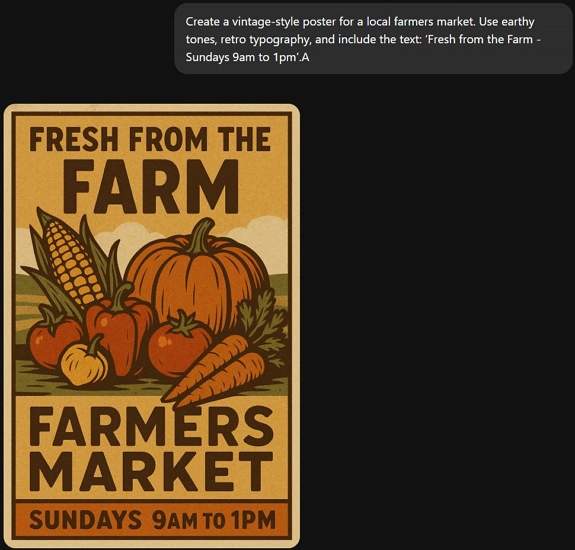
  • Step 3. Wait about 30s, ChatGPT will return your poster image.

chatgpt generate poster

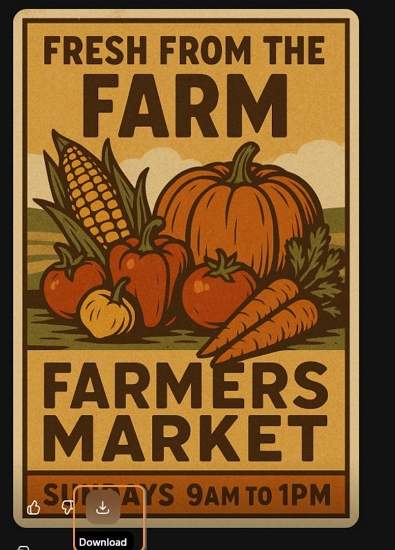
  • Step 4. If you’re satisfied with the ChatGPT-generated poster, click the Download icon to save it. If it’s not quite what you need, use a follow-up prompt to regenerate it.

download chatgpt generated poster

Way 2. Create a Poster with Poster Generator GPTs (ChatGPT Plugins)

If you need more customization or specialized templates, using third-party GPTs and plugins offers expanded poster generation options.

How to Use Poster Generator GPTs:

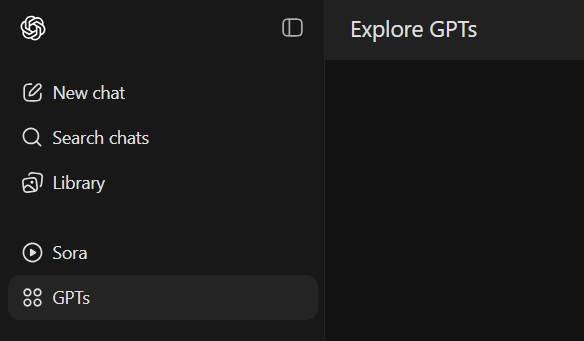
  • Step 1. Click GPTs in the sidebar.

explore gpts in chatgpt

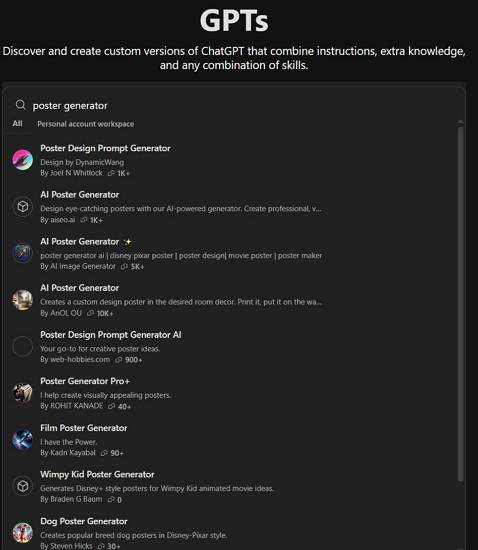
  • Step 2. Search for keywords like “poster maker” or “poster generator”.

search for poster generator gpts

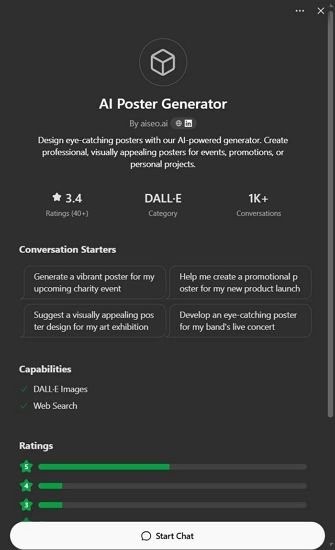
  • Step 3. Click into a GPT and select Start Chat.

select a chatgpt poster generator plugin

  • Step 4. Begin chatting and follow prompts to to generate your poster using the selected Chatgpt plugin.

Top 3 ChatGPT Poster Generator Plugins

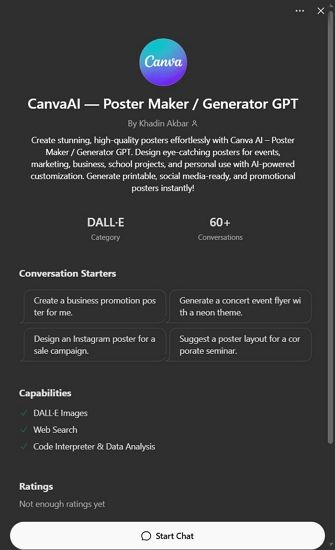
1. CanvaAI — Poster Maker / Generator GPT

A versatile tool using DALL-E 3, CanvaAI Poster Maker / Generator GPT helps you create custom posters with your input. You can select styles like modern, vintage, or minimalist.

  • Use Case: Event flyers, brand campaigns.
  • Notable Feature: Follows instructions for fonts, layout, and colors well.

canvaai poster maker generator gpt

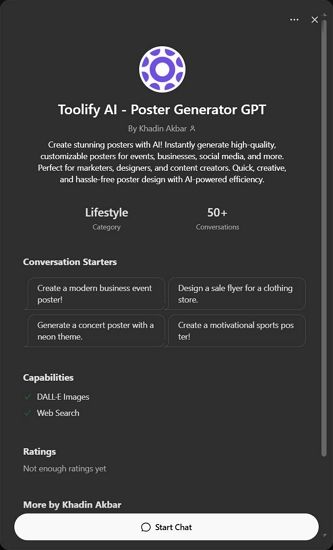
2. Toolify AI - Poster Generator GPT

Designed specifically for generating image posters, Toolify AI Poster Generator GPT focuses on visually striking compositions based on minimal text prompts.

  • Use Case: Inspirational quotes, digital artwork.
  • Notable Feature: Clean, high-res output with image-to-text alignment.

toolify ai poster generator gpt

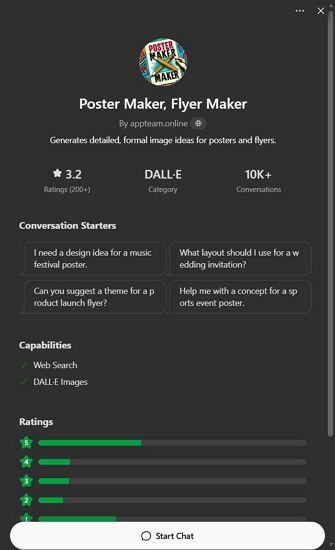
3. Appteam Poster Maker Flyer Maker

Found on the appteam.online, this GPT-style tool offers pre-configured poster templates you can modify through prompts.

  • Use Case: Marketing, education, social media.
  • Notable Feature: One-click variations and editable fields.

appteam poster maker flyer gpt

Pros and Cons of Using ChatGPT Poster Generator

✅ Advantages

  • Easy to use with detailed prompts.
  • Fast ideation with visual + text concept generation.
  • GPT-4o produces relatively accurate poster text.

❌ Disadvantages

  • Text Rendering Issues: Poster text may appear garbled or incorrect.
  • Lack of Editing Control: You cannot move or edit individual poster elements accurately.
  • Slow Rendering: Image generation can take up to 30 seconds or more.
  • Usage Limitations: Free users get limited generations per day.

These limitations make ChatGPT great for fast drafts or inspirations, but not ideal for refined, editable, or high-accuracy poster needs. That’s why many users turn to a powerful free alternative—Mew Design.

Best Free ChatGPT Poster Generator Alternative: Mew Design

Mew Design is an AI-powered graphic design platform where anyone can create professional-grade visual assets via natural language—without needing to learn design software. Built around the concept of “design for all,” Mew Design empowers individuals and businesses to bring their ideas to life quickly and creatively.

🚀

The Best Alternative to ChatGPT Poster Generator

Mew Design combines the power of AI Agent with specialized poster design algorithms, offering the most intuitive and powerful poster generation experience available today.

Start Creating Posters for Free

Why Mew Design Is a Better ChatGPT Alternative for Poster Creation

  • No Text Issues: Unlike ChatGPT’s image hallucinations, Mew Design uses text-to-design systems that preserve clarity—even for long content.
  • Fully Editable Posters: Generated works are code-based and can be modified precisely via natural language like “Move the logo to top left”, “Make the title bigger”, or “Change the poster style to Ghibli”.
  • Multiple AI Meow Designers (AI Agent for Design): Choose from a team of cat-themed AI designers, each with unique styles infused with human creativity.
  • Smart Understanding: Deep interpretation of both texts and visual inputs. You can upload your logo, product images, style references, and more — the Meow Designer will recognize them and incorporate them into the poster generation.

How to Create a Poster with Mew Design

  • Step 1. Sign up for a free Mew Design account.

sign in to chatgpt poster generator alternative

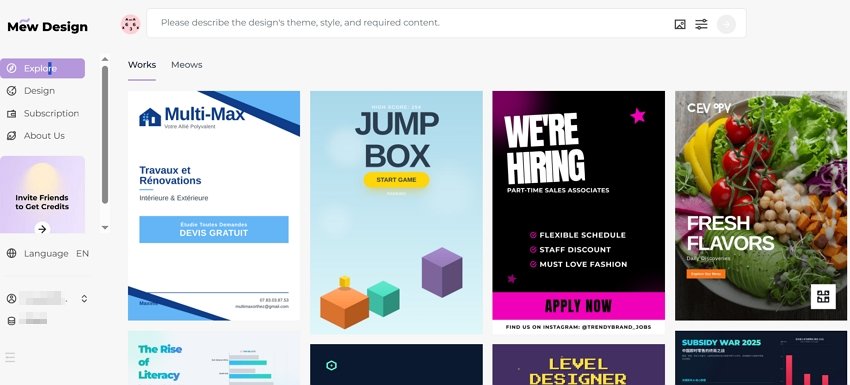
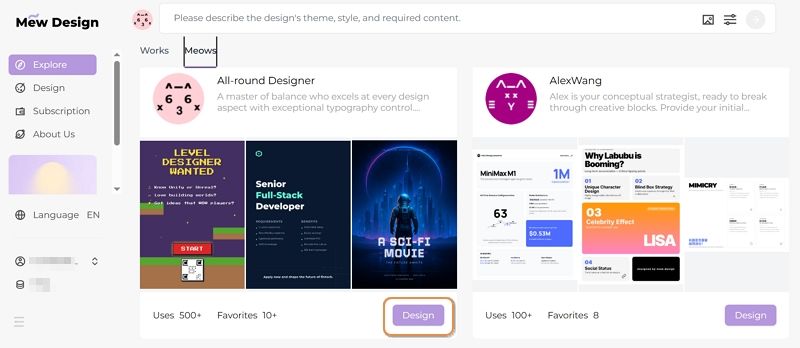
  • Step 2. Select the Meow Designer that best suits your poster style or purpose.

select an ai agent for poster design

  • Step 3. Enter your poster idea in the prompt area.

input prompt to chatgpt poster generator alternative

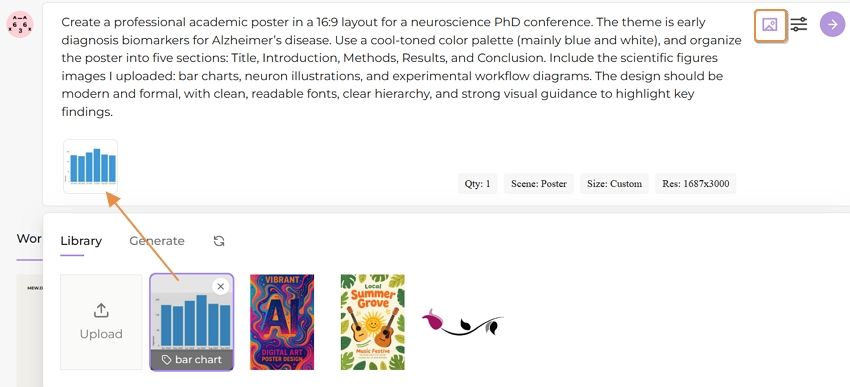
  • Step 4. Upload your reference images based on your needs.

upload reference images for poster

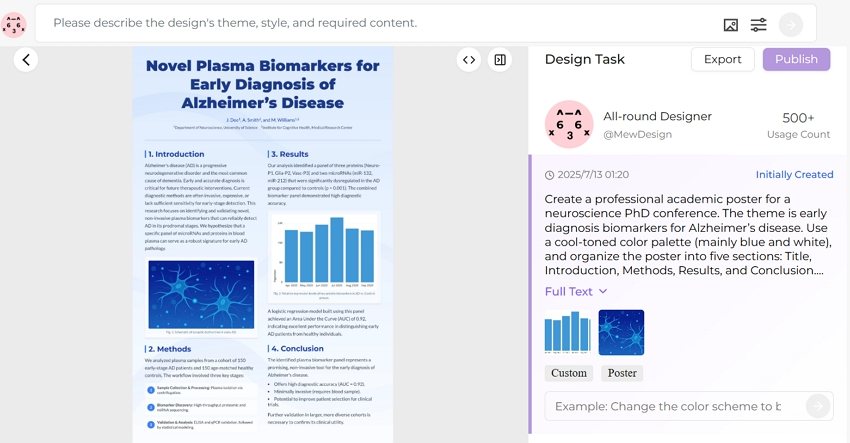
  • Step 5. Review the poster and continue editing via follow-up prompts.

edit the ai generated poster

  • Step 6. Export or publish your poster.

export the ai generated poster

Prompt Tips & Examples for ChatGPT Poster Generation

Here are sample prompts across poster types to spark creativity on ChatGPT:

  • AI Concert Poster: “Create a neon punk concert poster for ‘Electric Rebellion Tour’ with glitch effects, electric guitars, and event details in bold font.”
  • AI Movie Poster: “Generate a thriller-style movie poster with a shadowy figure, foggy forest, and the title ‘Whispers in the Dark’.”
  • AI Hiring Poster: “Make a hiring poster for a design agency, include text: ‘We’re Hiring Designers’, use modern flat illustrations and a call-to-action button.”
  • AI Political Poster: “Create a political campaign poster for ‘Vote Lisa Chen 2025’, include patriotic symbols, bold serif font, and hopeful blue tones.”
  • AI Academic Poster: “Design a conference poster for ‘AI in Healthcare 2025’, with speaker photos, date/location, and professional academic layout.”
  • AI Educational Poster: “Generate a fun classroom poster saying ‘Science is Magic!’, with colorful illustrations of planets and microscopes.”
  • AI Sales Poster: “Create a flash sale poster for a fashion store, showing ‘70% OFF Today Only’, with red background, modern type, and price tags.”

ChatGPT Poster Prompt Best Practice Formula

[Action] + [Poster Type or Event] + [Style or Theme] + [Text] + [Color/Design Guidance] Example: “Design a minimalist poster for a tech hiring event, include ‘We’re Hiring Engineers!’, use navy blue and geometric patterns.”

Tips for Better Poster Generation with ChatGPT

  • Use clear instructions: specify layout, color, fonts, theme.
  • For text-heavy posters, say: “Make sure all text is readable and spelled correctly.”
  • Request variations: “Give me 3 versions of this poster.”
  • Export and edit externally if needed (e.g., Canva, Figma).

Comparison Table: ChatGPT vs Plugins vs Mew Design

Feature/ToolChatGPT (Built-in)ChatGPT Plugins (GPTs)Mew Design
Text AccuracyMediumMediumHigh
Layout ControlLowLow–MediumHigh
CustomizabilityPrompt-based onlySome templatingFull natural edits
Editability✅ (via prompt edits)
SpeedMedium (20–30 sec)Medium–SlowFast (10–30 sec)
PricingFree (2/day) or PaidFree/GPT Plan RequiredFree (200 Credits) or subscription
Use CasesQuick ideasMarketing visualsHigh-precision, editable posters

FAQs About ChatGPT Poster Generator

Can I use ChatGPT poster generator for free?? You can use it with a free ChatGPT account, but you’re limited to 1–2 generations per day. Paid accounts offer more access.

Is the ChatGPT generated poster editable? No, ChatGPT images are static. You’ll need external tools to tweak designs.

Can I use these posters commercially? Yes, OpenAI allows commercial use of generated images, but avoid mimicking real artists’ styles.

Is there a ChatGPT plugin to make the posters editable? No current ChatGPT plugin offers full editing. You must export and edit elsewhere. For anyone seeking visual storytelling with precision and polish, Mew Design is a superior solution beyond what AI alone can achieve.

What’s the best resolution for ChatGPT-generated posters?? For digital use, 1792x1024 or 1024x1792 pixels is typically sufficient. For print, request high-resolution outputs and consider using upscaling tools or platforms like Mew Design for the best quality.

Can ChatGPT poster generators handle complex typography? While AI image generators have improved significantly, complex typography can still be challenging. For text-heavy designs, consider using tools like Mew Design that offer post-generation text editing capabilities.

How do I create consistent poster series with ChatGPT? Develop a detailed style guide prompt that you can reuse, specifying colors, fonts, layout principles, and visual elements. Save successful prompts and modify only the content-specific elements for each new poster in your series.

Conclusion: Revolutionizing Poster Design with ChatGPT

ChatGPT poster generators represent a fundamental shift in how we approach design creation. By combining the power of natural language processing with advanced image generation, these tools democratize professional poster design and open up creative possibilities that were previously limited to skilled designers.

Whether you choose Mew Design for its comprehensive features and ease of use, explore custom ChatGPT GPTs for specialized workflows, or experiment with direct DALL-E prompting for maximum control, the key to success lies in understanding how to communicate effectively with AI systems.

As we move forward, the integration of AI in creative workflows will only deepen, making tools like ChatGPT poster makers essential skills for anyone involved in visual communication. Start experimenting today, and discover how artificial intelligence can amplify your creative vision and streamline your design process.

🚀

Ready to Create Your First AI-Powered Poster?

Join thousands of creators who are already using Mew Design to bring their poster ideas to life with the power of ChatGPT and advanced AI technology.

Start Creating Free

AI Political Poster Maker: Create Campaign Materials Quickly with AI

free ai political poster maker

Generated using mew.design

Have you ever felt overwhelmed trying to design a political flyer or campaign poster from scratch? You’re not alone. Whether you’re running for office, managing a local campaign, or organizing a student election, creating professional visuals is crucial—but it can also be time-consuming and expensive. Luckily, AI design tools are changing that. With a powerful AI political poster generator, you can now use AI to create a political campaign flyer for free—quickly, easily, and effectively.

And when it comes to finding the best platform for the job, Mew Design is the one you shouldn’t miss.

Mew Design: The Smarter Way to Create Political Posters/Flyers with AI

Choosing the right tool is the first step toward victory. While many options exist, Mew Design stands out due to its advanced, multi-faceted approach specifically engineered for high-impact communication. It’s not just a template editor; it’s an AI design partner built for people like you—candidates, campaign managers, and advocacy groups who need professional visuals fast. online free ai political campaign poster generator

Here’s why Mew Design is the best free AI political poster maker online:

  • Intelligent Text-to-Design: Simply describe your campaign concept: “Create a political poster with the female candidate I uploaded, patriotic background, the quote: ‘Progress You Can Count On, and call-to-action: Vote for Change.” Mew Design handles the rest—layout, typography, colors, even emotional tone. You don’t just edit a template. The platform acts as a true AI political poster generator, interpreting your prompt to build a custom design from the ground up.
  • Powerful Text Integration: Even with longer paragraphs or policy-heavy text, it handles layout cleanly—no broken formatting or AI ‘hallucinations’ like random words or jumbled typography. What you write is exactly what shows up
  • Deep Editing Control: Want to tweak a headline or reposition a photo? Mew Design allows precision edits using follow-up prompts—finally, an AI political poster maker that actually listens.
  • Human-Like AI Designers (“Meows”): Each AI agent—called a “Meow”—is infused with real design expertise, offering unique styles and deep understanding of design language. Whether you want something bold, emotional, or minimal, there’s a Meow for that.
  • Upload Candidate Photos & Branding: Want to include your own logo, QR code, or slogan? Just upload them and the AI will seamlessly integrate them into your design.

Campaign Materials You Can Create with Mew Design:

  • Generate campaign posters with candidate photos and messaging
  • Create political flyers for events and rallies
  • Design election materials including yard signs and banners
  • Produce social media graphics for digital campaigns
  • Generate propaganda-style artwork for advocacy campaigns
  • Create voter registration materials and informational graphics
  • Design fundraising visuals for campaign donations
🚀

Win Elections with AI-Powered Campaign Design

Create compelling political posters that resonate with voters, drive engagement, and win campaigns. Our AI understands political messaging and creates visuals that convert supporters into voters.

Start Your Campaign →

How To Create a Political Poster with AI

Ready to use AI to create a political campaign flyer for free? Follow this step-by-step guide to get started with the online AI political poster generator - Mew Design.

Step 1. Sign In Mew Design

Go to Mew Design and log in to your account. You’ll receive free AI credits upon signing up, which you can use to create posters. Then, pick a “Meow Designer” (AI design agent) that best suits your needs.

pick ai poster design agent

Step 2. Type Your Text Prompt

This is the most crucial step. Provide the AI with specific, detailed instructions. Example prompt:

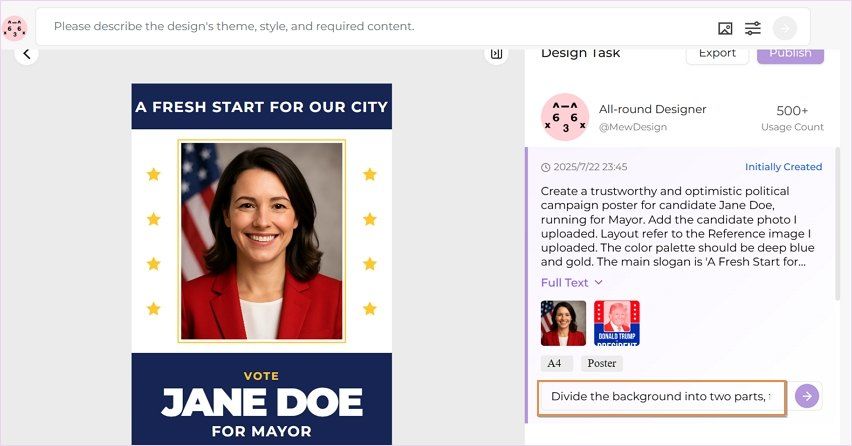
Create a trustworthy and optimistic political campaign poster for candidate Jane Doe, running for Mayor. Add her photo I uploaded. The color palette should be deep blue and gold. The main slogan is ‘A Fresh Start for Our City’. The font should be a strong, readable sans-serif like Montserrat.

input political poster text prompt

Step 3. Upload Reference Photos (Optional)

Click the Upload Reference Image icon to add your candidate photo, party logo, campaign slogan in visual form, or even a QR code linking to your voting or donation page. Mew Design will intelligently incorporate these into the final design.

upload candidate photos for reference

Step 4. Generate the Political Poster

When all settings are done, click the Go button to start creating your campaign poster with AI for free.

ai generate political poster

Step 5. Refine the AI Generated Poster

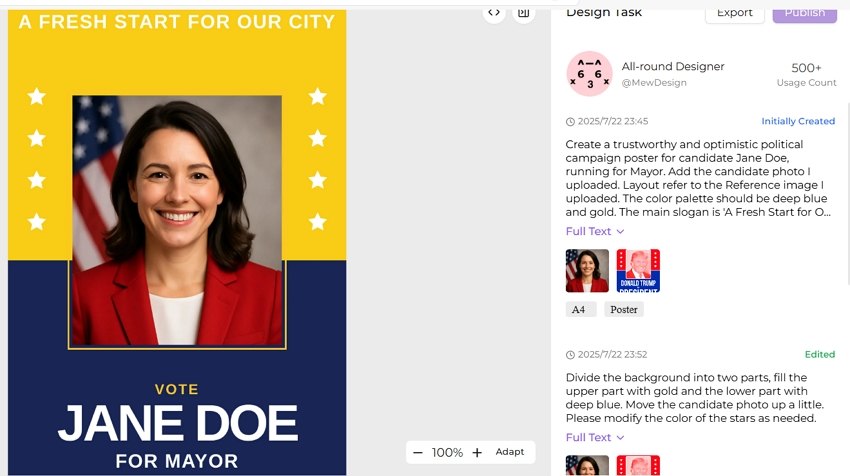
Once the initial design is generated, you can use follow-up text prompts to make adjustments. Tweak the color scheme, edit text, and reposition elements until the poster is perfect.

prompt for refining ai generated political poster

Step 6. Download for Print and Digital Use

Export your final design in high-resolution formats (PNG) suitable for professional printing or social media sharing.

download the political poster

Political Poster Design Best Practices

Visual Hierarchy and Layout

Essential Elements Priority:

  1. Candidate Name (largest, most prominent)
  2. Office Sought (clear and visible)
  3. Key Message/Slogan (memorable and impactful)
  4. Visual Elements (photos, symbols, backgrounds)
  5. Call-to-Action (vote date, website, contact)
  6. Legal Disclaimers (required by law)

Color Psychology in Political Design

Democratic/Liberal Campaigns:

  • Primary: Blue (#0066CC, #003366)
  • Accent: White, light blue, gold
  • Emotional association: Trust, stability, progress

Republican/Conservative Campaigns:

  • Primary: Red (#CC0000, #990000)
  • Accent: White, navy blue, gold
  • Emotional association: Strength, tradition, patriotism

Non-Partisan/Independent:

  • Primary: Purple, green, or neutral tones
  • Accent: White, gray, complementary colors
  • Emotional association: Balance, fresh perspective

Typography for Political Impact

Headline Fonts:

  • Bold Sans-Serif: Modern, clean, authoritative
  • Serif with Impact: Traditional, trustworthy, established
  • Custom Political Fonts: Unique, memorable, branded

Body Text Requirements:

  • Minimum 12pt for print materials
  • High contrast for accessibility
  • Clear hierarchy for information
  • Consistent brand voice

Campaign-Specific AI Poster Strategies

Presidential Campaign Materials

Visual Elements:

  • Large, high-quality candidate photo
  • Candidate’s name is the biggest element
  • American flag integration
  • Presidential seal references
  • Clean, simple layout

Messaging Focus:

  • National unity themes
  • Economic prosperity
  • Security and leadership
  • Change or continuity

AI Prompt Examples:

"A modern, inspiring presidential campaign poster for Alexandria Vance, featuring a confident female candidate and the slogan 'Future Forward'. The design utilizes a patriotic red, white, and blue color scheme with a subtle American flag background and clean, strong typography. Aspect ratio 1:1."

ai presidential campaign poster example

Local Election Campaigns

Visual Elements:

  • Community-focused backgrounds
  • Local landmark references
  • Diverse voter representation
  • Approachable candidate photos

Messaging Focus:

  • Local issues and solutions
  • Community involvement
  • Accessibility and representation
  • Practical improvements

AI Prompt Examples:

"Flyer for David Chen's City Council campaign, emphasizing community connection. Features the candidate interacting with diverse residents in a park, conveying warmth and trustworthiness."

ai election campaign flyer example

Advocacy and Issue Campaigns

Visual Elements:

  • Issue-specific imagery
  • Emotional visual appeals
  • Statistical infographics
  • Action-oriented designs

Messaging Focus:

  • Urgent calls to action
  • Clear problem identification
  • Solution presentation
  • Voter mobilization

AI Prompt Examples:

"A powerful advocacy poster for climate change featuring a split image contrasting a polluted wasteland with a vibrant forest, emphasizing the slogan 'Our Planet, Our Promise' with bold, urgent typography. Aspect ratio 16:9"

ai advocacy campaign poster example

Student Government Campaigns

Visual Elements:

  • Campus-specific backgrounds
  • Young, energetic candidate photos
  • School colors and branding
  • Student life imagery

Messaging Focus:

  • Student-relevant issues
  • Accessibility and inclusion
  • Campus improvement
  • Peer connection

AI Prompt Examples:

"A vibrant and dynamic illustrated campaign poster for Maria Rodriguez for President. Featuring a smiling student and the slogan 'Let's Make This Year Epic!', it uses a bright color palette and playful layout to appeal to students."

ai student council campaign poster example

Advanced AI Political Design Techniques

AI-Generated Political Symbolism

Patriotic Elements:

  • Flag variations and stylizations
  • Eagle and liberty symbols
  • Constitutional references
  • Historical imagery

Implementation with AI:

Symbolic AI Prompts:
- "Incorporate subtle American flag elements into background design"
- "Add liberty bell silhouette as watermark element"
- "Include stylized eagle wings framing candidate photo"

Demographic-Targeted Design Variations

Age-Based Targeting:

  • Young Voters: Modern, digital-native aesthetics
  • Middle-Aged Voters: Professional, family-focused imagery
  • Senior Voters: Traditional, respectful, clear typography

Cultural Sensitivity:

  • Inclusive representation in imagery
  • Culturally appropriate color choices
  • Multi-language versions when needed
  • Accessible design principles

Political Advertising Compliance

Required Disclaimers:

  • “Paid for by [Committee Name]”
  • Contact information for responsible party
  • Candidate authorization statements
  • Proper font size and placement

FEC Compliance for Federal Elections:

  • Proper committee registration
  • Accurate financial reporting
  • Disclaimer requirements
  • Content approval processes

Ethical AI Use in Politics

Best Practices:

  • Truthful representation of candidates
  • Avoid deepfakes or misleading imagery
  • Respect opponent dignity
  • Maintain factual accuracy

Potential Concerns:

  • AI-generated misinformation
  • Deepfake candidate imagery
  • Automated propaganda creation
  • Voter manipulation techniques

Platform-Specific Political Content

Social Media Campaign Graphics

Facebook Political Ads:

  • 1200x628 pixels optimal
  • Minimal text overlay (20% rule)
  • Clear call-to-action buttons
  • Mobile-optimized viewing

Instagram Campaign Content:

  • Square format (1080x1080)
  • Story format (1080x1920)
  • Hashtag optimization
  • Visual-first messaging

Twitter Political Graphics:

  • Header images (1500x500)
  • Tweet images (1024x512)
  • Thread-friendly formats
  • Real-time engagement focus

Yard Sign Specifications:

  • 18”x24” or 24”x18” standard sizes
  • High contrast for visibility
  • Weather-resistant materials
  • Simple, bold messaging

Rally Poster Requirements:

  • Large format visibility
  • Bold, readable fonts
  • Crowd-engaging messaging
  • Event-specific information

Frequently Asked Questions

Is it legal to use AI for political campaign materials? Yes, using AI for political campaign materials is legal, but you must comply with existing political advertising laws including proper disclaimers, truthful representation, and campaign finance regulations. Always ensure AI-generated content meets FEC requirements for federal campaigns.

What’s the best free AI tool for creating political posters? Mew Design offers the most comprehensive free tier specifically optimized for political content, providing 200 free AI credits (20 free graphic design generation). For basic templates, Canva and Adobe Express also offer free political design options, though with more limitations.

How do I ensure my AI-generated political posters are compliant? Always include required disclaimers (“Paid for by…”), use truthful representations, avoid misleading imagery, and check local/federal campaign regulations. Consider consulting with campaign lawyers for major elections and ensure all content is factually accurate.

Can AI create effective political messaging? AI can generate compelling political messaging by analyzing successful campaigns, but human oversight is crucial for strategic messaging, cultural sensitivity, and authenticity. Use AI as a starting point, then refine with political expertise and target audience insights.

What formats should I create for a complete political campaign? Create multiple formats including print posters (18”x24”), digital social media graphics (various platform sizes), yard signs, flyers, web banners, and email headers. Mew Design can automatically generate all these formats from a single design concept.

How much can AI save on political campaign design costs? AI can reduce design costs by 70-90% compared to traditional agencies. Professional political design firms charge $500-2000 per poster, while AI tools like Mew Design create 250 designs for $19.99/month, potentially saving campaigns tens of thousands of dollars.

Are there ethical concerns with AI-generated political content? Yes, concerns include potential misinformation, deepfake imagery, and voter manipulation. Use AI responsibly by ensuring truthful representation, avoiding misleading content, respecting opponents, and maintaining transparency about AI-generated materials when required.

Conclusion

AI political poster makers are revolutionizing campaign communications, making professional-quality political design accessible to candidates at every level. From grassroots movements to presidential campaigns, artificial intelligence is democratizing political messaging and empowering campaigns to create compelling visual content that resonates with voters.

The transformation is remarkable: what once required expensive design agencies and weeks of production can now be accomplished in minutes with AI-powered tools. Whether you’re running for student council or the presidency, AI political poster generators provide the tools needed to create impactful campaign materials that drive voter engagement and win elections.

Key Benefits of AI Political Poster Creation:

  • Cost Reduction: Save 70-90% on design expenses
  • Speed: Create campaign materials in minutes, not days
  • Professional Quality: Rival expensive political consultants
  • Scalability: Generate unlimited variations and formats

Ready to launch your winning campaign? Start with Mew Design’s political poster maker today and experience the power of AI-driven political communication. Create compelling posters that capture attention, communicate your message effectively, and convert supporters into voters.

🚀

Win Elections with AI-Powered Campaign Design

Create compelling political posters that resonate with voters, drive engagement, and win campaigns. Our AI understands political messaging and creates visuals that convert supporters into voters.

Start Your Campaign →


AI Concert Poster Generator: Create Music Event Posters Quickly With AI

ai concert poster generator

Generated using mew.design

For decades, creating a compelling concert poster was a hurdle for indie musicians, promoters, and event organizers. The process involved either hiring expensive graphic designers, wrestling with complex software like Photoshop, or settling for generic templates that failed to capture the unique vibe of an event. This meant a trade-off between time, money, and creative vision.

But that era is over. The rise of artificial intelligence has revolutionized the design landscape, giving birth to AI concert poster generators. These powerful AI tools empower anyone to create professional, eye-catching band or concert posters in minutes, simply by describing what they want.

1. Mew Design: Your Reliable AI Concert Poster Maker

While many AI poster generator tools have entered the market, a common frustration has emerged. Template-based tools like Canva offer structure but lack creative freedom. Pure text-to-image generators like Midjourney offer creativity but lack the fine-grained control needed for practical designs with text and specific layouts.

This is where Mew Design comes in. Mew Design uses a multi-agent AI system that works like a real design team. Each “Meow”—its design agent—has its own visual style and area of expertise, from punk rock aesthetics to electronic rave vibes. When you enter your event description, Mew Design’s central AI automatically assigns the task to the most suitable Meow, ensuring your poster fits the genre, mood, and target audience perfectly.

ai concert poster maker

What makes Mew Design especially useful for concert posters is its code-based output, which gives you detailed control over layout, fonts, colors, and visual elements. Whether you’re promoting a jazz night at a cozy café or a stadium EDM show, Mew Design can adapt to your venue and musical style. You can also refine the design with follow-up prompts, upload reference images, logos, or QR codes, and even create your own Meows tailored to your brand or artistic identity.

Key Features

  • Text to Concert Poster Generation: Transform natural language descriptions into beautiful band and concert posters without design expertise.
  • Genre-Aware Design Agents: Specialized Meows understand the visual language of different music genres and create designs that truly fit the sound and audience.
  • Truly Editable and Controllable: Forget struggling with layers or being unable to change the text on an AI-generated image. With Mew Design, if you want to “move the band name to the top” or “make the date 20% bigger,” you just type it, and the AI executes it precisely.
  • Upload Custom Elements: Add your own band logo, sponsor QR codes, or photo references to personalize the poster.

What makes Mew Design unique is its conversational approach to concert poster creation. Instead of struggling with complex design interfaces, you simply describe your event requirements in plain English, and the AI design agent creates a complete, professional poster tailored to your specifications. This approach removes the learning curve associated with traditional design software while delivering results that capture the energy and excitement of live music.

How To Create a Concert Poster With AI

Creating a high-quality concert poster with Mew Design is fast, flexible, and fun. Follow these simple steps to generate a band or concert poster that captures the sound, style, and spirit of your event.

Step 1: Visit Mew Design and Choose a Meow Designer (AI Agent)

Go to Mew Design and log in or sign up for a free account. Then, select a specific AI design agent that best matches your event’s aesthetic

sign in the ai band poster generator

Step 2. Describe Your Concert

In the prompt input box, type a short description of your event. Include important details like:

  • Band name(s)
  • Music genre (e.g., rock, jazz, EDM)
  • Date, time, and venue
  • Desired mood or visual style (e.g., dark and grungy, colorful and energetic)

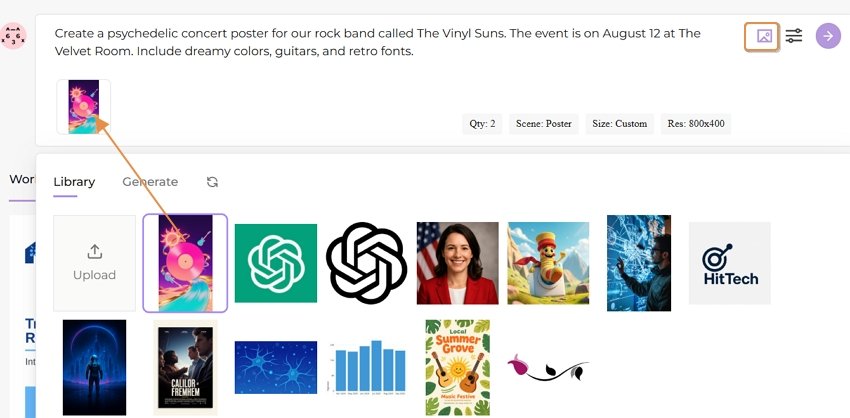
Example Prompt: Create a psychedelic concert poster for an indie rock band called The Vinyl Suns. The event is on August 12 at The Velvet Room. Include dreamy colors, guitars, and retro fonts.

input concert poster prompt

Step 3. Upload Visual References (Optional)

You can upload and add:

  • Your band’s logo
  • QR codes for ticketing or social media
  • Mood board images or style references These help the AI better match your branding and visual preferences.

upload concert detail images

Step 4. Let the AI Work

Click the Go button, and wait about 30 seconds while Mew Design generates your music event poster. The AI analyzes your prompt, incorporates your uploaded images, and creates a complete concert poster draft that fits your genre and event.

start creating concert poster with ai

Step 5. Refine with Follow-up Prompts

Not quite right? Use the follow-up prompt box to make changes. You can ask for:

  • A new color scheme
  • A different layout
  • Specific text edits
  • Adding or removing design elements

Example:

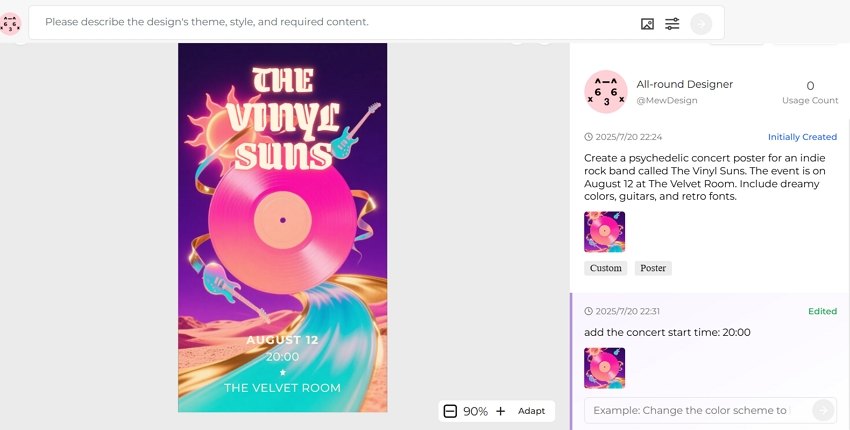
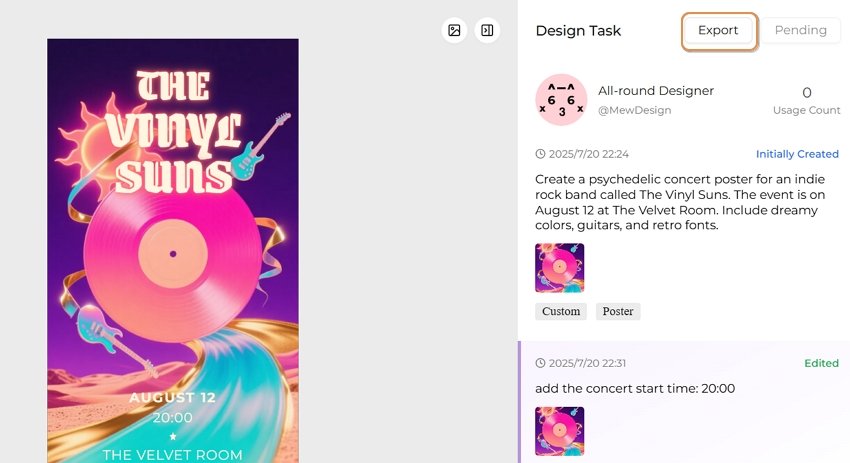
Add the concert start time: 20:00

refine ai generatd concert poster

🚀

Ready to Rock Your Next Concert Promotion?

Join thousands of musicians and venues who are already using Mew Design to create stunning concert posters that capture the energy of live music and drive ticket sales.

Start Creating for Free

2. Music Genre-Specific Band/Concert Poster Design Strategies

Rock and Metal Concert Posters

Visual Elements:

  • Bold, aggressive typography with distressed effects
  • Dark color palettes with neon accents
  • Electric guitar silhouettes and amplifier imagery
  • Lightning bolts, flames, and energy effects
  • Grunge textures and weathered backgrounds

AI Prompt Example:

"Create a heavy metal concert poster with bold gothic typography, electric guitar silhouettes, lightning effects, dark background with red and orange flame accents, distressed texture overlay, and dramatic stage lighting"

Jazz and Blues Event Posters

Visual Elements:

  • Elegant, vintage-inspired typography
  • Warm color schemes (gold, burgundy, deep blues)
  • Musical instrument silhouettes (saxophone, piano, trumpet)
  • Art deco design influences
  • Smoky, atmospheric backgrounds

AI Prompt Example:

"Design a sophisticated jazz club poster with art deco typography, saxophone silhouette, warm golden lighting, deep blue background, vintage 1920s aesthetic, and elegant script fonts"

Electronic and EDM Festival Posters

Visual Elements:

  • Futuristic, neon-lit designs
  • Geometric patterns and digital effects
  • Vibrant color gradients
  • DJ equipment and synthesizer imagery
  • Pulsing energy waves and light trails

AI Prompt Example:

"Generate an EDM festival poster with neon geometric patterns, vibrant cyan and magenta gradients, DJ turntable silhouettes, energy wave effects, futuristic typography, and laser light show background"

Indie and Alternative Music Posters

Visual Elements:

  • Hand-drawn, artistic aesthetics
  • Earthy, muted color palettes
  • Vintage photography effects
  • Minimalist layouts with creative typography
  • Nature elements and organic shapes

AI Prompt Example:

"Create an indie music festival poster with hand-drawn typography, vintage film grain effect, earth tone colors, acoustic guitar illustration, forest silhouettes, and minimalist layout design"

Classical and Orchestra Event Posters

Visual Elements:

  • Elegant, refined typography
  • Rich, sophisticated color schemes
  • Musical notation and instrument imagery
  • Formal, balanced compositions
  • Luxurious textures and golden accents

AI Prompt Example:

"Design a classical concert poster with elegant serif typography, violin silhouette, musical note patterns, deep navy and gold color scheme, formal layout, and concert hall architecture background"

You may also be interesed in AI hiring poster maker or AI academic poster generator

3. Music Marketing Best Practices for AI-Generated Concert Posters

Visual Hierarchy for Concert Posters

Priority Order:

  1. Headlining artist/band name (largest, most prominent)
  2. Event type (concert, festival, tour)
  3. Date and time (clear and readable)
  4. Venue information (location and address)
  5. Supporting acts (secondary prominence)
  6. Ticket information (price, where to buy)
  7. Sponsor logos (bottom or corners)

Color Psychology in Music Promotion

Genre-Appropriate Color Schemes:

  • Rock/Metal: Red, black, orange (energy, power, rebellion)
  • Pop: Bright, saturated colors (fun, accessible, mainstream appeal)
  • Jazz: Gold, burgundy, deep blue (sophistication, warmth, timelessness)
  • Electronic: Neon colors, electric blue, magenta (futuristic, high-energy)
  • Indie: Earth tones, muted colors (authentic, artistic, alternative)
  • Classical: Deep navy, gold, burgundy (elegance, tradition, refinement)

Typography Guidelines for Music Events

Font Selection by Genre:

  • Rock/Metal: Bold, distressed, gothic fonts
  • Pop: Clean, modern, highly readable sans-serif
  • Jazz: Art deco, elegant serif, vintage script
  • Electronic: Futuristic, geometric, tech-inspired
  • Indie: Hand-drawn, artistic, unique character fonts
  • Classical: Traditional serif, elegant, formal

Size and Format Optimization

Standard Concert Poster Dimensions:

  • Print posters: 11x17”, 18x24”, 24x36”
  • Digital/Social media: 1080x1350 (Instagram), 1200x630 (Facebook)
  • Web banners: 728x90, 300x250
  • Mobile optimization: 9:16 aspect ratio for stories

4. Advanced AI Concert Poster Techniques for Musicians

Dynamic Lighting Effects

Use AI to simulate concert lighting:

"Add dynamic stage lighting effects including:
- Spotlight beams cutting through smoke
- Colorful LED wash lighting
- Laser light shows and patterns
- Audience silhouettes in dramatic lighting
- Backlit performer silhouettes"

Instrument Integration

Incorporate musical instruments naturally:

"Seamlessly integrate musical instruments:
- Guitar necks forming border elements
- Piano keys as design foundations
- Drum kit silhouettes in backgrounds
- Microphone stands as compositional elements
- Vinyl records and turntables for DJ events"

Crowd Energy Visualization

Capture live music atmosphere:

"Visualize concert energy through:
- Silhouetted crowd with raised hands
- Sound waves and audio visualizations
- Motion blur effects suggesting movement
- Confetti and celebration elements
- Stadium or venue architecture"

Brand Consistency for Touring Artists

Maintain visual identity across tour posters:

  • Consistent color palette and typography
  • Recognizable logo placement
  • Signature visual elements
  • Adaptable template systems
  • Social media format variations

5. Venue-Specific AI Concert Poster Strategies

Small Venue/Club Posters

Characteristics:

  • Intimate, personal atmosphere
  • Focus on artist-audience connection
  • Cozy, welcoming design elements
  • Local community feel

AI Prompt Elements:

"Create an intimate club poster with:
- Warm, inviting lighting
- Close-up performance imagery
- Cozy venue atmosphere
- Personal, handwritten-style typography
- Local landmark references"

Arena and Stadium Concerts

Characteristics:

  • Grand scale and spectacle
  • High production values
  • Mass appeal design
  • Professional, polished appearance

AI Prompt Elements:

"Design a stadium concert poster featuring:
- Massive scale venue architecture
- Dramatic lighting and pyrotechnics
- Large crowd imagery
- Bold, impactful typography
- Professional, high-budget aesthetic"

Festival Posters

Characteristics:

  • Multiple artist lineup display
  • Festival branding prominence
  • Diverse musical genres
  • Community and celebration themes

AI Prompt Elements:

"Generate a music festival poster with:
- Hierarchical artist lineup display
- Festival logo integration
- Diverse musical genre representation
- Celebration and community imagery
- Outdoor venue atmosphere"

FAQs About AI Band and Concert Posters

What makes a concert poster effective for music marketing? An effective concert poster combines clear visual hierarchy (artist name most prominent), genre-appropriate design elements, essential event information (date, venue, time), strong visual impact that captures attention, and brand consistency that reflects the artist’s identity. The design should work across both print and digital formats.

How do I choose the right AI poster generator for my band? Consider your budget, technical skill level, design customization needs, and genre specialization. Mew Design offers the most comprehensive music-focused features, while tools like OpenArt provide free options for independent artists. Evaluate based on output quality, ease of use, and integration with your existing marketing workflow.

Can AI-generated concert posters compete with professional designers? AI-generated posters can achieve professional quality for many use cases, especially for standard concert promotions. However, complex branding projects, unique artistic visions, or high-budget campaigns may still benefit from human designers. AI tools are excellent for rapid iteration, cost-effective solutions, and consistent brand applications.

What information should I include in my concert poster prompt? Include the musical genre, venue type (club, arena, festival), desired mood/atmosphere, color preferences, specific visual elements (instruments, lighting effects), typography style, and any brand elements. Be specific about the energy level and target audience to get better results.

How do I ensure my concert poster stands out on social media? Use high contrast colors, bold typography that’s readable on mobile devices, eye-catching visual elements specific to your genre, optimal sizing for each platform, and consistent branding across all promotional materials. Consider animated versions for increased engagement.

What are the best practices for multi-date tour poster design? Create a master template with consistent branding, use variable text fields for dates and venues, maintain the same color scheme and typography across all dates, consider creating city-specific variations, and ensure the design works at different sizes for various promotional needs.

How do I handle copyright when using AI-generated concert posters? Verify the AI tool’s licensing terms for commercial use, ensure you have rights to any band logos or images included, check venue requirements for promotional materials, avoid using copyrighted imagery in your prompts, and maintain records of your design process for legal protection.

Conclusion: Amplifying Your Music with AI Poster Design

AI band poster generators and concert poster makers are transforming music marketing by making professional-quality design accessible to artists at every level. From intimate acoustic performances to massive festival productions, these tools enable musicians, venues, and promoters to create compelling visual narratives that capture the energy and excitement of live music. For filmmakers and other creative applications, explore our guide to AI movie poster generator.

The key to success lies in understanding your musical genre, target audience, and venue context while leveraging AI’s capabilities to iterate quickly and maintain consistency across your promotional materials. Whether you’re an independent artist promoting your first gig or a major venue marketing multiple events, AI concert poster generators provide the creative flexibility and professional results needed to stand out in today’s competitive music landscape.

As AI technology continues to evolve, we can expect even more sophisticated features like real-time personalization, AR integration, and seamless workflow automation. The future of music promotion is here, and it’s powered by artificial intelligence that understands the soul of live music.

🚀

Ready to Rock Your Next Concert Promotion?

Join thousands of musicians and venues who are already using Mew Design to create stunning concert posters that capture the energy of live music and drive ticket sales.

Start Creating for Free